4 layers299 × 127 mm
 system76/launch1.4k
System76 Launch Configurable Keyboard
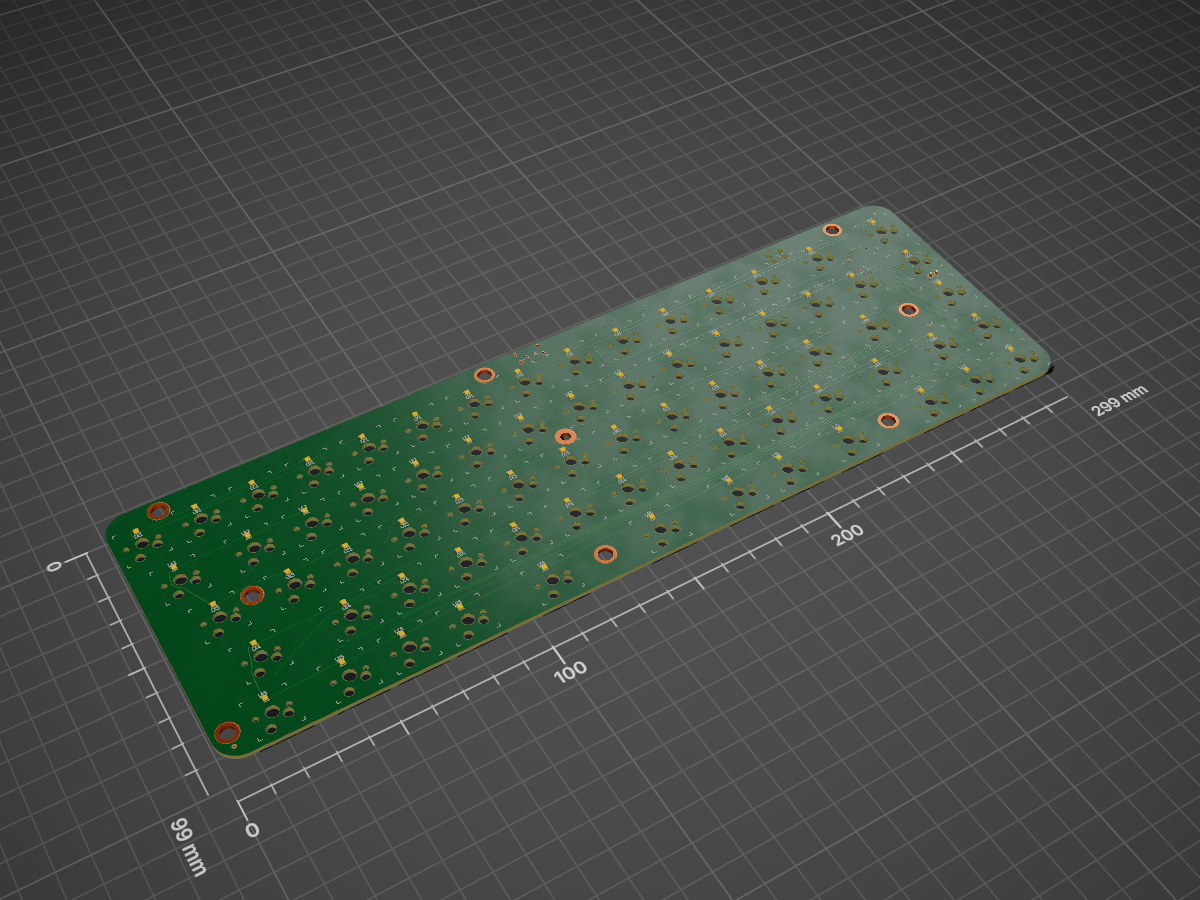
Launch lite is an open-source printed circuit board by system76, from the system76/launch repository on GitHub, published under the GPL-3.0 licence. It is a 4-layer board of 299 × 99 mm with 225 parts on 209 nets, routed with 1,375 tracks and 292 vias.
It is built around the AT90USB646-MUR, M3406-ADJ and USBLC6-2SC6, with the CPG151101S11, SK6805-EC15 and BAV70,215-JSM among its other parts. Its parts include 35 diodes, 19 capacitors, 8 resistors, 4 ICs and 3 connectors. It belongs with the keyboards and input boards and the AVR (ATmega, ATtiny) boards of this library.


The System76 Launch Configurable Keyboard is designed to provide the ultimate user controlled keyboard experience, with open source mechanical and electrical design, open source firmware and associated software, and a large number of user configuration opportunities. It is registered open source hardware with OSHWA UID US001062.

The Launch chassis is licensed CC-BY-SA-4.0 and can be viewed in the chassis folder using FreeCAD.
The chassis is milled from two solid blocks of aluminum and powder coated to provide excellent fit and finish. Each pocket, port, and hole is designed and precisely machined so that swapping switches and plugging in cables is easy and secure for the user.
The included lift bar can be magnetically secured to add 15 degrees of angle to your keyboard for ergonomics.
The layout is designed to provide a large number of remapping opportunities. The default layout can be viewed here, and the extra keys included can be viewed here.
The keycaps are PBT material with a dye sublimation legend and XDA profile to provide excellent feel and lifespan. Extras are provided for common replacements and color preference. An included keycap puller can be used to move and replace the keycaps.
The switches are mounted in sockets that support any RGB switch with an MX compatible footprint. Examples are the Cherry MX RGB switches and the Kailh BOX switches. Switches can be removed easily at any time with the included switch puller.

The Launch PCB is licensed GPLv3 and can be viewed in the pcb folder using KiCad.
Launch connects to a computer using the included USB-C to USB-C cable or USB-C to USB-A cable. It supports USB 3.2 Gen 2 with speeds up to 10 Gbps with either cable, provided the computer supports these speeds. It provides 2 USB-C and 2 USB-A connectors that also support USB 3.2 Gen 2, with the 10 Gbps bandwidth shared between them on demand.
Each switch has an RGB LED that is independently controlled by firmware. This allows for a number of RGB LED patterns to be selected.
The keyboard matrix uses diodes on all intersections, providing full independent scanning of each key position.
The Launch firmware is based on QMK,
licensed GPLv2, and the latest version is linked in the firmware submodule.
Projects that integrate with Launch are open source software, such as the System76 Keyboard Configurator, licensed GPLv3, and fwupd, licensed LGPLv2.1.
The keyboard can be remapped at runtime using the System76 Keyboard Configurator. This utility runs on Linux, Mac OS, and Windows.
Firmware updates are supported through the fwupd project, and are distributed using the related Linux Vendor Firmware Service. Settings are stored on EEPROM and are maintained through firmware updates.
| Qty | Value | Footprint | References |
|---|---|---|---|
| 70 | CPG151101S11 | Kailh:Kailh_socket_MX | SWA1, SWA2, SWA3, SWA4, SWA5, SWB1, SWB2, SWB3, SWB4, SWB5, SWC1, SWC2, SWC3, SWC4, SWC5, SWD1 +54 |
| 70 | SK6805-EC15 | launch:LED_SK6805-EC15 | LA1, LA2, LA3, LA4, LA5, LB1, LB2, LB3, LB4, LB5, LC1, LC2, LC3, LC4, LC5, LD1 +54 |
| 35 | BAV70,215 | Package_TO_SOT_SMD:SOT-23 | D10, D11, D12, D13, D14, D16, D17, D18, D19, D20, D22, D23, D24, D25, D26, D28 +19 |
| 14 | 1 uF | launch:C_0402_1005Metric | C0, C1, C2, C3, C4, C7, C59, C60, C61, C62, C64, C65, C66, C67 |
| 9 | MountingHole_Pad | launch:MountingHole | H1, H2, H3, H4, H5, H6, H7, H8, H9 |
| 4 | Fiducial | Fiducial:Fiducial_0.75mm_Mask1.5mm | FID1, FID2, FID3, FID4 |
| 3 | 8.2 uF | Capacitor_SMD:C_0805_2012Metric | C35, C48, C49 |
| 2 | 10 k | launch:R_0402_1005Metric | R4, R26 |
| 2 | 22 | launch:R_0402_1005Metric | R2, R3 |
| 2 | 22pF | Capacitor_SMD:C_0402_1005Metric | C5, C6 |
| 2 | 5.1 k | launch:R_0402_1005Metric | R1, R5 |
| 1 | 499 | launch:R_0402_1005Metric | R27 |
| 1 | 52.3 k | launch:R_0402_1005Metric | R25 |
| 1 | AP22811AW5-7 | launch:SOT-23-5 | U16 |
| 1 | AT90USB646-MUR | Package_DFN_QFN:QFN-64-1EP_9x9mm_P0.5mm_EP7.5x7.5mm | U1 |
| 1 | DNP | Connector:Tag-Connect_TC2030-IDC-FP_2x03_P1.27mm_Vertical | J1 |
| 1 | DNP | Connector_PinHeader_2.54mm:PinHeader_1x02_P2.54mm_Vertical | J6 |
| 1 | ECS-160-18-23G-JGN-TR | Crystal:Crystal_SMD_0603-2Pin_6.0x3.5mm | Y0 |
| 1 | M3406-ADJ | launch:SOT-23-5 | U4 |
| 1 | SRN4018TA-2R2M | Inductor_SMD:L_Bourns-SRN4018 | L2 |
| 1 | System76Logo | Logo:System76 | LOGO1 |
| 1 | TYPE-C-31-M-12 | Connector_USB:USB_C_Receptacle_HRO_TYPE-C-31-M-12 | J0 |
| 1 | USBLC6-2SC6 | Package_TO_SOT_SMD:SOT-23-6 | U0 |
It measures 299 × 99 mm and has 4 copper layers, 1.6 mm thick.
225 parts, built around the AT90USB646-MUR, M3406-ADJ, USBLC6-2SC6 and CPG151101S11. The full list of its parts is on this page, with links to each part's symbol and footprint where PCBKit's library has them.
From the system76/launch repository on GitHub, at the commit this page was made from: the board is pcb-lite/launch-lite.kicad_pcb and its schematic pcb-heavy/launch-heavy.kicad_sch. PCBKit opens the board in the browser, with nothing to install.
Its repository publishes it under the GPL-3.0 licence: you may reuse it on that licence's terms (keep the author's notice, and for a copyleft licence share your changes alike).


EnAccess/Cicada-GSM-HW
IoT Communications Module for Energy Access. A quick way to get production ready, bi-directional communications for your IoT embedded device.
