This is a marine steering system designed to track and steer a boat during a rowing outing. It is made up of a cross-platform mobile app built in React Native, along with an Arduino-operated servo designed to control…
Buttons is an open-source printed circuit board by suchanekj, from the suchanekj/rowing_steering repository on GitHub. It is a 2-layer board of 63.5 × 21.8 mm with 14 parts on 35 nets, routed with 96 tracks and 8 vias.
Its parts include 7 resistors, 3 diodes and 3 connectors. It belongs with the AVR (ATmega, ATtiny) boards of this library.
README
README.md
Marine Steering System (Buccaneer)
This is a marine steering system designed to track and steer a boat during a rowing outing. It is made up of a cross-platform mobile app built in React Native, along with an Arduino-operated servo designed to control the boat's rudder and a game controller.
The system features three modes:
1. Tracking only
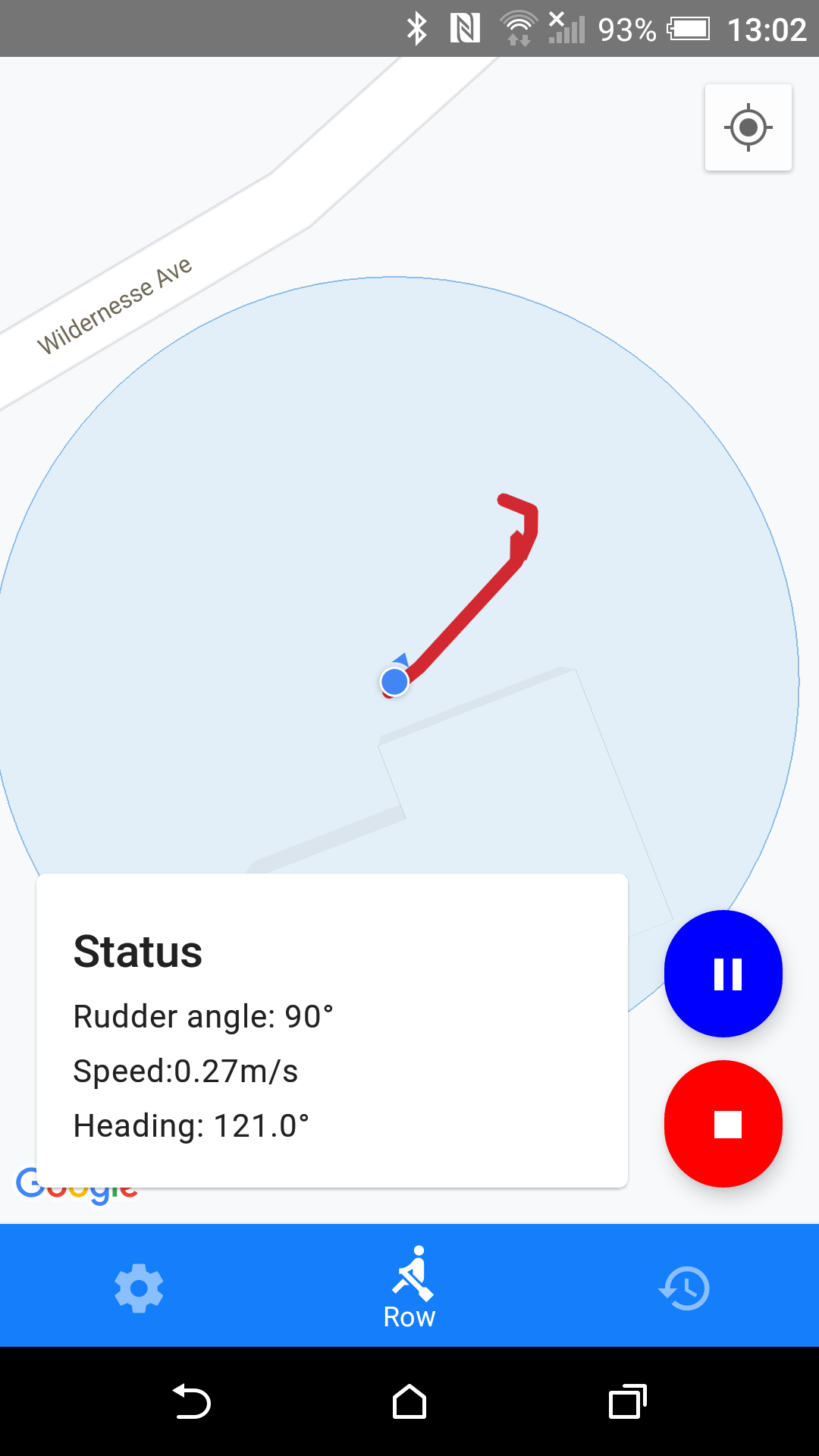
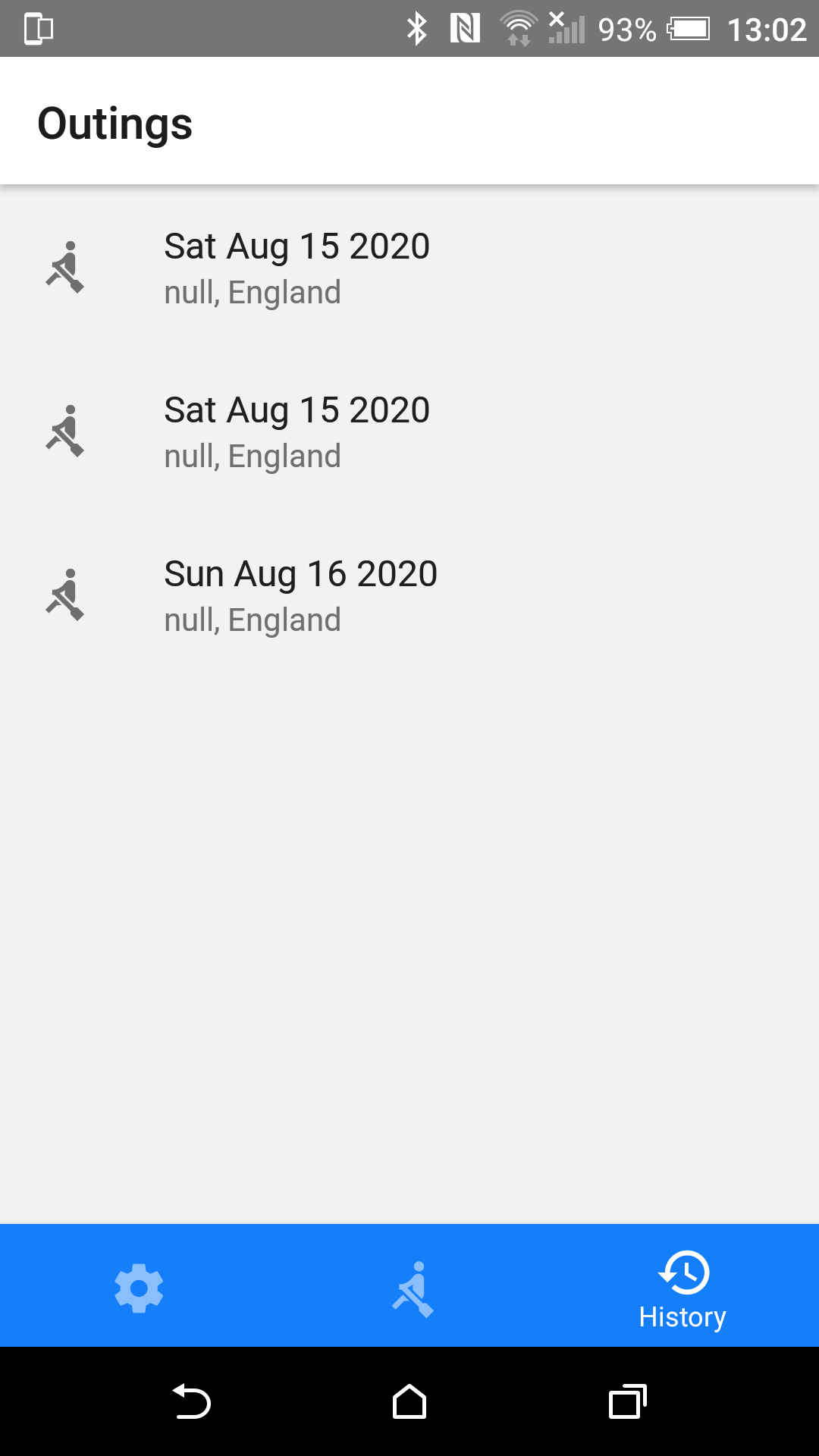
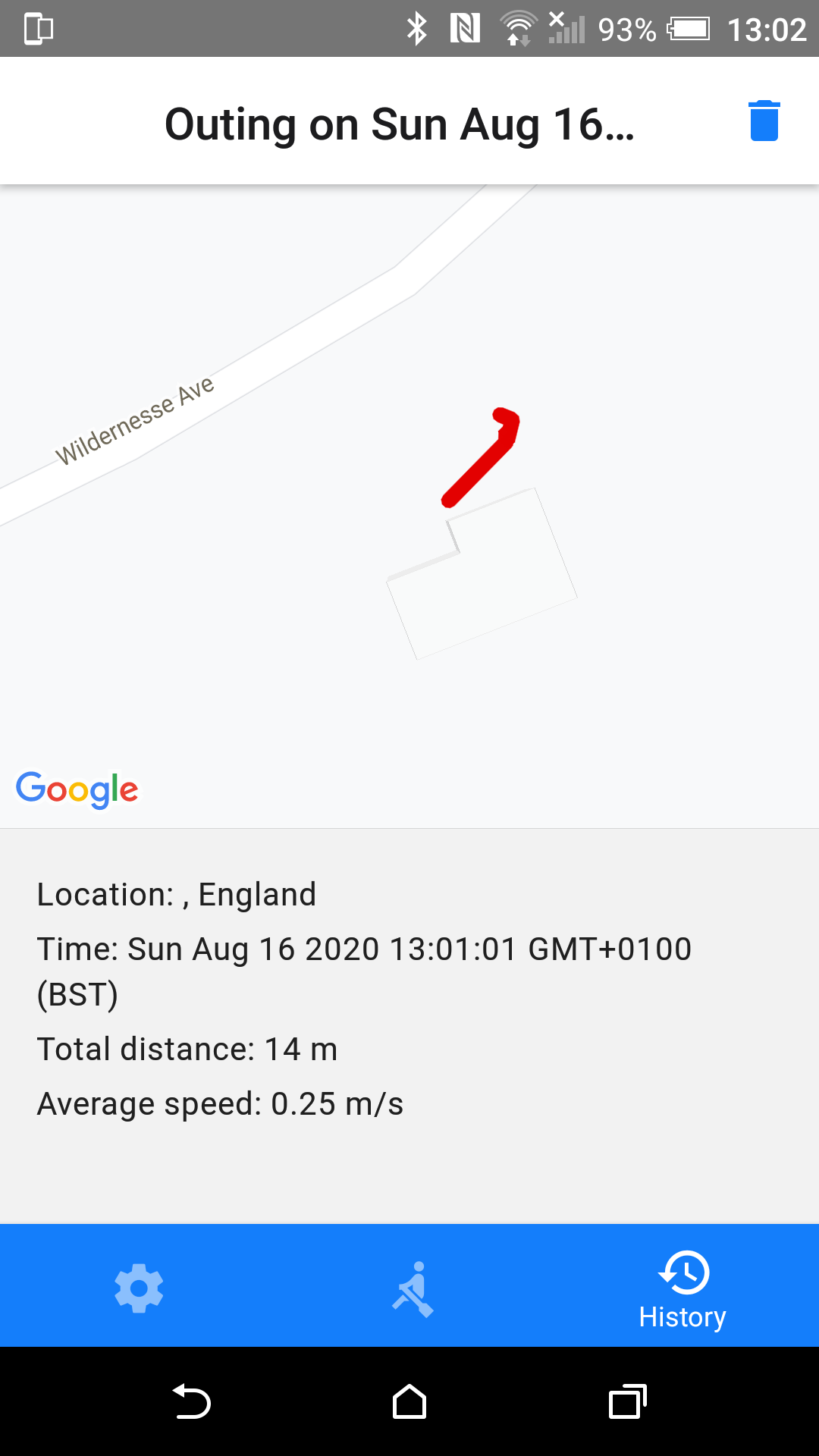
This mode tracks your outing without providing any sort of control. Simply line the phone up in the direction of the boat and it will record your outing and useful information like distance and average speed. Past outings can then be reviewed from the history tab.
2. Manual mode
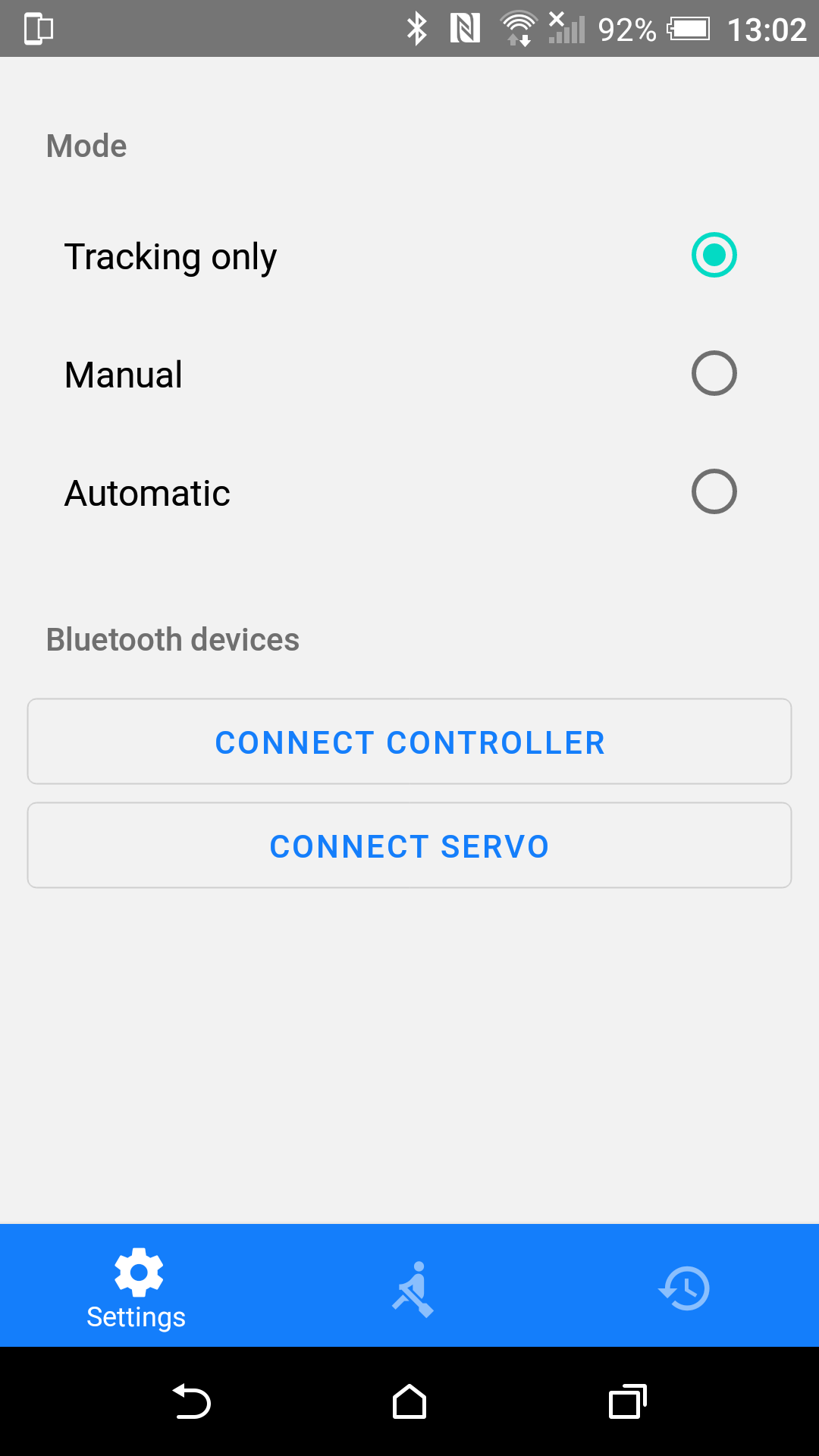
In addition to tracking your outing, manual mode allows you to control the boat's rudder from a wireless game controller that can be kept in your hand whilst rowing. Simply connect the servo and controller to the app via bluetooth in the settings tab, and then select manual mode to enable.
3. Automatic mode
Lastly, the ultimate goal of the system is to enable fully automated steering. This is a achived by a simple PID controller. The boat's current heading is compared to an average of the river's bearing over the next 100m, weighted by proximity. This forms the error input to a PID controller, which provides a corrective rudder angle output. Simply connect the servo via bluetooth in the settings tab and select automatic mode to enable.
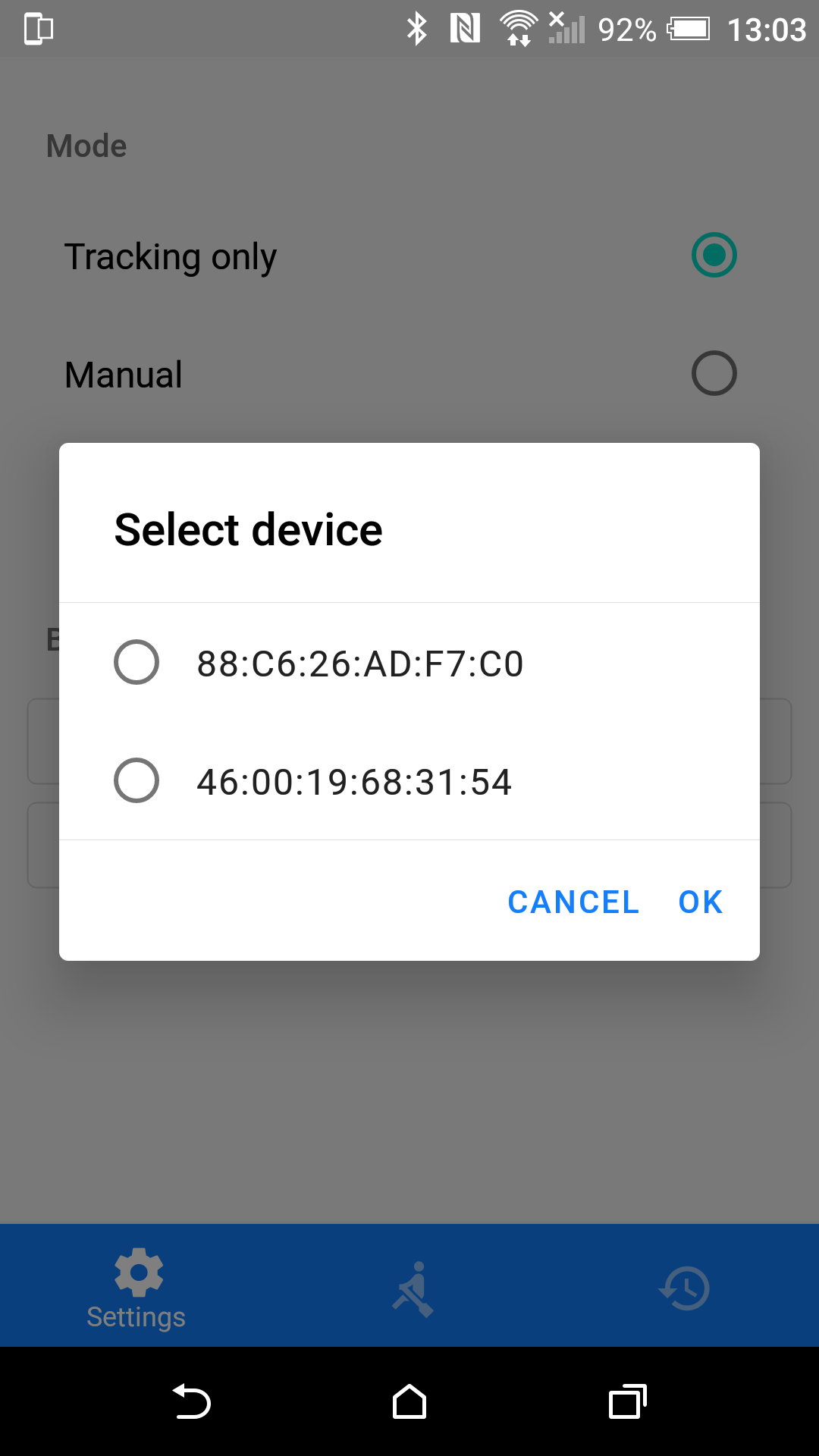
Screenshots
Running the app
The app has been built in React Native, a cross-platform framework for developing mobile apps using Javascript.
To work on the app, you'll need to set up a few tools that allow you to run the app on your iOS or Android device. For Android, this involves installing Node and Watchman, followed by the Java Development Kit and Android Studio. See the docs for more details and also for instructions for iOS. Select "React Native CLI Quickstart" rather than "Expo CLI Quickstart". Expo is a set of tools that make React Native development easier, but sadly bluetooth functionality is not yet available in Expo, so we're following the ordinary React Native CLI workflow, sometimes called the "bare workflow".
Once the tools are set up, enable USB debugging on your Android device, connect it via USB and run:
text
npx react-native run-android
See the docs for more details and also for instructions for iOS. They also provide instructions on building an APK build of the app.
To do
The functionality of the app is largely complete. It has been tested on Android and the tracking mode works well. The app also correctly scans for and picks up surrounding bluetooth devices. However, manual and automatic modes have yet to be tested in conjunction with the hardware.
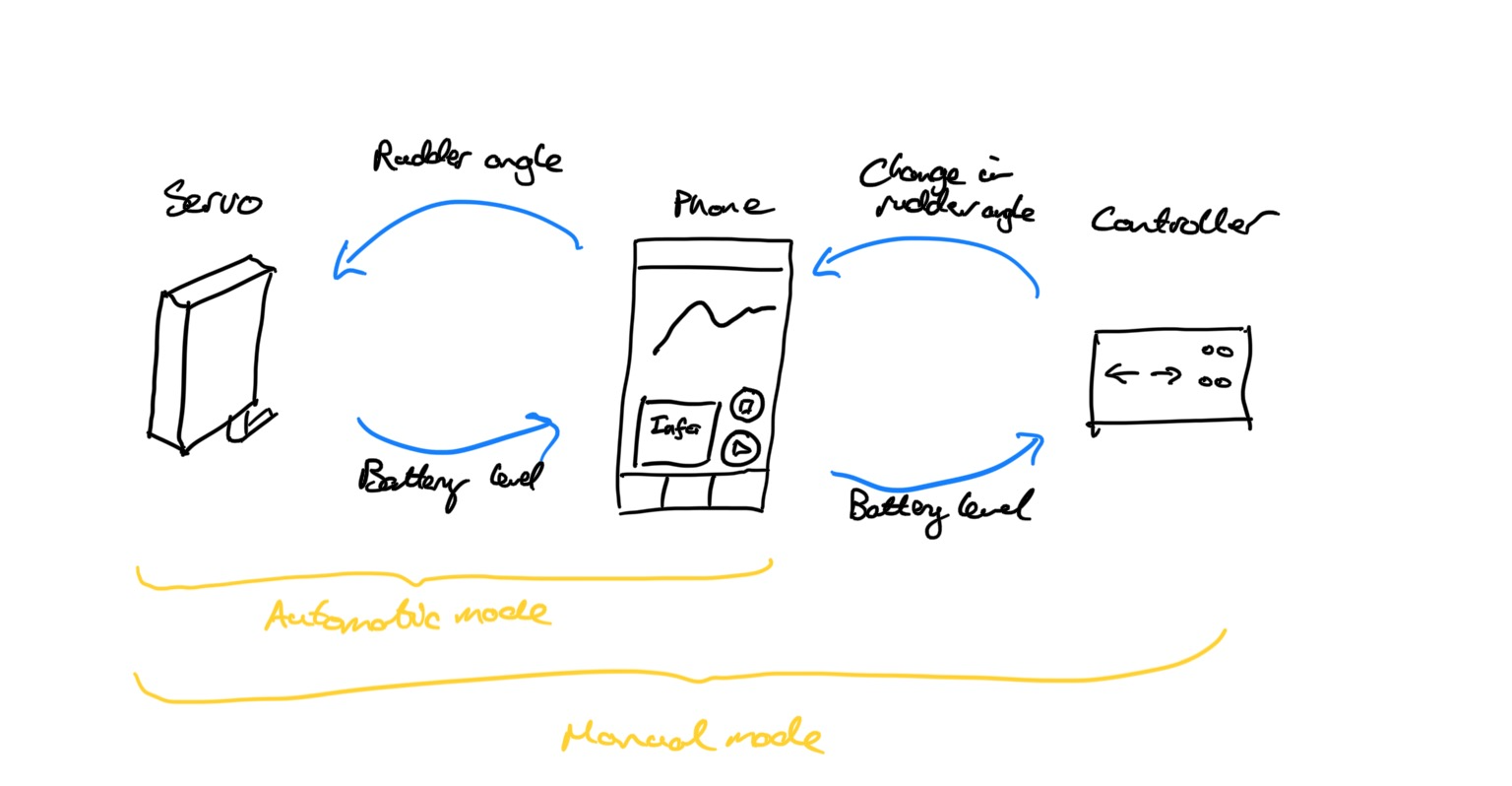
In terms of hardware, the servo and game controller must be able to receive and send the following bluetooth messages from the phone:
All bluetooth messages consist of signed 8-bit integers. The servo receives from the phone a rudder angle between -90 and 90, and sends the phone a battery level between 0 and 100. The controller receives from the phone the servo's battery level between 0 and 100, and sends a change in rudder angle between -128 and 127. The phone will add this received value to the current rudder angle to determine the new rudder angle.
The following UUIDs are used for each message. Note that I've come up with new ones, so you'll have to replace the UUIDs used in the current servo code.
text
export const SERVO_SERICE = "802af24b-b40a-488b-b740-4c0405c1f955";
export const BATTERY_LEVEL_CHARACTERISTIC =
  "27468c1f-2915-4b5a-ac6a-6efb97dd764e"; // the servo to phone battery level message (0 to 100)
export const RUDDER_ANGLE_CHARACTERISTIC =
  "948c9983-d637-405b-be86-4565e3c0b7dd"; // the phone to servo rudder angle message (-90 to 90)

export const CONTROLLER_SERVICE = "8be2ecbd-047b-4af5-99fc-ad5a571a99c8";
export const RUDDER_CHANGE_CHARACTERISTIC =
  "1aa10f81-2712-4eb1-a4fc-6c2b0ba74671"; // the controller to phone rudder angle change message (-128 to 127)
export const BATTERY_INFO_CHARACTERISTIC =
  "3a7b1270-435a-4927-86fb-cd135bee2ca5"; // the phone to servo battery level message (0 to 100)
Notes
Bluetooth device names in the app
The bluetooth library the app uses currently has a bug. When you scan for nearby bluetooth devices, the discovered devices don't have names, only MAC ID addresses. Hopefully this will be fixed in a future release, but for now the app displays the MAC ID addresses of possible devices instead of their names. This isn't ideal but if you keep a note of the MAC ID address of the servo and controller you can connect to the right devices.
This is a marine steering system designed to track and steer a boat during a rowing outing. It is made up of a cross-platform mobile app built in React Native, along with an Arduino-operated servo designed to control…
It measures 63.5 × 21.8 mm and has 2 copper layers, 1.6 mm thick.
What parts does the Buttons use?
14 parts. The full list of its parts is on this page, with links to each part's symbol and footprint where PCBKit's library has them.
Where can I download the Buttons KiCad files?
From the suchanekj/rowing_steering repository on GitHub, at the commit this page was made from: the board is electronics/buttons/buttons/buttons.kicad_pcb. PCBKit opens the board in the browser, with nothing to install.
Can I use the Buttons design in my own project?
Its repository states no licence, so its author keeps all rights: ask suchanekj before reusing the design.