
4 layers99 × 53.3 mm
PSLab
fossasia/pslab-hardware
PSLab Hardware Design and Schematics https://pslab.io
199 parts1.7kApache-2.0
 stigsb/devais
Handheld AI Assistant Device
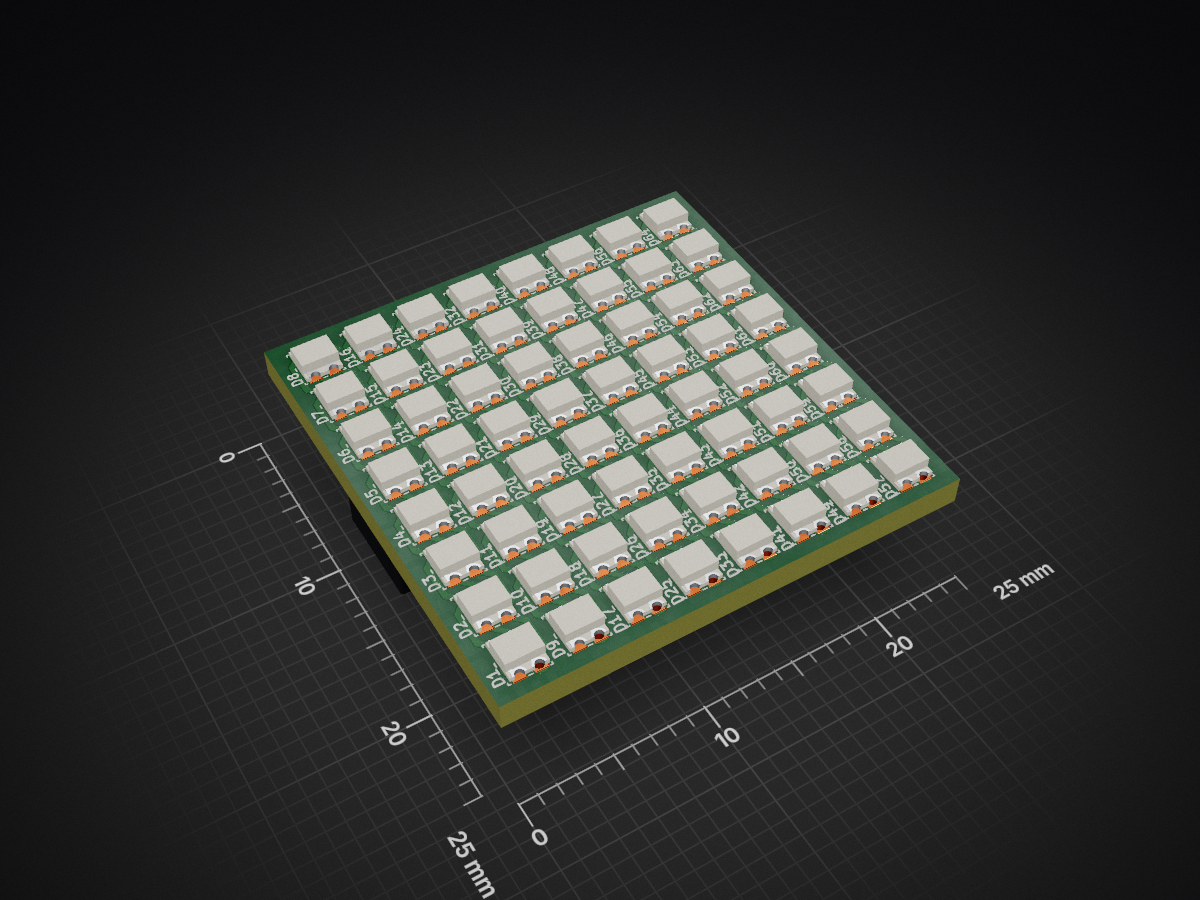
WS2812B-2020 8x8 is an open-source printed circuit board by stigsb, from the stigsb/devais repository on GitHub. It is a 2-layer board of 25 × 25 mm with 66 parts on 67 nets, routed with 532 tracks and 32 vias.
It is built around the WS2812B. Its parts include 64 diodes and 2 connectors.
A battery-powered, pocket-sized AI assistant with a push-to-talk interface. Designed as a walkie-talkie style device that solves the common problem of AI apps responding to hesitation during speech.
Form Factor: Stick-shaped handheld device (~30x30x150mm)
Power: 18650 battery with USB-C charging
Interface: Push-to-talk button, status LEDs, speaker and microphone
Connectivity: Bluetooth Low Energy (nRF52840)
devais/
├── cad/              # 3D CAD models (CadQuery scripts)
├── firmware/         # nRF52840 firmware
├── docs/             # Documentation, wiring diagrams
├── hardware/         # PCB designs, schematics
└── README.md# Clone the repository
git clone https://github.com/stigsb/devais.git
cd devais
# Install dependencies with uv
uv sync
# Activate virtual environment
source .venv/bin/activate # Linux/Mac
# or
.venv\Scripts\activate # Windows# Generate the enclosure model
python cad/enclosure.py
# Output will be in cad/output/ as STL filesTrondheim, Norway
TBD
| Qty | Value | Footprint | References |
|---|---|---|---|
| 64 | WS2812B | MR_LED:WS2812B2020 | D1, D2, D10, D11, D12, D13, D14, D15, D16, D17, D18, D19, D20, D21, D22, D23 +48 |
| 2 | Conn_01x03_Female | MR_Connect:DS1024-1x3R0 01x03 | J1, J2 |
It measures 25 × 25 mm and has 2 copper layers, 1.6 mm thick.
66 parts, built around the WS2812B. The full list of its parts is on this page, with links to each part's symbol and footprint where PCBKit's library has them.
From the stigsb/devais repository on GitHub, at the commit this page was made from: the board is hardware/led-matrix/upstream/WS2812B-2020_8x8.kicad_pcb and its schematic hardware/led-matrix/upstream/WS2812B-2020_8x8.kicad_sch. PCBKit opens the board in the browser, with nothing to install.
Its repository states no licence, so its author keeps all rights: ask stigsb before reusing the design.
fossasia/pslab-hardware
PSLab Hardware Design and Schematics https://pslab.io

FrameworkComputer/ExpansionCards
Reference designs and documentation to create Expansion Cards for the Framework Laptop


PrintersForAnts/Micron
If you want to purchase full kits there are 3 available (Kits are slowly updating to R1 hardware just make sure to double check the included hardware in your kit and if you have any questions reach out in the discord)


