2 layers106.9 × 68.6 mm

 RolandMueller1994/MidiPedalPlatform
A template PCB for guitar effect pedals that can be remote controlled via MIDI interface.
MidiPedalPlatform is an open-source printed circuit board by RolandMueller1994, from the RolandMueller1994/MidiPedalPlatform repository on GitHub. It is a 2-layer board of 54 × 83.5 mm with 50 parts on 90 nets, routed with 397 tracks and 47 vias.
It is built around the 74HC14 and H11L1. Its parts include 13 resistors, 9 capacitors, 9 connectors, 4 ICs and 4 diodes. It belongs with the audio and music boards and the STM32 boards of this library.


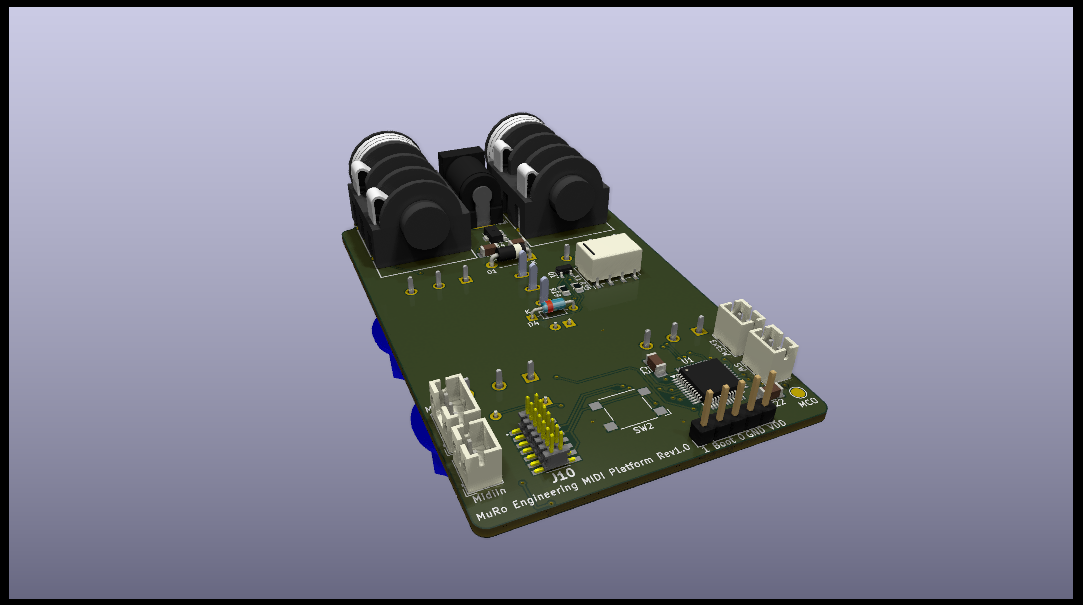
This project contains a template PCB for guitar effect pedals with MIDI remote functionality. MIDI is implemented using a STM32 F030C8T6 microcontroller. The PCB is setup to contain four 16mm potentiometers, a SPST on-off-on switch and PCB mounted jack sockets for audio connection. Further connections are the MIDI input and output, an internal switch and an external switch which are all accesible through JST connectors. A programming and debugging connector for the STLINK-V3MINIE is implemented on the PCB.
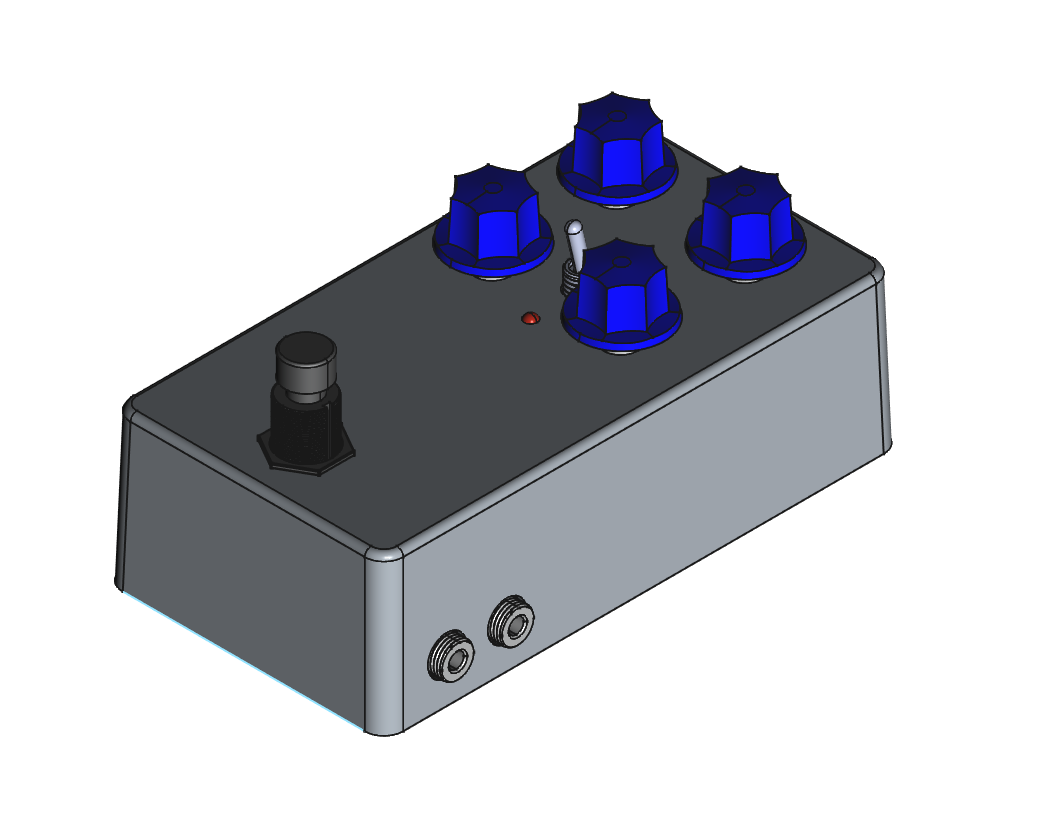
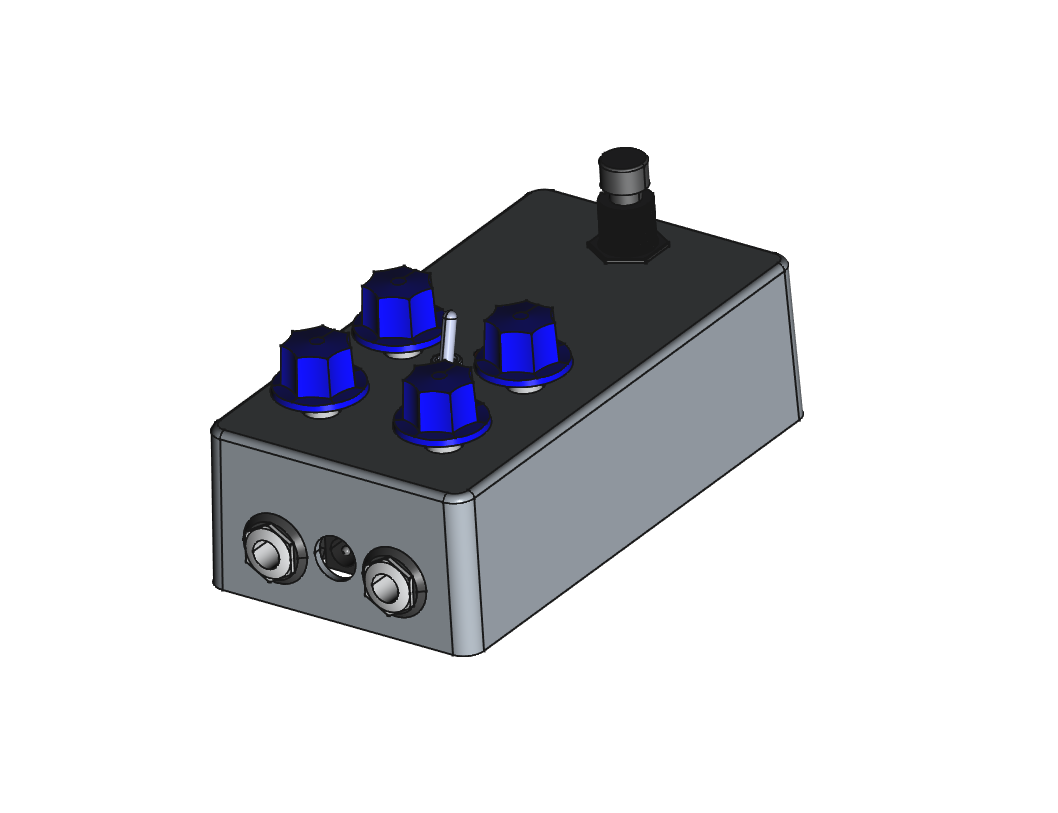
Following images show a complete pedal build based on this template.
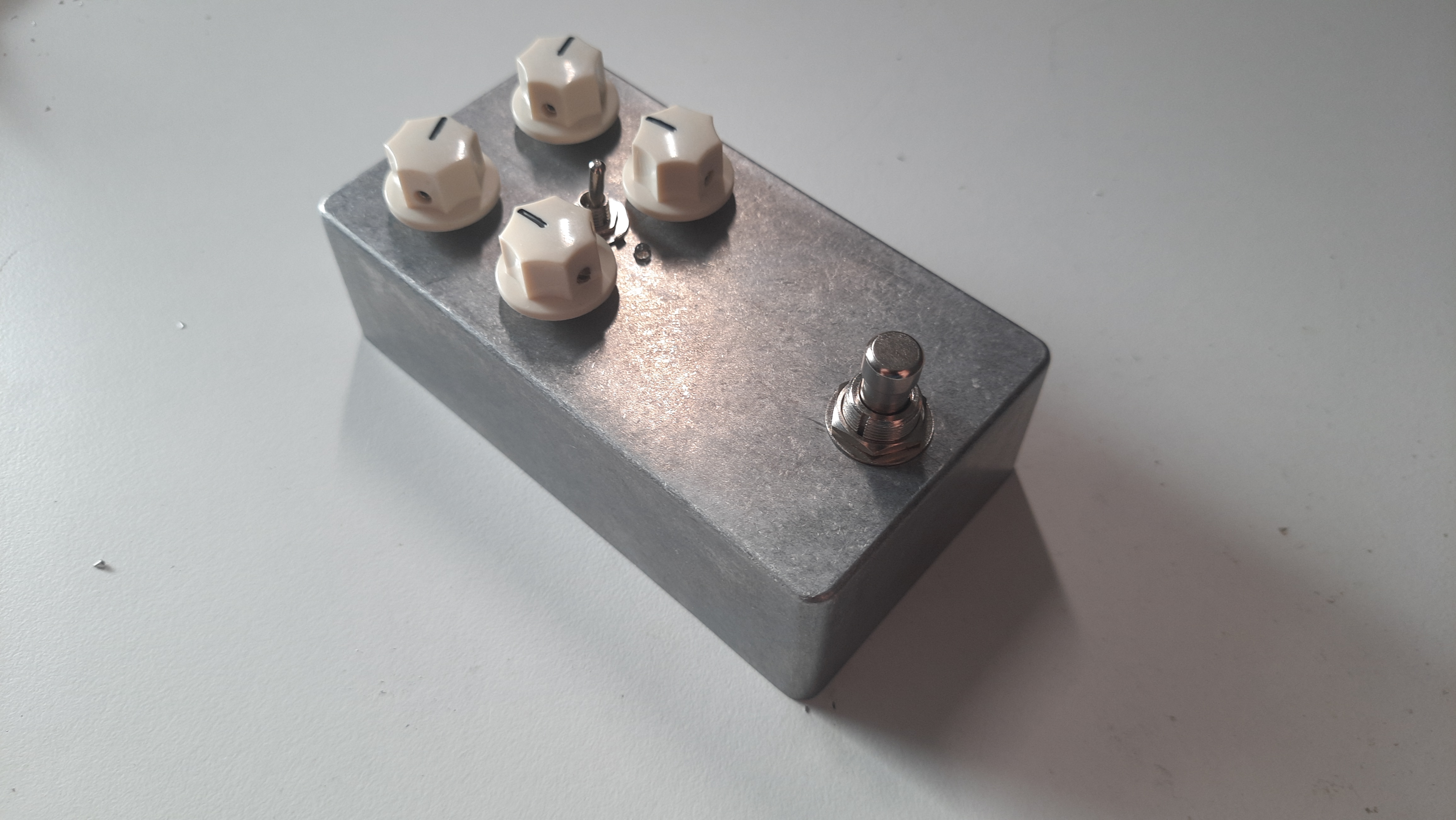
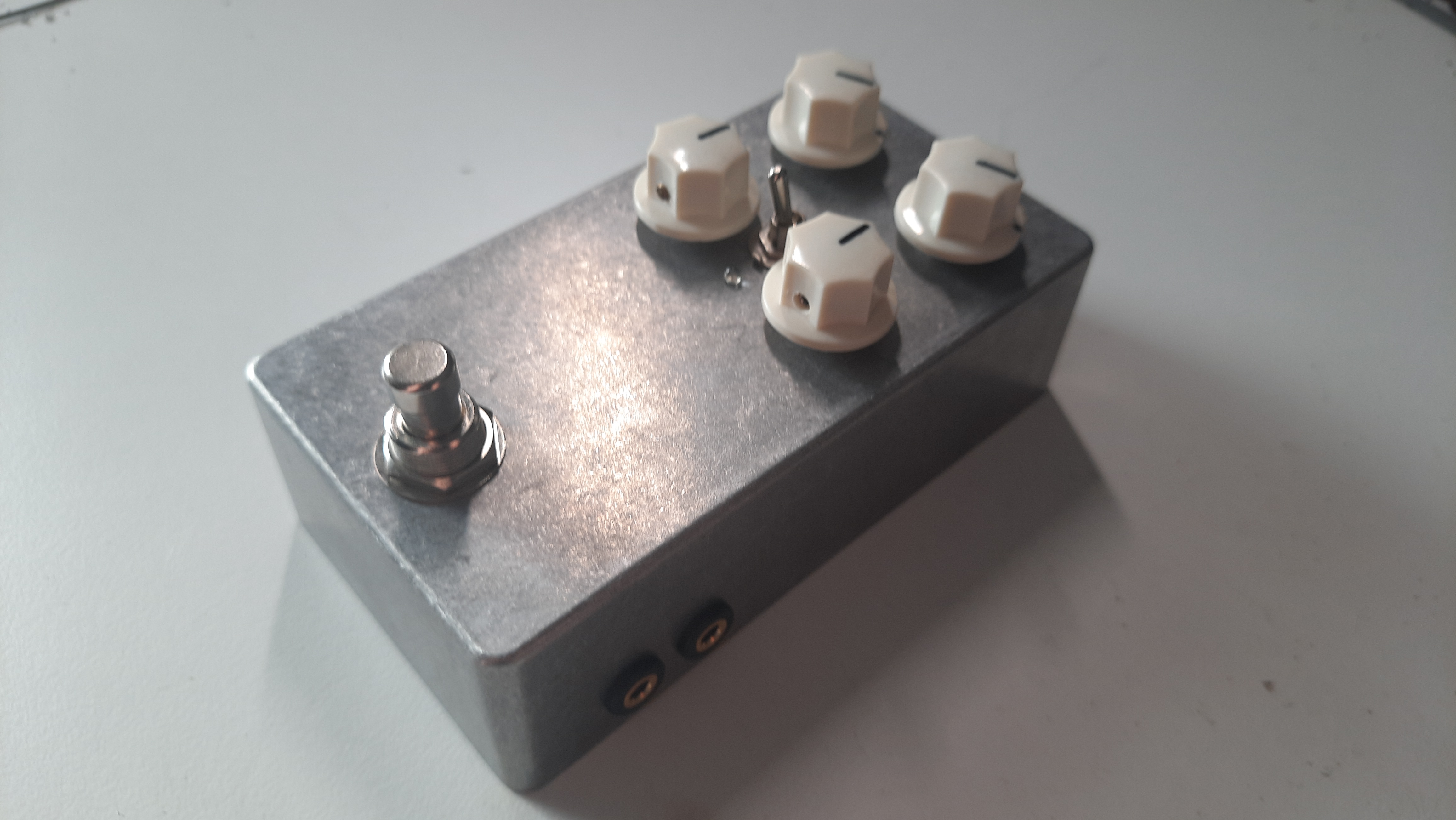
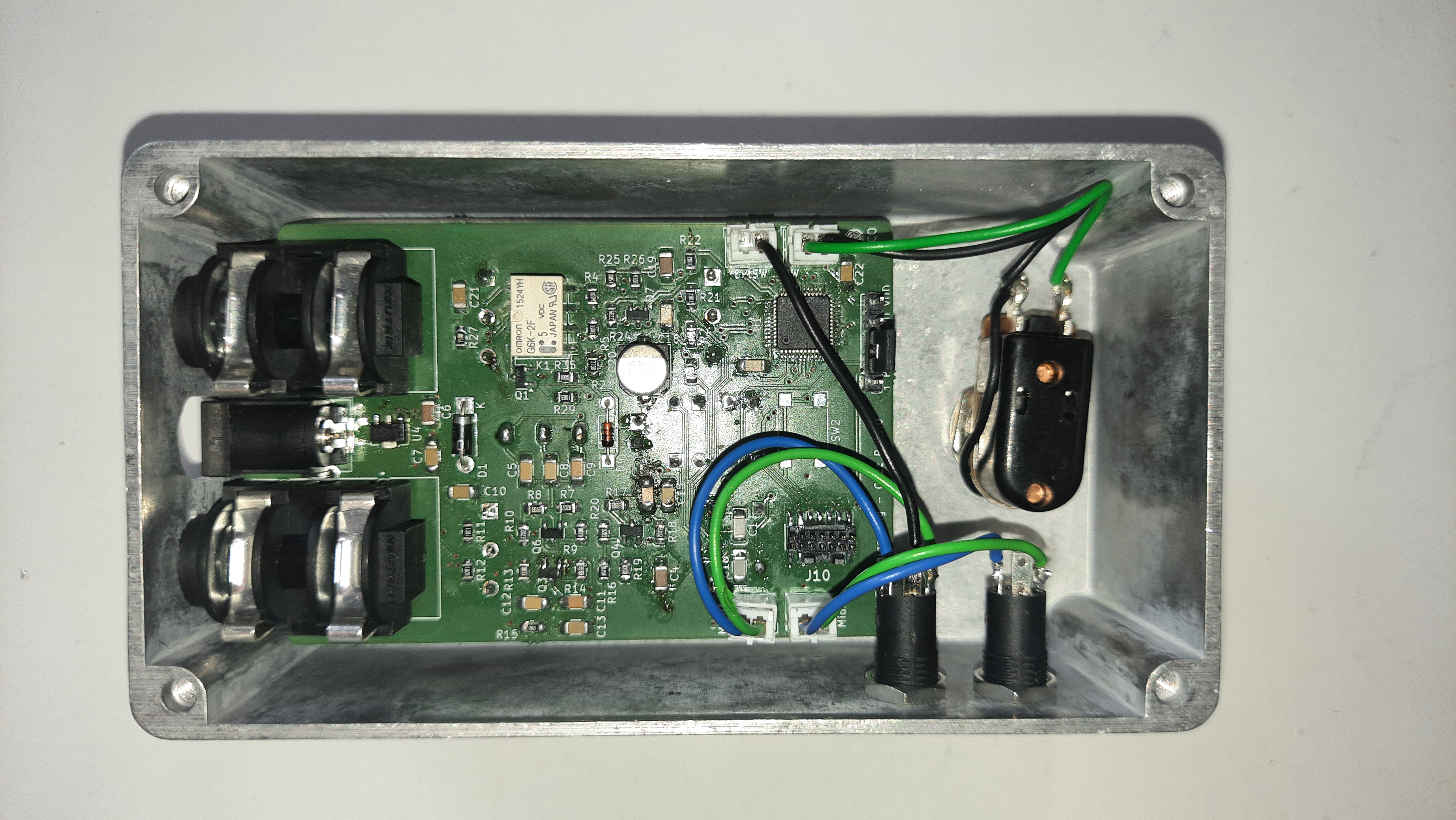
The PCB was developed using KiCad and a two layer setup. The KiCad project can be found in PCB/MidiPedalPlatform whilst PCB and schematic exports are located in PCB/Export.
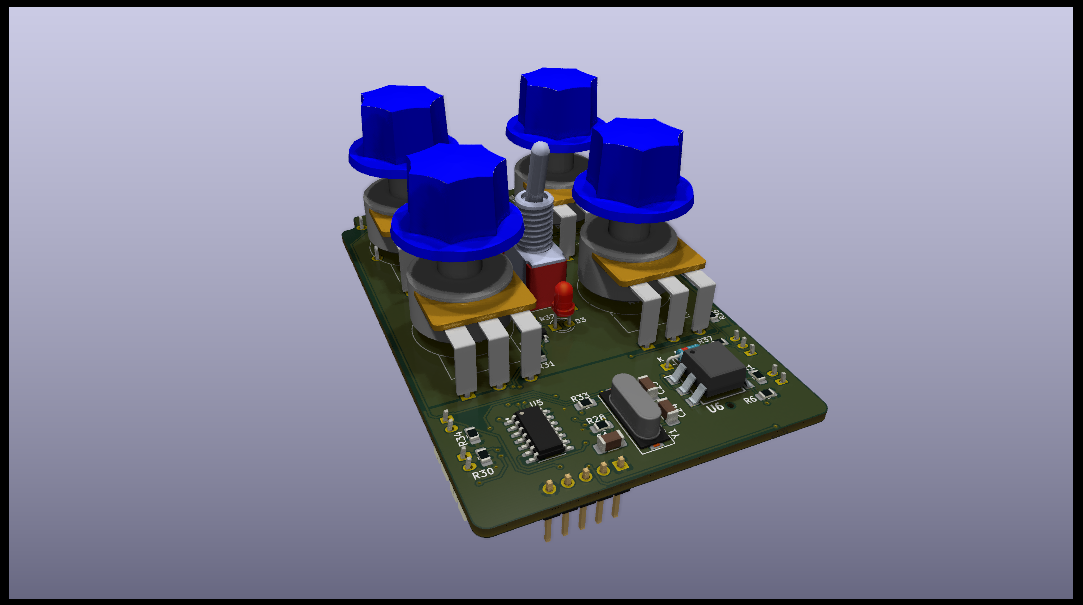
The MCU firmware is located in the Firmware directory. It is implemented as STM32CubeIDE project.
The firmware handles switches and MIDI messages. By default, two switches are available: SW and ExtSW. SW is meant to be used as the default internal footswitch and must be a momentary switch. ExtSW can be used to connect an external remote switch and is by default configured to be a latching switch. This can be changed by changing:
bool swLatches[NO_SWITCHES] = { false, true, true }to
bool swLatches[NO_SWITCHES] = { false, false, true }The pedal can be switched on and off via MIDI CC commands. The channel and controller number are stored in the flash memory. Thus, a MIDI learn state and a reset state have been implemented. To reset both parameters to their default value (channel=0, controller=20), hold the footswitch pressed (SW) while powering on or reseting the MCU till the LED starts blinking. Release the switch afterwards and the LED stops blinking. Default values will then have been written to flash.
MIDI learn is used to set any other channel and controller. This mode can be accessed by holding the footswitch pressed whilst the input jack is not connected. The LED starts blinking once MIDI learn state has been reached. In this mode, the firmware waits for a MIDI CC message and once the first one has been received, it will store the channel and controller of this message in the flash memory. MIDI learn can be aborted by pressing the footswitch again. In either case, MIDI CC received or MIDI learn aborted, the LED stops blinking. The pedal can be switched on by sending a value greater than 63 to the configured MIDI contoller. Anything lower or equal than 63 will switch off the pedal.
The footswitch can be used in two different ways.
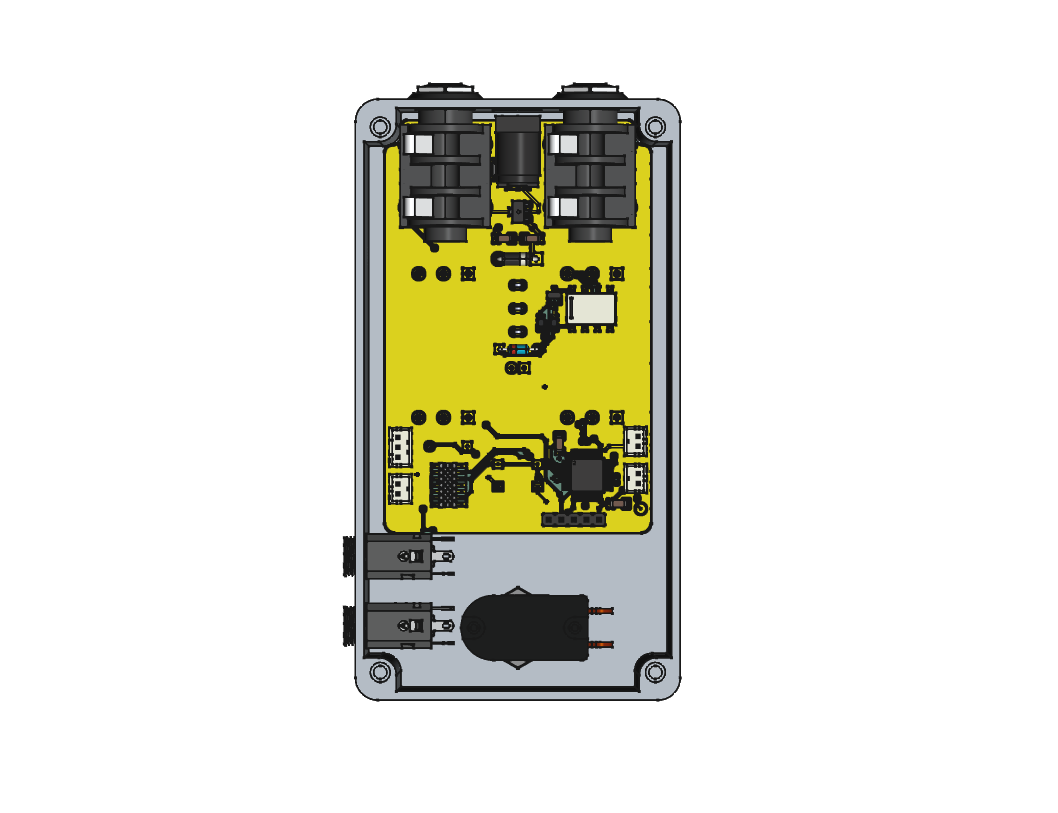
The PCB was design to fit into a 1590N1 enclosure. A FreeCAD project including enclosure, PCB, jacks and the switch can be found at Enclosure/Enclosure.FCStd. Renderings of the enclosure can be found below. Drill templates can be found in Enclosure/DrillTemplates.
| Qty | Value | Footprint | References |
|---|---|---|---|
| 5 | 100n | Capacitor_SMD:C_1206_3216Metric_Pad1.33x1.80mm_HandSolder | C1, C2, C7, C22, C23 |
| 4 | 10k | Resistor_SMD:R_0805_2012Metric_Pad1.20x1.40mm_HandSolder | R28, R30, R34, R40 |
| 4 | B100k | Components:RV16AF_Mono | RV1, RV2, RV3, RV4 |
| 3 | Conn_01x02 | Connector_JST:JST_PH_B2B-PH-K_1x02_P2.00mm_Vertical | J2, J5, J8 |
| 2 | 100k | Resistor_SMD:R_0805_2012Metric_Pad1.20x1.40mm_HandSolder | R29, R31 |
| 2 | 16p | Capacitor_SMD:C_1206_3216Metric_Pad1.33x1.80mm_HandSolder | C24, C25 |
| 2 | 2N7002 | Package_TO_SOT_SMD:SOT-23 | Q1, Q2 |
| 2 | AudioJack2_Switch | Components:NMJ4HCD2 | J3, J4 |
| 1 | 10 | Resistor_SMD:R_0805_2012Metric_Pad1.20x1.40mm_HandSolder | R36 |
| 1 | 180 | Resistor_SMD:R_0805_2012Metric_Pad1.20x1.40mm_HandSolder | R35 |
| 1 | 1N4001 | Diode_THT:D_DO-41_SOD81_P7.62mm_Horizontal | D1 |
| 1 | 1N4148 | Diode_THT:D_DO-35_SOD27_P7.62mm_Horizontal | D4 |
| 1 | 1N914 | Diode_THT:D_DO-35_SOD27_P7.62mm_Horizontal | D2 |
| 1 | 1k5 | Resistor_SMD:R_0805_2012Metric_Pad1.20x1.40mm_HandSolder | R32 |
| 1 | 220 | Resistor_SMD:R_0805_2012Metric_Pad1.20x1.40mm_HandSolder | R1 |
| 1 | 280 | Resistor_SMD:R_0805_2012Metric_Pad1.20x1.40mm_HandSolder | R6 |
| 1 | 33 | Resistor_SMD:R_0805_2012Metric_Pad1.20x1.40mm_HandSolder | R37 |
| 1 | 390 | Resistor_SMD:R_0805_2012Metric_Pad1.20x1.40mm_HandSolder | R33 |
| 1 | 47u | Capacitor_SMD:CP_Elec_6.3x5.8 | C3 |
| 1 | 4u7 | Capacitor_SMD:C_1206_3216Metric_Pad1.33x1.80mm_HandSolder | C6 |
| 1 | 74HC14 | Package_SO:SO-14_3.9x8.65mm_P1.27mm | U5 |
| 1 | 8MHz | Crystal:Crystal_SMD_HC49-SD | Y1 |
| 1 | Barrel_Jack_Switch | Connector_BarrelJack:BarrelJack_GCT_DCJ200-10-A_Horizontal | J1 |
| 1 | Conn_01x03 | Connector_JST:JST_PH_B3B-PH-K_1x03_P2.00mm_Vertical | J9 |
| 1 | Conn_01x05 | Connector_PinHeader_2.54mm:PinHeader_1x05_P2.54mm_Vertical | J6 |
| 1 | Conn_02x07_Odd_Even | Components:FTSH-107-XX-YYY-DV-K-A | J10 |
| 1 | G6K-2 | Relay_SMD:Relay_DPDT_Omron_G6K-2F | K1 |
| 1 | H11L1 | Components:H11L1SM | U6 |
| 1 | L78L33_SOT89 | Package_TO_SOT_SMD:SOT-89-3 | U4 |
| 1 | LED | LED_THT:LED_D3.0mm | D3 |
| 1 | STM32F030C8Tx | Package_QFP:LQFP-48_7x7mm_P0.5mm | U1 |
| 1 | SW_Push | Button_Switch_SMD:SW_SPST_Omron_B3FS-100xP | SW2 |
| 1 | SW_SPDT | Components:Switch_SPDT | SW1 |
| 1 | TestPoint | TestPoint:TestPoint_Pad_D2.0mm | TP_MCO1 |

threedaymonk/midi-in-out-thru
3.3V MIDI in/out/thru serial interface

RolandMueller1994/DualBoost
This project implements a dual boost guitar effect with MIDI capability based on a state variable filter. MIDI is implemented using a STM32 F030C8T6 microcontroller.


bkshepherd/DaisySeedProjects
A collection of hardware and software projects based around the Electro-Smith Daisy Seed

zynthian/zynthian-hw
Zynthian hardware stuff: PCBs, schemes, parts specifications, pin assignment, ...

chris-jh/mt32-pi-midi-hat
A Raspberry Pi Midi Hat for the project mt32-pi by Dale Whinham (https://github.com/dwhinham/mt32-pi)
It measures 54 × 83.5 mm and has 2 copper layers, 1.6 mm thick.
50 parts, built around the 74HC14 and H11L1. The full list of its parts is on this page, with links to each part's symbol and footprint where PCBKit's library has them.
From the RolandMueller1994/MidiPedalPlatform repository on GitHub, at the commit this page was made from: the board is PCB/MidiPedalPlatform/MidiPedalPlatform.kicad_pcb and its schematic PCB/MidiPedalPlatform/Analog.kicad_sch. PCBKit opens the board in the browser, with nothing to install.
Its repository states no licence, so its author keeps all rights: ask RolandMueller1994 before reusing the design.