
2 layers103 × 30.5 mm

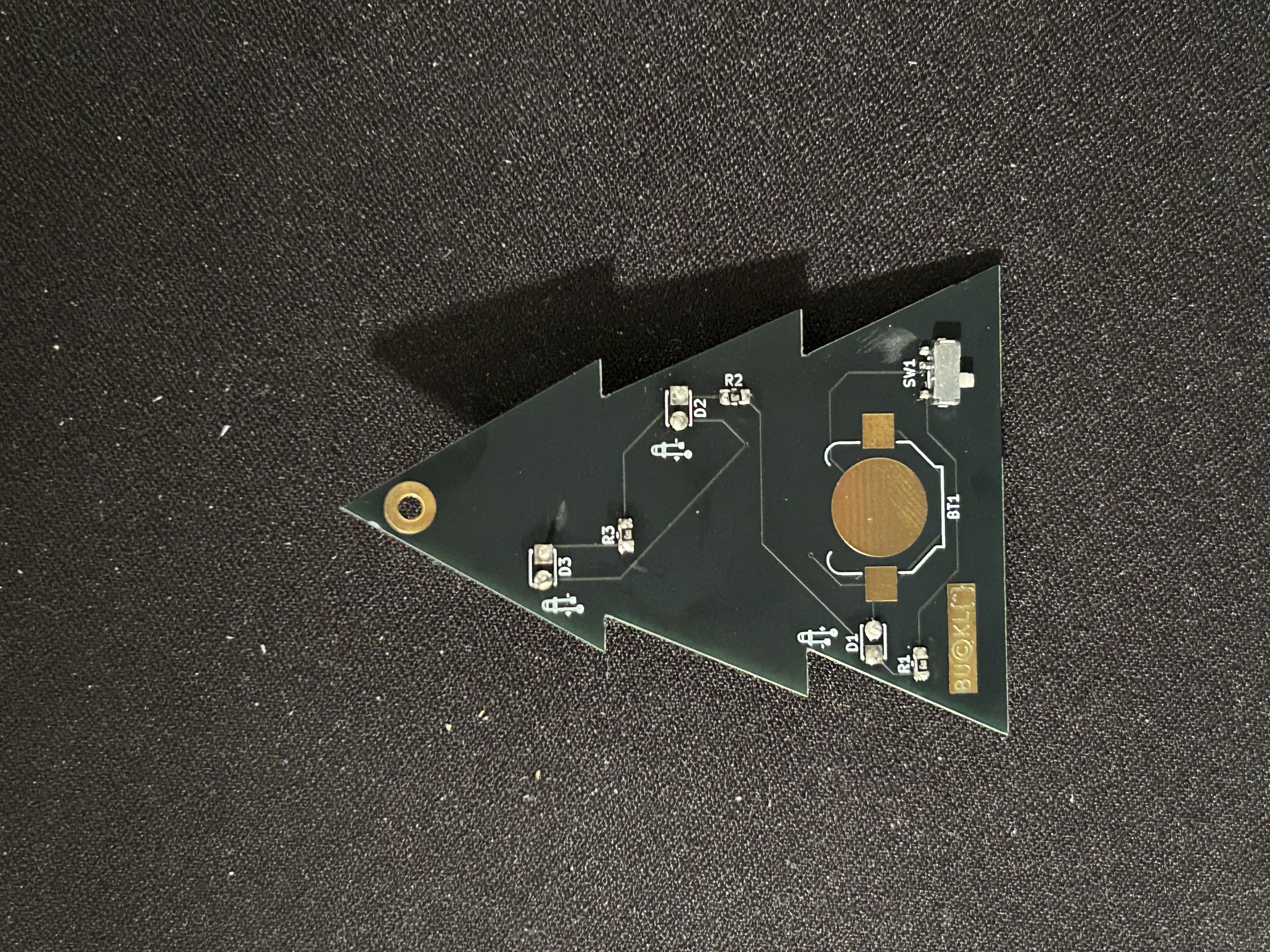
The below image demonstrates the correct orientation and placement of the diodes and resistors. Follow the diagram on the back of the pcb.
Tree is an open-source printed circuit board by rhettjay, from the rhettjay/christmas-2024 repository on GitHub. It is a 2-layer board of 49.3 × 68.7 mm with 9 parts on 7 nets, routed with 36 tracks and 2 vias.
Its parts include 3 resistors, 3 diodes and 1 switch.
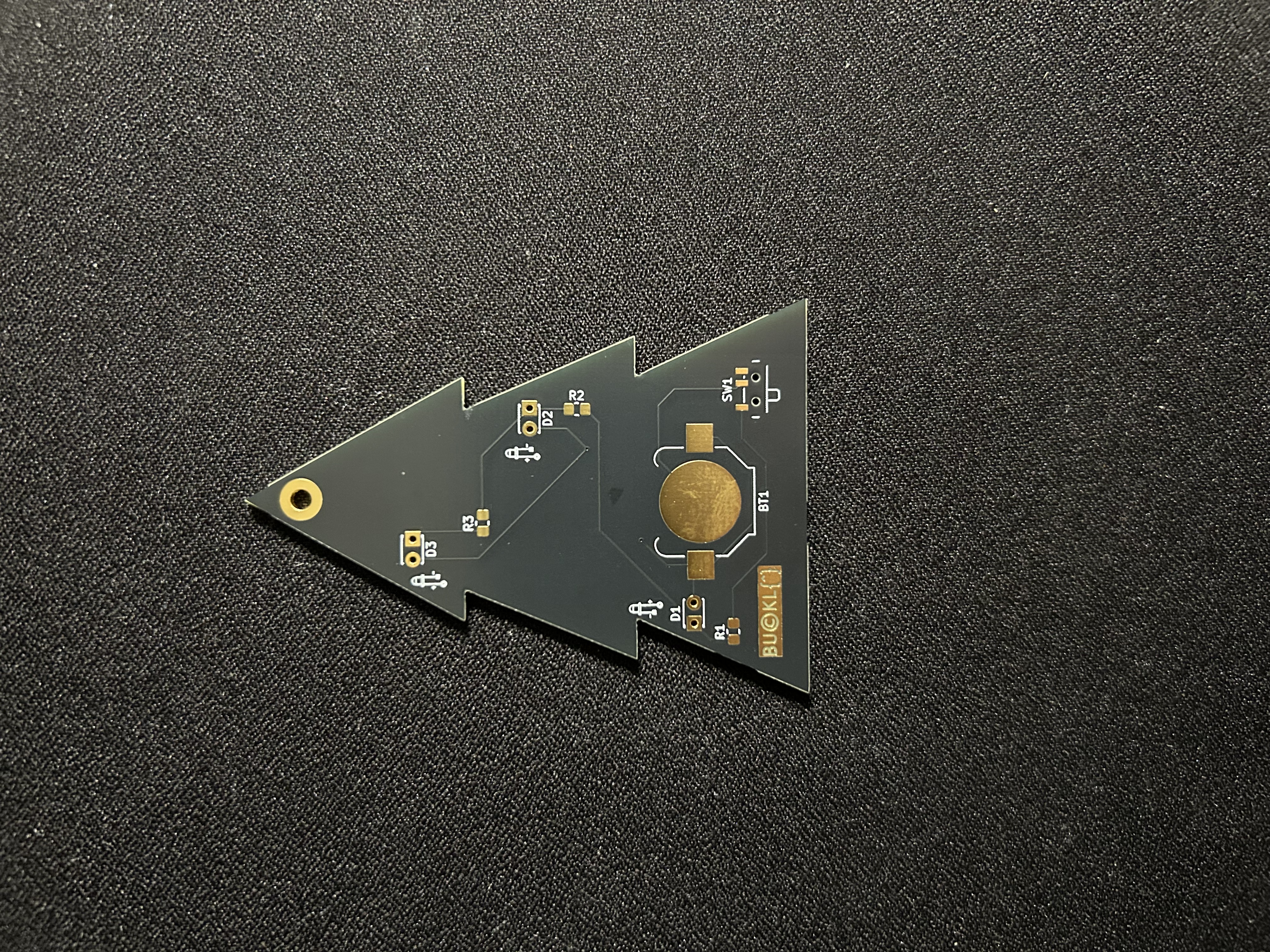
The below image demonstrates the correct orientation and placement of the diodes and resistors. Follow the diagram on the back of the pcb. With the shorter leg (cathode) going into the square hole from the front of the pcb and the long leg (anode) going into the round hole. After the led is soldered in place you can safely snip the legs.
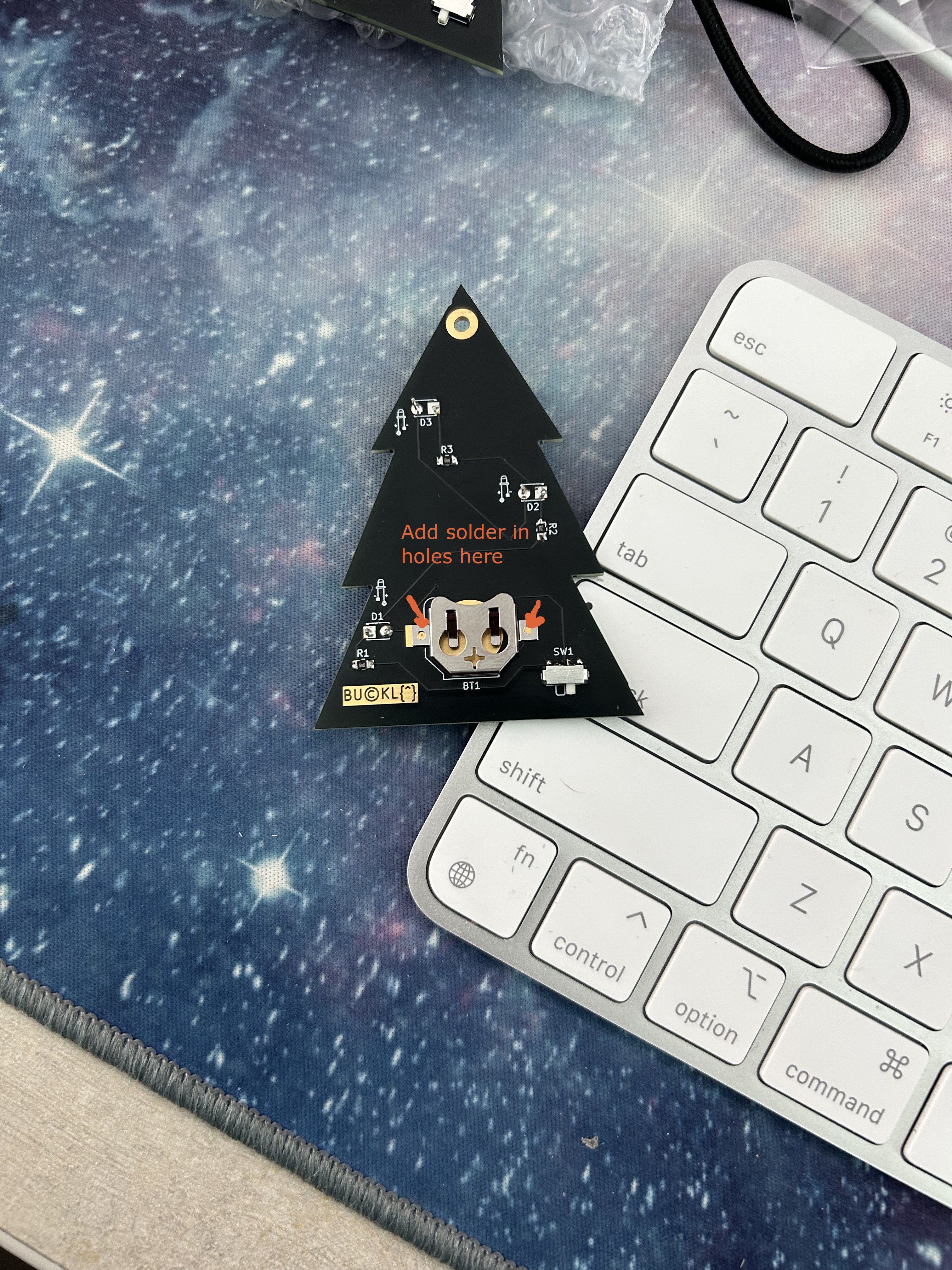
solder the battery clip by adding solder to both of the square pads on either side of the large circle such that it will fit in the following orientation:
I unfortunately only had 68 Ohm resistors which are slightly too resistive and the LEDs at the top show a little dull. If you would like them a little more brilliant you can either replace the resisistors with 62 Ohm resistors or bypass one or both of the resistors by soldering a wire directly to the first trace. Be aware if you do this the LEDs can short out, or it will drain the battery earlier because the resistance in the circuit will be too low.
The on position of the switch is in the position marked on the board. Make sure to solder the switch with the three legs fitting into the solder pads.
Alternatively you can just enjoy the ornament for what it is without any leds.
Merry Christmas!
| Qty | Value | Footprint | References |
|---|---|---|---|
| 3 | LED | LED_THT:LED_D1.8mm_W3.3mm_H2.4mm | D1, D2, D3 |
| 3 | R_US | Resistor_SMD:R_0805_2012Metric_Pad1.20x1.40mm_HandSolder | R1, R2, R3 |
| 1 | |||
| 1 | Battery | Battery:BatteryHolder_Keystone_3000_1x12mm | BT1 |
| 1 | SW_SPDT | Button_Switch_SMD:SW_SPDT_PCM12C03 | SW1 |


FrameworkComputer/ExpansionCards
Reference designs and documentation to create Expansion Cards for the Framework Laptop

VoronDesign/Voron-Hardware
Cool Hardware designed by the Voron Design group

hackclub/OnBoard
💡 Join 1,000 teenagers and make your first PCB with a $100 grant!


adamws/kicad-kbplacer
KiCad plugin for automatic keyboard's key placement and routing
It measures 49.3 × 68.7 mm and has 2 copper layers, 1.6 mm thick.
9 parts. The full list of its parts is on this page, with links to each part's symbol and footprint where PCBKit's library has them.
From the rhettjay/christmas-2024 repository on GitHub, at the commit this page was made from: the board is tree.kicad_pcb and its schematic tree.kicad_sch. PCBKit opens the board in the browser, with nothing to install.
Its repository states no licence, so its author keeps all rights: ask rhettjay before reusing the design.