2 layers137.4 × 101 mm
 Programmer899/TwinklePad
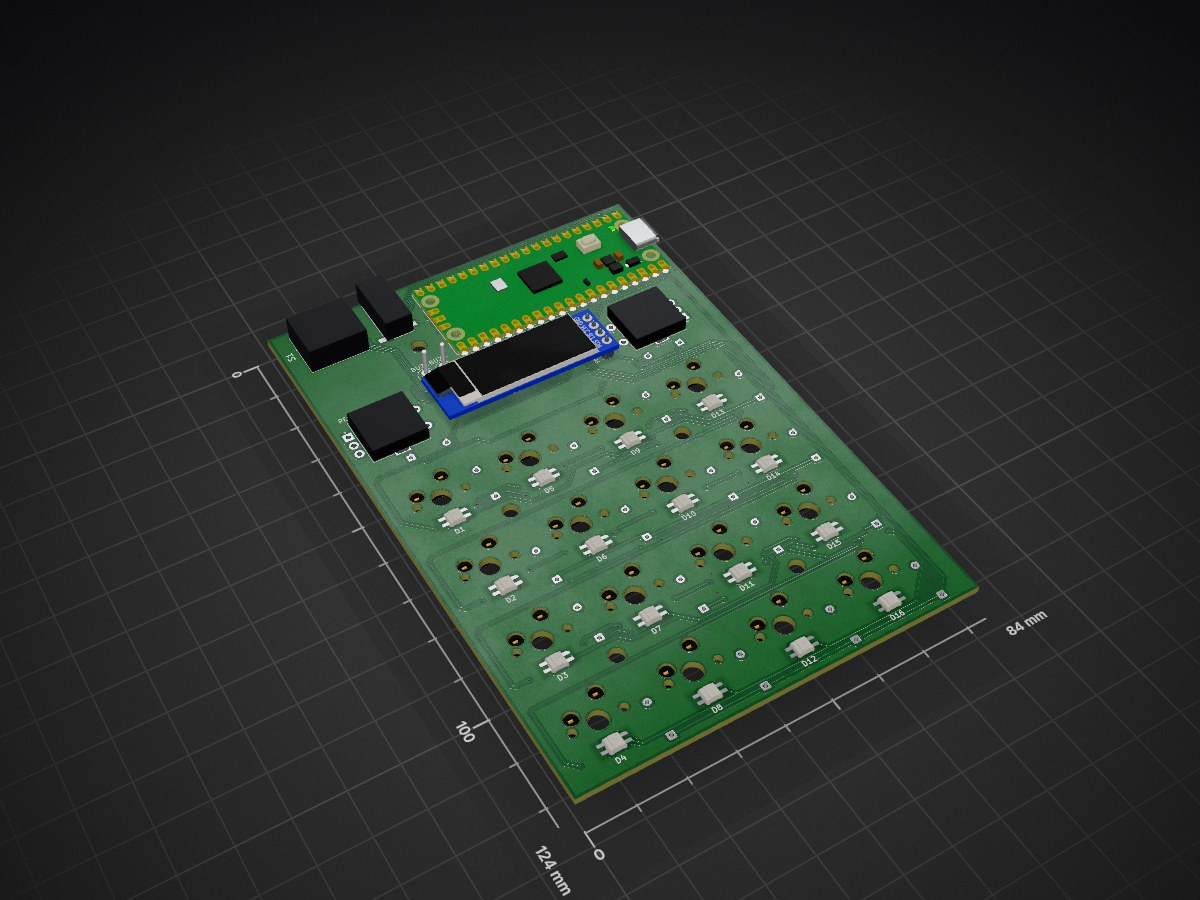
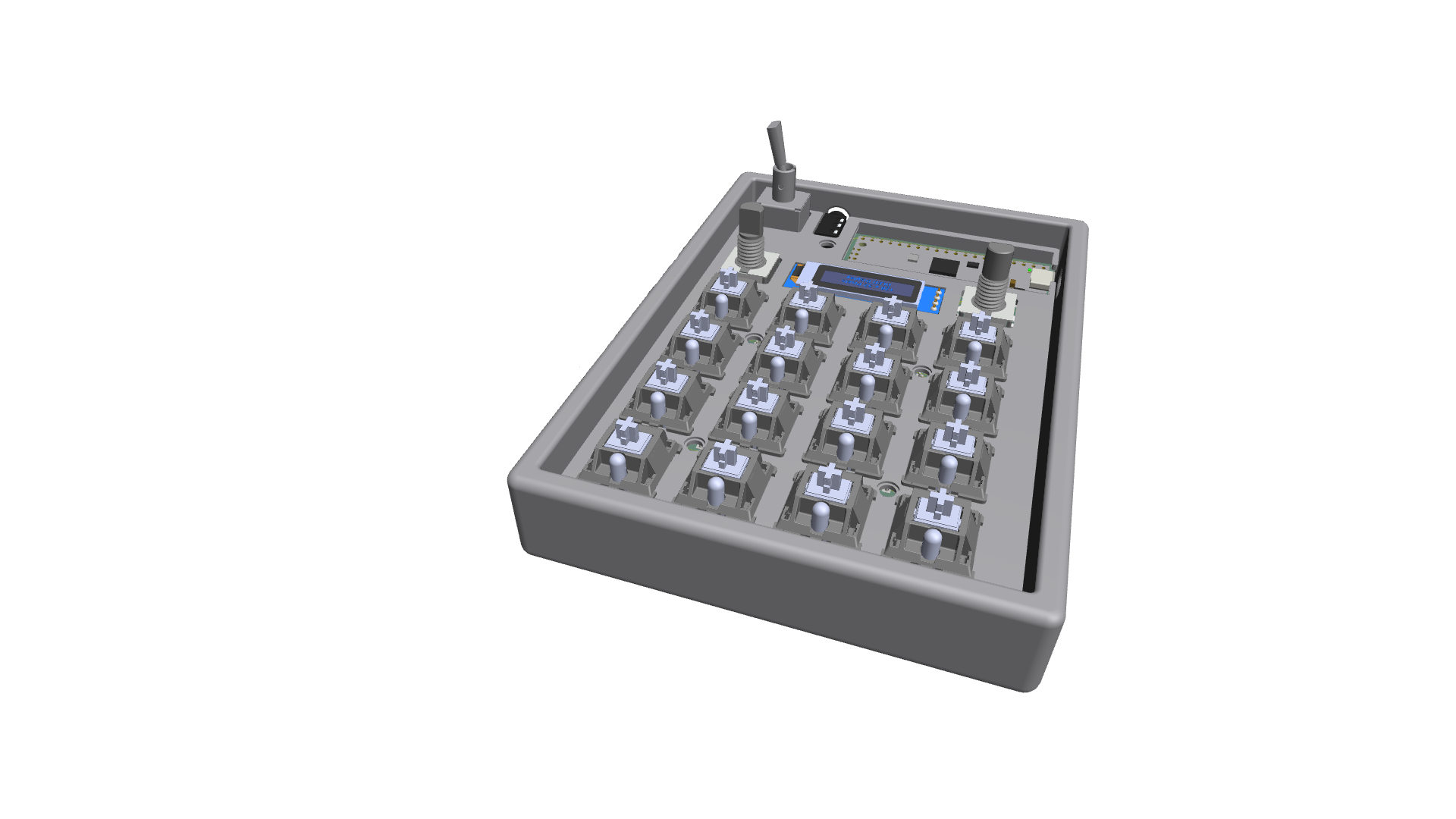
This is a small multi task keyboard with 3 custom modes, featuring a TRRS port for double connection, 2 encoders using GPIO and a display for displaying different contents.
TwinklePad is an open-source printed circuit board by Programmer899, from the Programmer899/TwinklePad repository on GitHub. It is a 2-layer board of 84 × 124 mm with 65 parts on 83 nets, routed with 588 tracks and 89 vias.
It is built around the SK6812MINI-E, 7205P3Y9CQE and PRT-12639, with the S8050 among its other parts. Its parts include 34 diodes, 17 switches, 2 connectors and 1 transistor. It belongs with the RP2040 boards of this library.


This is a small multi task keyboard with 3 custom modes, featuring a TRRS port for double connection, 2 encoders using GPIO and a display for displaying different contents.
Note that the parts that is not a part of the HackPad (https://blueprint.hackclub.com/home) guide will be bought or funded yourself.
1 pcs of 3 step toggle for switching mode 4x4 matrix of key switches 2 pcs of encoders for example slider values such as volume 1 ssd1306 128x32 display for displaying different types of content 1 TRRS port for dual connected modules (could be used for a split keyboard as an example)
The Twinklepad has 3 modes by default
My firmware is written in c from the ground up and has some different features such as:
Clean software:
.uf2 file to the PicoUse mine? Just flash the .uf2 file in the fully assembled/production folder.
This is one of my first times doing something like this.
| Qty | Value | Footprint | References |
|---|---|---|---|
| 18 | D | Diode_THT:D_DO-35_SOD27_P7.62mm_Horizontal | D17, D18, D19, D20, D21, D22, D23, D24, D25, D26, D27, D28, D29, D30, D31, D32 +2 |
| 16 | SK6812MINI-E | HackPad:SK6812MINI-E_fixed | D1, D2, D3, D4, D5, D6, D7, D8, D9, D10, D11, D12, D13, D14, D15, D16 |
| 16 | SW_Push | Switch_MX_Hotswap:MX-Hotswap-1U | SW1, SW2, SW3, SW4, SW5, SW6, SW7, SW8, SW9, SW10, SW11, SW12, SW13, SW14, SW15, SW16 |
| 2 | RotaryEncoder_Switch | RotaryEncoder:RotaryEncoder_Alps_EC11E-Switch_Vertical_H20mm | REC_A1, REC_B1 |
| 2 | TestPoint | TestPoint:TestPoint_Plated_Hole_D2.0mm | BUZ-, BUZ+ |
| 1 | 7205P3Y9CQE | Switch_DPDT_2x03:7205P3Y9CQE | S1 |
| 1 | Conn_01x04_Pin | Llama_Other:SSD1306-0.91-OLED-4pin-128x32 | J1 |
| 1 | PRT-12639 | PRT-12639:PRT12639 | J4 |
| 1 | RaspberryPi_Pico_W | Module:RaspberryPi_Pico_Common_Unspecified | A1 |
| 1 | S8050 | Package_TO_SOT_THT:TO-92_Inline_Horizontal1 | Q1 |
| 1 | SolderJumper_2_Open | Jumper:SolderJumper-2_P1.3mm_Open_RoundedPad1.0x1.5mm | JP1 |
The 60 most common of 65 parts.
It measures 84 × 124 mm and has 2 copper layers, 1.6 mm thick.
65 parts, built around the SK6812MINI-E, 7205P3Y9CQE, PRT-12639 and S8050. The full list of its parts is on this page, with links to each part's symbol and footprint where PCBKit's library has them.
From the Programmer899/TwinklePad repository on GitHub, at the commit this page was made from: the board is TwinklePad.kicad_pcb and its schematic TwinklePad.kicad_sch. PCBKit opens the board in the browser, with nothing to install.
Its repository states no licence, so its author keeps all rights: ask Programmer899 before reusing the design.

Shmcandi/esp32-devkit-hardware
Production-grade ESP32-WROOM-32E and ESP32-S3 (N16R8) Dual USB-C development board PCB designs created with Atopile & KiCad 10

SuperPower/esp32_shield
All hardware designs and products you can find in this repository is licensed under CERN Open Hardware Licence Version 2 - Weakly Reciprocal


drandyhaas/HaasoscopePro
Affordable 2 GHz 3.2 GS/s 12 bit open-source open-hardware expandable USB real-time oscilloscope


doudar/SmartSpin2k
Transform your spin bike into a Smart Trainer!