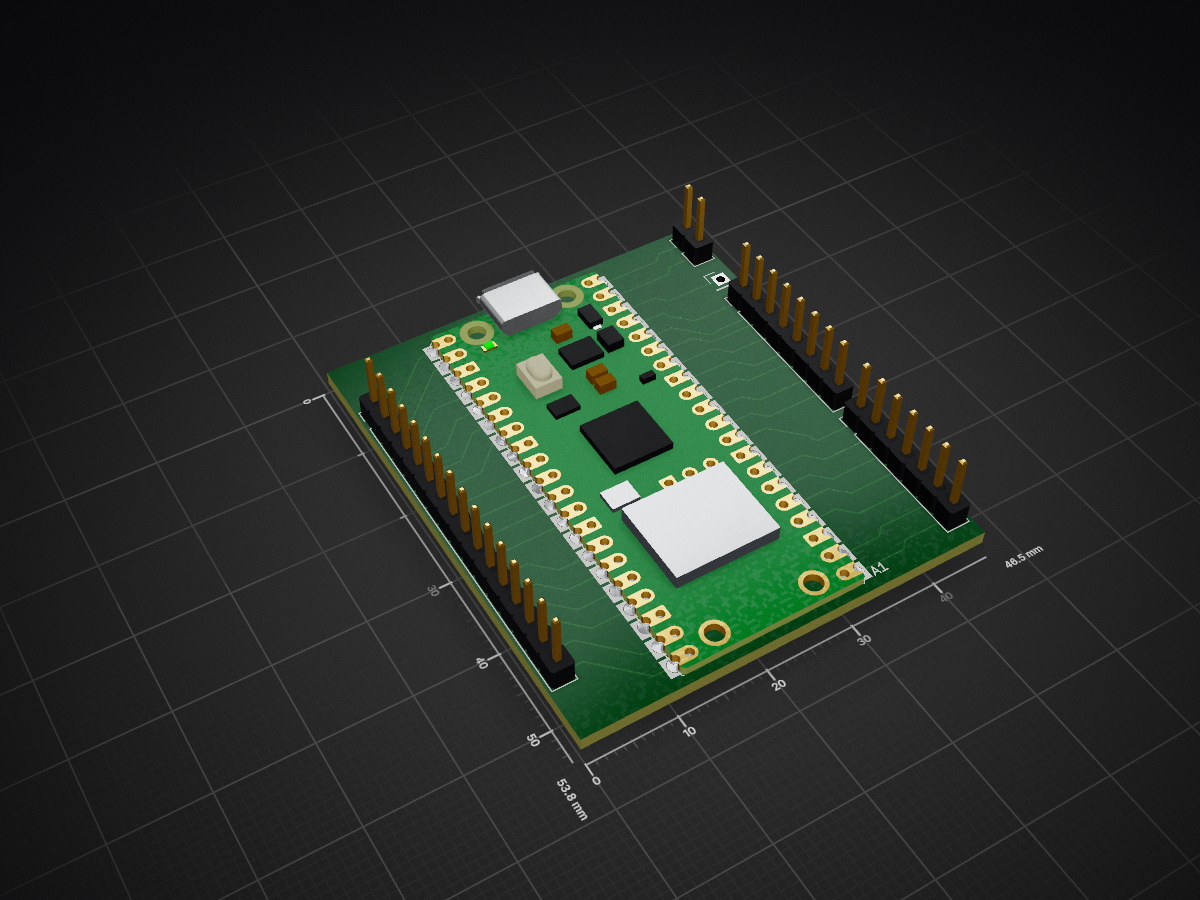
GyanBit is an open-source, DIY handheld game console designed for Indian students aged 12–17. It combines a browser-based IDE (GyanBit Studio) with custom RP2040-powered hardware, allowing students to write games in JavaScript and instantly play them on a physical 128×64 OLED screen.
Gyanbit is an open-source printed circuit board by prathameshfuke, from the prathameshfuke/gyanbit repository on GitHub. It is a 2-layer board with 6 parts on 42 nets, routed with 130 tracks and 0 vias.
It belongs with the retro computing and games boards and the RP2040 boards of this library.
README
README.md
🎮 GyanBit: Code. Play. Build.
The First 8-bit Handheld Console Ecosystem for Indian Students.
🚀 What is GyanBit?
GyanBit is an open-source, DIY handheld game console designed for students aged 12–17. It empowers kids to move from consumers of technology to creators by combining a high-performance browser IDE (GyanBit Studio) with custom RP2040 hardware.
Write your code in JavaScript in the browser, test it in our pixel-perfect simulator, and flash it to real hardware with one click via WebSerial.
🤖 Meet BYTE Bot: Your AI Coding Buddy
Integrated directly into GyanBit Studio, BYTE Bot is a persistent, AI-powered assistant designed specifically for retro game development.
Moveable & Floating: Draggable window that stays out of your code's way.
Smart Knowledge: Trained on the full bit.* API, hardware pin maps, and game logic.
Multi-Provider: Choose between Groq (Free & Ultra-Fast) or Google Gemini.
Privacy First: All API keys are stored locally in your browser's localStorage.
✨ Features
Category
Highlights
🖥️ Studio IDE
React-powered editor, real-time OLED simulator, and dark-theme pixel interface.
🛠️ Project Flow
Start fresh with New Project, or pick from 7 built-in game templates.
⚡ One-Click Flash
Seamless JS → MicroPython translation and USB-C hardware flashing.
🎮 Built-in Games
Snake, Pong, Breakout, Dodger, Maze, Flappy Bird, and Space Invaders.
📖 Tutorials
Structured 4-part guide to building games from scratch.
🧩 Hardware
RP2040 MCU, 1.3" OLED, D-Pad, and Bambo-fiber sustainable shell.
📁 Technical Architecture
GyanBit uses a modern, high-performance web stack to deliver a "zero-setup" experience:
text
gyanbit/
├── studio.html          # IDE Entry (React App)
├── chatbot.js           # Self-contained AI Assistant logic
├── src/
│   ├── runtime/         # JavaScript Engine & bit.* API implementation
│   │   ├── MicroPythonGen.js  # JS to MicroPython transpiler 🪄
│   │   └── PixelFont.js       # Fast 5x7 bitmap renderer
│   ├── App.jsx          # IDE UI State Management
│   └── components/      # UI components (Editor, OLED, GamePad, etc.)
└── api/                 # Vercel serverless functions for AI proxying
🚀 Getting Started
1. Run Locally
bash
# Clone the repo
git clone https://github.com/prathameshfuke/gyanbit.git
cd gyanbit

# Install and build
npm install
npm run dev
Navigate to http://localhost:5173 to explore the ecosystem.
2. Deployment
GyanBit is optimized for Vercel. Simply import the repo, and Vite will be auto-detected for building.
Build Command: npm run build
Output Dir: dist
📖 bit.* API Reference
The GyanBit runtime provides a high-level API for rapid game development:
Command
Usage
bit.loop(fn)
The core game loop (runs at ~30 FPS).
bit.clear()
Wipes the 128x64 display buffer.
bit.text(x, y, str)
Renders retro-styled text.
bit.fill(x, y, w, h)
Draws a filled rectangle.
bit.isHeld('up')
Checks if a button is currently pressed.
bit.beep(hz, ms)
Triggers a hardware-level square wave beep.
🇮🇳 Made in India
Developed with ❤️ by the Team TC26-GF-005 · MMCOE Pune.
GyanBit was built to solve the lack of accessible, hands-on CS hardware for Indian rural students.
GyanBit is an open-source, DIY handheld game console designed for Indian students aged 12–17. It combines a browser-based IDE (GyanBit Studio) with custom RP2040-powered hardware, allowing students to write games in…
6 parts. The full list of its parts is on this page, with links to each part's symbol and footprint where PCBKit's library has them.
Where can I download the Gyanbit KiCad files?
From the prathameshfuke/gyanbit repository on GitHub, at the commit this page was made from: the board is Hardware/gyanbit.kicad_pcb and its schematic Hardware/gyanbit.kicad_sch. PCBKit opens the board in the browser, with nothing to install.
Can I use the Gyanbit design in my own project?
Its repository states no licence, so its author keeps all rights: ask prathameshfuke before reusing the design.