
2 layers83.3 × 65.3 mm
SimonShield
github-linguist/linguist
Language Savant. If your repository's language is being reported incorrectly, send us a pull request!
46 parts14kMIT

 OpHaCo/smart_coffee_machine54
Project has been done in Amiqual4Home Equipex Creativity Lab - https://amiqual4home.inria.fr/ We worked with ENSIMAG students of "café sourire project"
Smart coffee hack is an open-source printed circuit board by OpHaCo, from the OpHaCo/smart_coffee_machine repository on GitHub. It is a 2-layer board of 54.1 × 75.4 mm with 19 parts on 36 nets, routed with 144 tracks and 0 vias.
It is built around the BC547. Its parts include 11 resistors, 4 transistors, 3 connectors and 1 IC. It belongs with the ESP8266 boards of this library.
Project has been done in Amiqual4Home Equipex Creativity Lab - https://amiqual4home.inria.fr/ We worked with ENSIMAG students of "café sourire project"
 *To hack : Saeco Intelia Coffee Machine*
You purchased a Saeco Intelia coffee machine. You are very satisfied with it, but you would like to make your coffee from your bedroom just after you wake up...
Some other products can do it for you : http://smarter.am/coffee/ . But with Smarter coffee machine you will have to change Coffee filter each time you get a coffee. With an "automatic" coffee machine such as Intelia, coffee grounds are pushed to a compartment : you can do several coffee only by pushing buttons and putting a cup of coffee.
Best choice for a super automatic & connected coffee machine is Philips Saeco Gran Baristo Avanti. It is connected over bluetooth. Due to bluetooth range limitations, you won't be able to do your coffee from your bedroom. It costs 2500$!!
Fortune and smart coffee maker
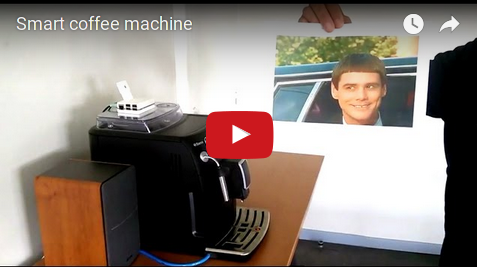
With this project you will :
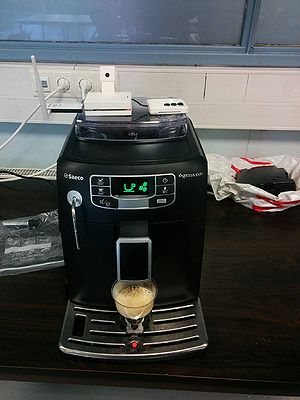
Café Sourire
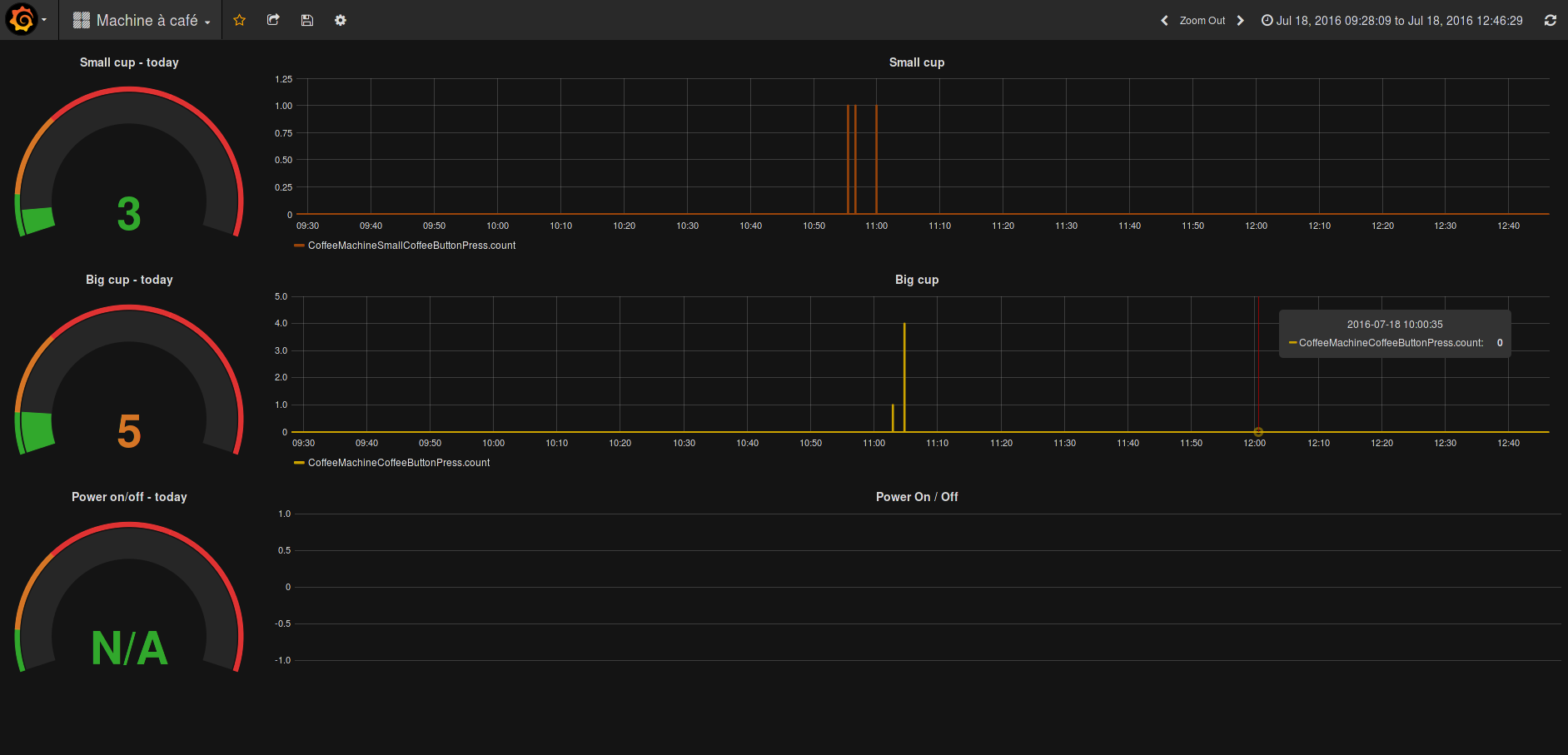 *Coffee metrics*
saeco intelia coffee machine : https://www.amazon.com/Philips-Saeco-Intelia-Automatic-Espresso/dp/B00B5M3G26
some screws to open coffee machine
An external board connected to Coffee Machine front side daugther board :
A linux machine hosting an MQTT broker an hosting needed software for your use case
On paper front side with its buttons and LCD sceen gives all elements to hack coffee machine :
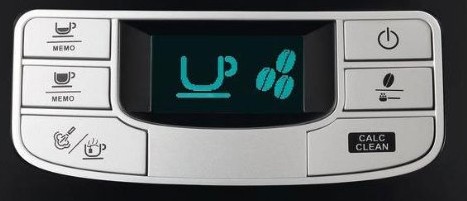
Coffee machine front side control panel
We want to :
From daughterboard PCB :

Coffee machine front side control components
Behind display, no MCU :
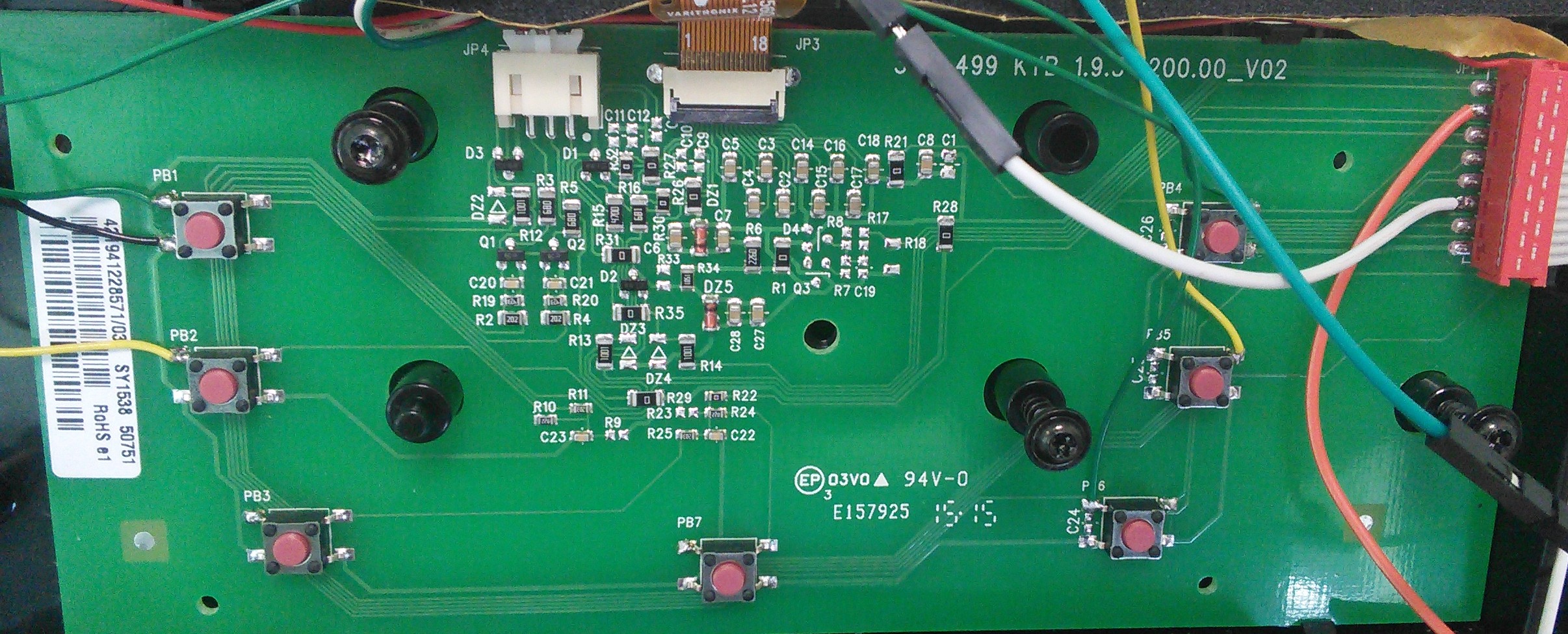
We can see :
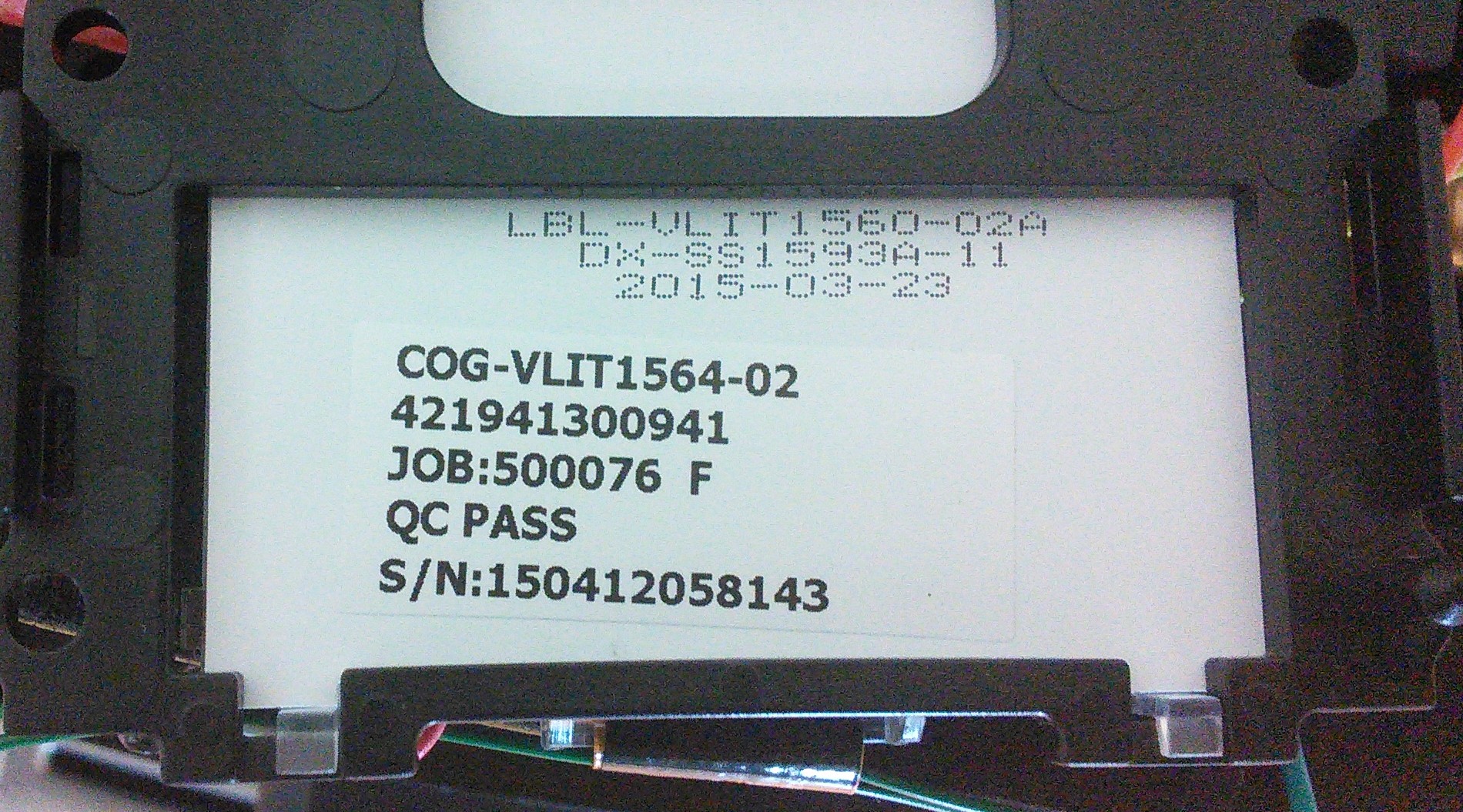
COG screen
From this first analysis, we can suppose hacking can be done only from front side daughter board :
Coffee machine main mother board (on rear side) won't been hacked.
 *Front panel buttons identification.*
We want to keep coffee machine functional, i.e. : coffee machine can be both controlled from buttons and remotely using and external MCU
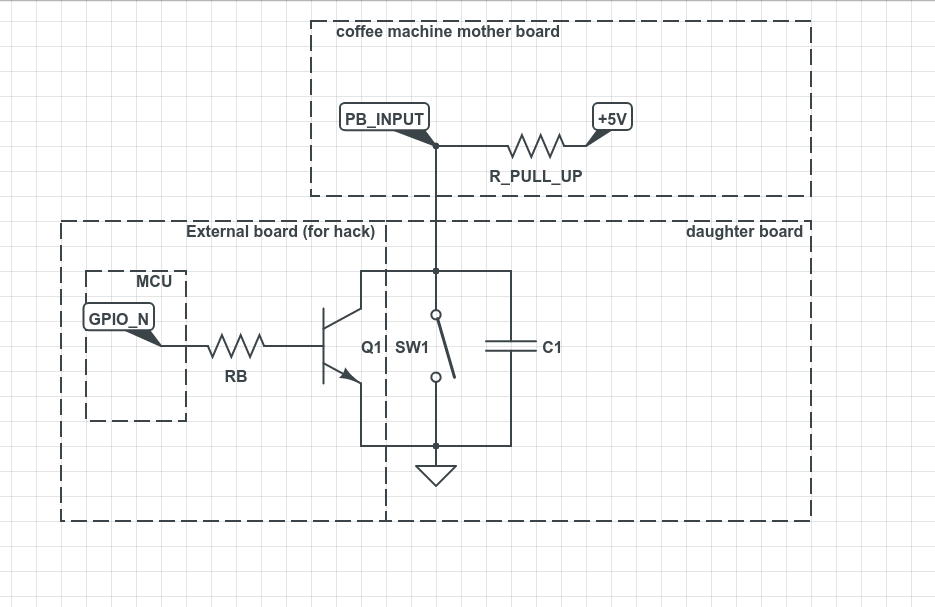
On several line of 16 lines ribbon cable some buttons signals are combined. In order to hack it we will not connect bipolar transistors at cable level but at button level.
In order to achieve this, a simple solution is to use a bipolar transistor in saturation (switch). It simulates button press. It is controlled from an external MCU :
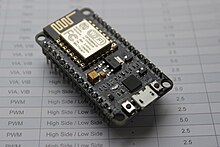
We choose a nodemcu as external MCU.
Coffee machine will be controlled from WIFI using MQTT using nodemcu hardware.
LCD can be either red, yellow, black or green. These backlight colors are set from 3 wires (Red - White - Green) near display connector. At 16 line cable, two signals control it :
Reading on these lines using a digital input can be useful to get coffee machine error status. In order to get more info, LCD screen must be analyzed.
Coffee machine status is displayed on LCD... If we hack LCD to get displayed content we will get coffee machine status.
No COG datasheet can be found from display references. Reading some other COG datasheet gave some useful info : most of the time it is controlled using SPI / I2C. Most of the LCD lines are connected to GND threw a capacitor. But other lines are interesting... Using logic analyser on display connector lines gives some useful information. It looks like SPI with these characteristics :
Some capture are in ./hardware/logic_capture/
Some SPI bursts are sent at fixed interval :
 *SPI burst*
 *SPI byte transmission in a burst*
From this we can get more info about daughter / mother board 16 lines connector :
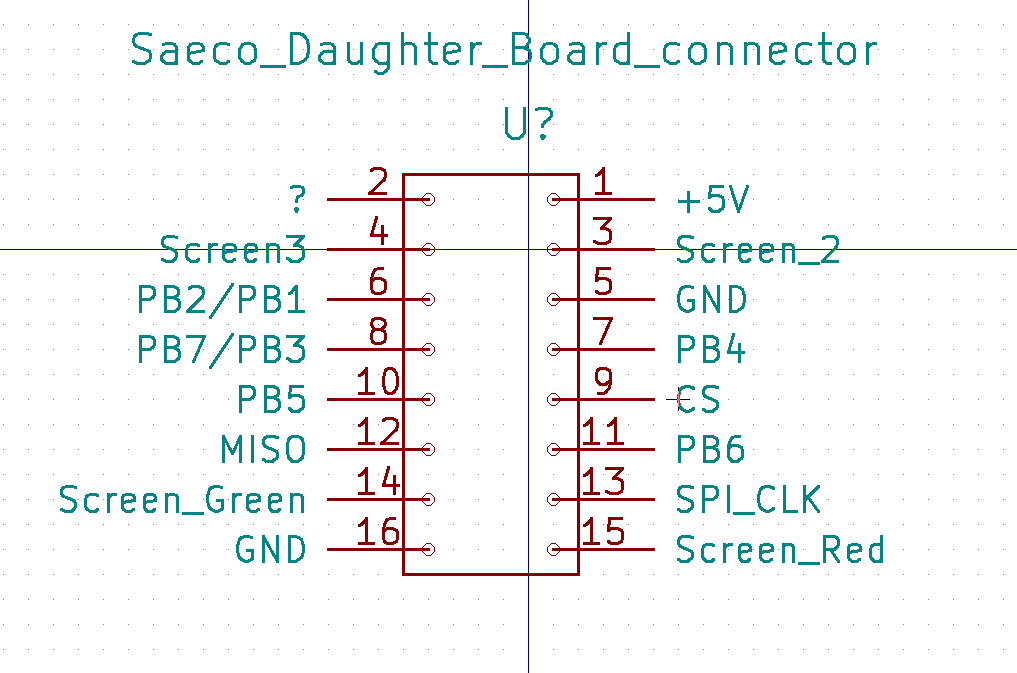
How to identify a coffee machine status from some SPI bytes?
An intuitive solution is to find some unique patterns in SPI bytes when coffee machine displays a specific content.
How can my external MCU sniff SPI traffic?
it must be configured as an SPI slave and read incoming bytes
incoming bytes are computed to identify some given patterns
on arduino uno : SPI slave is not supported using Arduino delivered libraries. Fortunately, Nick Gammon releases an SPI library supporting SPI slave on Atmega328p Finding some simple patterns from SPI slave bytes can be done... but it is too slow. A simple test is to echo a rising edge/falling edge when a byte is received. It is done by manipulating directly GPIO register e.g.:
 // set pin 4 to HIGH
 PORTD |= 1 << 4;
 // set pin 4 to LOW
 PORTD &= ~(1 << 4);
such a simple echo takes 5.4µs between two consecutive edges, it must be compared with a byte transmisssion time @2.5MHz = 8x1/2.5M = 3.2µs. We won't be able to compute precisely some pattern from SPI bytes. Too many data are lost during IT handling.
In order to find unique patterns in SPI data for a given LCD displayed status :
some logic captures are done for each LCD displayed status using Salae logic analyzer
these captures ared decoded using SPI analyser and exported to CSV, some captures are available under :
./hardware/logic_capture/SPI_decodedSPI decoded files are computed using :
a bash script (very slow - given as exemple) located in
./hardware/logic_capture/tools/get_pattern.sh or a python script, bash script was too slow
./hardware/logic_capture/tools/get_pattern.pyTe find unique pattern of minimum 2 bytes only present when a middle amount of coffee is displayed on screen :
    ./hardware/logic_capture/tools/get_pattern.py ./hardware/logic_capture/SPI_decoded/off.txt ./hardware/logic_capture/SPI_decoded/*.txt 2
    Try to find a unique pattern for a pattern size of 2
    new pattern [240 224 ] is unique - nb occurences = 162
    new pattern [128 128 ] is unique - nb occurences = 216
    new pattern [15 15 ] is unique - nb occurences = 378
It can be confirmed using :
pcregrep -c -M '15\n.*15\n' ./hardware/logic_capture/SPI_decoded/*.txtIn some cases pattern identification using Salae logig files gives unique pattern results that are not detected on Teensy case. For these special cases, I suggest sniffing SPI with Teensy and applying get_pattern.py to traces. Here is an example that shows this issue : I want to get middle coffee unique pattern :
./hardware/logic_capture/tools/get_pattern.py ./SPI_decoded/medium_coffee.txt ./SPI_decoded/*.txt 4
Try to find a unique pattern for a pattern size of 4
new pattern [0 0 128 96 ] is unique - nb occurences = 17
new pattern [24 12 228 52 ] is unique - nb occurences = 40
new pattern [3 0 0 240 ] is unique - nb occurences = 58
Adding :
{MEDIUM_COFFEE, {.pattern32 = PATTERN_32(240, 0, 0, 3)}, UINT32, "MEDIUM_COFFEE"}to patterns table in :
./embedded_software/saeco_intelia_hack/saeco_status/saeco_status.inodo not give any results. In this case, direct SPI sniffing using teensy is needed. You have to flash :
./embedded_software/saeco_intelia_hack/saeco_display_sniffer/saeco_display_snifferthen sniff SPI in medium coffee state, save UART stream to and then apply :
./hardware/logic_capture/tools/get_pattern.py ./SPI_decoded_teensy/medium_coffee.txt ./SPI_decoded_teensy/*.txt 8
Try to find a unique pattern for a pattern size of 8
new pattern [224 248 248 240 192 0 15 24 ] is unique - nb occurences = 230
and then add:
{MEDIUM_COFFEE, {.pattern64 = PATTERN_64(14, 56, 48, 24, 15, 0, 192, 240)}, UINT64, "MEDIUM_COFFEE"} to patterns table in :
./embedded_software/saeco_intelia_hack/saeco_status/saeco_status.inoDesign files are under :
./hardware/pcb_design/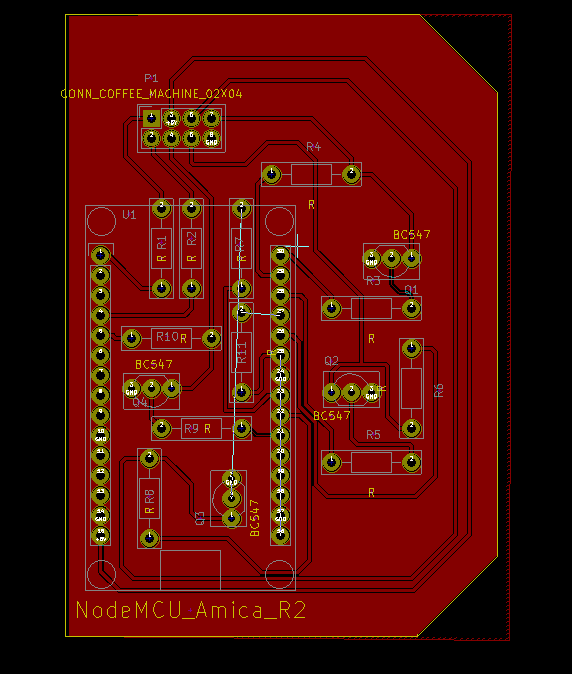
PCB is integrated on coffee machine right side. Here is an integration with hack mother board and hack status board (get status over LCS SPI and LCD backlight leds)
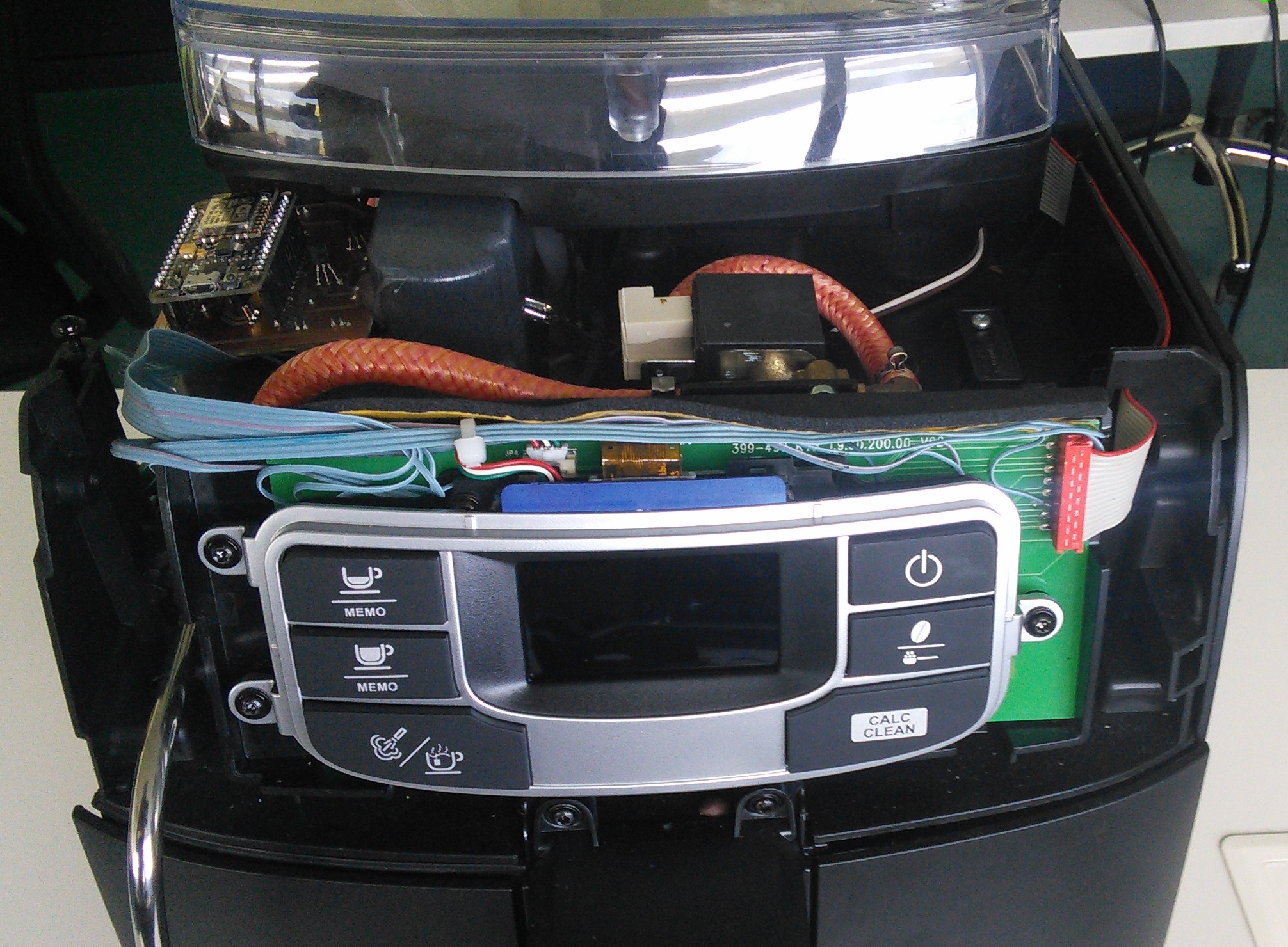
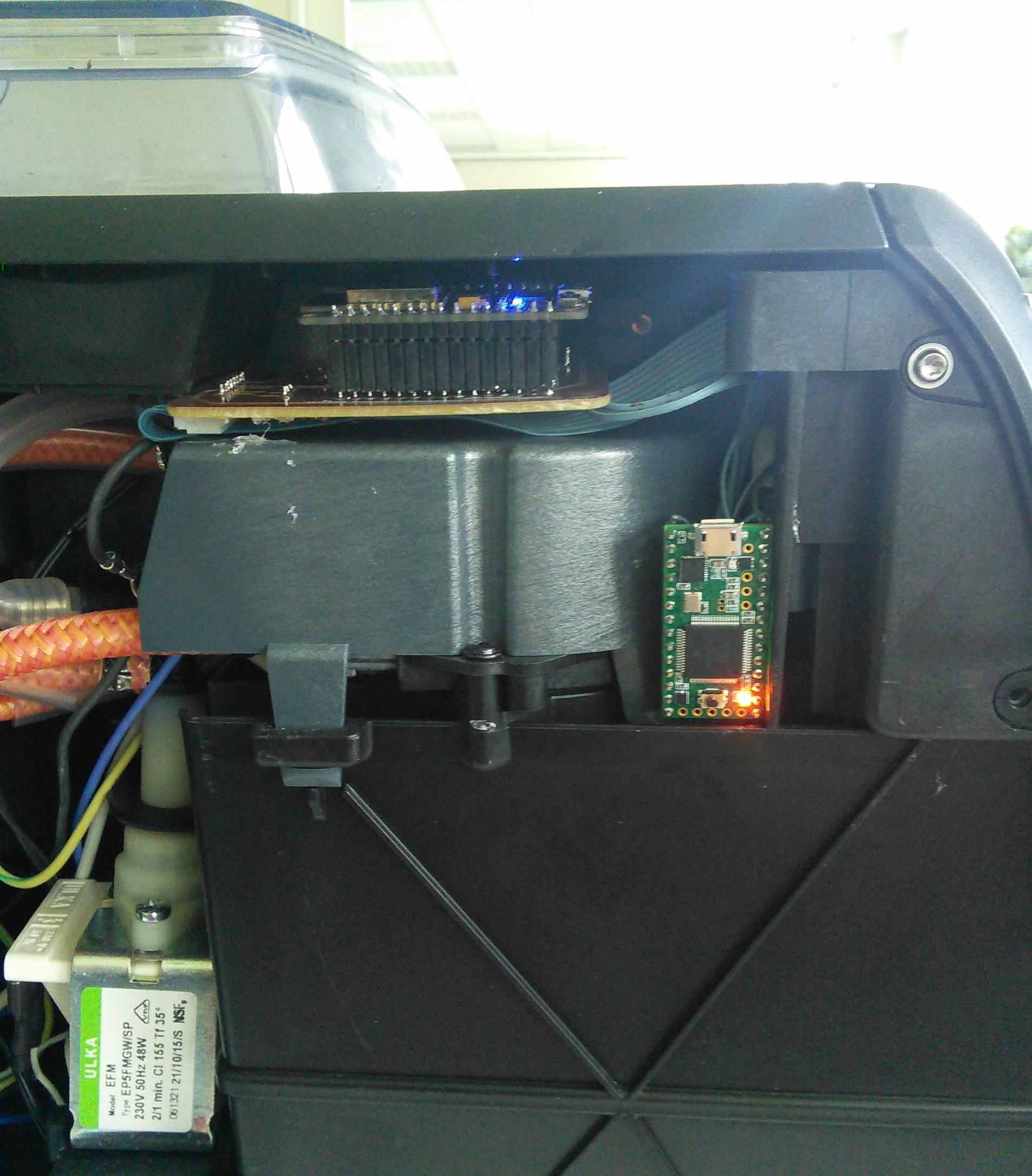
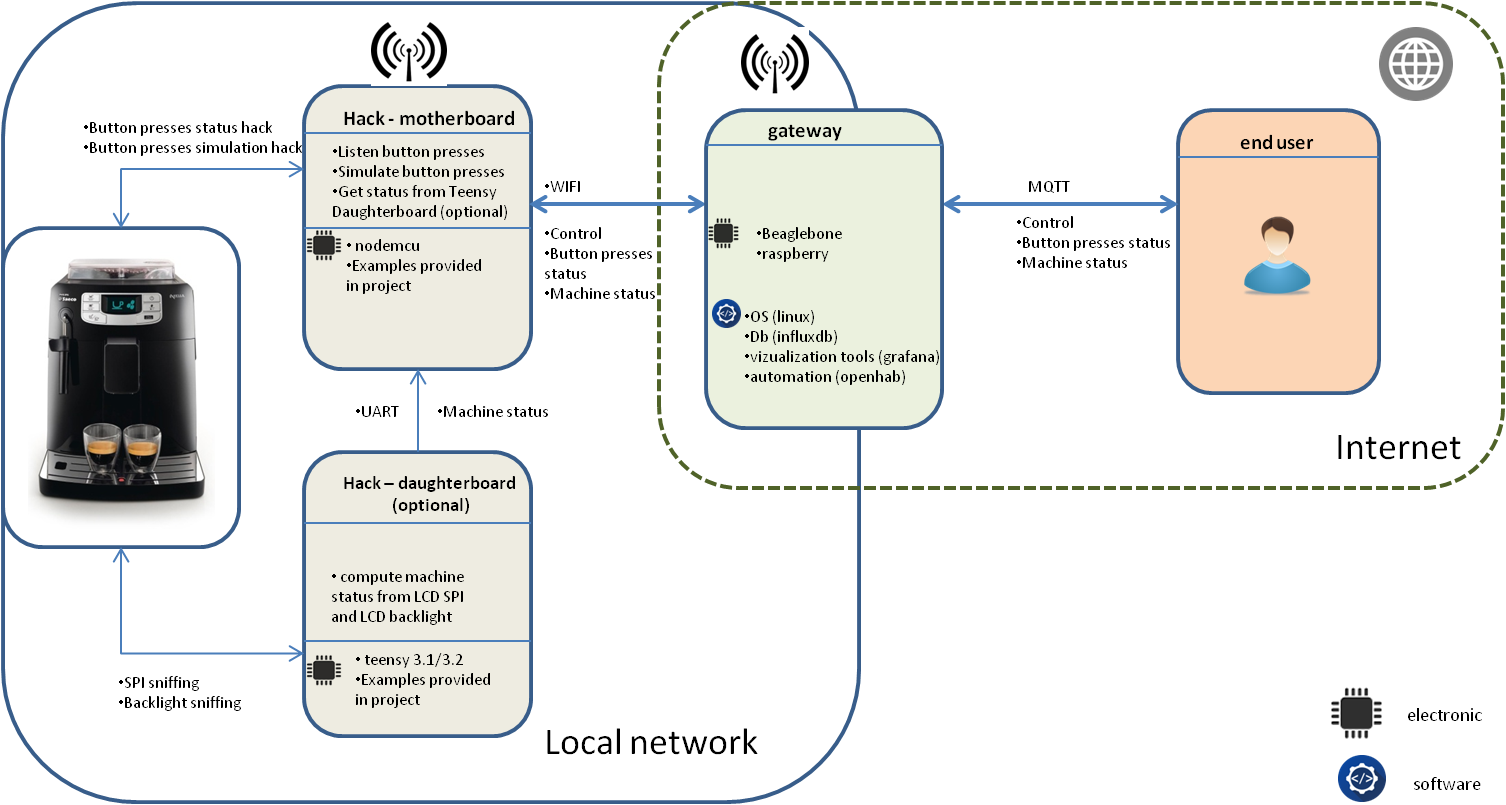
Library to add is located under :
./embedded_software/saeco_intelia_hack/Under :
./embedded_software/saeco_intelia_hack/saeco_hack_example/saeco_hack_example.inoYou will find an example where coffee machine is controlled remotely using MQTT protocol (refer "Commands" section"). Button presses published to MQTT (refer Events section). Firmware uploader Over The Air
Under :
./embedded_software/saeco_intelia_hack/saeco_status/saeco_status.inoYou will find Teensy 3.x code to get Saeco Intelia current status (from LCD lines).
Under :
./embedded_software/saeco_intelia_hack/saeco_display_sniffer/saeco_display_sniffer.inoYou will find Teens 3.x code that sniffs SPI lines and display captured buffer.
Coffee machine controlled using MQTT protocol.
Here are MQTT topics for example given in :
./embedded_software/saeco_intelia_hack/saeco_hack_example/ "/amiqual4home/machine_place/saeco_intelia/smallCoffee" : sending any byte to this value will simulate a short press on smallCoffee button
"/amiqual4home/machine_place/saeco_intelia/Coffee" : sending any byte to this value will simulate a short press on coffee button
"/amiqual4home/machine_place/saeco_intelia/power" : sending any byte to this value will simulate a short press on power button
"/amiqual4home/machine_place/saeco_intelia/brew" : sending any byte to this value will simulate a short press on brew button
"/amiqual4home/machine_place/saeco_intelia/tea" : sending any byte to this value will simulate a short press on tea button
"/amiqual4home/machine_place/saeco_intelia/clean" : sending any byte to this value will simulate a short press on clean button
"/amiqual4home/machine_place/saeco_intelia/getStatus" : when it receives this command, coffee machine hack send its status
Get a small coffee over MQTT :
mosquitto_pub -h MQTT_BROKER_IP -t /amiqual4home/machine_place/saeco_intelia/on_button_press/smallCoffee -m 1Buttons press events are send threw MQTT. Here are events MQTT topic for example given in :
./embedded_software/saeco_intelia_hack/saeco_hack_example/ Button press topics messages payload contains press duration in ms.
"/amiqual4home/machine_place/saeco_intelia/on_button_press/powerButton" : power button pressed
"/amiqual4home/machine_place/saeco_intelia/on_button_press/Coffee" : coffee button pressed
"/amiqual4home/machine_place/saeco_intelia/on_button_press/smallCoffee" : small coffee button pressed
"/amiqual4home/machine_place/saeco_intelia/on_button_press/brew" : brew coffee button pressed
Example to subscribe all button press events :
mosquitto_sub -v -h MQTT_BROKER_IP -p 1883 -t /amiqual4home/machine_place/saeco_intelia/on_button_press/#Saeco coffee machine status sent on this topic :
    OFF                     = 0,
    CALC_CLEAN              = 1,
    NO_WATER                = 2,
    WATER_CHANGE            = 3,
    WEAK_COFFEE             = 4,
    MEDIUM_COFFEE           = 5,
    STRONG_COFFEE           = 6,
    SPOON_COFFEE            = 7,
    DOOR_OPEN               = 8,
    COFFEE_GROUND_OPEN      = 9,
    NO_COFFEE_WARNING       = 10,
    NO_COFFEE_ERROR         = 11,
    UNKNOWN_OK              = 12,
    UNKNOWN_WARNING         = 13,
    UNKNOWN_ERROR           = 14,
    COFFEE_GROUND_FULL      = 15
Here are coffee machine statuses :
When application starts it sends an alive message on topic :
Openhab is used to interface with coffee machine. From a web interface you can control machine and get current status.
 *Café Sourire*
*Coffee metrics*
http://www.gammon.com.au/forum/?id=10892 https://www.saleae.com http://fablab.ensimag.fr/index.php/Machine_%C3%A0_caf%C3%A9_%22sourire%22_:_Machine_connect%C3%A9_qui_offre_des_caf%C3%A9s_aux_personnes_souriantes
ENSIMAG "café sourire" students http://fablab.ensimag.fr/index.php/Machine_%C3%A0_caf%C3%A9_%22sourire%22_:_Machine_connect%C3%A9_qui_offre_des_caf%C3%A9s_aux_per sonnes_souriantes
smart_coffee_machine (c) by Lahorde mr.lahorde@laposte.net smart_coffee_machine is licensed under a Creative Commons Attribution-NonCommercial 3.0 Unported License.
You should have received a copy of the license along with this work. If not, see http://creativecommons.org/licenses/by-nc/3.0/.
| Qty | Value | Footprint | References |
|---|---|---|---|
| 11 | R | Resistors_ThroughHole:Resistor_Horizontal_RM10mm | R1, R2, R3, R4, R5, R6, R7, R8, R9, R10, R11 |
| 4 | BC547 | TO_SOT_Packages_THT:TO-92_Inline_Wide | Q1, Q2, Q3, Q4 |
| 2 | CONN_01X02 | w_conn_jst-ph:b2b-ph-kl | P2, P3 |
| 1 | CONN_COFFEE_MACHINE_02X04 | w_conn_jst-ph:b8b-ph-kl | P1 |
| 1 | NodeMCU_Amica_R2 | nodemcu:NodeMCU_Amica_R2 | U1 |
It measures 54.1 × 75.4 mm and has 2 copper layers, 1.6 mm thick.
19 parts, built around the BC547. The full list of its parts is on this page, with links to each part's symbol and footprint where PCBKit's library has them.
From the OpHaCo/smart_coffee_machine repository on GitHub, at the commit this page was made from: the board is hardware/pcb_design/smart_coffee_hack.kicad_pcb. PCBKit opens the board in the browser, with nothing to install.
Its repository states no licence, so its author keeps all rights: ask OpHaCo before reusing the design.
github-linguist/linguist
Language Savant. If your repository's language is being reported incorrectly, send us a pull request!

dotnet/iot
This repo includes .NET Core implementations for various IoT boards, chips, displays and PCBs.

peterheinrich/InternetOverSpaghetti
Transmitting IP packages over a pair of spaghetti thus demonstrating how media independent IP really is.

tebl/RC6502-Apple-1-Replica
An expandable SBC-version of the Apple 1 computer, easy to get started with and lot of cool stuff that can be added to it!


ZeroPhone/ZeroPhone-PCBs
PCB files for ZeroPhone - for gerbers and schematics, go to "Releases" tab!
