2 layers146.5 × 126.2 mm
Traced pcbs
nwsteenberg/NWSplit
A 52-key, column-staggered split ergonomic keyboard developed almost entirely through Ergogen.
114 partsMIT

 nwsteenberg/NWSplit
A 52-key, column-staggered split ergonomic keyboard developed almost entirely through Ergogen.
Expansion is an open-source printed circuit board by nwsteenberg, from the nwsteenberg/NWSplit repository on GitHub, published under the MIT licence. It is a 2-layer board of 40 × 45.8 mm with 8 parts on 6 nets, routed with 111 tracks and 8 vias.
It belongs with the keyboards and input boards of this library.
A 52-key, column-staggered split ergonomic keyboard developed almost entirely through Ergogen.
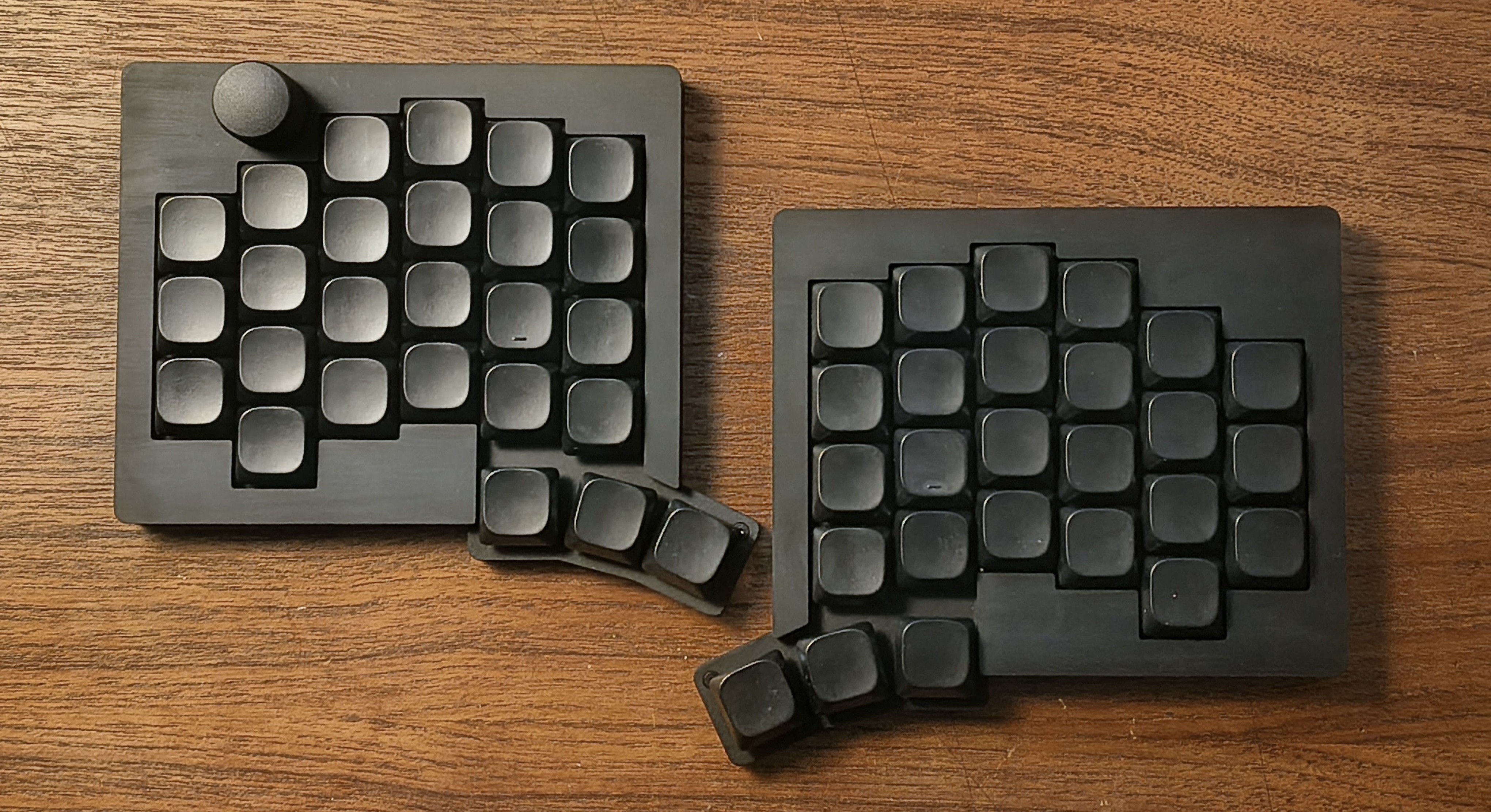
The goal: build the perfect keyboard for me. Of course, getting there meant going through a handful of prototypes that didn't quite make the cut. Take a look at the Graveyard to see the keyboards that didn't make the cut.
3d/ — 3D printable models (.stl) for the keyboard and expansion modules.firmware/ — Vial/QMK firmware source files and layouts.footprints/ — Custom Ergogen and KiCad footprints.images/ — Renders, wiring diagrams, and build photos.production/ — Ready-to-use PCB production files (Gerbers).traced-pcbs/ — Autogenerated and manually traced KiCad PCB projects.keyboard.yaml — Ergogen configuration file for the main keyboard.expansion.yaml — Ergogen configuration file for the expansion modules.| Component | Description | Quantity | Notes |
|---|---|---|---|
| PCB | Gerber available in production/ | 2 | Reversible (left and right use the exact same PCB) |
| Diodes | 1N4148, SOD123 | 52 | |
| MCU | Waveshare RP2040-Zero | 2 | Clones work too just verify pinout compatibility |
| TRRS Connector | PJ320A Jack | 2 | |
| Switches | Kailh Choc V1/V2 | 52 | Dont use V2 with guide pin (stock red/blue/brown) |
| Keycaps | Low-profile keycaps of choice | 52 | THT or LPF profiles recommended |
| Heat Inserts | M2 L3 OD3.5 (or OD3 for resin prints) | 12 | |
| Per-Key LEDs | SK6812 MINI-E | 52 | Optional |
| Rotary Encoder | EC11 / EC12 | 0–2 | Optional (supports button click) |
| Pogo Connectors | Angled 6-pin Magnetic Pogo Pins | 0–2 | Optional (used for experimental modular connections) |
Throughout the journey the following projects provided a ton of inspiration to create the version of the keyboard as it is today:
| Qty | Value | Footprint | References |
|---|---|---|---|
| 4 | ceoloide:mounting_hole_npth | MH1, MH2, MH3, MH4 | |
| 3 | PinHeader_1x06_P2.54mm_Vertical | Pin Header 2.54 1x61, Pin Header 2.54 1x62, Pin Header 2.54 1x63 | |
| 1 | FPC-SMD_FPC05006-09200 | easyeda2kicad:FPC-SMD_FPC05006-09200 | C1 |
nwsteenberg/NWSplit
A 52-key, column-staggered split ergonomic keyboard developed almost entirely through Ergogen.


joeycastillo/Sensor-Watch
A board replacement for the classic Casio F-91W wristwatch

rusefi/rusefi
rusefi - GPL internal combustion engine control unit

hoglet67/RGBtoHDMI
Bare-metal Raspberry Pi project that provides pixel-perfect sampling of Retro Computer RGB/YUV video and conversion to HDMI

shanteacontrols/OpenDeck
A platform for building interactive control and sensing devices using MIDI and OSC built with Zephyr RTOS.

hackclub/OnBoard
💡 Join 1,000 teenagers and make your first PCB with a $100 grant!

dangiu/PicoMemcard
Emulating PSX Memory Card (or controller) using a Raspberry Pi Pico

OLIMEX/DIY-LAPTOP
Do It Yourself Open Source Hardware and Software Modular Hacker's Friendly Laptop
It measures 40 × 45.8 mm and has 2 copper layers, 1.6 mm thick.
8 parts. The full list of its parts is on this page, with links to each part's symbol and footprint where PCBKit's library has them.
From the nwsteenberg/NWSplit repository on GitHub, at the commit this page was made from: the board is traced-pcbs/expansion.kicad_pcb. PCBKit opens the board in the browser, with nothing to install.
Its repository publishes it under the MIT licence: you may reuse it on that licence's terms (keep the author's notice, and for a copyleft licence share your changes alike).