

2 layers83.3 × 65.3 mm
SimonShield
github-linguist/linguist
Language Savant. If your repository's language is being reported incorrectly, send us a pull request!
46 parts14kMIT

 nu31hackerspace/prismo39
Open-source $10 NFC/RFID door access controller for hackerspaces and makerspaces. ESP32-C3 + PN532, MQTT, Home Assistant, self-hosted
Prismo is an open-source printed circuit board by nu31hackerspace, from the nu31hackerspace/prismo repository on GitHub, published under the MIT licence. It is a 2-layer board of 55 × 55 mm with 29 parts on 37 nets, routed with 150 tracks and 0 vias.
It is built around the BC547. Its parts include 16 resistors, 4 diodes, 3 transistors, 2 ICs and 1 connector. It belongs with the radio and wireless and home automation and IoT boards and the ESP32 and RISC-V boards of this library.
| Demo | PCB |
|---|---|
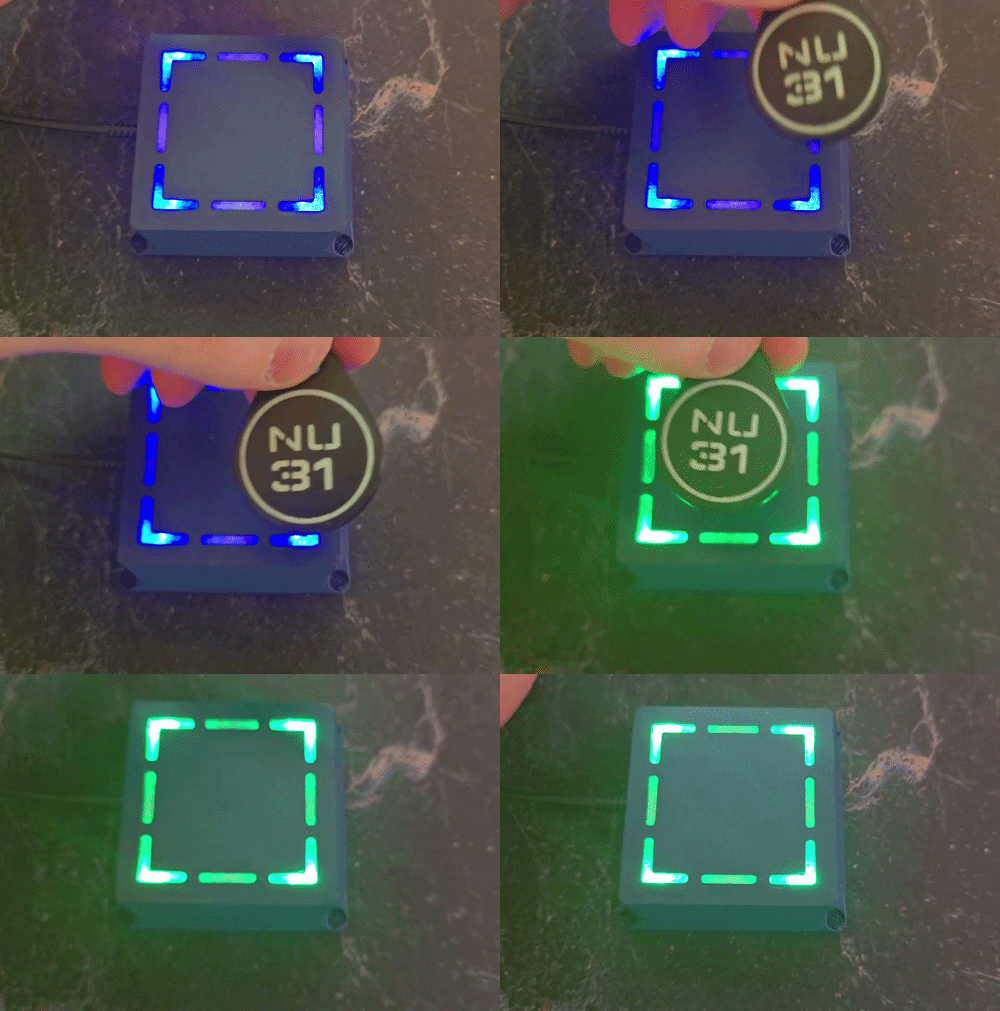 | 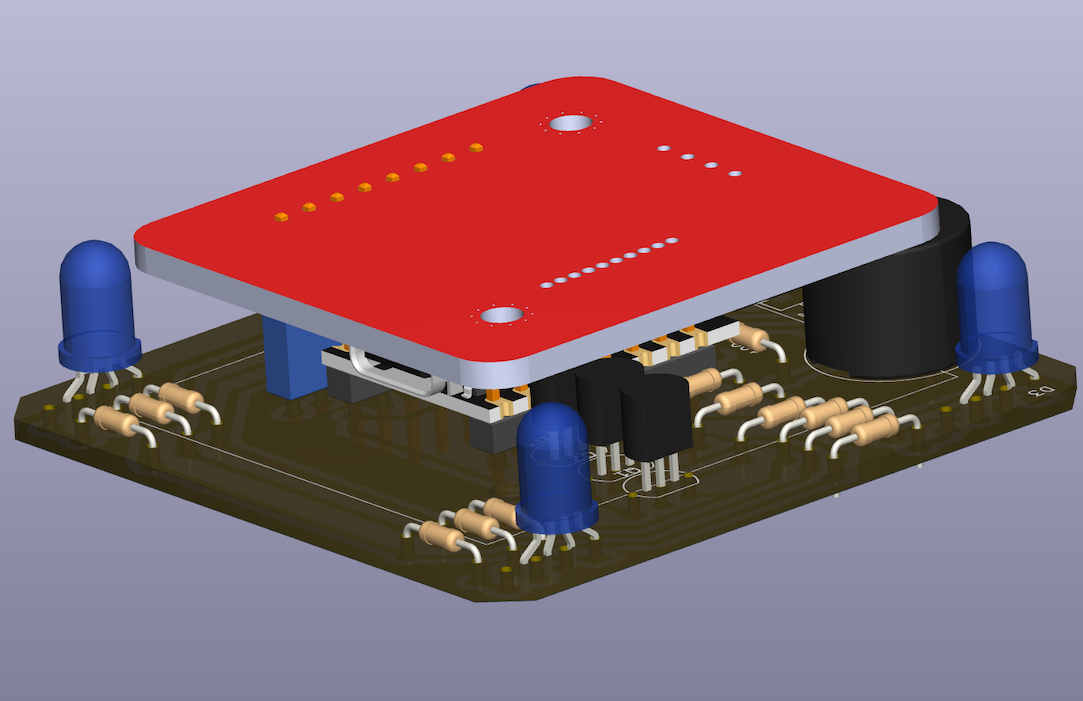 |
Prismo is an open-source NFC access controller that you can build yourself for ~500 UAH (~10 USD). Tap a card to unlock a door or power on a machine — fully self-hosted, MIT-licensed.




You can use it, for example, to:
Every change Tested on real hardware — every change runs using a physical Prismo device. We have a test stand that allows us to verify every change and make sure everything works as expected. For more info read the ReadMe from blackbox-e2e.
| Item | Notes |
|---|---|
| ESP32-C3 Super Mini | The brains. ~$3. |
| PN532 NFC module | Reads the cards (powered from 3.3 V). |
| Prismo PCB + components | See the Bill of Materials. |
| A USB-C cable + a Chrome/Edge browser | For flashing over Web Serial. |
| 2.4 GHz WiFi | The ESP32-C3 is 2.4 GHz only. |
Full build instructions live in
hardware/README.md(PCB + assembly) andfirmware/README.md(firmware).
We started Prismo because we could not find a simple, low‑cost project that:
Before building more features, we wrote down what we want from this project.
The repository is a monorepo. That means all components of the project live in one place.
firmware/ – the software that runs on the Prismo device. This folder has its own README.md.hardware/ – the hardware design files, such as KiCad schematics and PCB layout. This folder has its own README.md.backend/ – the API + realtime sync server used to manage devices and register cards. This app is containerized and can be run locally or on a remote machine.client/ – the single-page web app (served as static files) used to manage devices, register cards, and flash the board with firmware.shared/ – TypeScript types shared between backend/ and client/.mqtt-contract/ – the shared MQTT message contract between the firmware and the backend.blackbox-e2e/ – hardware-in-the-loop tests that run against a physical device on a test rig.Clone a repo
git clone https://github.com/nu31hackerspace/prismo.git
cd prismo
Use you favorite agent to start the dev environment, using .agents/skills/prismo-dev-setup
The skill will setup a few domains:
app.prismo.local.nu31.spacemqtt.prismo.local.nu31.spacepostgres-viewer.prismo.local.nu31.spaceOver mqtt.prismo.local.nu31.space in your browser and accept the security permision
The UI components in client/src/components/ui are synced to Claude Design: Prismo Design System. The local sync config lives in .design-sync/ and is not committed.
The project uses GitHub Actions for CI. Every change is built, linted, and — for the firmware — tested on real ESP32-C3 hardware running on a Raspberry Pi rig before it lands on main. The CI also builds the firmware *.bin that the web flasher serves.
Prismo is released under the MIT License.
| Qty | Value | Footprint | References |
|---|---|---|---|
| 9 | 100 | Resistor_THT:CNC_Ready_R_Axial_DIN0204_L3.6mm_D1.6mm_P7.62mm_Horizontal | R2, R3, R4, R5, R7, R8, R10, R11, R13 |
| 4 | 150 | Resistor_THT:CNC_Ready_R_Axial_DIN0204_L3.6mm_D1.6mm_P7.62mm_Horizontal | R1, R6, R9, R12 |
| 4 | LED_RKGB | LED_THT:LED_D5.0mm-4_RGB_Wide_Pins_CNC_read | D1, D2, D3, D4 |
| 3 | 1000 | Resistor_THT:CNC_Ready_R_Axial_DIN0204_L3.6mm_D1.6mm_P7.62mm_Horizontal | R14, R15, R16 |
| 3 | BC547 | Package_TO_SOT_THT:TO-92_Inline | Q1, Q2, Q3 |
| 1 | Buzzer | Buzzer_Beeper:MagneticBuzzer_ProSignal_ABI-010-RC | BZ1 |
| 1 | Conn_01x03_Socket | Connector_PinSocket_2.54mm:PinSocket_1x03_P2.54mm_Vertical_with_holes | J3 |
| 1 | ESP32 C3 supper mini | esp_32_c3_supper_mini:esp_32_c3_supper_mini | U1 |
| 1 | ~ | esp_32_c3_supper_mini:PN532 NFC RFID simple (one row) | U2 |
The 27 most common of 29 parts.
It measures 55 × 55 mm and has 2 copper layers, 1.6 mm thick.
29 parts, built around the BC547. The full list of its parts is on this page, with links to each part's symbol and footprint where PCBKit's library has them.
From the nu31hackerspace/prismo repository on GitHub, at the commit this page was made from: the board is hardware/main/pcb.kicad_pcb and its schematic hardware/main/pcb.kicad_sch. PCBKit opens the board in the browser, with nothing to install.
Its repository publishes it under the MIT licence: you may reuse it on that licence's terms (keep the author's notice, and for a copyleft licence share your changes alike).
github-linguist/linguist
Language Savant. If your repository's language is being reported incorrectly, send us a pull request!

dotnet/iot
This repo includes .NET Core implementations for various IoT boards, chips, displays and PCBs.

peterheinrich/InternetOverSpaghetti
Transmitting IP packages over a pair of spaghetti thus demonstrating how media independent IP really is.

tebl/RC6502-Apple-1-Replica
An expandable SBC-version of the Apple 1 computer, easy to get started with and lot of cool stuff that can be added to it!


ZeroPhone/ZeroPhone-PCBs
PCB files for ZeroPhone - for gerbers and schematics, go to "Releases" tab!
