2 layers198.1 × 95.3 mm

 Ninjadude01/Ninjaboard651
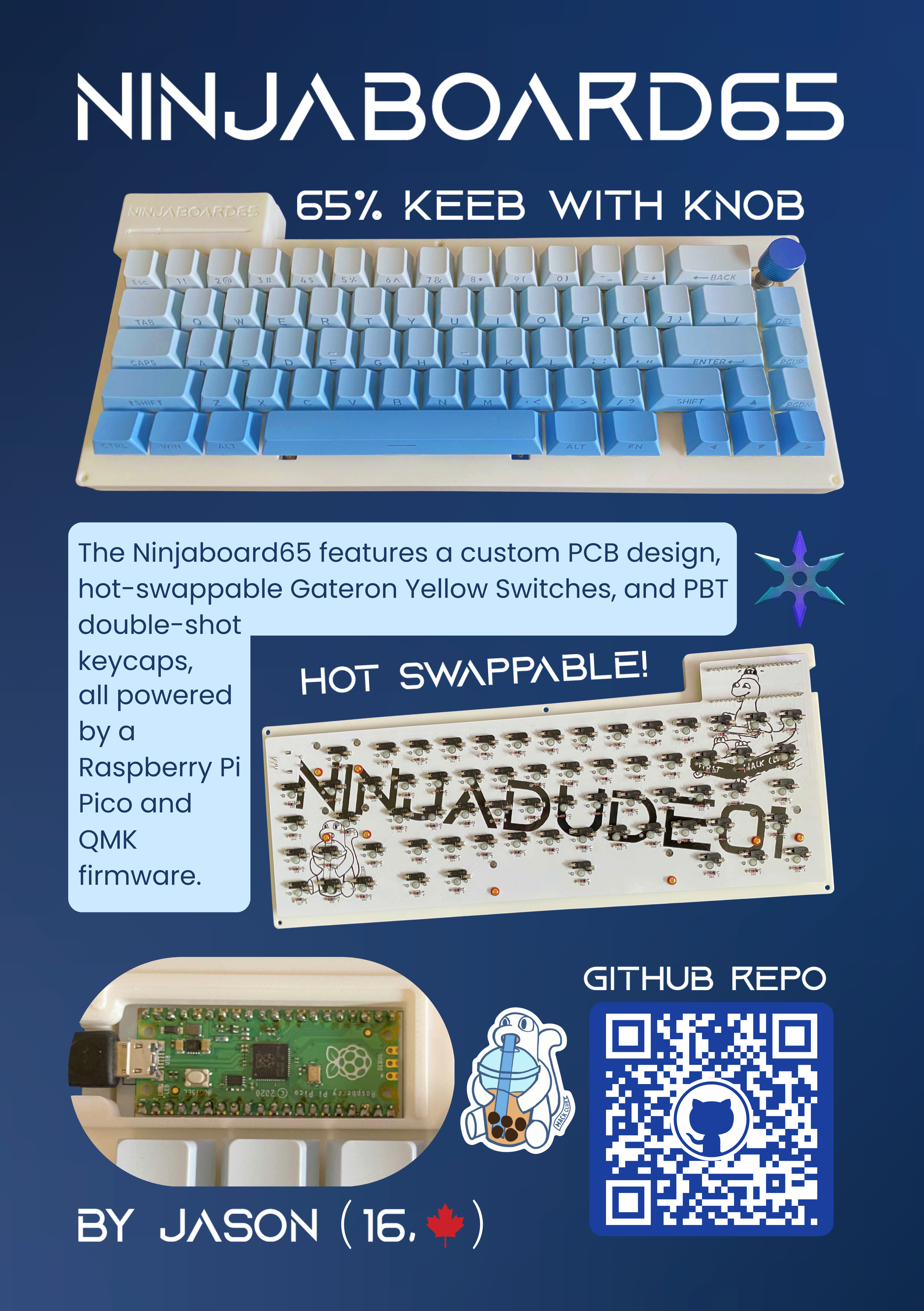
The Ninjaboard65 is a 65% custom keyboard with a knob! Features include hot-swappable gateron yellow switches, pbt double-shot keycaps, and a 3d printed case + plate.
Ninjaboard65 is an open-source printed circuit board by Ninjadude01, from the Ninjadude01/Ninjaboard65 repository on GitHub. It is a 2-layer board of 312.5 × 127.5 mm with 141 parts on 99 nets, routed with 632 tracks and 3 vias.
Its parts include 67 switches, 66 diodes and 1 IC. It belongs with the RP2040 boards of this library.
The Ninjaboard65 is a 65% custom keyboard with a knob! Features include hot-swappable gateron yellow switches, pbt double-shot keycaps, and a 3d printed case + plate. It uses qmk firmware, which is fully customizable so you can assign each key to whatever function you want. I decided to build this project as I love hardware and am already familiar with the basics. I wanted a project that would challenge me, which is why I decided to make my own keyboard. Another reason why is because I love playing video games in my free time, so being able to create my very own input device means alot to me, and would be very useful as I can customize it specifically to meet my gaming needs.
Youtube Video Link: https://www.youtube.com/watch?v=n-olJ9K8aAI
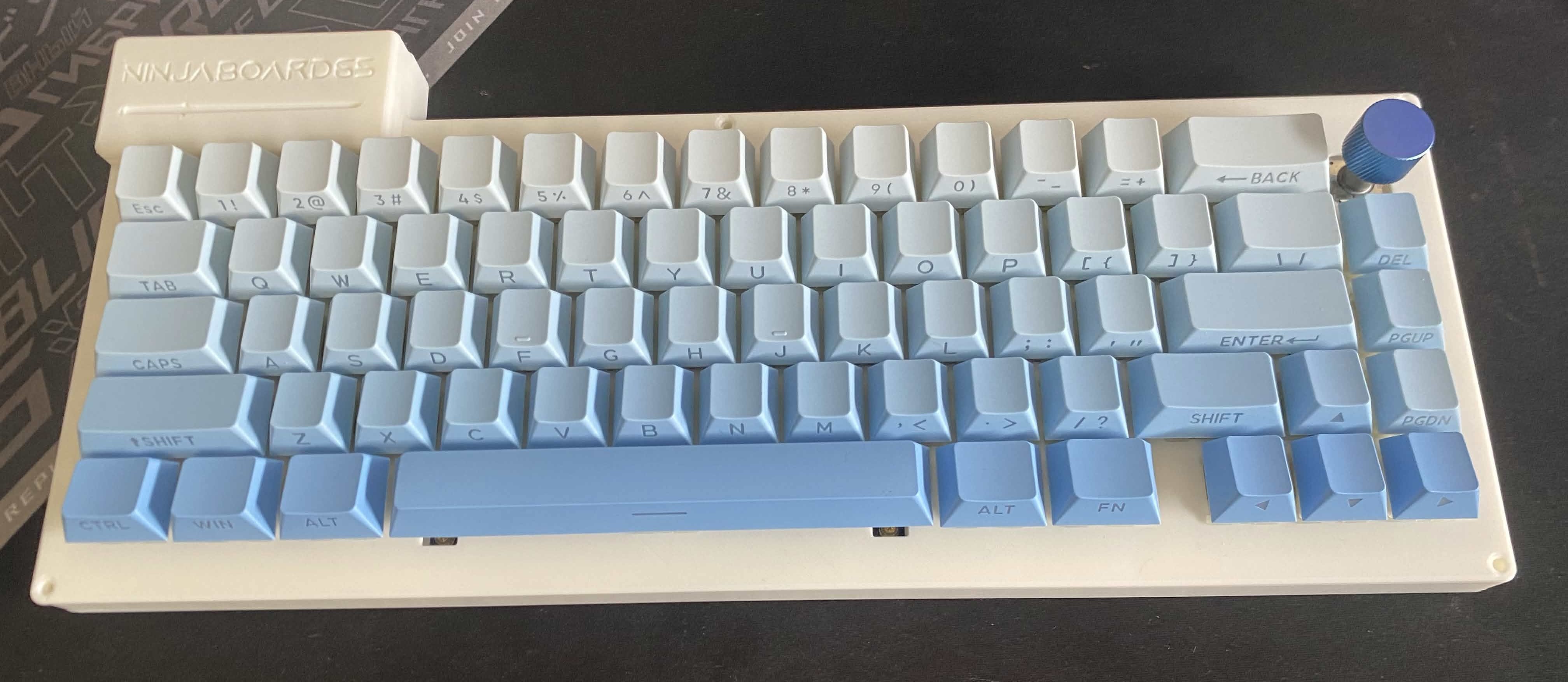
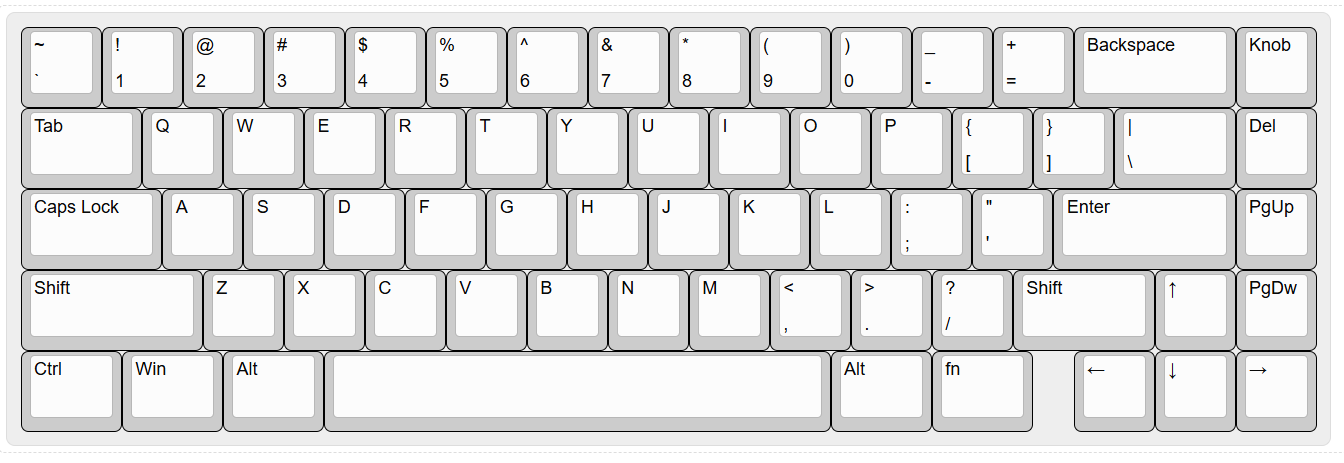
I chose a 65% layout as I like to game in my freetime, and this layout is a perfect mix between everyday functionality while still being small and compact.
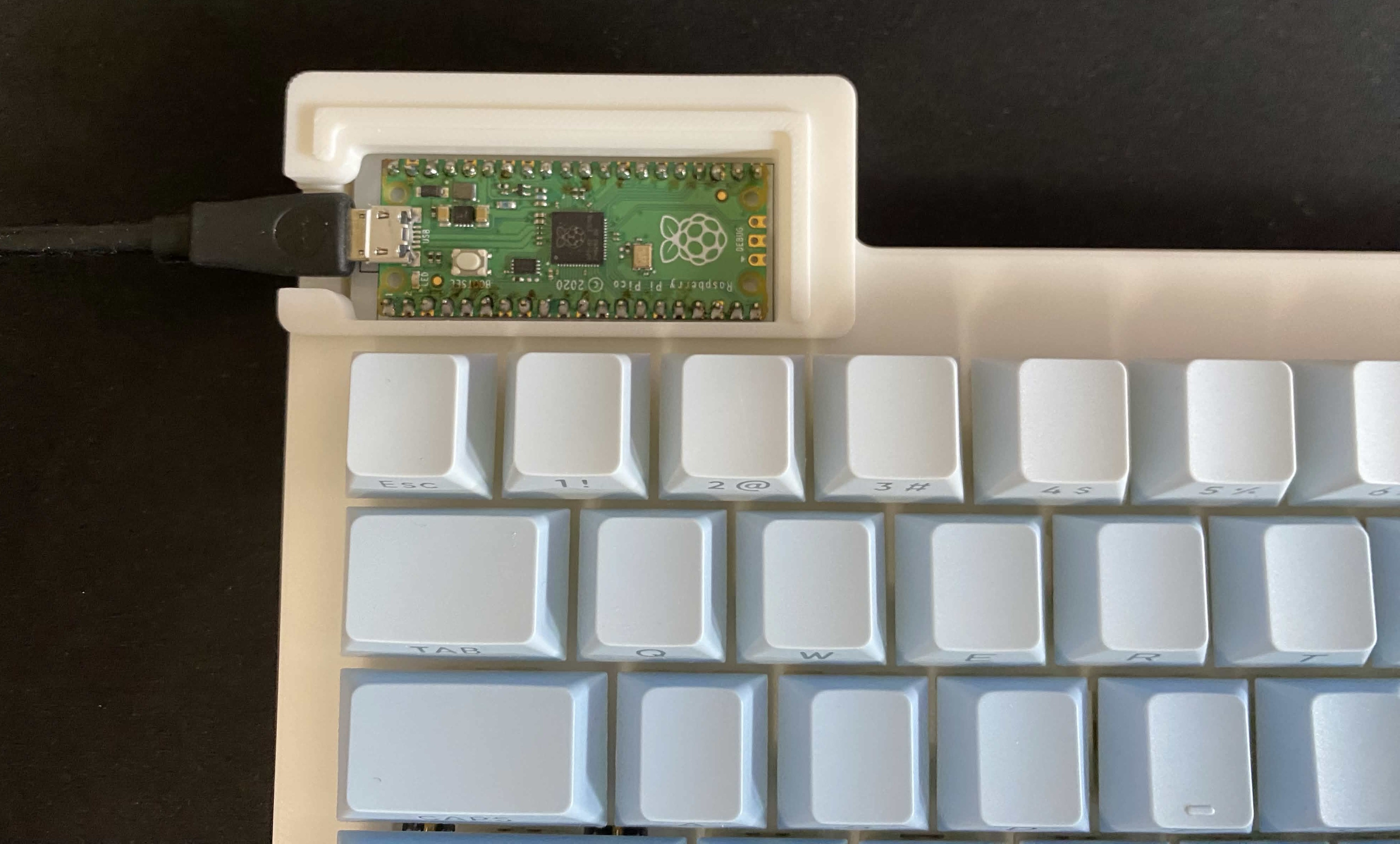
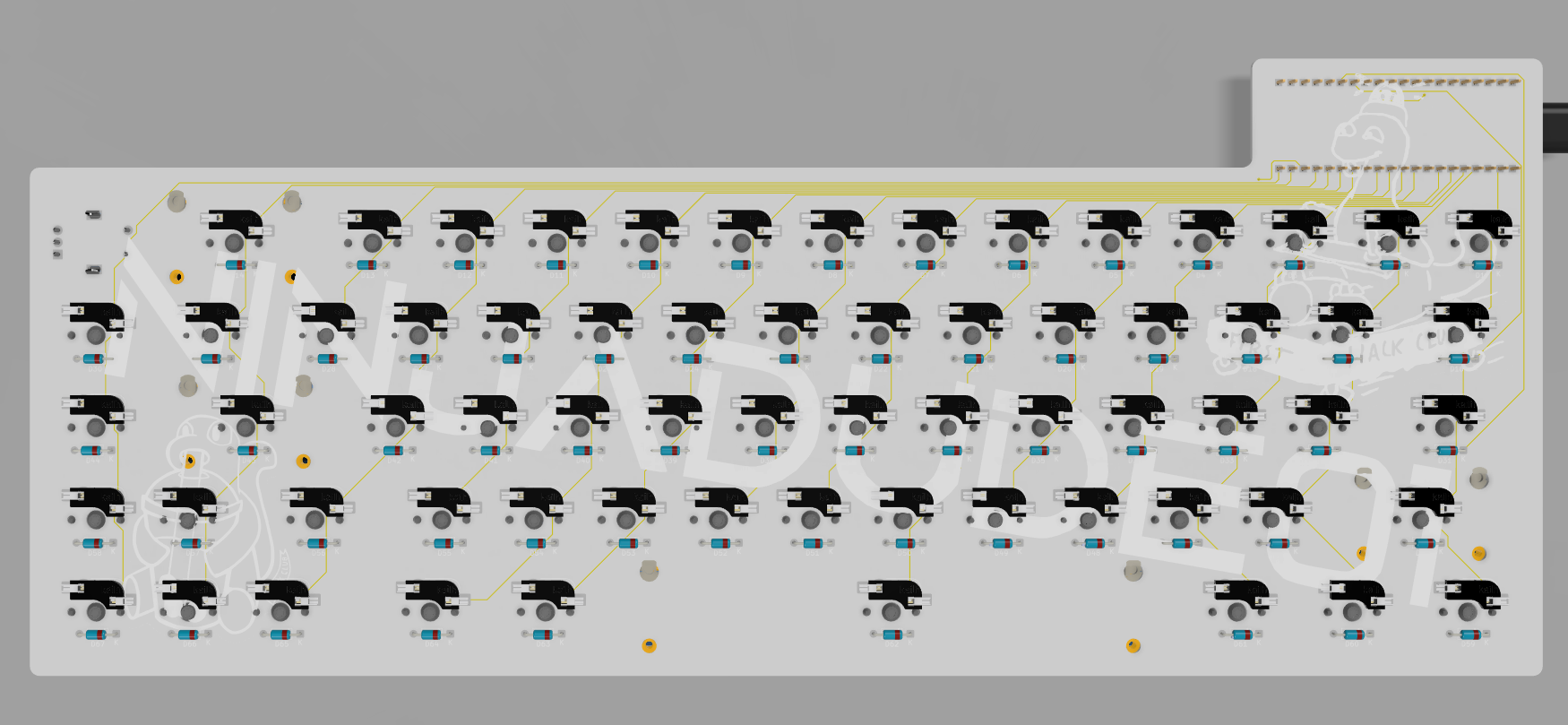
I designed the Schematic and PCB in Kicad, and chose to use a raspberry pi pico because it has many GPIO pins, making it perfect for my project as I needed 22 pins for my matrix + rotary encoder to work.
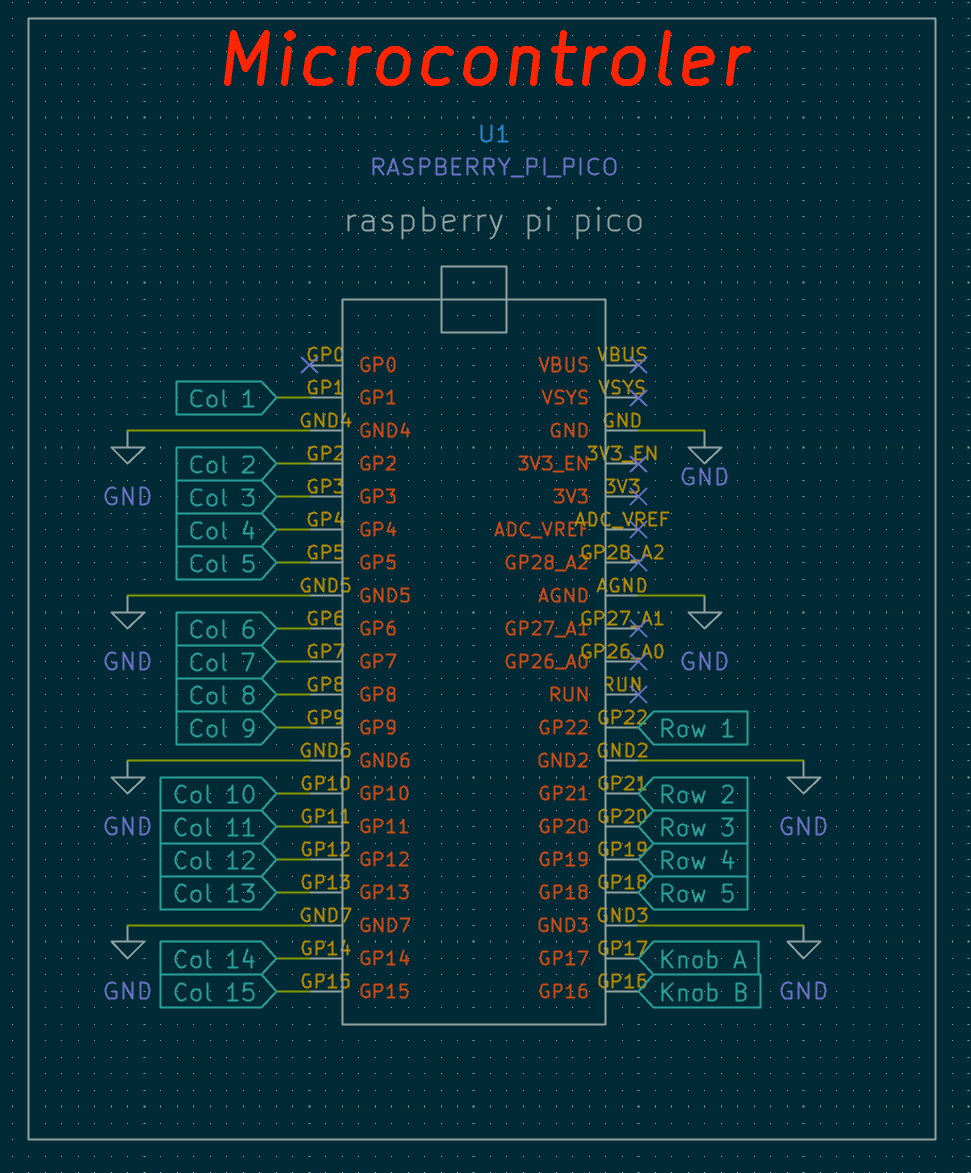
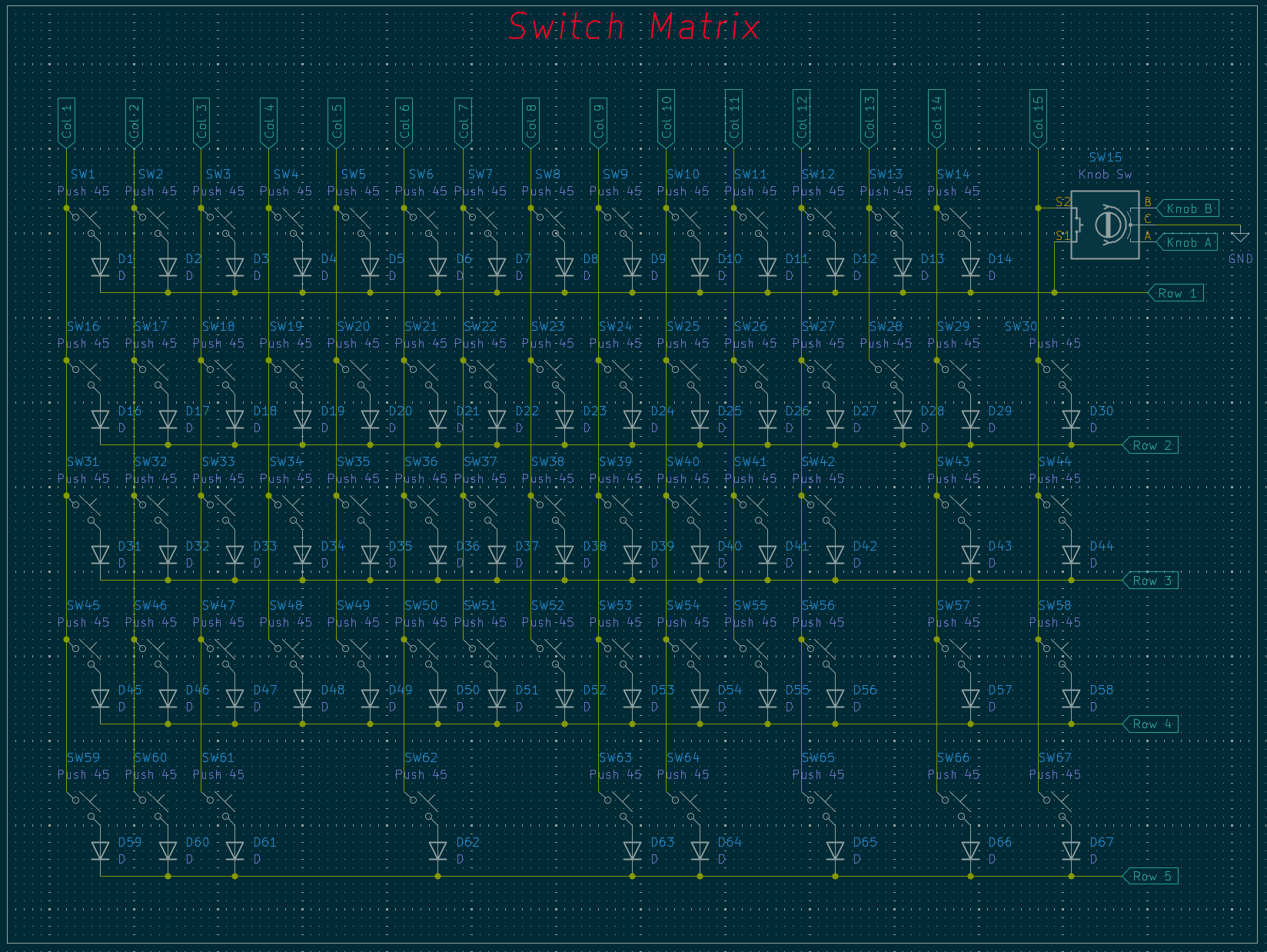
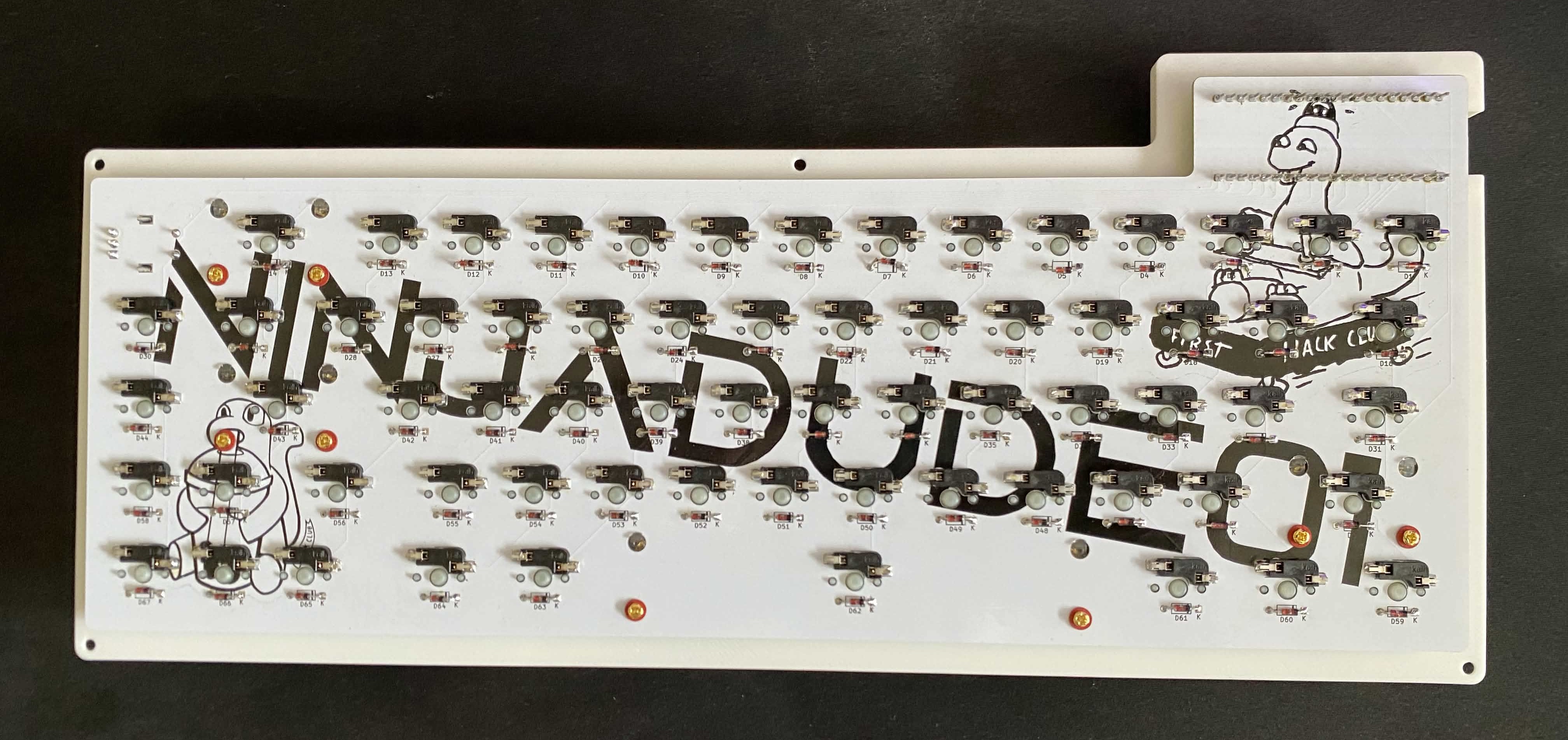
I am very proud of my clean wiring, as it took me countless hours and I re-did it many times. I also added some cool designs to the backside silkscreen to add some unique flair to my project!
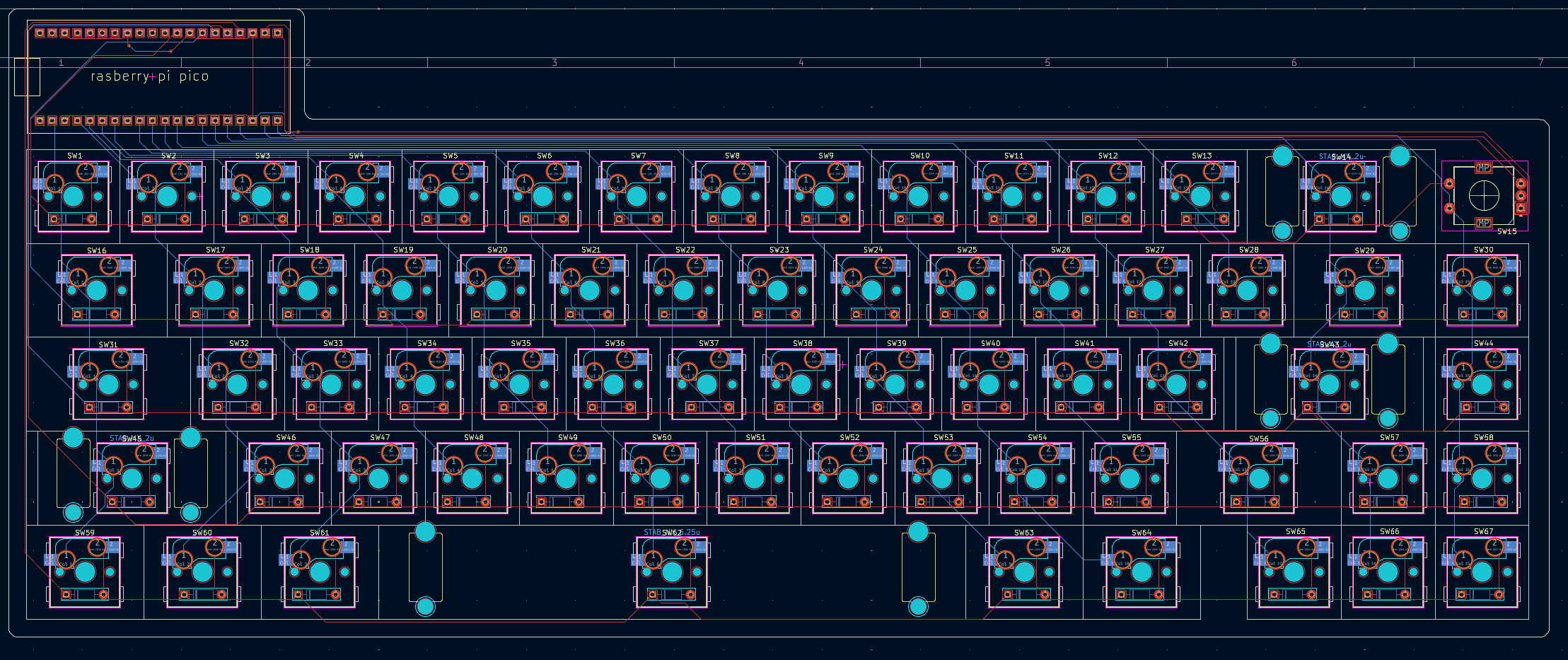
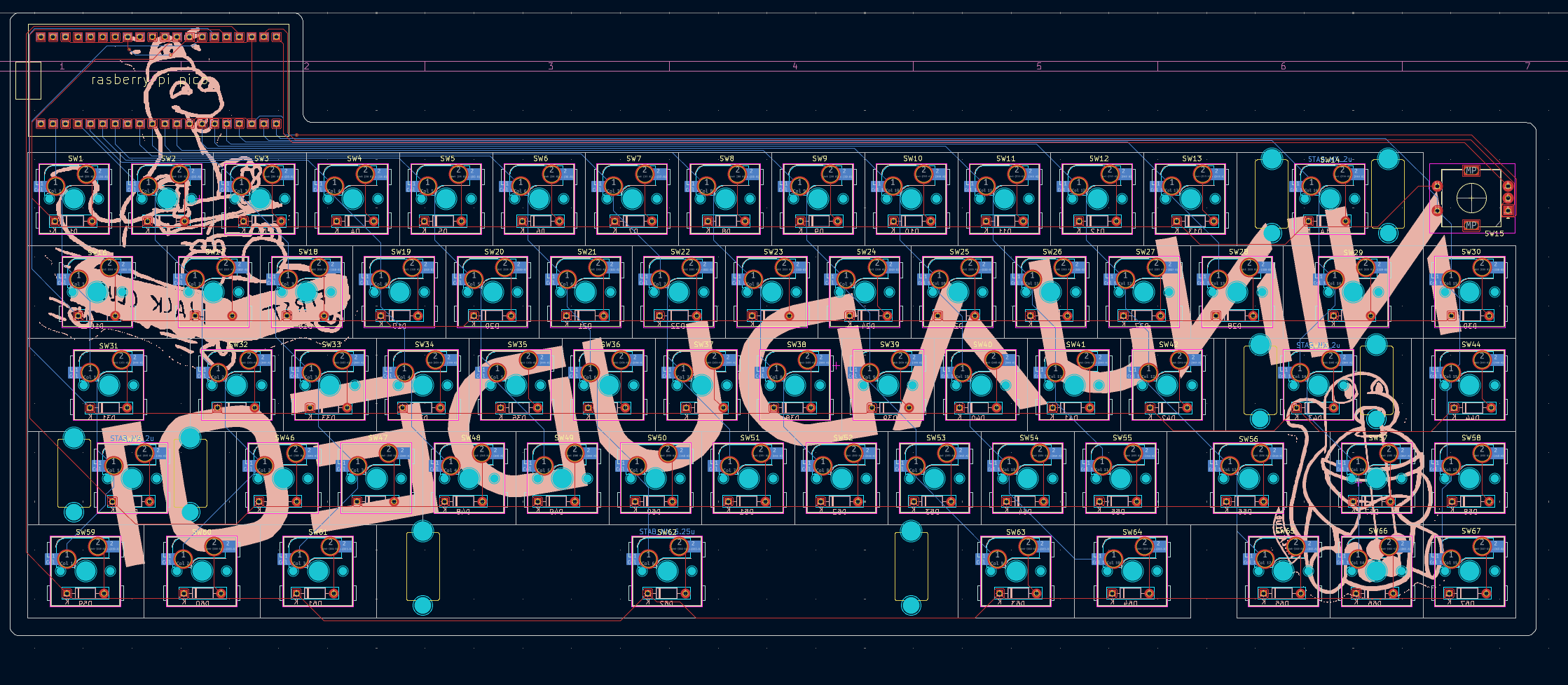
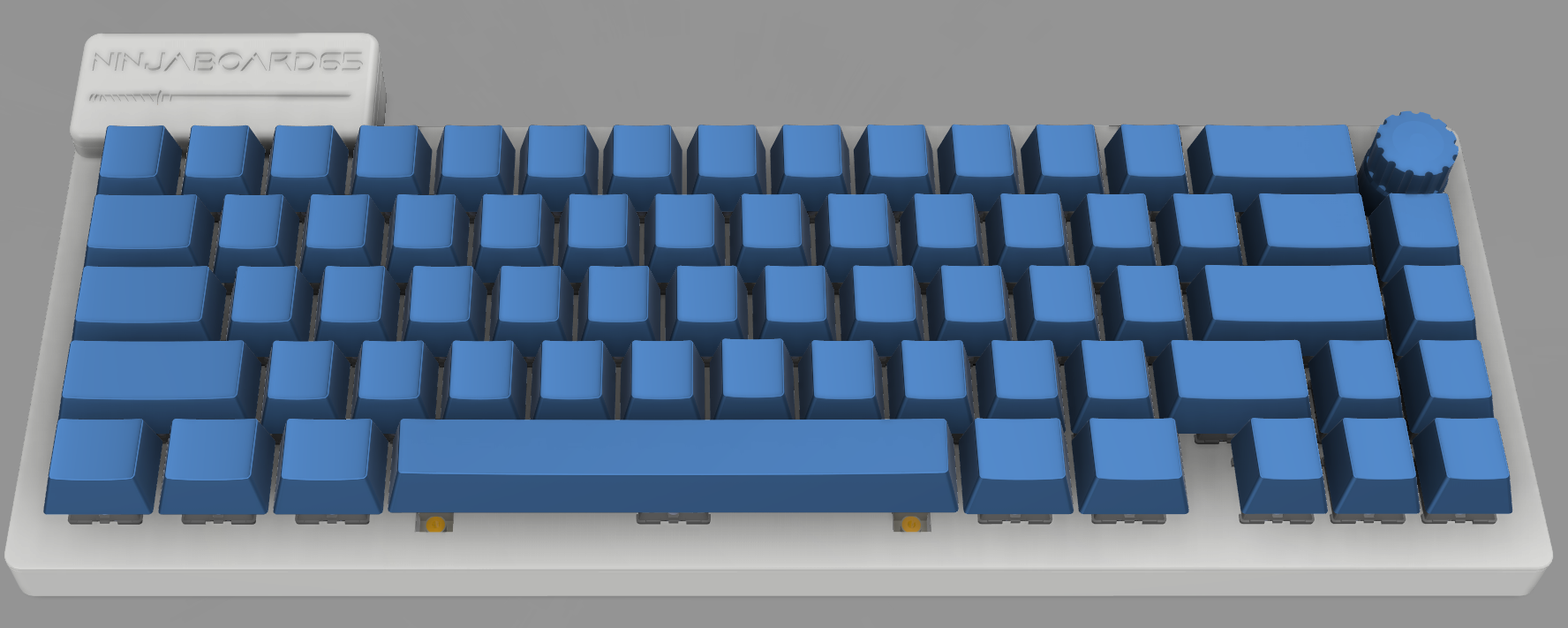
My keyboard case was created in fusion, and comes in 3 parts. The main part of the case is the base, and has 3 small PCB supports located near the centre left, centre right, and spacebar area. It will have 5 m2 heatset inserts located around the edge of the base.
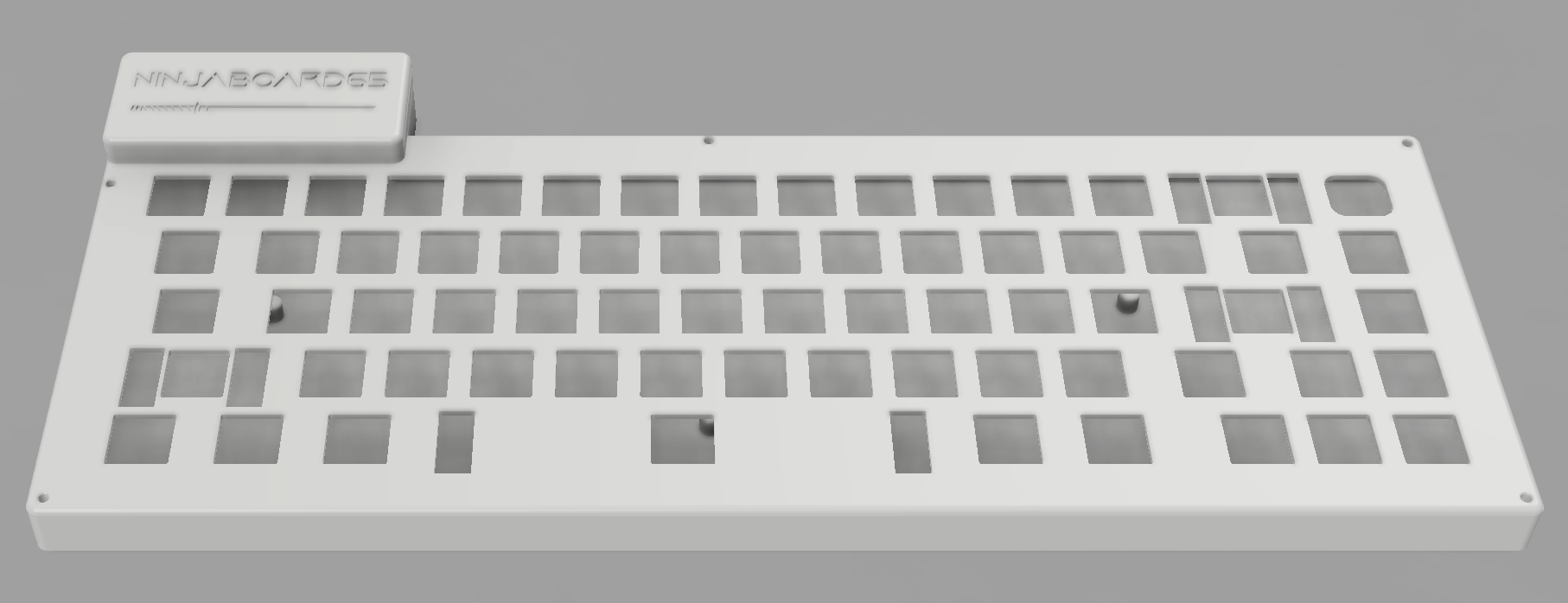
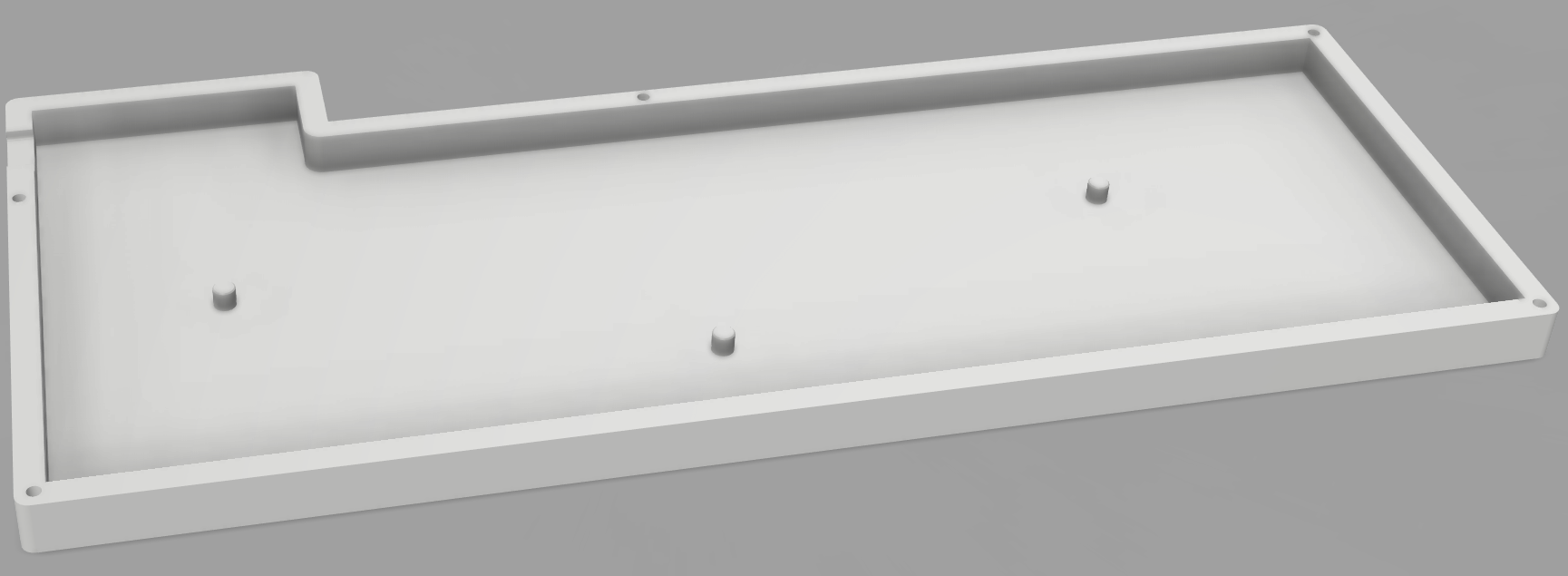
My case uses 5 m2 4mm screws that will screw from the top plate into the base.
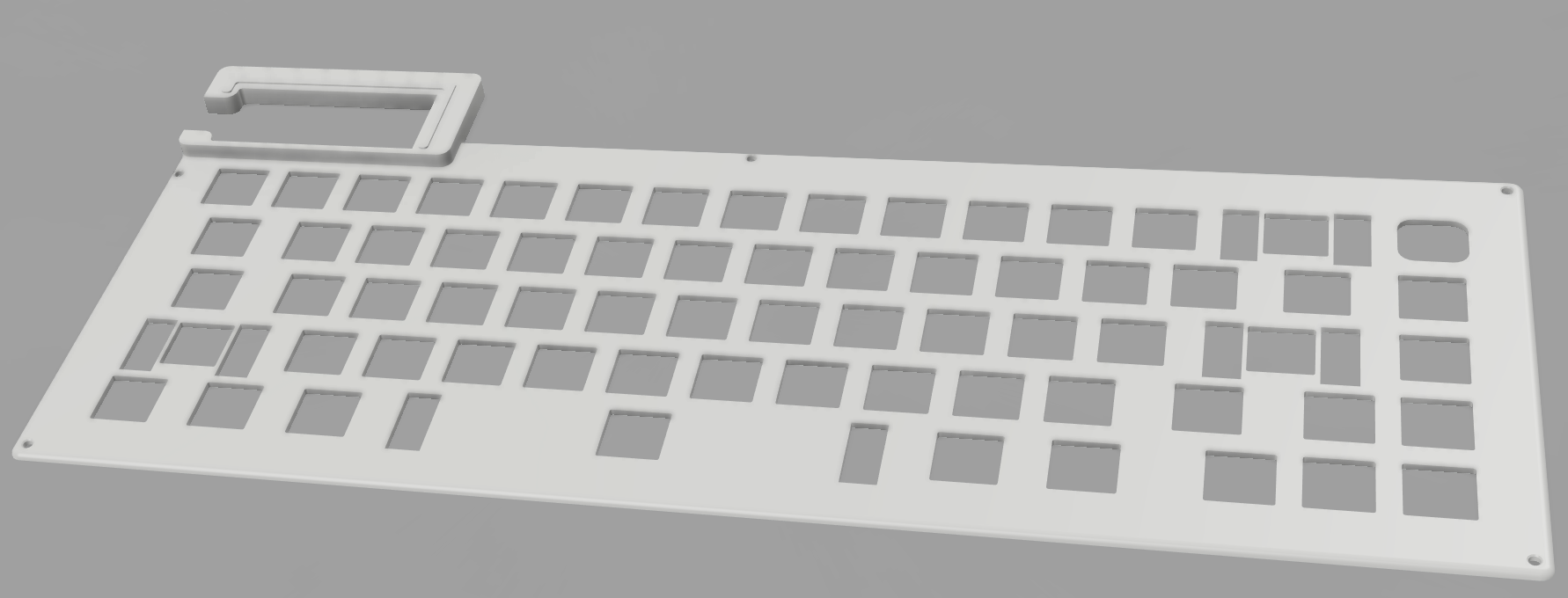
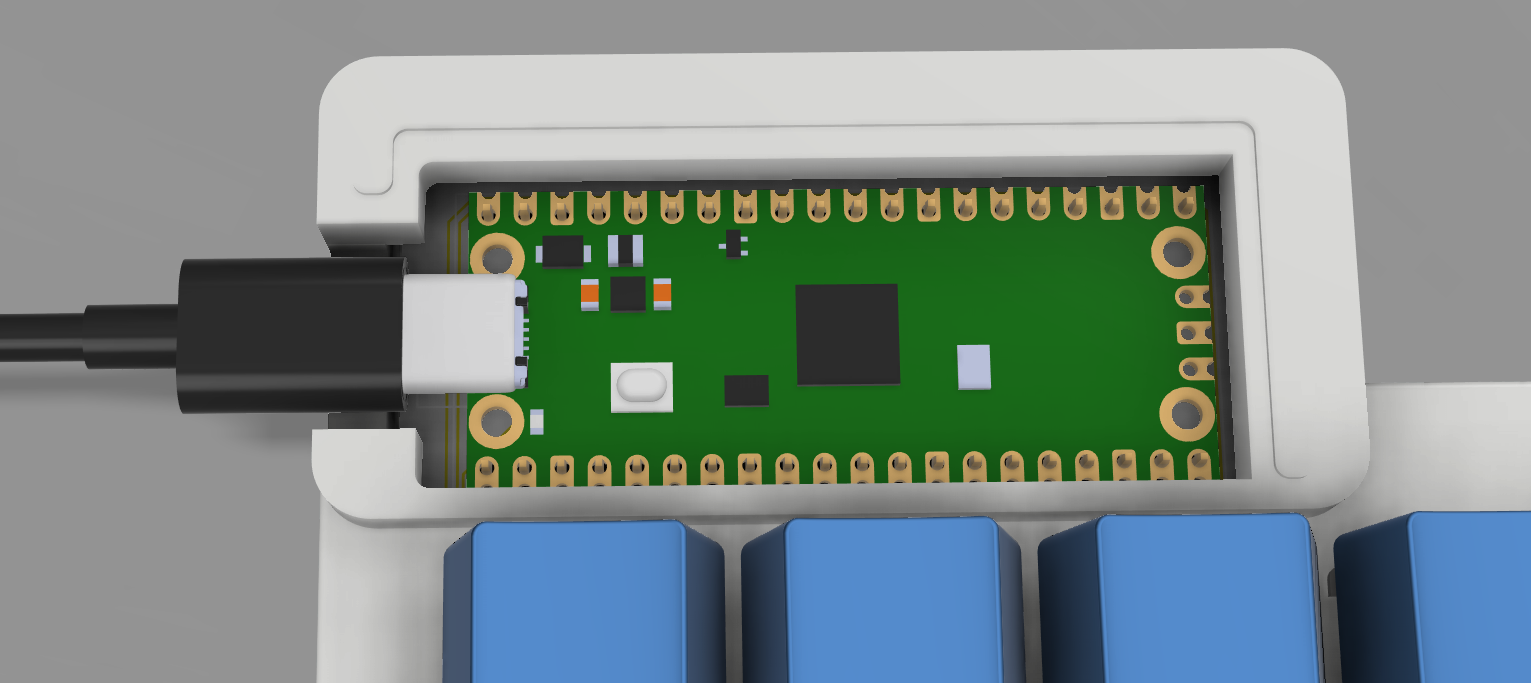
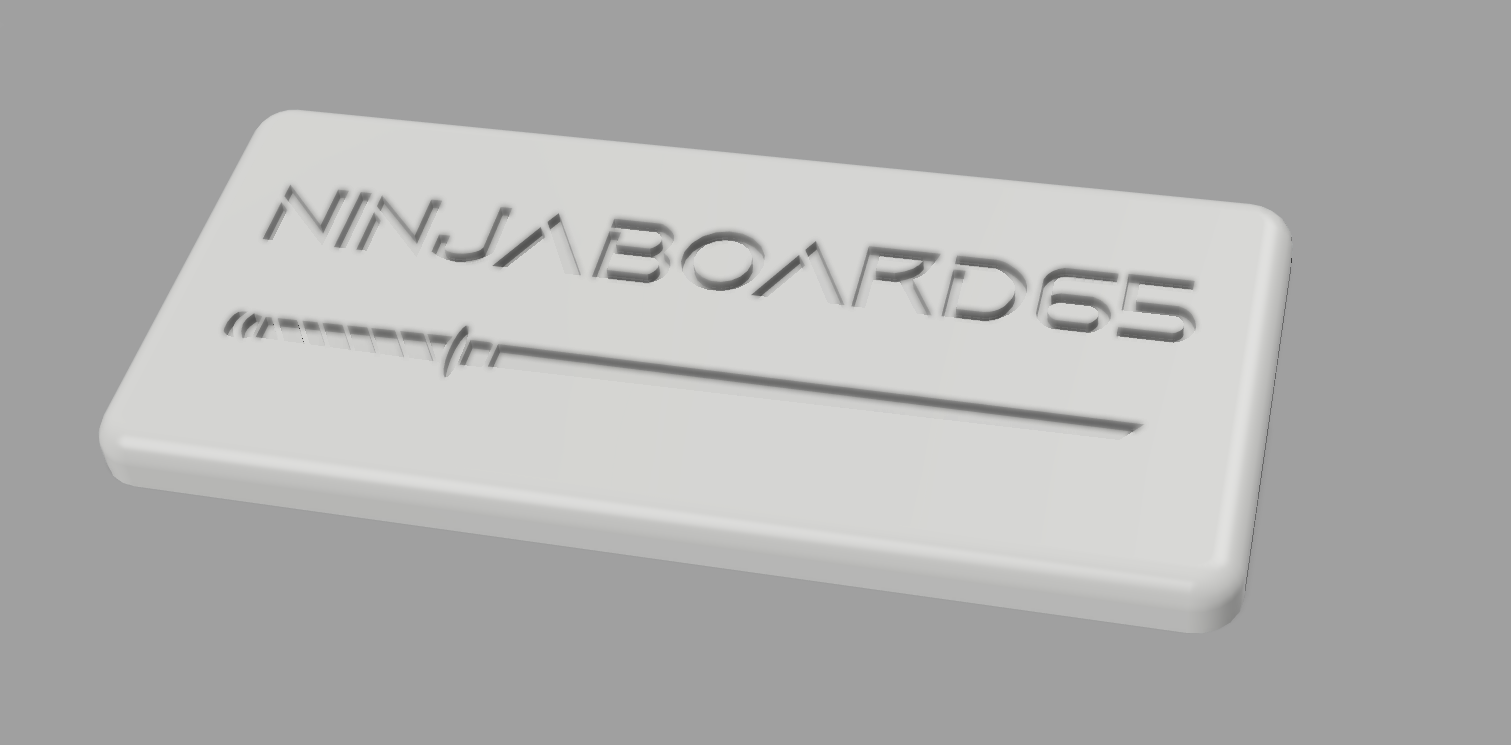
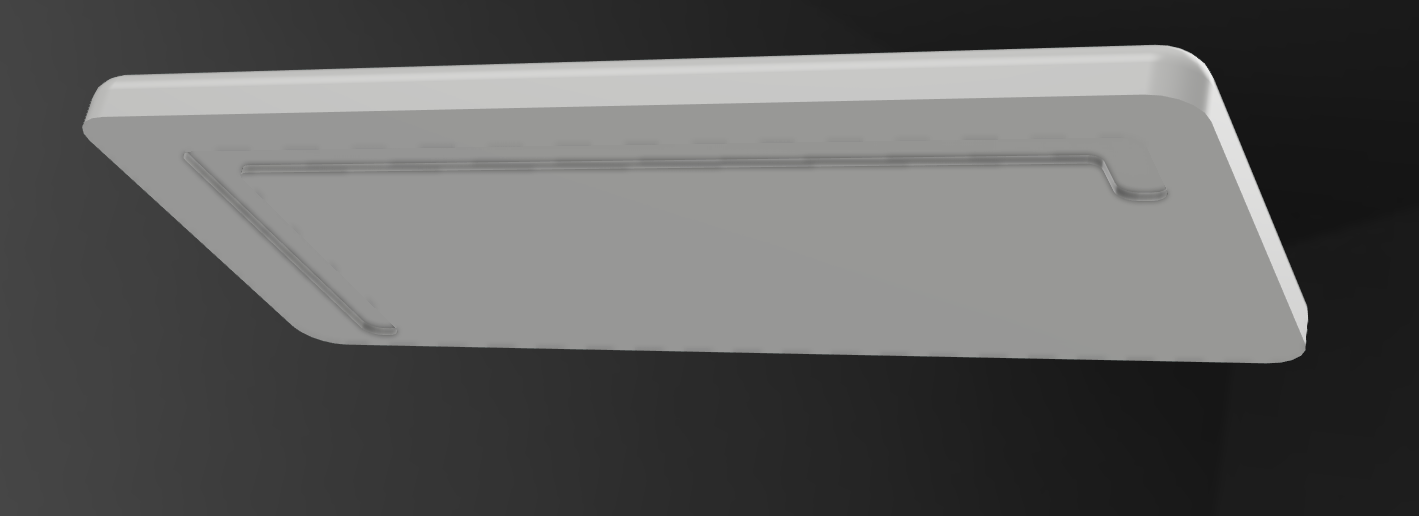
The final part of my case is the pico cover, which covers the microcontroller. It connects to the plate through a snap-fit type mechanism (theres an extruded outline on the plate, and an indented section on the underside of the cover.)
| Qty | Value | Footprint | References |
|---|---|---|---|
| 66 | D | Diode_THT:D_DO-35_SOD27_P7.62mm_Horizontal | D1, D2, D10, D11, D12, D13, D14, D16, D17, D18, D19, D20, D21, D22, D23, D24 +50 |
| 53 | Push 45 | blue:bluesw | SW1, SW2, SW10, SW11, SW12, SW13, SW17, SW18, SW19, SW20, SW21, SW22, SW23, SW24, SW25, SW26 +37 |
| 5 | Push 45 | PCM_Switch_Keyboard_Hotswap_Kailh:SW_Hotswap_Kailh_MX_Plated_1.25u | SW59, SW60, SW61, SW63, SW64 |
| 3 | LOGO | LOGO | G***, G***, G*** |
| 2 | Push 45 | PCM_Switch_Keyboard_Hotswap_Kailh:SW_Hotswap_Kailh_MX_Plated_1.75u | SW31, SW56 |
| 2 | Push 45 | PCM_Switch_Keyboard_Hotswap_Kailh:SW_Hotswap_Kailh_MX_Plated_2.25u | SW43, SW45 |
| 2 | Push 45 | PCM_Switch_Keyboard_Hotswap_Kailh:SW_Hotswap_Kailh_MX_Plated_1.50u | SW16, SW29 |
| 1 | Knob Sw | Rotary_Encoder:RotaryEncoder_Alps_EC11E-Switch_Vertical_H20mm | SW15 |
| 1 | Push 45 | PCM_Switch_Keyboard_Hotswap_Kailh:SW_Hotswap_Kailh_MX_Plated_6.25u | SW62 |
| 1 | Push 45 | PCM_Switch_Keyboard_Hotswap_Kailh:SW_Hotswap_Kailh_MX_Plated_2.00u | SW14 |
| 1 | RASPBERRY_PI_PICO | footprints:RASPBERRY_PI_PICO | U1 |
The 137 most common of 141 parts.
It measures 312.5 × 127.5 mm and has 2 copper layers, 1.6 mm thick.
141 parts. The full list of its parts is on this page, with links to each part's symbol and footprint where PCBKit's library has them.
From the Ninjadude01/Ninjaboard65 repository on GitHub, at the commit this page was made from: the board is PCB/Ninjaboard65.kicad_pcb and its schematic PCB/Ninjaboard65.kicad_sch. PCBKit opens the board in the browser, with nothing to install.
Its repository states no licence, so its author keeps all rights: ask Ninjadude01 before reusing the design.

OLIMEX/OLINUXINO
OLINUXINO is Open Source / Open Hardware, low cost from EUR 24 Linux Industrial grade Single Board Computer capable to operate -25+85C

apoluekt/OpenRPNCalc
Open-source and open-hardware scientific RPN calculator

matthewcieplak/super-sixteen
Code and schematics for the Super Sixteen Eurorack sequencer


