2 layers370.8 × 298.5 mm
8 Bit Computer
The-Invent0r/8-bit-Computer-PCB
These are the KiCAD files for my 8-Bit Computer.
323 parts142

 nickbild/aqua6
Aqua turns the underpowered Mattel Aquarius into a respectable computer by adding 32 KB of RAM and SD card mass storage.
Breakout board is an open-source printed circuit board by nickbild, from the nickbild/aqua repository on GitHub. It is a 2-layer board of 58.4 × 75.7 mm with 15 parts on 47 nets, routed with 424 tracks and 20 vias.
It is built around the 74LS00SC, 74LS04PC and 74LS86. Its parts include 5 capacitors, 4 ICs and 2 connectors. It belongs with the interfaces and adapters and microcontroller boards boards of this library.


Aqua turns the underpowered Mattel Aquarius into a respectable computer by adding 32 KB of RAM and SD card mass storage.
The Mattel Aquarius home computer was released in June of 1983 and had already been discontinued by October of that same year. The short lifespan of this machine is no big surprise — it is equipped with 4 KB of RAM, which is reduced to 1.7 KB of free RAM after factoring in the reserved video memory and system variables. It also has a terrible rubber chiclet keyboard that is not quite large enough for adult hands. But despite these (and many more!) flaws, beyond all reason, I still love this computer so I wanted to give mine a little help. By adding 32 KB of additional memory it is much more usable, and the SD card reader allows me to write software on a modern machine, then easily load it onto the Aquarius, which means I don't have to try to type in long programs on its awful keyboard (or use the cassette port, which is slow and fails far more than it succeeds).
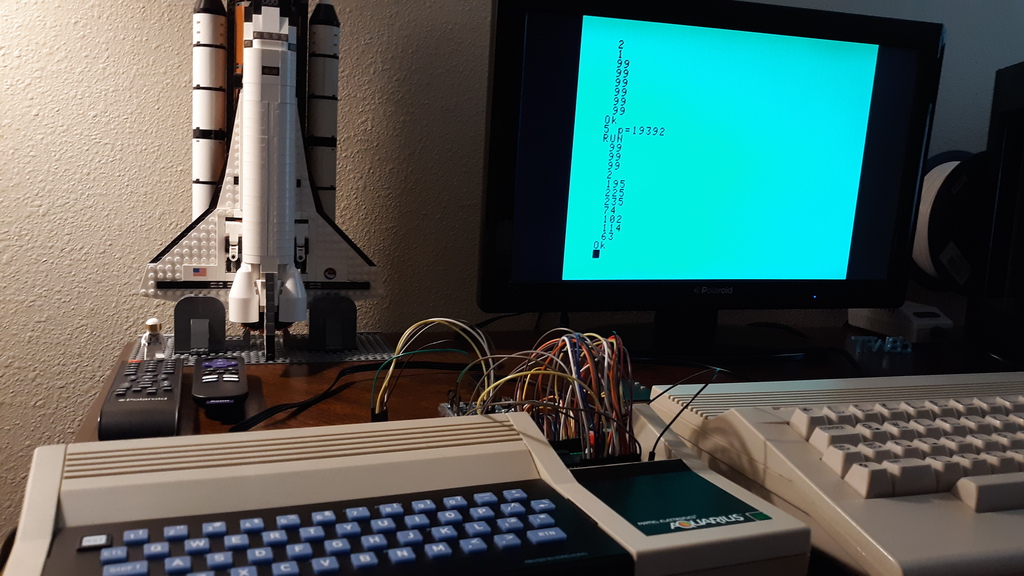
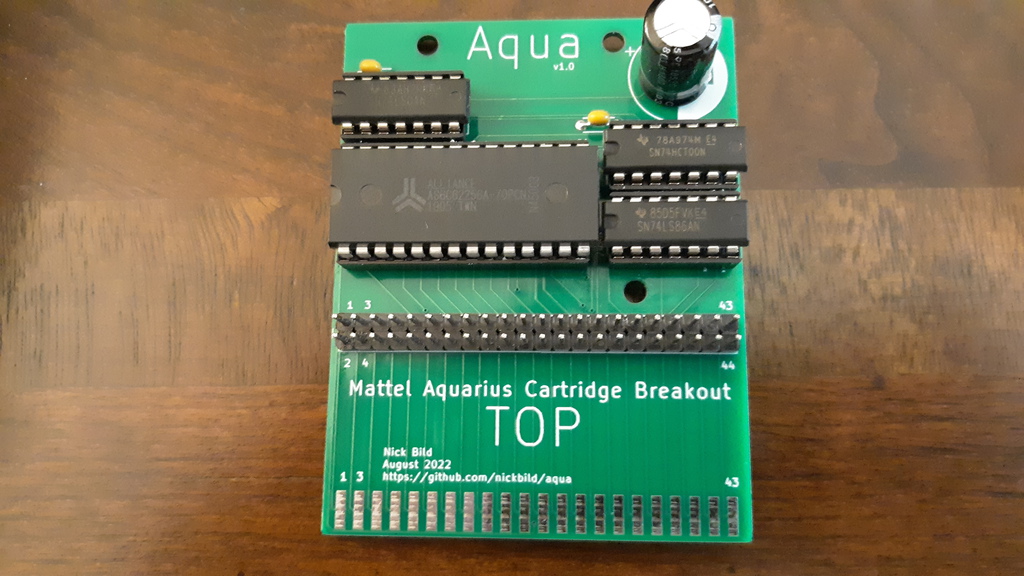
The Aqua PCB (KiCad files here) is designed to plug into the cartridge port of the Aquarius. It has a 32 KB SRAM chip and logic chips to map it into the 32K addresses above onboard memory ($4000-$BFFF). It also has a pin header that gives easy access to the cartridge port's connectors. These are quite useful since the computer offers hardly any other options for extension, and the cartridge port offers direct, unbuffered access to the address and data bus, and virtually all other signals on the Z80.
Aqua brings the Aquarius closer to being in the same league as other contemporary computers, but there is still no decent way to load programs onto it — and using the computer's keyboard to type them is a terrible experience. So I built AquaWrite, which connects to Aqua's pin header, to load programs/data into memory on the Aquarius from an SD card. Using AquaWrite, it is possible to write and assemble programs on a modern computer, then write the machine code, as a sequence of newline-delimited bytes, to a text file. That card can be inserted into AquaWrite and loaded into memory in a few seconds.
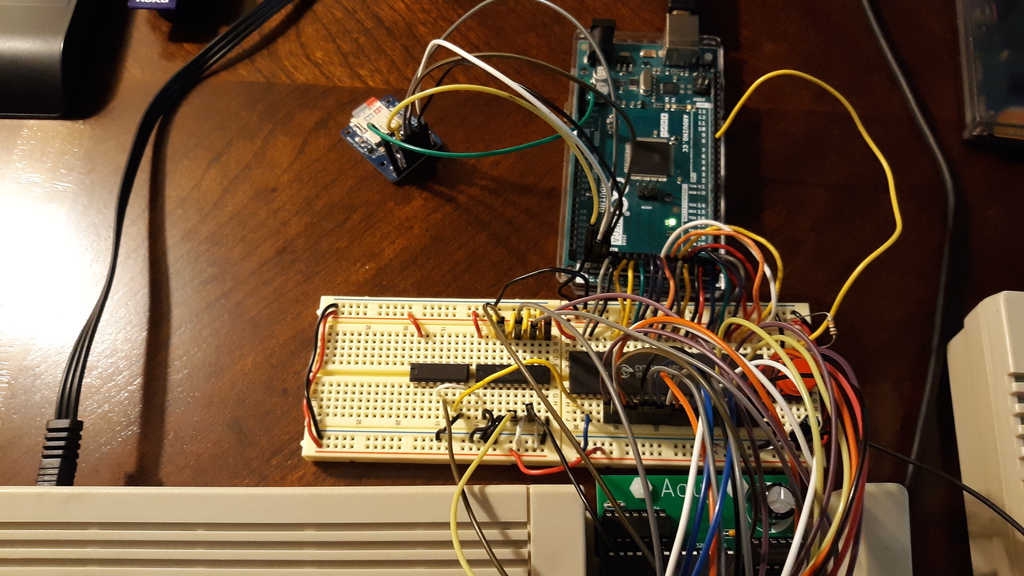
AquaWrite (KiCad files here) uses an Arduino Mega 2560 (Arduino code here) to handle SD card access and writing that data to a 1 KB dual-port SRAM chip. That SRAM chip is mapped to addresses $FC00-$FFFF, and is used to transfer programs of any size into lower memory addresses in 1 KB pages. The Arduino first writes a small (20 byte) program in machine code to the SRAM, then the next 1,004 bytes to be transferred. When ready, the user is prompted to run a USR call that executes the machine code and transfers the bytes to a lower memory address. This method is used because the Aquarius prevents access to addresses in the range of this SRAM from BASIC. If the data to transfer exceeds 1004 bytes, the user presses a button on AquaWrite to load up each additional segment, then again runs USR to move the data to the next set of memory addresses. Any size program (up to the limits of the Aquarius' memory) can be loaded in this way.
This is a bit more complicated because the Aquarius uses an early form of copy protection for external devices (anything that is not onboard the stock computer). A PLA sits between the Z80 and data bus that XORs data with a software lock code (initialized to a random value on startup), which would scramble any values loaded via SD. So before using AquaWrite for the first time after start up, a sequence of commands needs to run to disable this software lock:
poke 14510,63
poke 14412,63
poke 14530,63

10 print 1
run

poke 15250,175
poke 15251,211
poke 15252,255
poke 15253,201

poke 14341,59
poke 14340,146
x=usr(0)

poke 14510,191
poke 14412,191
poke 14530,191

run
This (temporarily) relocates the stack and other system variables to onboard memory (before the lock code is changed and they get scrambled), then runs a simple program that writes a 0 to the I/O port at $FF that stores the software lock code. Since data is encoded/decoded by XORing it with the lock code, setting that code to 0 effectively turns it off — the result is always the same as the initial value.
Aqua:

AquaWrite:

The Aqua board, which adds 32 KB of SRAM and breaks the cartridge port connectors out into a pin header for easy access:


AquaWrite, which enables loading data from an SD card to Aquarius RAM:

Aqua:
AquaWrite:
| Qty | Value | Footprint | References |
|---|---|---|---|
| 4 | C | Capacitor_THT:C_Disc_D4.3mm_W1.9mm_P5.00mm | C2, C3, C4, C5 |
| 4 | MountingHole | MountingHole:MountingHole_3.2mm_M3 | H1, H2, H3, H4 |
| 1 | 28C256 | Package_DIP:DIP-28_W15.24mm | U1 |
| 1 | 74LS00 | Package_DIP:DIP-14_W7.62mm | U3 |
| 1 | 74LS04 | Package_DIP:DIP-14_W7.62mm | U4 |
| 1 | 74LS86 | Package_DIP:DIP-14_W7.62mm | U2 |
| 1 | CP | Capacitor_THT:CP_Radial_D14.0mm_P7.50mm | C1 |
| 1 | Edge Connector | Connector_PCBEdge:Aquarius_Cartridge | J1 |
| 1 | Pin Header | Connector_PinSocket_2.54mm:PinSocket_2x22_P2.54mm_Vertical | J2 |
It measures 58.4 × 75.7 mm and has 2 copper layers, 1.6 mm thick.
15 parts, built around the 74LS00SC, 74LS04PC and 74LS86. The full list of its parts is on this page, with links to each part's symbol and footprint where PCBKit's library has them.
From the nickbild/aqua repository on GitHub, at the commit this page was made from: the board is aqua_pcb/breakout_board.kicad_pcb. PCBKit opens the board in the browser, with nothing to install.
Its repository states no licence, so its author keeps all rights: ask nickbild before reusing the design.
The-Invent0r/8-bit-Computer-PCB
These are the KiCAD files for my 8-Bit Computer.


hkzlab/CGA_Redux
The Color Graphics Adapter Redux board is a more or less faithful clone of the original IBM CGA, based on the original schematics

btb/80ColumnCard
An Apple II 80-Column Card. Based on the Videx Videoterm

fortinsylvain/MyCpu
Home brew CPU Hardware with 1-bit ALU implementation using 74LSxx, a micro-code and assembler coded in C#.


rraider/Seminarkurs2021
Entwicklung eines turingvollständigen, primitiven Microcontroller in der Software Digital

ceteras/Cobra-XP
Derived from Cobra, an experimental board for testing all kind of mods.