2 layers98 × 27 mm

 NEDEER/VR-Mania-QRCODE-
Point of Sale & Automated Hardware Controller for VR Amusement Rides (Kuwait).
Board qr code 2 is an open-source printed circuit board by NEDEER, from the NEDEER/VR-Mania-QRCODE- repository on GitHub. It is a 2-layer board of 79 × 66 mm with 5 parts on 30 nets, routed with 27 tracks and 0 vias.
Its parts include 2 connectors and 1 IC.
Point of Sale & Automated Hardware Controller for VR Amusement Rides (Kuwait).
The automated ride activation is powered by a custom ESP32 + Relay Carrier Board designed in KiCad:
| PCB 3D Front View | PCB 3D Back View | 2D Routing & Ground Plane |
|---|---|---|
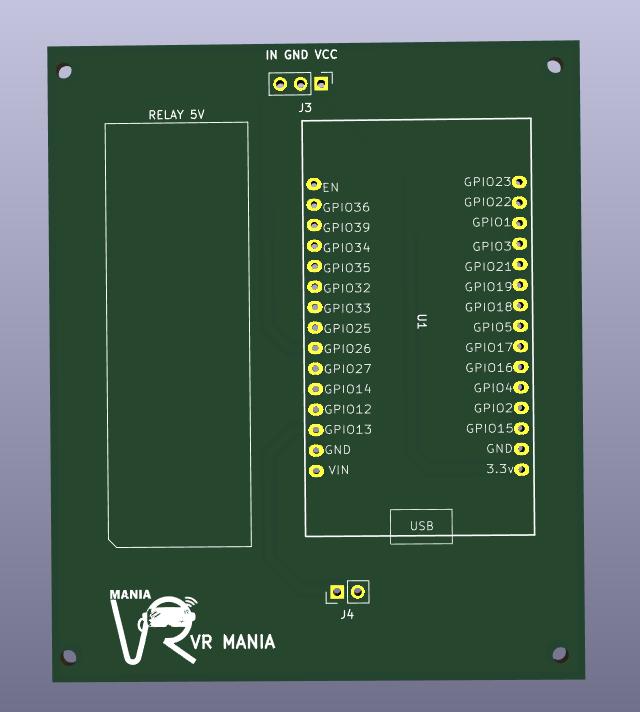 | 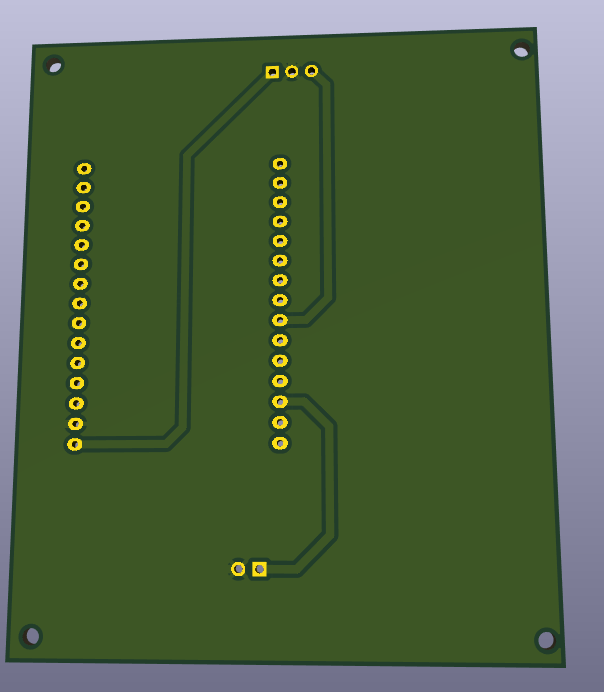 | 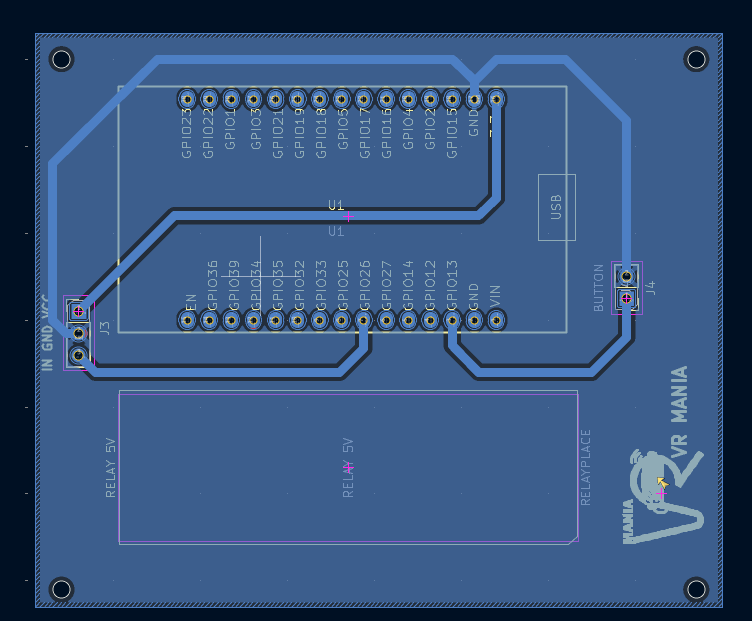 |
| Face Avant (3D) ESP32 Socket & 5V Relay Module | Face Arrière (3D) Bottom Copper Routing & Solder Mask | PCB Routing (2D) 1.0mm Power Traces & Solid GND Plane |
SRD-05VDC-SL-C) wired to the machine enable contact.GPIO 13) for immediate operator stop/cancel.Install these before starting the project:
Git - only needed when cloning the repository.
Node.js LTS - install the LTS release, then open a new PowerShell window and confirm it works:
node --version
npm --version
Docker Desktop - install it, accept the WSL 2 setup if prompted, then start Docker Desktop and wait until it says it is running. Confirm Docker is available:
docker --versionngrok - create a free ngrok account, install ngrok, and add its authentication token:
ngrok config add-authtoken YOUR_NGROK_AUTHTOKENCopy the project folder to the new computer, or clone it with Git. In PowerShell, open the project folder and install the JavaScript dependencies:
cd "C:\path\to\VR Mania PoS Kuwait"
npm installAsk the project owner for the existing .env file and place it in the project root. Do not commit or share this file because it contains credentials.
For a local Supabase database, start Supabase once using the command in the next section. It prints the values to use for the frontend. Add or update these lines in .env with the values shown in the command output:
VITE_SUPABASE_URL=http://127.0.0.1:54321
VITE_SUPABASE_ANON_KEY=YOUR_LOCAL_SUPABASE_ANON_KEY

# Required only when sending WhatsApp receipts
TWILIO_ACCOUNT_SID=YOUR_TWILIO_ACCOUNT_SID
TWILIO_AUTH_TOKEN=YOUR_TWILIO_AUTH_TOKEN
TWILIO_WHATSAPP_NUMBER=whatsapp:+00000000000
TWILIO_CONTENT_SID=YOUR_TWILIO_CONTENT_SID

# Optional. The API uses 8787 when this is not set.
API_PORT=8787
The Supabase URL above is fixed by supabase/config.toml. Copy the local anon key from the npx supabase start output, or run npx supabase status after Supabase is already running.
Open three PowerShell windows in the project root.
Make sure Docker Desktop is running, then run:
npx supabase startOn the first run this downloads Docker images, so it can take a few minutes. This starts the database, API, storage, authentication, and Supabase Studio. The database schema is applied automatically from supabase/migrations.
Useful local addresses:
http://127.0.0.1:54321http://127.0.0.1:54323Keep the Supabase window open, then run:
npm run tunnel:supabaseCopy the HTTPS forwarding URL that ngrok displays. The POS uses this public address when it needs to generate externally accessible receipt links. Keep this window open while testing that flow.
Run:
npm run devThis starts both services:
http://localhost:5173.http://localhost:8787 by default.Open the Vite URL in a browser.
# Stop Supabase and keep its database data
npx supabase stop

# View Supabase URLs and keys while it is running
npx supabase status

# Rebuild the local database and rerun migrations (erases local data)
npx supabase db reset

# Check TypeScript types
npm run typecheck

# Run linting
npm run lintCannot connect to the Docker daemon: start Docker Desktop and wait until it is fully running, then run npx supabase start again.ngrok is not recognized: install ngrok, close and reopen PowerShell, and run ngrok config add-authtoken ....npx supabase status, then confirm VITE_SUPABASE_URL and VITE_SUPABASE_ANON_KEY in .env. Restart npm run dev after changing .env.TWILIO_* values are in .env and that the Twilio WhatsApp sender and content template are active.| Qty | Value | Footprint | References |
|---|---|---|---|
| 1 | BUTTON | Connector_PinHeader_2.54mm:PinHeader_1x02_P2.54mm_Vertical | J4 |
| 1 | Conn_01x03_Pin | Connector_PinHeader_2.54mm:PinHeader_1x03_P2.54mm_Vertical | J3 |
| 1 | LOGO | SYMB:SYMBOLE | G*** |
| 1 | RELAYPLACE | RELAYPERSO:RELAYPLACE | RELAY 5V |
| 1 | ~ | ESP32_Footprints:ESP32_30pin2 | U1 |

joypad-ai/joypad-os
Universal controller firmware for building adapters, dongles, and custom controllers.

OLIMEX/OLINUXINO
OLINUXINO is Open Source / Open Hardware, low cost from EUR 24 Linux Industrial grade Single Board Computer capable to operate -25+85C

jamro/tiny-engineer
A small desktop robot that brings an AI coding assistant to life, physically acting out when it reads files, thinks, writes code, and finishes work.

hackclub/OnBoard
💡 Join 1,000 teenagers and make your first PCB with a $100 grant!


Luos-io/luos_engine
Open-source and real-time orchestrator for cyber-physical-systems, to easily design, test and deploy embedded applications and digital twins.
It measures 79 × 66 mm and has 2 copper layers, 1.6 mm thick.
5 parts. The full list of its parts is on this page, with links to each part's symbol and footprint where PCBKit's library has them.
From the NEDEER/VR-Mania-QRCODE- repository on GitHub, at the commit this page was made from: the board is board qr code 2/board qr code 2.kicad_pcb and its schematic board qr code 2/board qr code 2.kicad_sch. PCBKit opens the board in the browser, with nothing to install.
Its repository states no licence, so its author keeps all rights: ask NEDEER before reusing the design.