
2 layers140.5 × 30 mm
Type e
google/mozc-devices
Circuit diagrams and firmware source code for Gboard DIY keyboards
16 parts3kApache-2.0
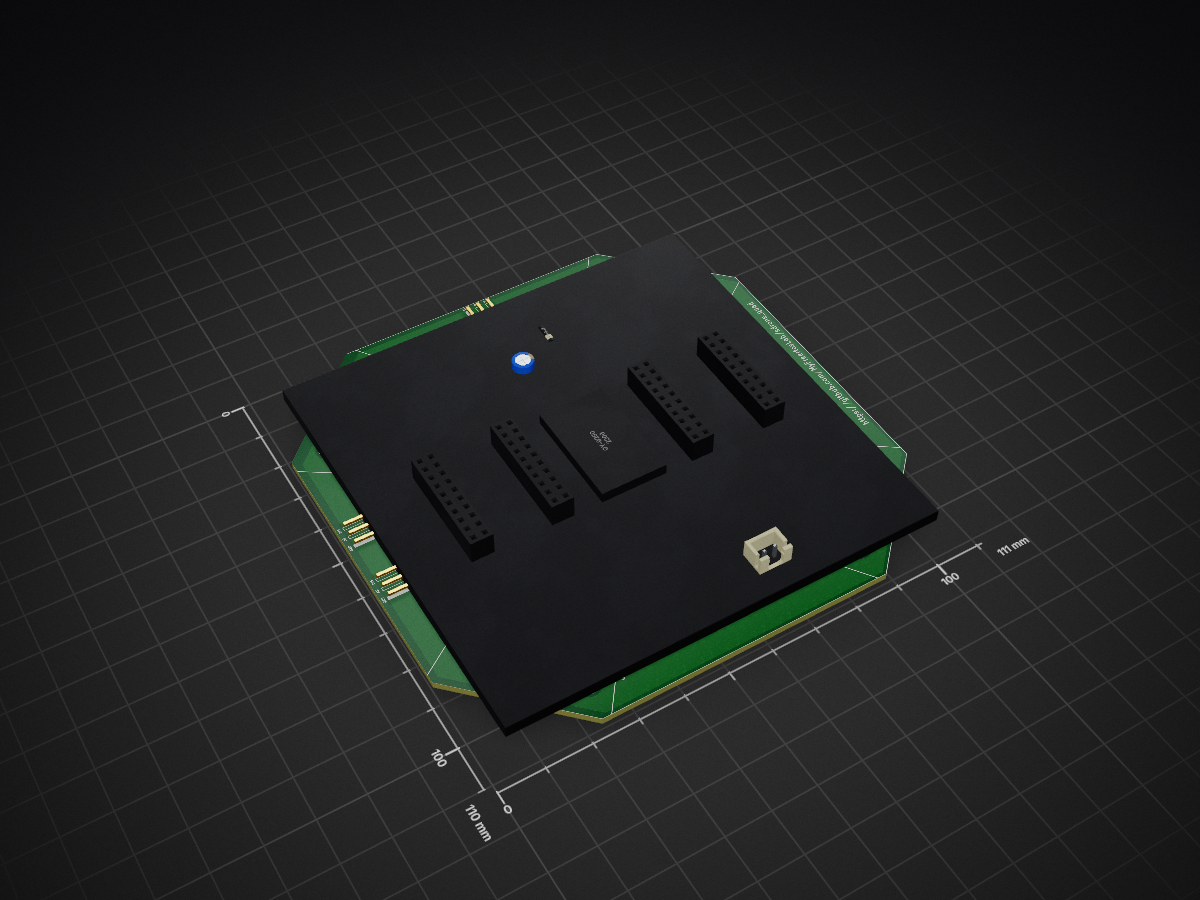
a sample quad with esp32
Axis2 is an open-source printed circuit board by MyFreertosLab, from the MyFreertosLab/sdrone_quad repository on GitHub. It is a 2-layer board of 111 × 110 mm with 16 parts on 35 nets, routed with 354 tracks and 9 vias.
Its parts include 12 connectors, 2 ICs, 1 capacitor and 1 diode.
This is a Drone Implementation with esp-idf and esp32. This software is under construction, but it works.
  git clone --recursive https://github.com/MyFreertosLab/sdrone_quad.git
  idf.py build
  idf.py flash

Step 1: Minimal Hardware List

| Qty | Value | Footprint | References |
|---|---|---|---|
| 1 | 100uF | Capacitor_THT:CP_Radial_D5.0mm_P2.50mm | C2 |
| 1 | 1N4007 | Diode_THT:D_DO-41_SOD81_P10.16mm_Horizontal | D1 |
| 1 | 5VPower | Connector_JST:JST_XH_B2B-XH-AM_1x02_P2.50mm_Vertical | J3 |
| 1 | JA | Connector_PinSocket_2.54mm:PinSocket_2x10_P2.54mm_Vertical | J1 |
| 1 | JA1 | Connector_PinSocket_2.54mm:PinSocket_2x10_P2.54mm_Vertical | J16 |
| 1 | JB | Connector_PinSocket_2.54mm:PinSocket_2x10_P2.54mm_Vertical | J2 |
| 1 | JB1 | Connector_PinSocket_2.54mm:PinSocket_2x10_P2.54mm_Vertical | J17 |
| 1 | M1 | Connector_PinHeader_2.54mm:PinHeader_1x03_P2.54mm_Horizontal | J14 |
| 1 | M2 | Connector_PinHeader_2.54mm:PinHeader_1x03_P2.54mm_Horizontal | J8 |
| 1 | M3 | Connector_PinHeader_2.54mm:PinHeader_1x03_P2.54mm_Horizontal | J7 |
| 1 | M4 | Connector_PinHeader_2.54mm:PinHeader_1x03_P2.54mm_Horizontal | J12 |
| 1 | M5 | Connector_PinHeader_2.54mm:PinHeader_1x03_P2.54mm_Horizontal | J13 |
| 1 | M6 | Connector_PinHeader_2.54mm:PinHeader_1x03_P2.54mm_Horizontal | J15 |
| 1 | RC-PPM | Connector_PinHeader_2.54mm:PinHeader_1x03_P2.54mm_Horizontal | J9 |
| 1 | axis4-symbol | axis4:axis4-frame | U3 |
| 1 | gy-9250 | gy-9250_footprint:gy-9250 | U1 |
google/mozc-devices
Circuit diagrams and firmware source code for Gboard DIY keyboards

conorpp/u2f-zero
U2F USB token optimized for physical security, affordability, and style

rusefi/rusefi
rusefi - GPL internal combustion engine control unit

VoronDesign/Voron-Hardware
Cool Hardware designed by the Voron Design group

hoglet67/RGBtoHDMI
Bare-metal Raspberry Pi project that provides pixel-perfect sampling of Retro Computer RGB/YUV video and conversion to HDMI

hackclub/OnBoard
💡 Join 1,000 teenagers and make your first PCB with a $100 grant!


It measures 111 × 110 mm and has 2 copper layers, 1.6 mm thick.
16 parts. The full list of its parts is on this page, with links to each part's symbol and footprint where PCBKit's library has them.
From the MyFreertosLab/sdrone_quad repository on GitHub, at the commit this page was made from: the board is schema/axis2/axis2.kicad_pcb. PCBKit opens the board in the browser, with nothing to install.
Its repository states no licence, so its author keeps all rights: ask MyFreertosLab before reusing the design.