2 layers103 × 30.5 mm

 mikeysklar/bubby33
Pocket Chording Keyboard
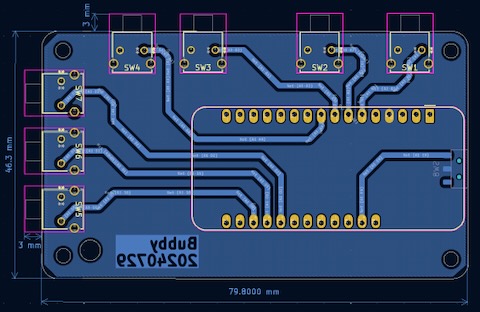
Bubby is an open-source printed circuit board by mikeysklar, from the mikeysklar/bubby repository on GitHub. It is a 2-layer board of 79.9 × 46.4 mm with 9 parts on 29 nets.
It belongs with the keyboards and input boards of this library.
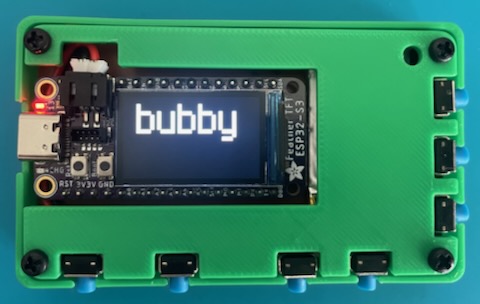
BUBBY - A Pocket Chording Keyboard
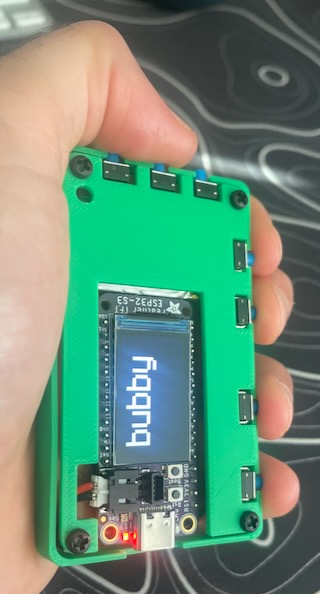
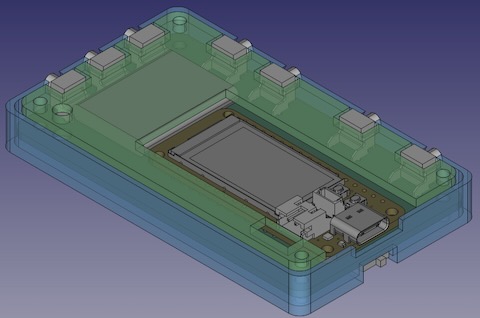
It uses seven keys with chording patterns for input. The display makes for an excellent stand-alone training experience. It can be used as a USB HID keyboard or storage drive. This a sturdy every day carry design. Some frills, mostly function.
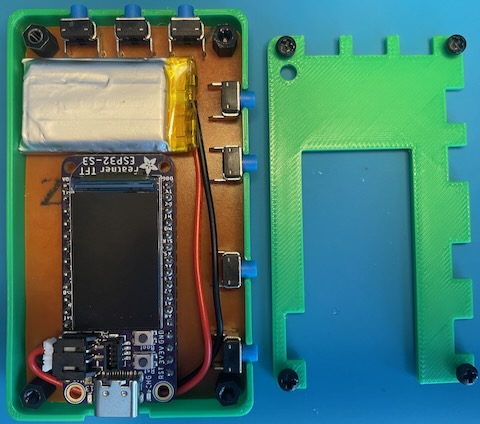
| Item | Source | Part Number |
|---|---|---|
| Controller | Adafruit | Feather ESP32-S3 TFT |
| Bat 350mAh | Adafruit | LiPo 3.7v ADA# 2750 |
| Buttons | Digi-Key | 450-1657-ND |
| Pwr Switch | AliExpress | MSKT-12G03 |
| Screws | Adafruit | M2.5 Machine Screws / Stand-off |
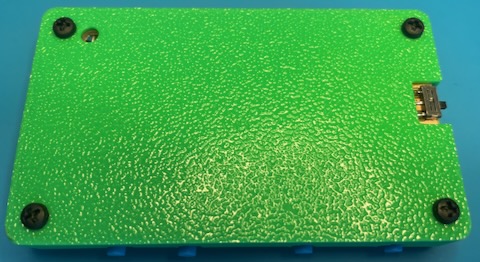
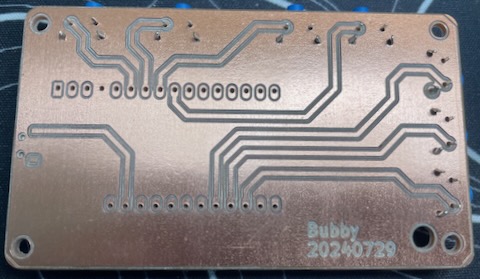

Bubby is an affectionate nickname for a friend, peer or even grandmother (Yiddish). This pocket keyboard acting as a digital everyday carry device. It is the friend that accompanies you.
The Human <--> Machine interface has enormous potential for improvement. The most egregious issue is the keyboard. The QWERTY layout is designed to be ineffecient. Now with VR, AR and wearables it makes sense to remix the earlier chording designs into new discrete interfaces.
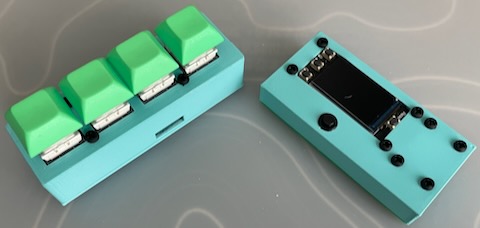
I hurt my knee. I had been running ultramarathons for ten years and needed surgery to clean things up. Immediately the twenty hours a week I had been putting into running were freed up. I read Bruce Schneier's book "A Hacker's Mind" which describes a student reciting Pi to one hundred decimal places by using a phone vibrating morse code patterns. I was inspried and built a BLE keyboard which used morse code communication. I slimmed it down into a Feather Rev TFT ESP32-S3 variation with vibrating motor and small built-in buttons. I realized that I like having a powered pocket keyboard / screen with some USB abilities. Also it would sure be nice to type faster.
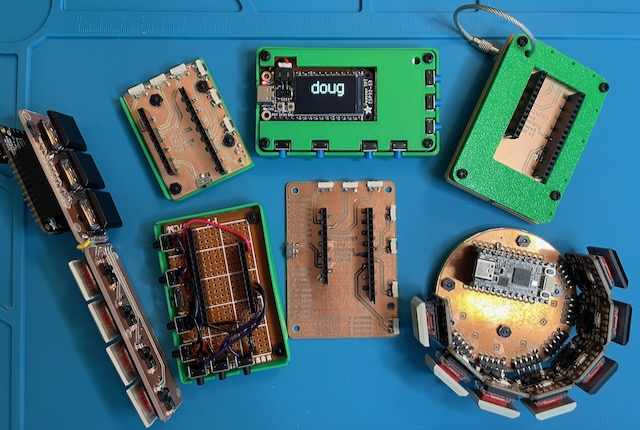
I made five variations of bubby. I call the series "doug" after Douglas Engelbart who popularized chording nearly 60 years ago. The first one I wired up with a protoboard actually turned out the most functional. I went back to that layout in the end. The other versions I tried going to had irritatingly small SMT buttons that were uncomfortable and would lift off the PCB from pressing too hard. Larger keys and PCBs like the stick and ring designs which use Kailh low profile Choc keys were too bulky and made a slight rattle. Sturdy and compact won out.
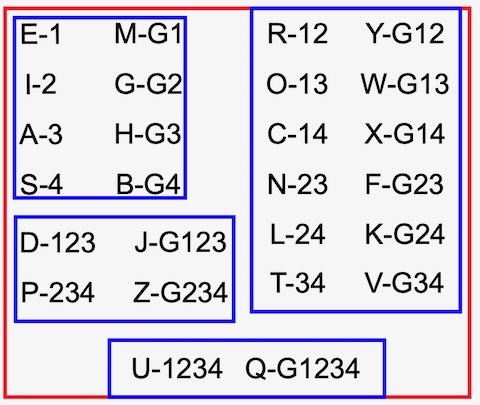
Memorizing Chords - Use muscle memory. Practice the patterns for single, double, triple and four digit combos. Then learn the lesser used keys with the thumb modifier. The more fingers that are pressing the less frequently the letter is typically used. Do not try to memorize with mnemonics, imagery or other memory tricks. I wasted a lot of time making elaborate charts and descriptions that were unnecessary. Getting faster with the chords has been the most rewarding part of the project.
Comfort - All enclosure edges need to be rounded. One straight edge becomes uncomfortable to hold and to carry in a pocket.
Gloves - An unexpected, but welcome finding was that typing with gloves using real buttons was quite natural.
Power Switch - I ended up putting it right below the Feathers USB-C port on the bottom of the PCB. It is accesible and can be flicked on and off with one hand. It is not ideal in that the board needs to be spun around to flick the switch. I ran out of convenient locations so went with easy to place.
Button Click Noise - I wanted silent buttons. The blue right angle ones produce a slight click noise. Experimenting with Red Kailh buttons were silent when pressed, but had too many other issues for a pocket form factor.
BLE / WiFi - I'm using a board that works well with WiFi and is just now getting BLE HID support (not fully there with CircuitPython 9.2.x). My preference has been to not use any wireless. A stand alone device that does not require pairing has been a pleasure. I do plug it into USB-C to read my notes, charge the battery and practice on monkeytype. An Adafruit Feather RP2040 works well here with pin changes and display code commented out. I really like the display though.
On the Go - Running or walking it is easy to take notes with this form factor. I do most of my practice going through the alphabet and chord patterns while walking the dog.
Fidget Toy - Another realization after a month of every day carry is that I have been using bubby as a fidget toy. It provides a calming flow state practicing the chords and letters.
Tested with CircuitPython 9.1.3
Chording ascii table, digits, punctuation, symbols and modifiers are all built-in. Firmware includes five additional custom modifiers shown in the table below.
| Key | Code |
|---|---|
| Backspace | 124 |
| Space | 134 |
| Clear | B-124 |
| USB | B-134 |
| Save | G-124 |
| xxx | G-134 |
| Timer | Y-124 |
| xxx | Y-134 |
| Symbol | Button Color | Description |
|---|---|---|
| B | Blue (inner/left thumb) | White space / punctuation |
| G | Green (center thumb) | Alpha characters |
| Y | Yellow (outer/right thumb) | Numerics |
| Key | Pinky | Ring | Middle | Index | Thumb |
|---|---|---|---|---|---|
| a | x | ||||
| b | x | g | |||
| c | x | x | |||
| d | x | x | x | ||
| e | x | ||||
| f | x | x | g | ||
| g | x | g | |||
| h | x | g | |||
| i | x | ||||
| j | x | x | x | g | |
| k | x | x | g | ||
| l | x | x | |||
| m | x | g | |||
| n | x | x | |||
| o | x | x | |||
| p | x | x | x | ||
| q | x | x | x | x | g |
| r | x | x | |||
| s | x | ||||
| t | x | x | |||
| u | x | x | x | x | |
| v | x | x | g | ||
| w | x | x | g | ||
| x | x | x | g | ||
| y | x | x | g | ||
| z | x | x | x | g | |
| Space | . | b | |||
| Tab | . | b | |||
| Shift | g | ||||
| Alt | b | ||||
| Control | y | ||||
| Enter | . | . | b | ||
| ONE | . | y | |||
| TWO | . | y | |||
| THREE | . | y | |||
| FOUR | . | y | |||
| FIVE | . | . | y | ||
| SIX | . | . | y | ||
| SEVEN | . | . | y | ||
| EIGHT | . | . | y | ||
| NINE | . | . | y | ||
| ZERO | . | . | . | y | |
| period | . | b | |||
| comma | . | . | b | ||
| forward_slash | . | . | b | ||
| grave_accent | . | . | . | . | b |
| minus | . | b | |||
| equals | . | . | b | ||
| left_bracket | . | . | b | ||
| right_bracket | . | . | b | ||
| backslash | . | . | b | ||
| semicolon | . | . | . | b | |
| quote | . | . | . | b | |
| backspace | . | . | b | ||
| right_arrow | . | . | . | y | |
| left_arrow | . | . | . | y | |
| up_arrow | . | y | |||
| down_arrow | . | . | y | ||
| escape | . | . | y | ||
| Home | . | . | . | ||
| End | . | . | . | ||
| Windows | . | . | . | g | |
| Delete | . | . | . | g |
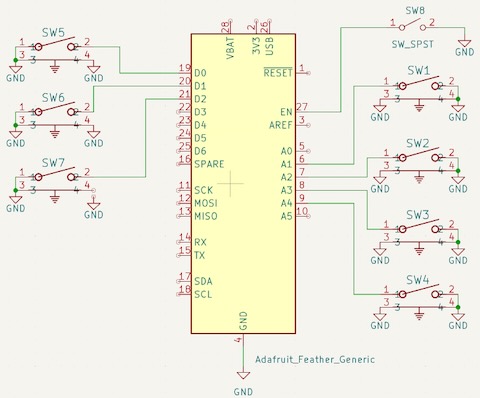
| Qty | Value | Footprint | References |
|---|---|---|---|
| 7 | 1825027-8 | Button_Switch_THT:SW2_1825027-C_TEC | SW1, SW2, SW3, SW4, SW5, SW6, SW7 |
| 1 | Adafruit_Feather_Generic | Module:Adafruit_Feather | A1 |
| 1 | SW_SPST | Button_Switch_SMD:slide-switch-rt-angle-msk-12c03 | SW8 |
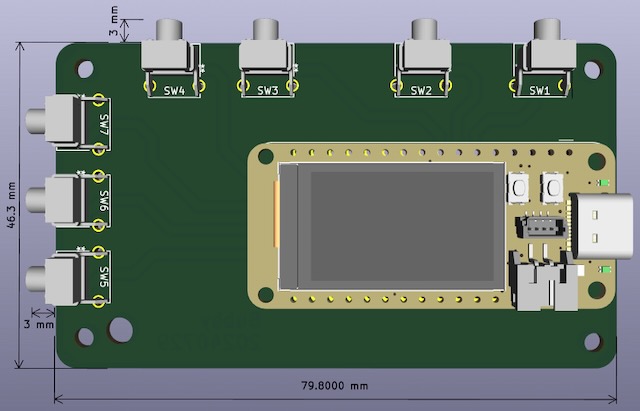
It measures 79.9 × 46.4 mm and has 2 copper layers, 1.6 mm thick.
9 parts. The full list of its parts is on this page, with links to each part's symbol and footprint where PCBKit's library has them.
From the mikeysklar/bubby repository on GitHub, at the commit this page was made from: the board is pcb/bubby.kicad_pcb and its schematic pcb/bubby.kicad_sch. PCBKit opens the board in the browser, with nothing to install.
Its repository states no licence, so its author keeps all rights: ask mikeysklar before reusing the design.


FrameworkComputer/ExpansionCards
Reference designs and documentation to create Expansion Cards for the Framework Laptop

VoronDesign/Voron-Hardware
Cool Hardware designed by the Voron Design group

hackclub/OnBoard
💡 Join 1,000 teenagers and make your first PCB with a $100 grant!


adamws/kicad-kbplacer
KiCad plugin for automatic keyboard's key placement and routing