2 layers37 × 19 mm
Passive rpi hub75-adapter
hzeller/rpi-rgb-led-matrix
Controlling up to three chains of 64x64, 32x32, 16x32 or similar RGB LED displays using Raspberry Pi GPIO
2 parts4.4kGPL-2.0

 mignon-p/SpeakerAdapter1
Puts a JST-PH connector on the "Music Maker FeatherWing with Amp" instead of terminal blocks.
SpeakerAdapter is an open-source printed circuit board by mignon-p, from the mignon-p/SpeakerAdapter repository on GitHub, published under the CC-BY-SA-4.0 licence. It is a 2-layer board of 14 × 15.5 mm with 2 parts on 4 nets, routed with 9 tracks and 0 vias.
It belongs with the audio and music boards of this library.
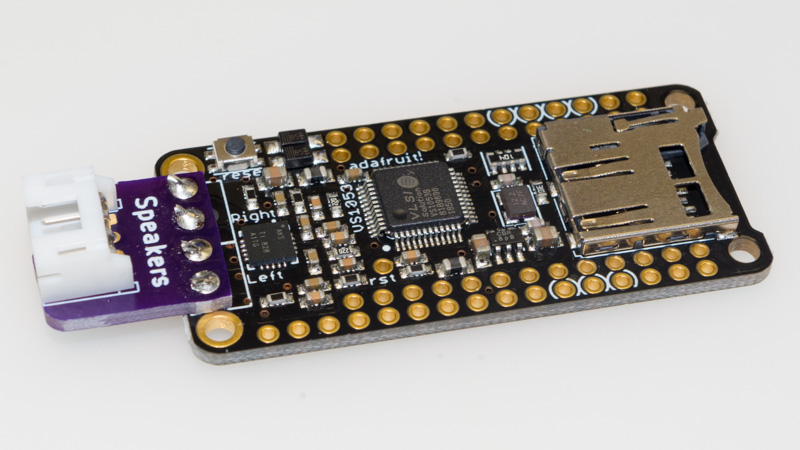
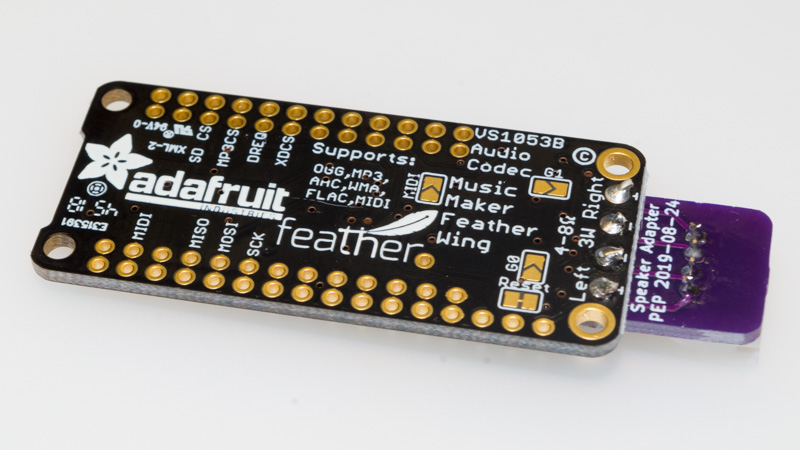
This is a small adapter board (created with KiCad 5) which lets you connect these speakers to the Music Maker FeatherWing with Amp without having to cut the JST-PH connector off of the speakers. This tiny board solders onto the Music Maker FeatherWing, giving it a JST-PH connector, instead of terminal blocks.
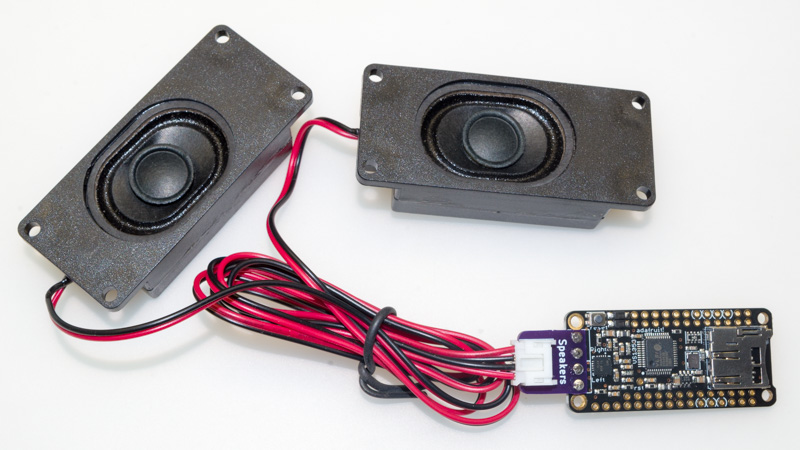
Order board from OSH Park ($1.70 for three copies of the board, with free shipping)
Place the adapter board on top of the spot on the Music Maker FeatherWing where the terminal blocks are supposed to go. Solder short lengths of wire into each of the four holes, connecting the two boards together. Then, solder the JST-PH connector in place.
| Qty | Value | Footprint | References |
|---|---|---|---|
| 1 | JST-PH | Connector_JST:JST_PH_S4B-PH-K_1x04_P2.00mm_Horizontal | J2 |
| 1 | Terminal Block | local:TerminalBlock_4Ucon_1x04_P3.50mm_Horizontal | J1 |
hzeller/rpi-rgb-led-matrix
Controlling up to three chains of 64x64, 32x32, 16x32 or similar RGB LED displays using Raspberry Pi GPIO


adamws/kicad-kbplacer
KiCad plugin for automatic keyboard's key placement and routing

Luos-io/luos_engine
Open-source and real-time orchestrator for cyber-physical-systems, to easily design, test and deploy embedded applications and digital twins.

NVNTLabs/switch2-SDEX2M2
Micro SD Express to M.2 NVME Adapter for Nintendo Switch 2

BlueSCSI/BlueSCSI-v2
BlueSCSI v2/Ultra - an open source, open hardware, SCSI emulator using the Pi Pico PR2040 and Pico 2 RP2350

ohmtech-rdi/eurorack-blocks
Software to Hardware Prototyping for Eurorack using C++, Max/Gen~ or Faust

It measures 14 × 15.5 mm and has 2 copper layers, 1.6 mm thick.
2 parts. The full list of its parts is on this page, with links to each part's symbol and footprint where PCBKit's library has them.
From the mignon-p/SpeakerAdapter repository on GitHub, at the commit this page was made from: the board is SpeakerAdapter.kicad_pcb. PCBKit opens the board in the browser, with nothing to install.
Its repository publishes it under the CC-BY-SA-4.0 licence: you may reuse it on that licence's terms (keep the author's notice, and for a copyleft licence share your changes alike).