2 layers20.5 × 24.8 mm

 mdevhurt1/enpm701-block-retrieval-robot
ENPM 701 Grand Challenge: autonomous block-retrieval robot (Raspberry Pi 4B, vision, localization)
Final project is an open-source printed circuit board by mdevhurt1, from the mdevhurt1/enpm701-block-retrieval-robot repository on GitHub. It is a 2-layer board with 8 parts on 37 nets, routed with 55 tracks and 0 vias.
Its parts include 6 connectors and 2 resistors. It belongs with the robots and motor control boards of this library.
Autonomous Raspberry Pi 4B robot that locates colored blocks (red, green, blue) in a 7x7 ft arena, picks them up, and delivers them to the NW collection zone. Starts from the SW launch zone. Uses pigpio for hardware-timed encoder counting and wall-proximity localization.
Recorded paths from two full runs (launch zone bottom left, collection zone top left):
| Run 1 | Run 2 |
|---|---|
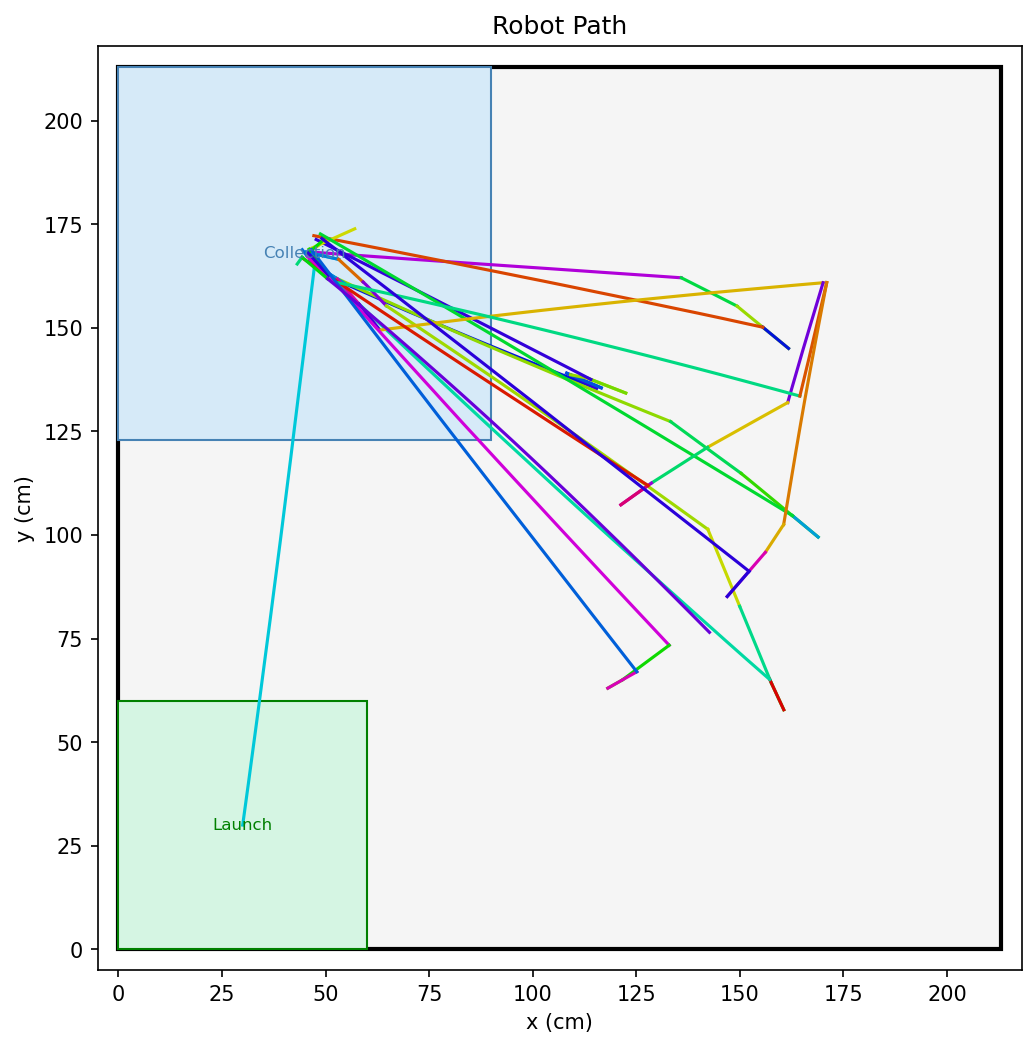 | 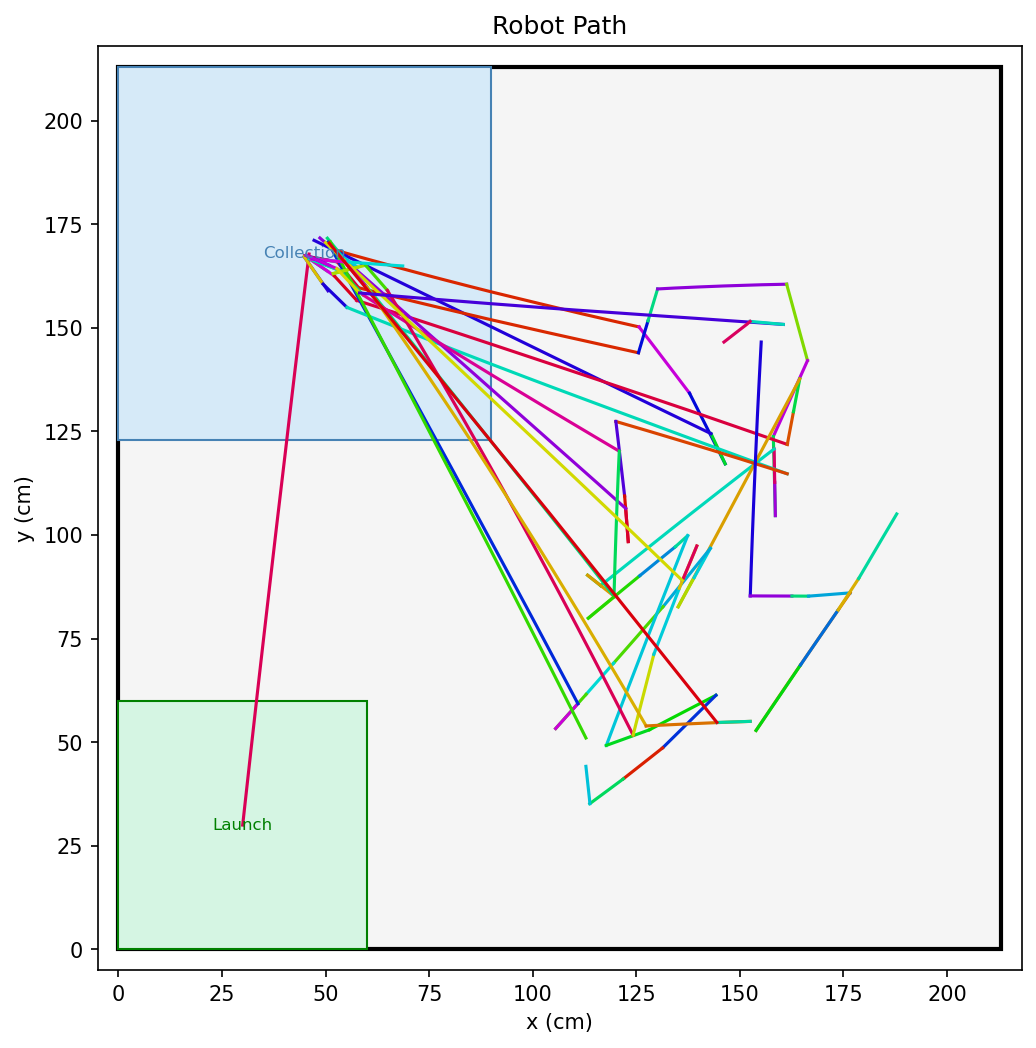 |
Timelapses with detection overlay: run 1, run 2.
CAD/: FreeCAD model and printable STL mounts (Pi, camera, gripper, H-bridge, ultrasonic, battery cage)Electrical/: KiCad schematic and board layoutarduino/imu_serial/: Arduino sketch that streams IMU heading over serialsudo pigpiod)pip install -r requirements-dev.txtpigpio, picamera2 (with libcamera), and pyserialsudo pigpiod # start pigpio daemon if not running
python main.py # autonomous run
python -m fp # equivalent.
|-- main.py
|-- fp/
| |-- arena.py # arena geometry, zone bounds, coordinate math
| |-- cli.py # startup, hardware init, run loop
| |-- fsm.py # mission state machine
| |-- hal.py # pigpio GPIO, motors, encoders, ultrasonic, IMU, servo
| |-- localization.py # pose tracking, wall-clearance checks
| |-- mapping.py # path recording and PNG visualization
| |-- motion.py # drive, pivot, localize, approach, grab, release
| |-- search.py # grid-based search planner, 360-degree scan
| \-- vision.py # camera capture, HSV blob detection
\-- calibration/
|-- calibrate_camera.py # compute and save camera intrinsics (checkerboard)
|-- blob_size.py # display blob area and centroid readings live
|-- capture_full_res.py # capture full-res frames under every AWB mode
|-- encoder_test.py # verify encoder counts per revolution
|-- extract_hsv.py # polygon-masked HSV range extraction
|-- hsv_tuner.py # live trackbar HSV tuner (requires Pi camera)
|-- hsv_tuner_static.py # trackbar HSV tuner on a saved JPEG
|-- make_timelapse.py # stitch timelapse frames with detection overlay
|-- ultrasonic_test.py # print live ultrasonic readings
\-- vision_sample.py # capture frame, detect blocks, save maskstests/ holds the pytest suite; scripts/verify.sh runs the checks.
python -m pytest tests/ -v| Qty | Value | Footprint | References |
|---|---|---|---|
| 1 | 1k | Resistor_SMD:R_0201_0603Metric | R1 |
| 1 | 2k | Resistor_SMD:R_0201_0603Metric | R2 |
| 1 | Back_Right_Encoder | Connector_PinHeader_1.00mm:PinHeader_1x03_P1.00mm_Vertical | J2 |
| 1 | Front_Left_Encoder | Connector_PinHeader_1.00mm:PinHeader_1x03_P1.00mm_Vertical | J7 |
| 1 | H-Bridge | Connector_PinHeader_1.00mm:PinHeader_1x04_P1.00mm_Vertical | J9 |
| 1 | Raspberry_Pi_4b | Connector_PinHeader_1.00mm:PinHeader_2x20_P1.00mm_Vertical | J1 |
| 1 | Servo | Connector_PinHeader_1.00mm:PinHeader_1x03_P1.00mm_Vertical | J3 |
| 1 | Ultrasonic | Connector_PinHeader_1.00mm:PinHeader_1x04_P1.00mm_Vertical | J8 |

joeycastillo/Sensor-Watch
A board replacement for the classic Casio F-91W wristwatch

rusefi/rusefi
rusefi - GPL internal combustion engine control unit

hoglet67/RGBtoHDMI
Bare-metal Raspberry Pi project that provides pixel-perfect sampling of Retro Computer RGB/YUV video and conversion to HDMI

shanteacontrols/OpenDeck
A platform for building interactive control and sensing devices using MIDI and OSC built with Zephyr RTOS.

hackclub/OnBoard
💡 Join 1,000 teenagers and make your first PCB with a $100 grant!

dangiu/PicoMemcard
Emulating PSX Memory Card (or controller) using a Raspberry Pi Pico

OLIMEX/DIY-LAPTOP
Do It Yourself Open Source Hardware and Software Modular Hacker's Friendly Laptop
8 parts. The full list of its parts is on this page, with links to each part's symbol and footprint where PCBKit's library has them.
From the mdevhurt1/enpm701-block-retrieval-robot repository on GitHub, at the commit this page was made from: the board is Electrical/final_project/final_project.kicad_pcb and its schematic Electrical/final_project/final_project.kicad_sch. PCBKit opens the board in the browser, with nothing to install.
Its repository states no licence, so its author keeps all rights: ask mdevhurt1 before reusing the design.