2 layers102 × 85 mm
Superflat
hackclub/OnBoard
💡 Join 1,000 teenagers and make your first PCB with a $100 grant!
94 parts915

 MalphasWats/BattleBeasts
Just before Christmas, I had a kind offer from the folks at [PCBWay][PCBWAY] to work on a small maker project. I saw this as a great opportunity to experiment with some new tech and designed a new board around the…
BattleBeasts is an open-source printed circuit board by MalphasWats, from the MalphasWats/BattleBeasts repository on GitHub. It is a 2-layer board of 64 × 90 mm with 94 parts on 53 nets, routed with 535 tracks and 115 vias.
Its parts include 67 diodes, 11 resistors, 6 switches, 3 capacitors and 3 connectors. It belongs with the SAM D and SAM boards of this library.

Just before Christmas, I had a kind offer from the folks at PCBWay to work on a small maker project. I saw this as a great opportunity to experiment with some new tech and designed a new board around the Microchip SAMD21G microcontroller.
I've always wanted to build a 'Tamagotchi'-type device, so I designed a simple development board the size of a standard playing card with an 8x8 LED matrix and some capacitative-touch buttons. I knocked my design up in KiCAD in a couple of hours:
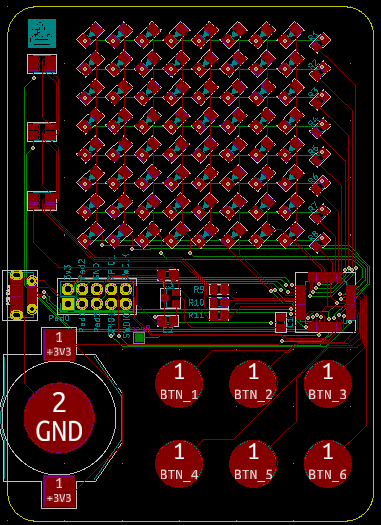
and uploaded the files to the PCB website.
Not long afterwards I got these beauties in the post:
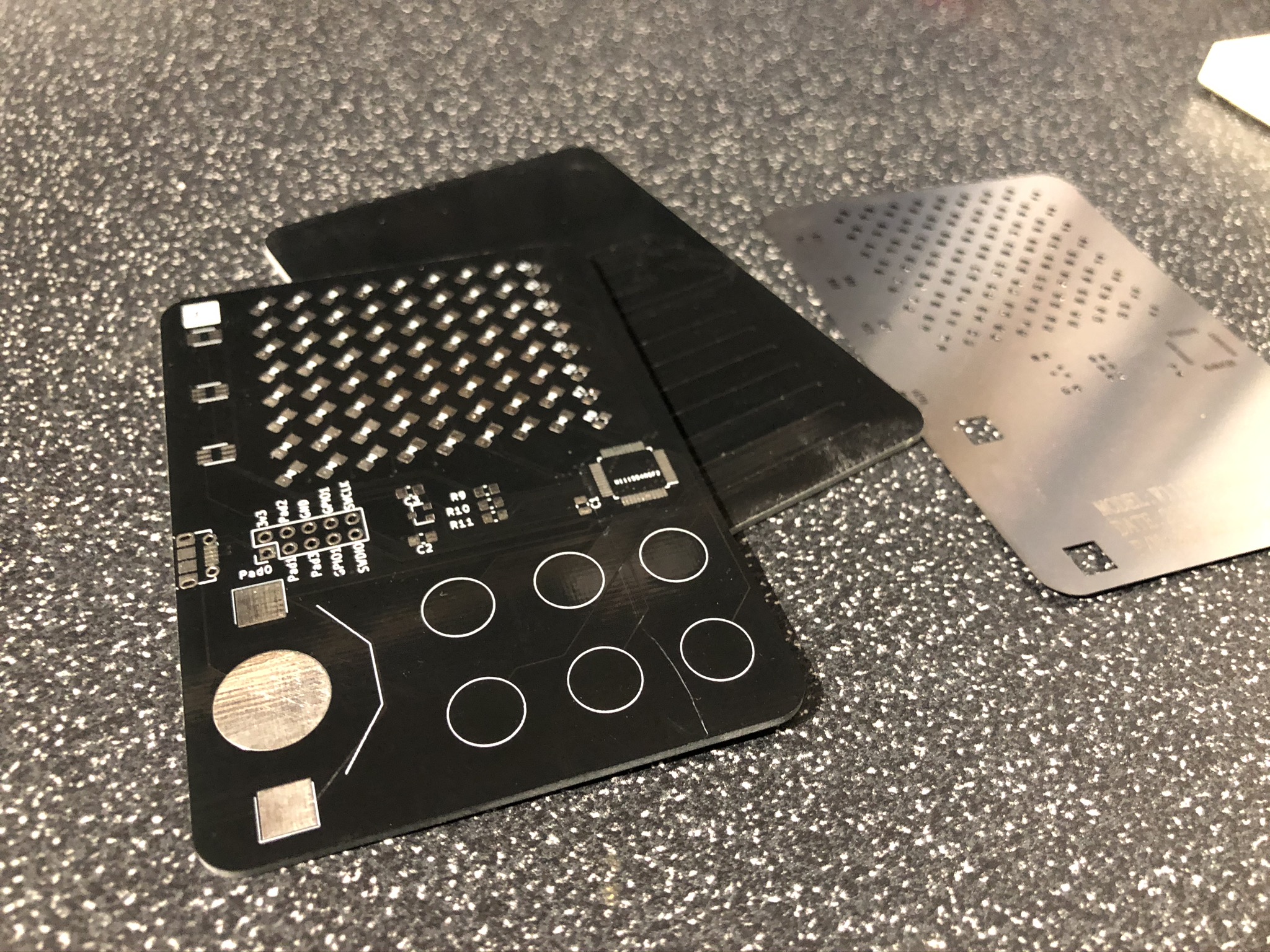
I'd also asked for a solder paste stencil. I was a little bit lazy and just added a comment for it to be made the same size as the board and the guys at PCBWay did it for me which was really great. The boards were really good quality - I poked at them with my multimeter to check continuity and everything was fine.
The black soldermask looks so good on bare PCBs.
Using some old PCBs from another project, I taped the stencil down to my workbench:
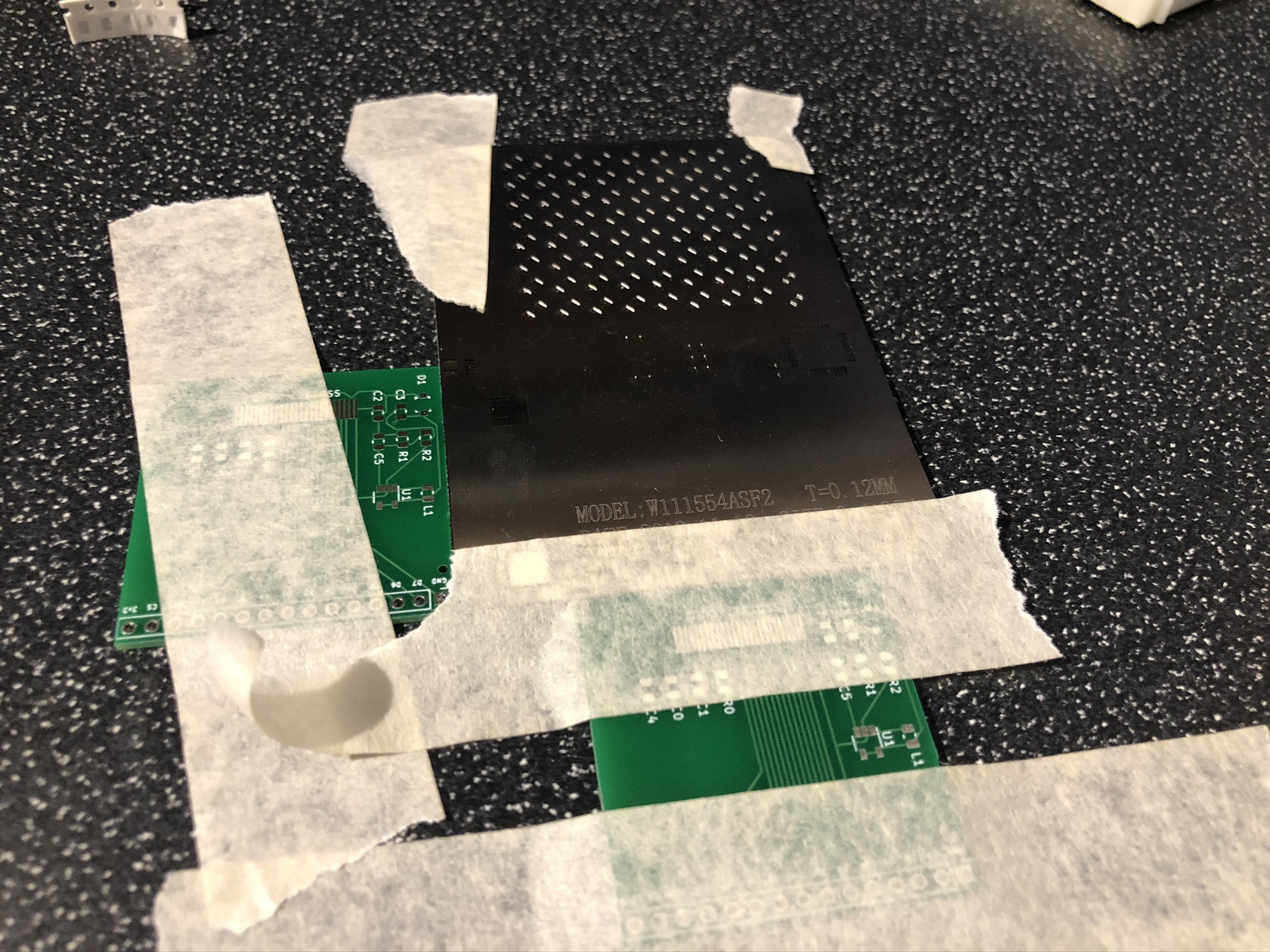
and applied the paste. I think my paste might be a little bit old but it still looks good. I'd really like to get a little USB microscope so I can take proper solder paste glamour shots!
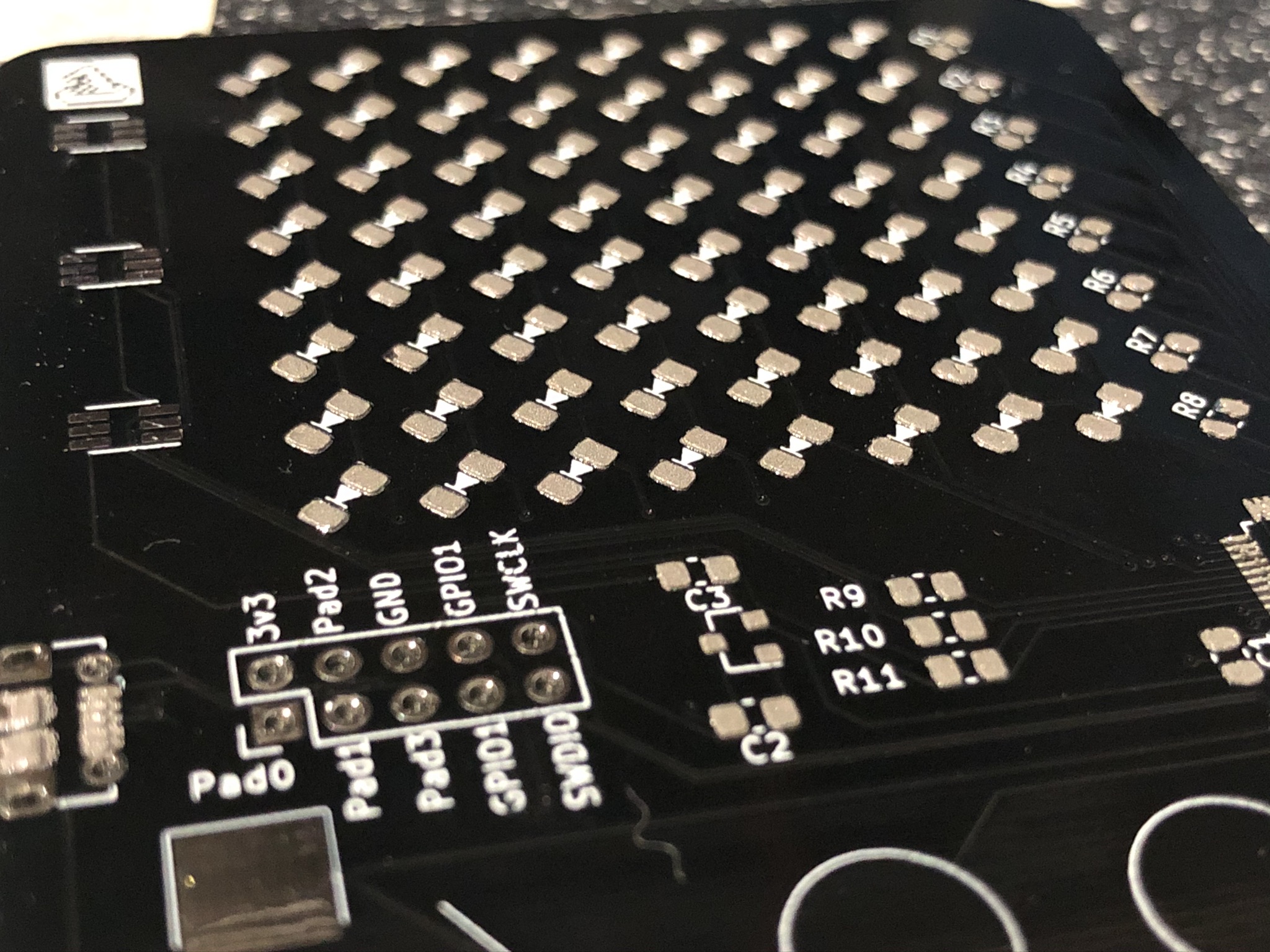
I then very patiently placed most of the components - I don't have any RGB LEDs or coin cell holders so I left those off. This is easily the highest component count I've assembled so far and it went really well. I was paranoid about the LEDs being the right way around so I check every single one out of the reel-strip!
After blasting it with my hot air gun, I think it looks pretty good:
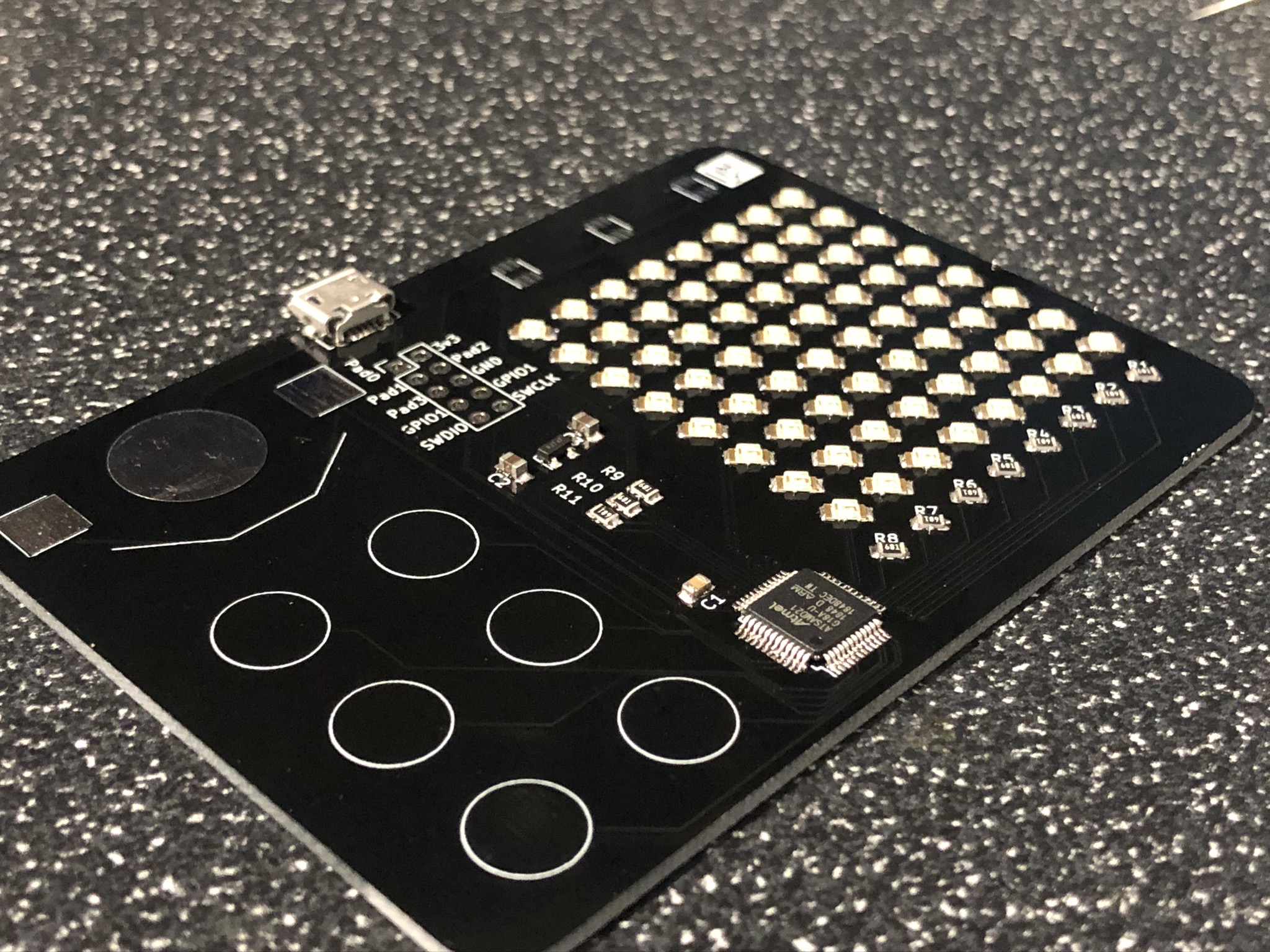 .
I can power the board via the USB connector whilst I'm developing and I can add the RGBs to it later once I've got the matrix working.
My main goal with this board is to build up my Arm MCU development toolchain so getting some code up and running is the next step!
| Qty | Value | Footprint | References |
|---|---|---|---|
| 64 | LED_ALT | Custom Footprints:LED_1206_3216Metric_Clean | D1, D2, D10, D11, D12, D13, D14, D15, D16, D17, D18, D19, D20, D21, D22, D23 +48 |
| 8 | 1.3k | Resistor_SMD:R_0805_2012Metric | R1, R2, R3, R4, R5, R6, R7, R8 |
| 6 | SW_CapTouch | Custom Footprints:CapTouch_D8.0mm | SW1, SW2, SW4, SW5, SW7, SW8 |
| 3 | 300R | Resistor_SMD:R_0805_2012Metric | R9, R10, R11 |
| 3 | LED_RGB_CA | LED_SMD:LED_Avago_PLCC6_3x2.8mm | D65, D66, D67 |
| 2 | 1uF | Capacitor_SMD:C_0805_2012Metric_Pad1.15x1.40mm_HandSolder | C2, C3 |
| 1 | AP7333-33SRG-7 | Package_TO_SOT_SMD:SOT-23 | U2 |
| 1 | Battery_Cell | Battery:BatteryHolder_Keystone_3002_1x2032 | BT1 |
| 1 | C | Capacitor_SMD:C_0805_2012Metric | C1 |
| 1 | Conn_02x05_Odd_Even | Connector_PinHeader_2.54mm:PinHeader_2x05_P2.54mm_Vertical | J2 |
| 1 | Logo | Custom Footprints:LOGO_5x5 | X1 |
| 1 | Reset | TestPoint:TestPoint_Pad_1.0x1.0mm | J3 |
| 1 | SAMD21G | Package_QFP:TQFP-48_7x7mm_P0.5mm | U1 |
| 1 | USB_B_Micro | Connector_USB:USB_Micro-B_Molex-105017-0001 | J1 |
It measures 64 × 90 mm and has 2 copper layers, 1.6 mm thick.
94 parts. The full list of its parts is on this page, with links to each part's symbol and footprint where PCBKit's library has them.
From the MalphasWats/BattleBeasts repository on GitHub, at the commit this page was made from: the board is BattleBeasts.kicad_pcb. PCBKit opens the board in the browser, with nothing to install.
Its repository states no licence, so its author keeps all rights: ask MalphasWats before reusing the design.
hackclub/OnBoard
💡 Join 1,000 teenagers and make your first PCB with a $100 grant!

eddyem/stm32samples
Code samples and ready projects based on bare-metal STM32


apuder/TRS-IO
TRS-IO gives a TRS-80 Model 1/III online capabilities and provides access to a variety of services. TRS-IO currently features the following capabilities:

