4 layers24 × 33.2 mm

 m-kozlowski/airbridge26
Wireless adapter for AirSense/AirCurve 10 devices
Board main wroom is an open-source printed circuit board by m-kozlowski, from the m-kozlowski/airbridge repository on GitHub, published under the GPL-3.0 licence. It is a 4-layer board of 36.3 × 21.1 mm with 37 parts on 55 nets, routed with 414 tracks and 58 vias.
It is built around the ESP32-S3-WROOM-1U-N16R8 and USBLC6-2SC6. Its parts include 14 resistors, 12 capacitors, 4 ICs, 3 connectors and 2 diodes. It belongs with the interfaces and adapters boards and the ESP32 boards of this library.


ESP32 bridge for ResMed AirSense 10 CPAP.
Using an AirSense 11? See AirCANnect.
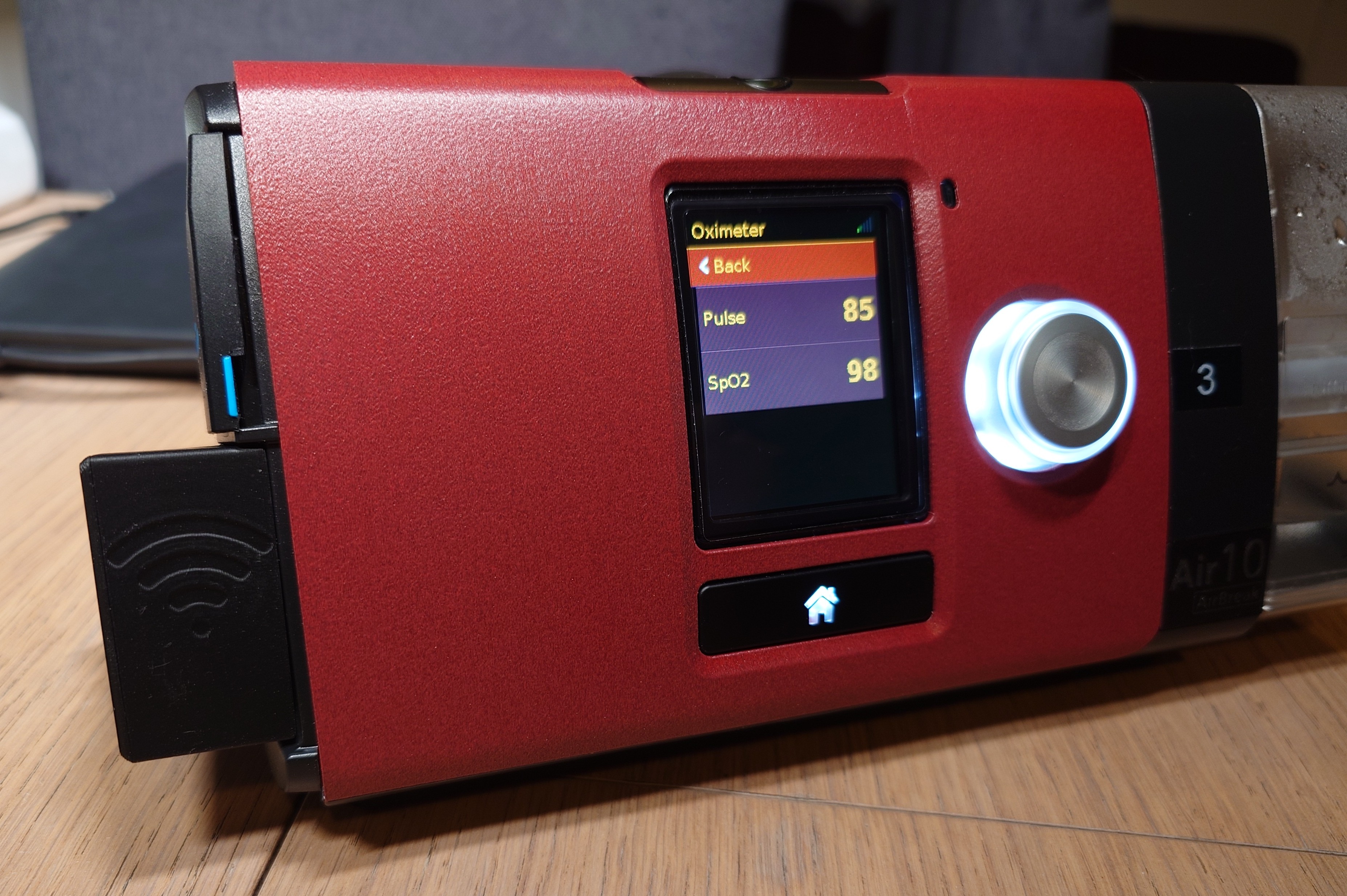
Follow the Quick Start to wire and flash your board.
On a fresh installation, connect to its airbridge_... WiFi network
(password airbridge), open http://192.168.4.1/, and complete the setup wizard.
Default Web UI login: admin / airbridge.
For HTTP integrations, see the HTTP API reference.
airbreak-plus contains Python tools for direct serial/TCP interaction:
python/resmed_flash.py -p tcp:airbridge - flash AirSense firmwarepython/resmed_config.py -p tcp:airbridge - read/write AirSense settingsBoth support serial (-p /dev/ttyUSB0) and TCP (-p tcp:hostname) with --tcp-mode=raw|transparent|text.
| Dashboard | Edf Sync | Charts |
|---|---|---|
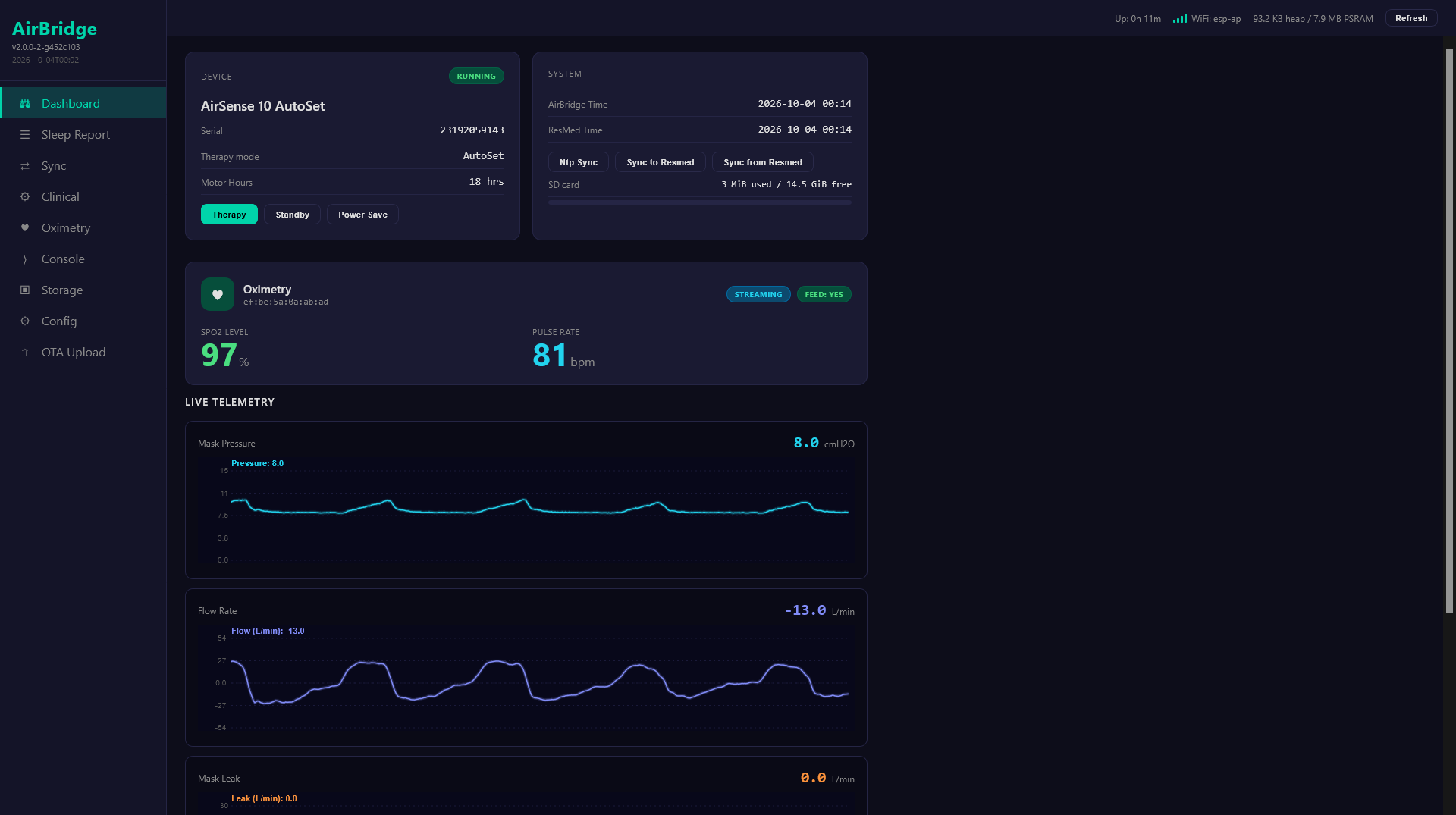 | 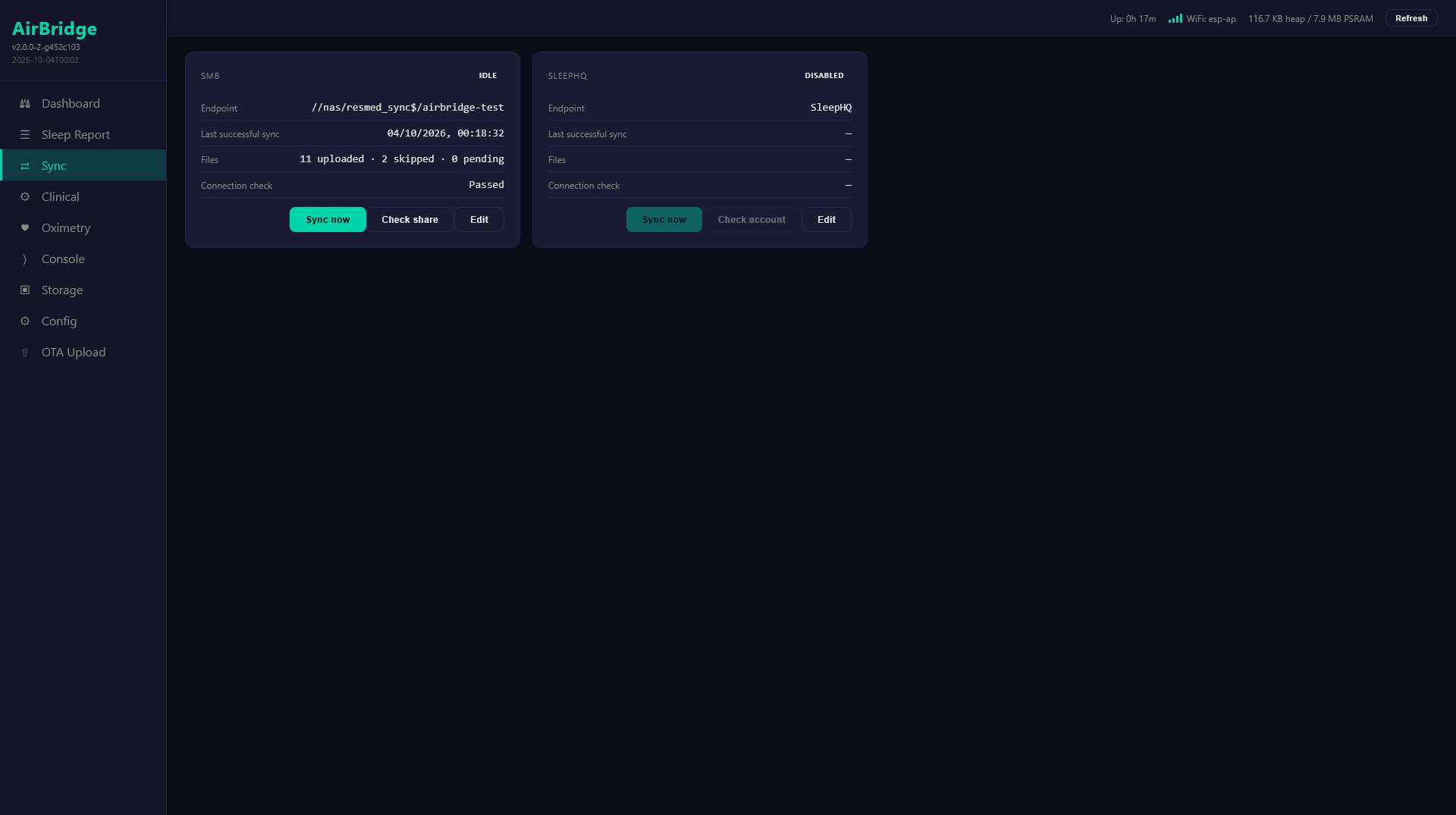 | 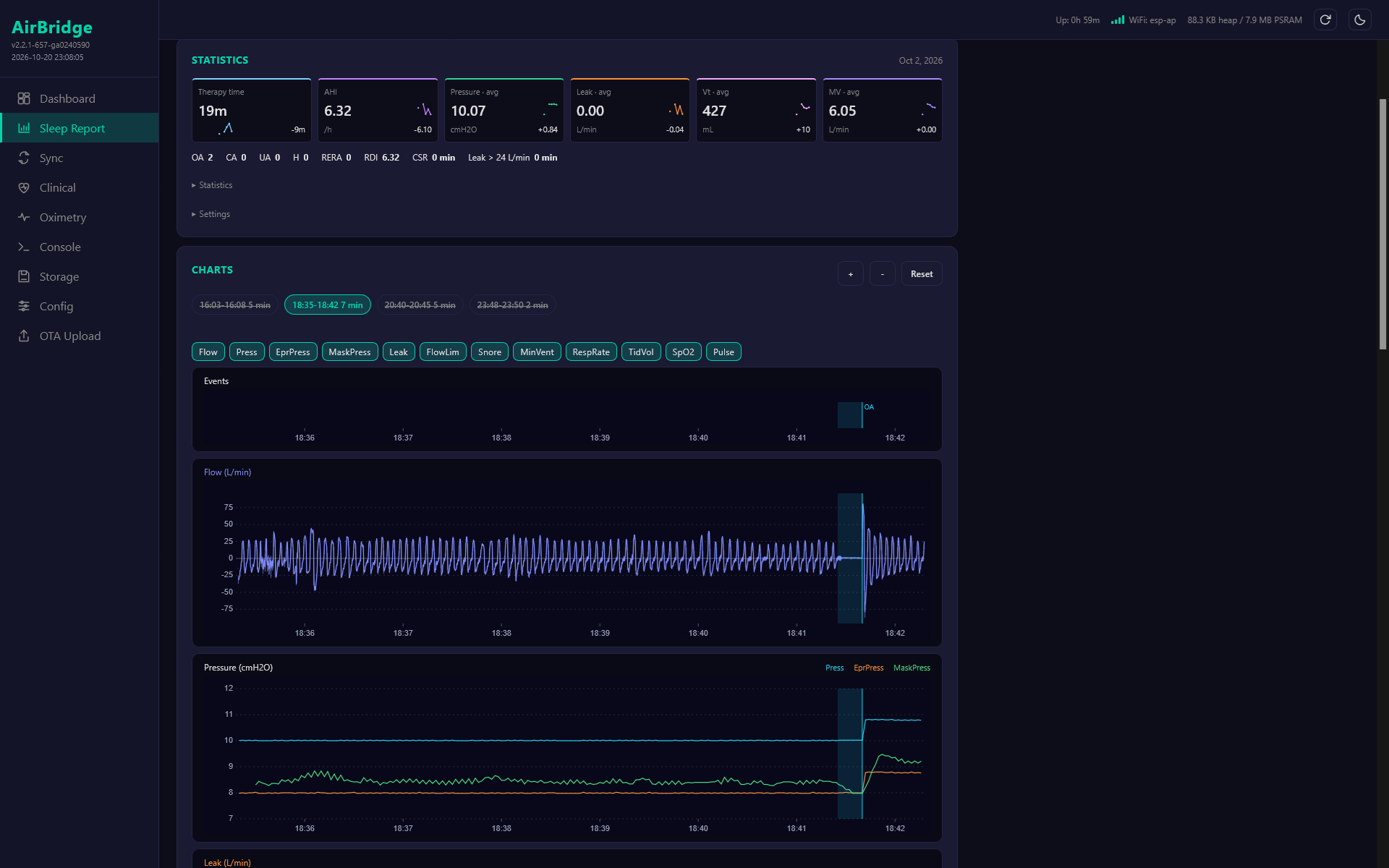 |
| Sleep Report | Clinical Settings | Oximetry |
|---|---|---|
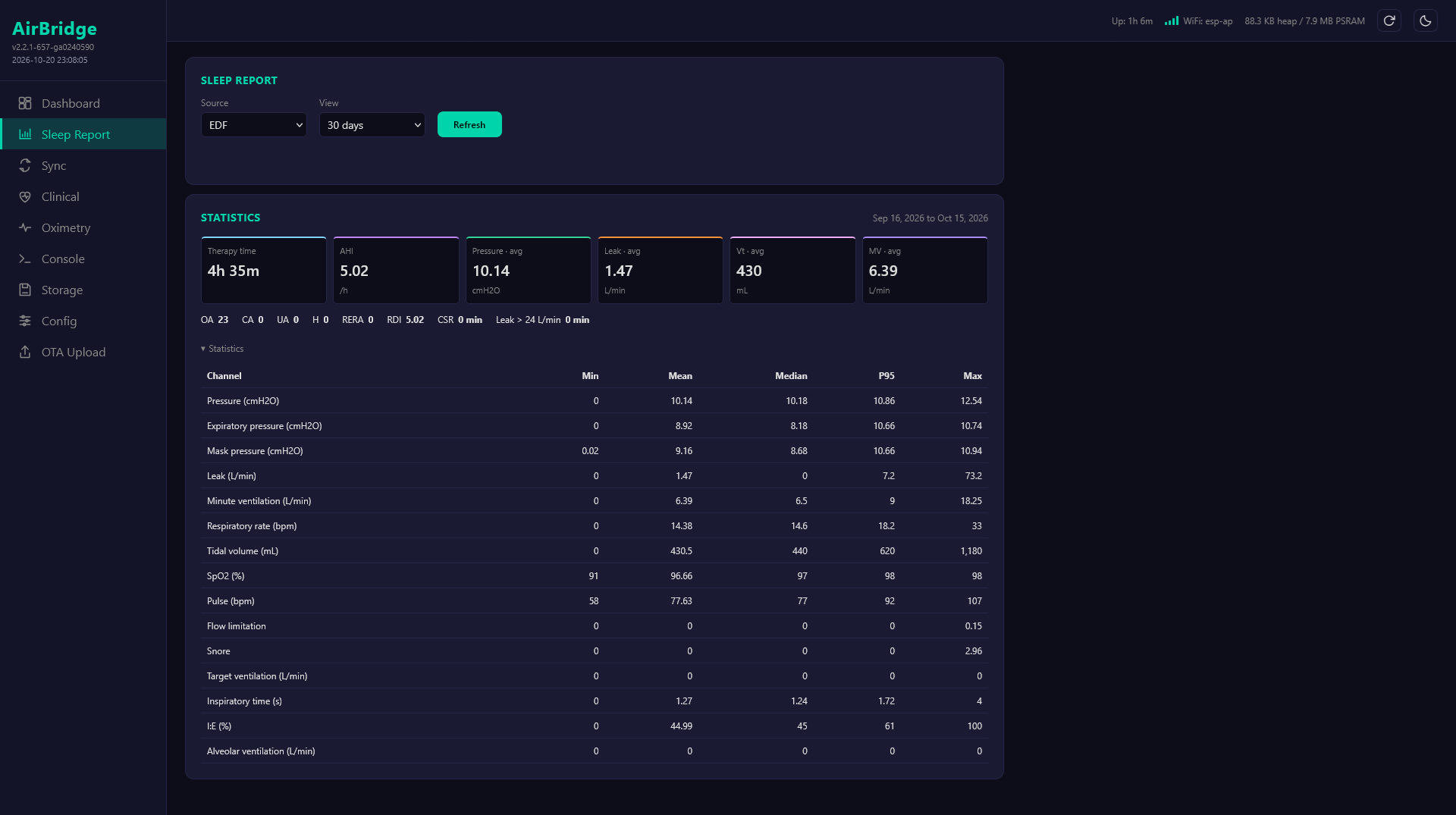 | 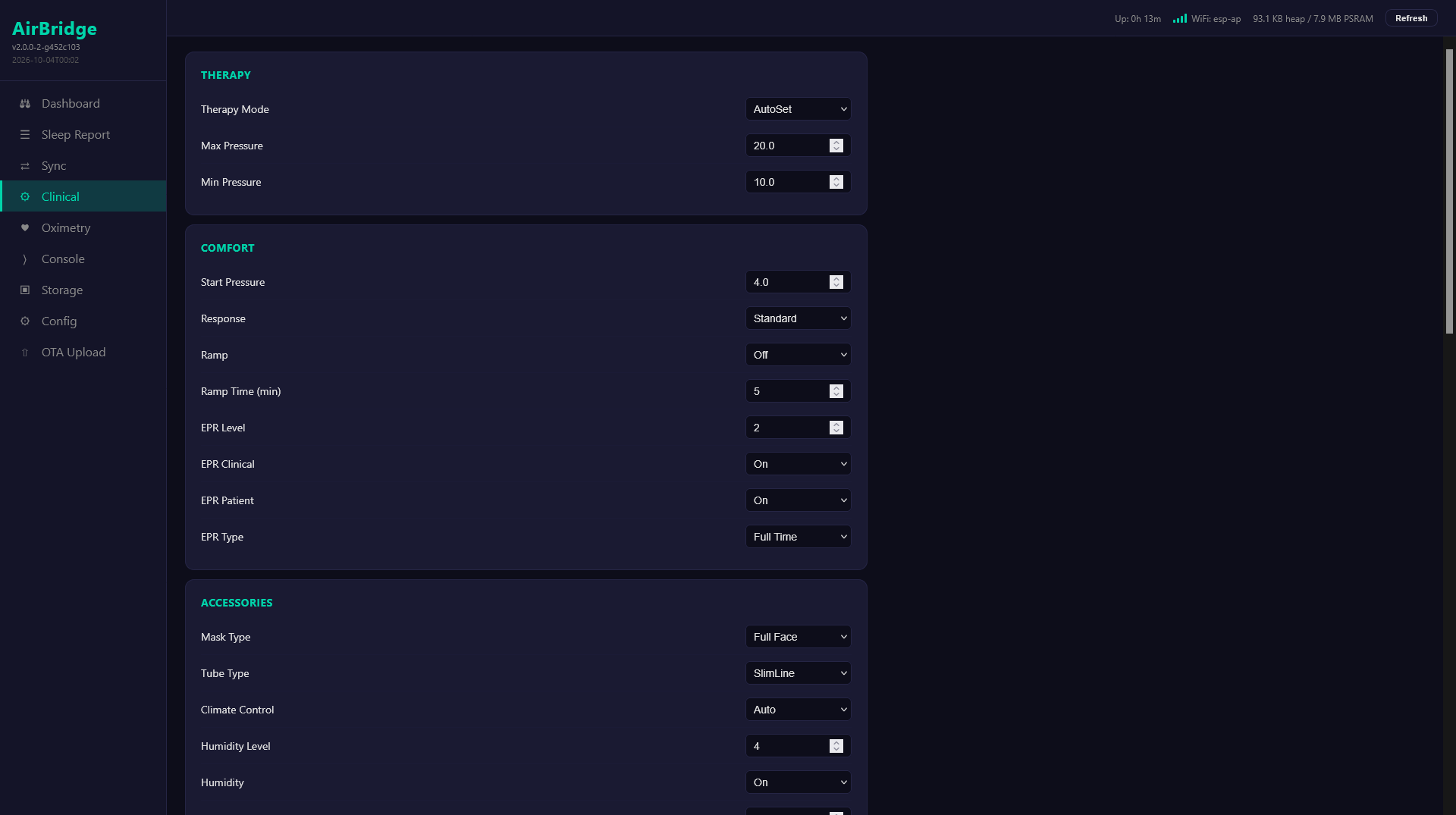 | 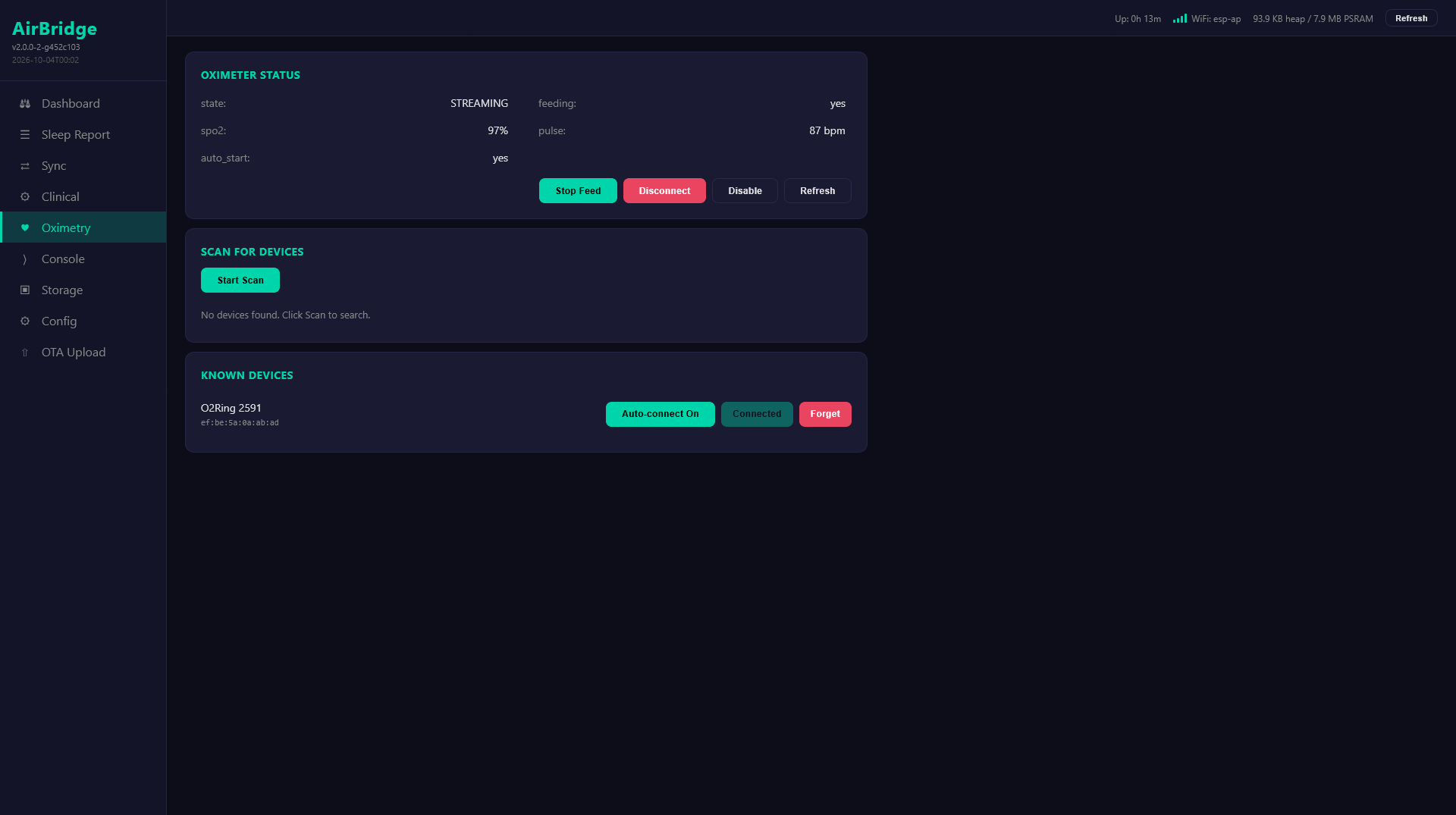 |
GPL v3. See LICENSE.
| Qty | Value | Footprint | References |
|---|---|---|---|
| 5 | 100nF 50V | Capacitor_SMD:C_0603_1608Metric | C7, C11, C15, C18, C19 |
| 3 | 100k | Resistor_SMD:R_0603_1608Metric | R21, R23, R28 |
| 3 | 10k | Resistor_SMD:R_0603_1608Metric | R6, R16, R24 |
| 3 | 10uF 25V X5R | Capacitor_SMD:C_0805_2012Metric | C6, C14, C17 |
| 3 | 22R | Resistor_SMD:R_0603_1608Metric | R7, R19, R20 |
| 2 | 1uF 50V | Capacitor_SMD:C_0603_1608Metric | C10, C12 |
| 2 | 22uF 25V X5R | Capacitor_SMD:C_0805_2012Metric | C20, C21 |
| 2 | 30k | Resistor_SMD:R_0603_1608Metric | R14, R15 |
| 2 | 5.1k | Resistor_SMD:R_0603_1608Metric | R17, R18 |
| 1 | 150k | Resistor_SMD:R_0603_1608Metric | R22 |
| 1 | 4.7uH 3.5A Isat | airbridge:L_SRP4020TA | L2 |
| 1 | 4x10k isolated | Resistor_SMD:R_Array_Convex_4x0603 | RN1 |
| 1 | 5 soldered pins / 1.27mm | airbridge:SolderPins_1x05_P1.27mm | J5 |
| 1 | 5V1 leakage clamp | Diode_SMD:D_SOD-123 | D2 |
| 1 | 60V USB OR | Diode_SMD:D_SOD-123F | D1 |
| 1 | AP63203 3V3 | Package_TO_SOT_SMD:SOT-23-6 | U8 |
| 1 | ESP32-S3-WROOM-1U-N16R8 | airbridge:WROOM_1U_03mm_vias | U1 |
| 1 | TPS2553 USB limit | Package_TO_SOT_SMD:SOT-23-6 | U4 |
| 1 | USB-C USB4110 | Connector_USB:USB_C_Receptacle_GCT_USB4110 | J3 |
| 1 | USBLC6-2SC6 | Package_TO_SOT_SMD:SOT-23-6 | U5 |
| 1 | microSD DM3D-SF | Connector_Card:microSD_HC_Hirose_DM3D-SF | J2 |

m-kozlowski/airbridge
Wireless adapter for AirSense/AirCurve 10 devices

portapack-mayhem/mayhem-mdk
PortaPack - Module Develoment Kit


alislaboratory/detentOne
A Customisable BLE Macropad with a Haptic Knob and OLED.


aminewe898/nexus-pear-reva
NEXUS PEAR Rev A hardware design, schematics, PCB, manufacturing review exports and engineering documentation


Honzaaa45/cube-hologram-pcb
Carte electronique d'un afficheur holographique Pepper's Ghost : CAO KiCad 4 couches entierement generee par du code et verifiee automatiquement

kanaboid/elektronika
Haase Industries S3P boards: Arduino IDE code and KiCad schematic.
It measures 36.3 × 21.1 mm and has 4 copper layers, 1.6 mm thick.
37 parts, built around the ESP32-S3-WROOM-1U-N16R8 and USBLC6-2SC6. The full list of its parts is on this page, with links to each part's symbol and footprint where PCBKit's library has them.
From the m-kozlowski/airbridge repository on GitHub, at the commit this page was made from: the board is hardware/pcb/board_main_wroom/main.kicad_pcb and its schematic hardware/pcb/board_interface/interface.kicad_sch. PCBKit opens the board in the browser, with nothing to install.
Its repository publishes it under the GPL-3.0 licence: you may reuse it on that licence's terms (keep the author's notice, and for a copyleft licence share your changes alike).