4 layers30 × 14 mm
Sma launch
lowprocess/kicad2ems
Entirely vibecoded python KiCAD to EMS wrapper for validation of EM structures.
3 parts2GPL-3.0

 lowprocess/kicad2ems2
Entirely vibecoded python KiCAD to EMS wrapper for validation of EM structures.
Hairpin is an open-source printed circuit board by lowprocess, from the lowprocess/kicad2ems repository on GitHub, published under the GPL-3.0 licence. It is a 2-layer board of 15 × 15 mm with 2 parts on 2 nets.
kicad2ems simulates KiCad boards. It reads the stackup, copper, vias and outline from a .kicad_pcb,
takes ports from marker footprints and R/L/C parts from the components, and solves the board with one or
more electromagnetic solvers. Each run writes Touchstone S-parameters, plots, a JSON summary and an HTML
report that compares the solvers.
kicad2ems is the core: the board model, the line model, the settings, the runs and the results. The rest are packages of their own, each in its repository:
| Repository | What it is | Installed with |
|---|---|---|
| kicad2ems-gui | the window: settings, runs, plots, fields, antennas, the Filter page | pip install '.[gui]' |
| kicad2ems-ipc | the KiCad plugin: the impedance map, and simulations set up from the PCB editor | KiCad's Plugin and Content Manager |
| kicad2ems-fdtd | the FDTD solvers, openEMS and gfdtd, on one shared FDTD model | pip install '.[openems]', '.[gfdtd]' |
| mom25d | the 2.5D Method-of-Moments solver, with its kicad2ems plugins | pip install '.[mom]' |
| gfdtd | a 3D FDTD engine for the GPU or the CPU (kicad2ems-fdtd runs it) | pip install '.[gfdtd]' |
| dfsynth | distributed filter synthesis (the GUI's Filter page) | pip install '.[filter]' |
| Solver | Name | Best for | Needs |
|---|---|---|---|
| openEMS (3D FDTD) | openems | anything: planes, board edges, connectors, enclosures, antennas | openEMS, and the openems extra |
| mom25d (2.5D method of moments) | mom | planar circuits over a ground plane: filters, couplers, matching networks, patch antennas | the mom extra; a GPU optional |
| gfdtd (3D FDTD on the GPU) | gfdtd | openEMS's model, 8–20x faster on a GPU, ~2x on the CPU, without conductor loss | the gfdtd extra; a GPU, or its compiled CPU core |
| Transmission-line model | lines | a quick estimate: impedance steps, delays, layout mistakes | scikit-rf or qucsator |
By default kicad2ems picks the full-wave solver it expects to be fastest for your board and adds the line model (which solver).
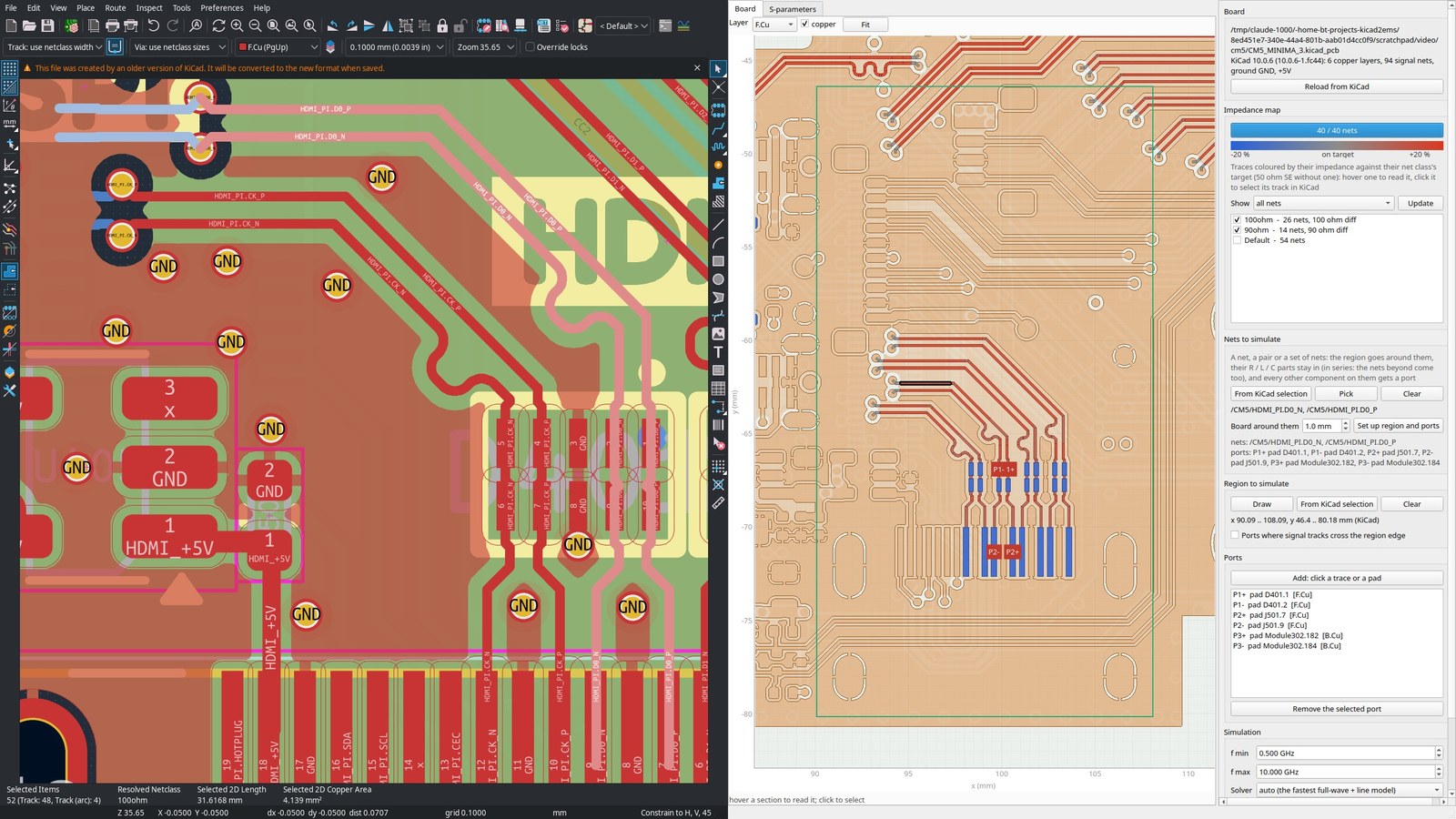
The KiCad plugin beside KiCad 10's PCB editor with its CM5 Minima demo board: the HDMI D0 pair selected in KiCad, and the region and ports the plugin set up around it.

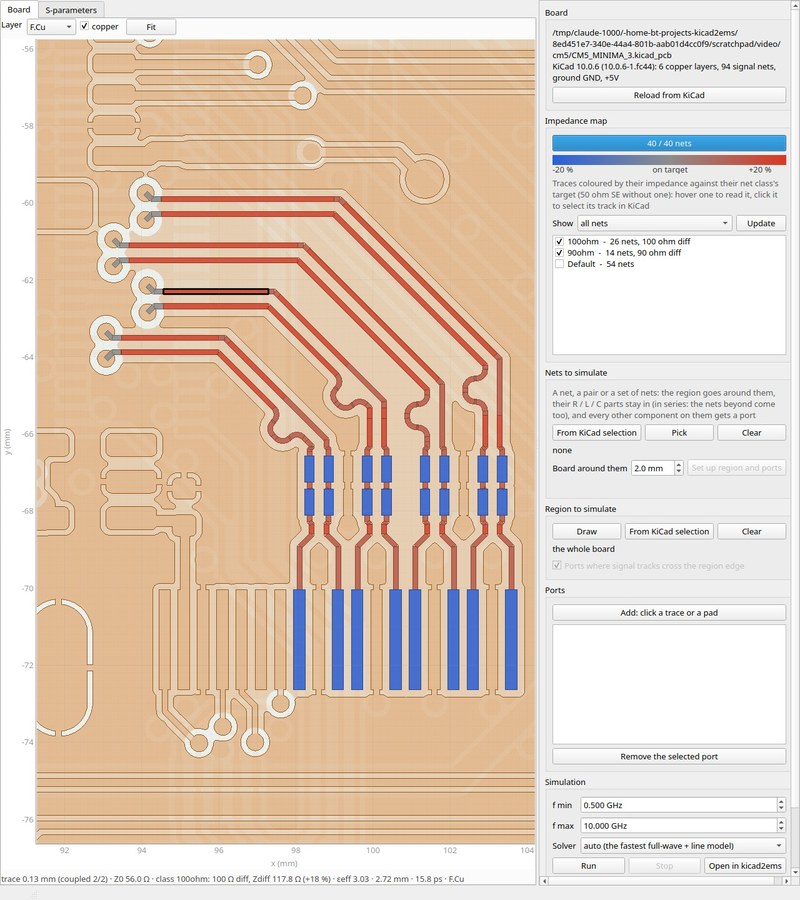
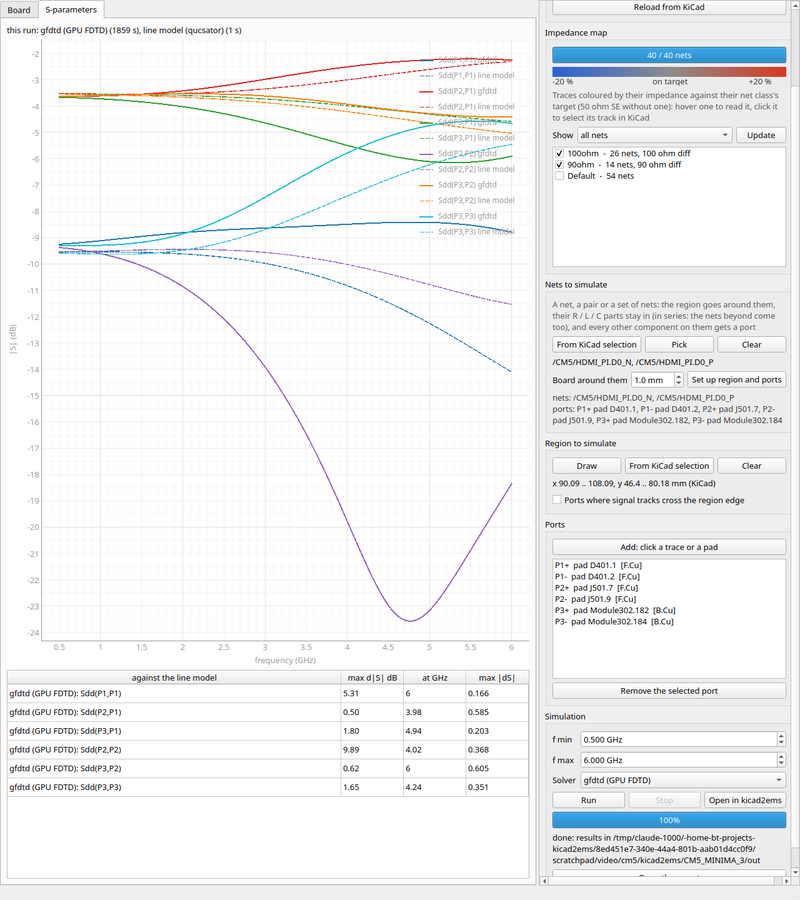
The impedance map of the board's 94 signal nets filling in; the HDMI pairs against their 100 ohm class, a section read out at the bottom; the D0 pair's mixed-mode S-parameters from gfdtd (solid) and the line model (dashed).
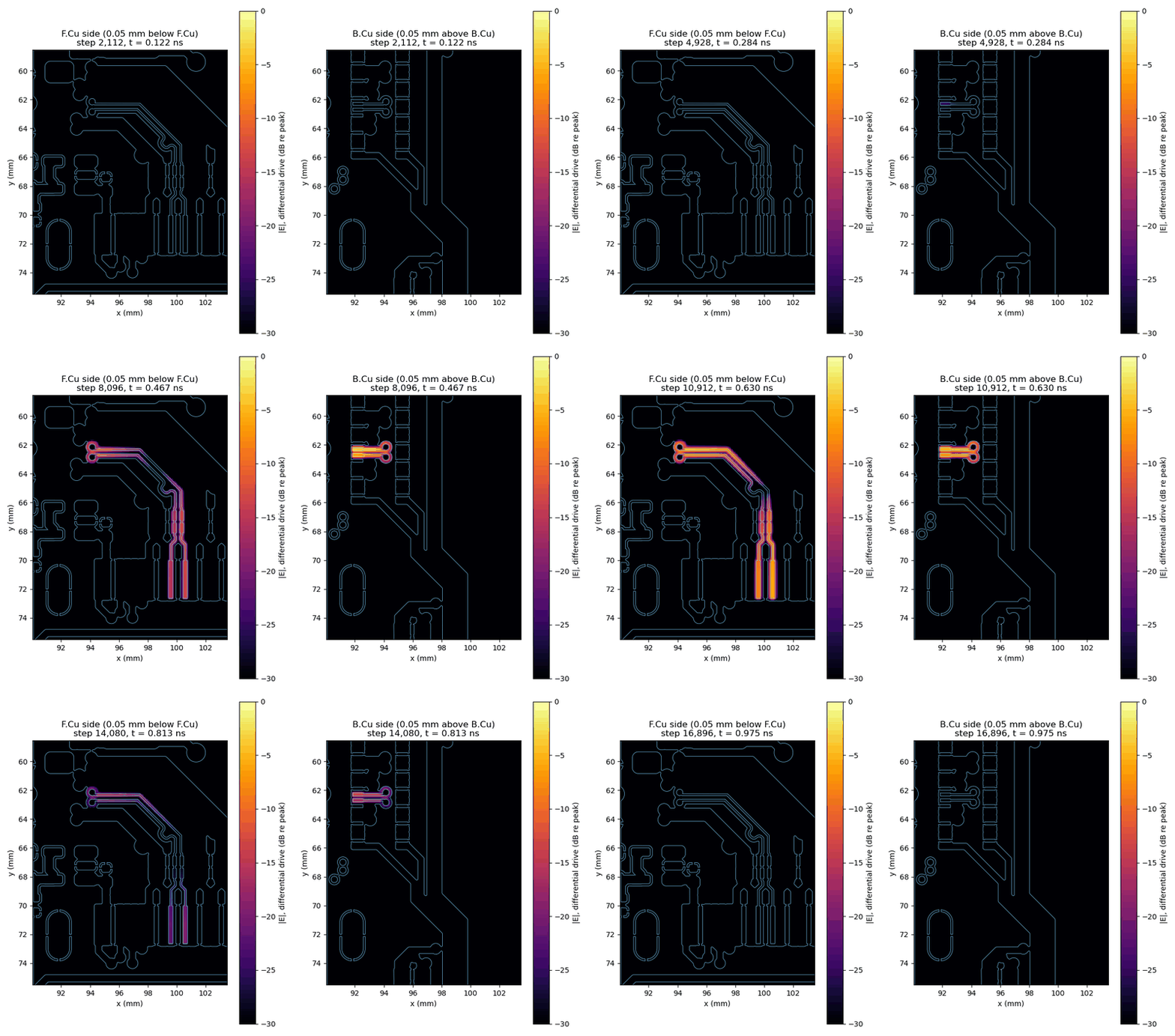
The same pair driven differentially from the module: its E field just inside the F.Cu and B.Cu dielectrics, in dB re the peak (30 dB range), from gfdtd's field dumps of the two legs' runs.
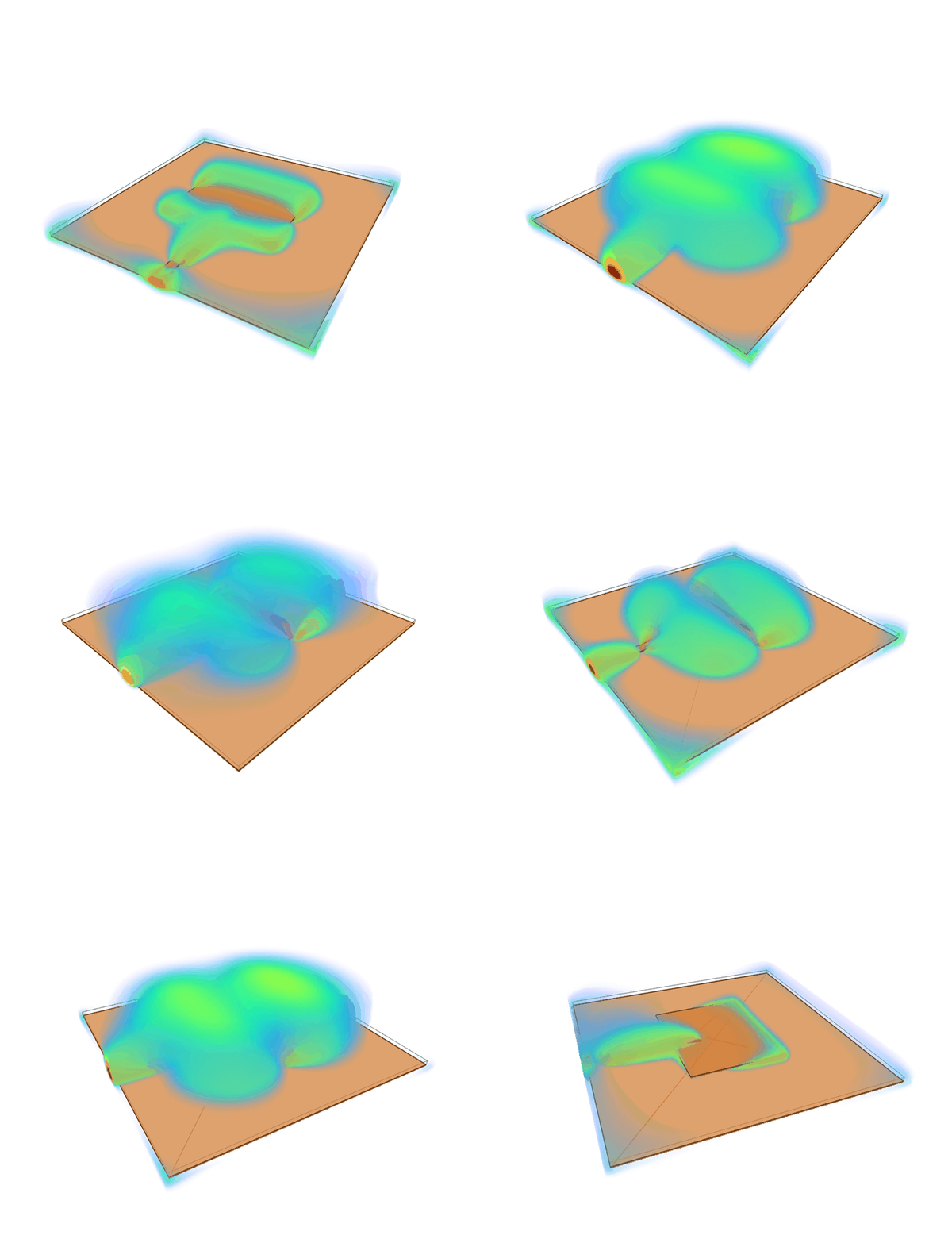
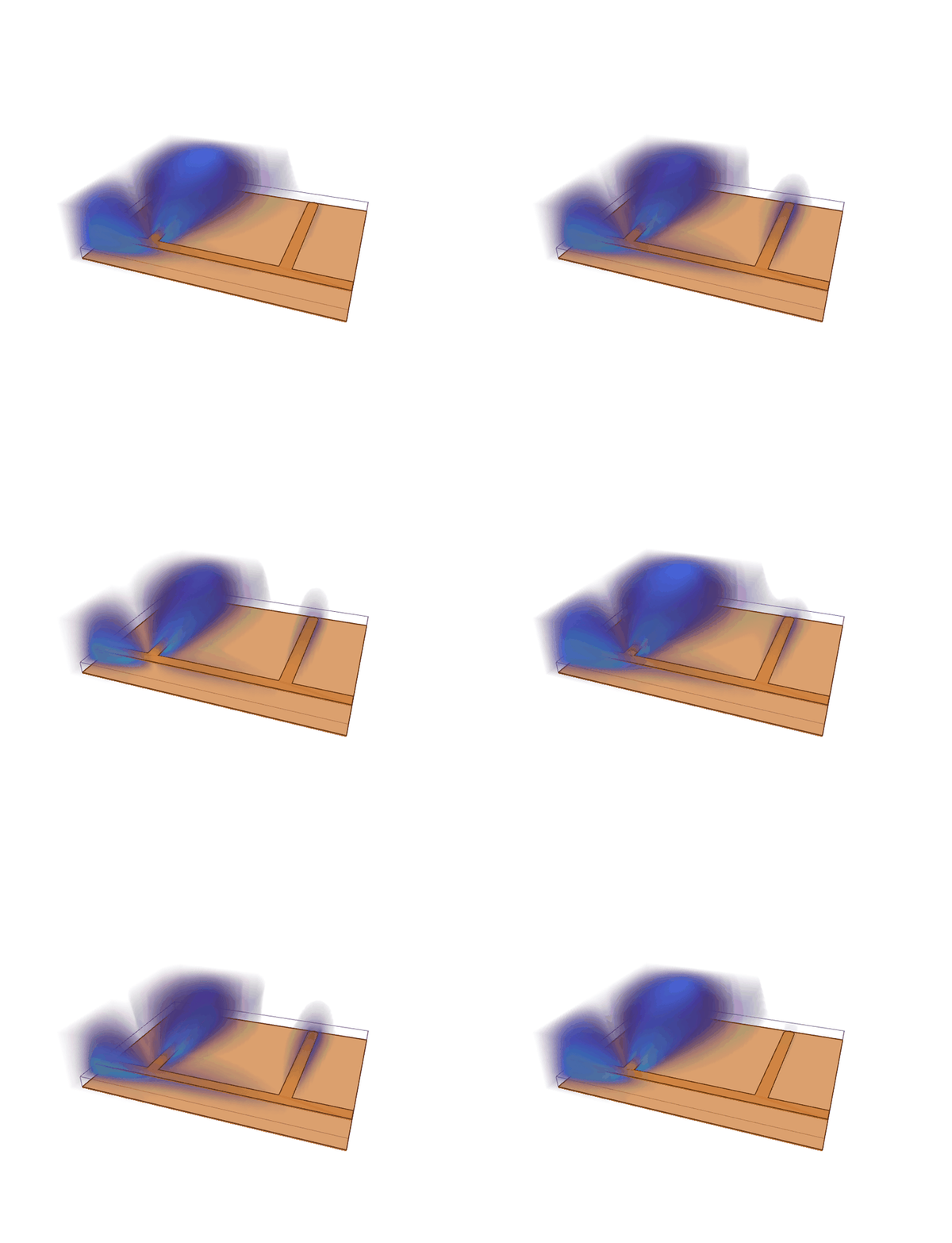
The E field of a 2.45 GHz patch antenna (--dump E@volume+12@2.45) and of a stub notch filter at its 2.4 GHz
notch, over one period: the GUI's 3D field view, translucent over the copper.
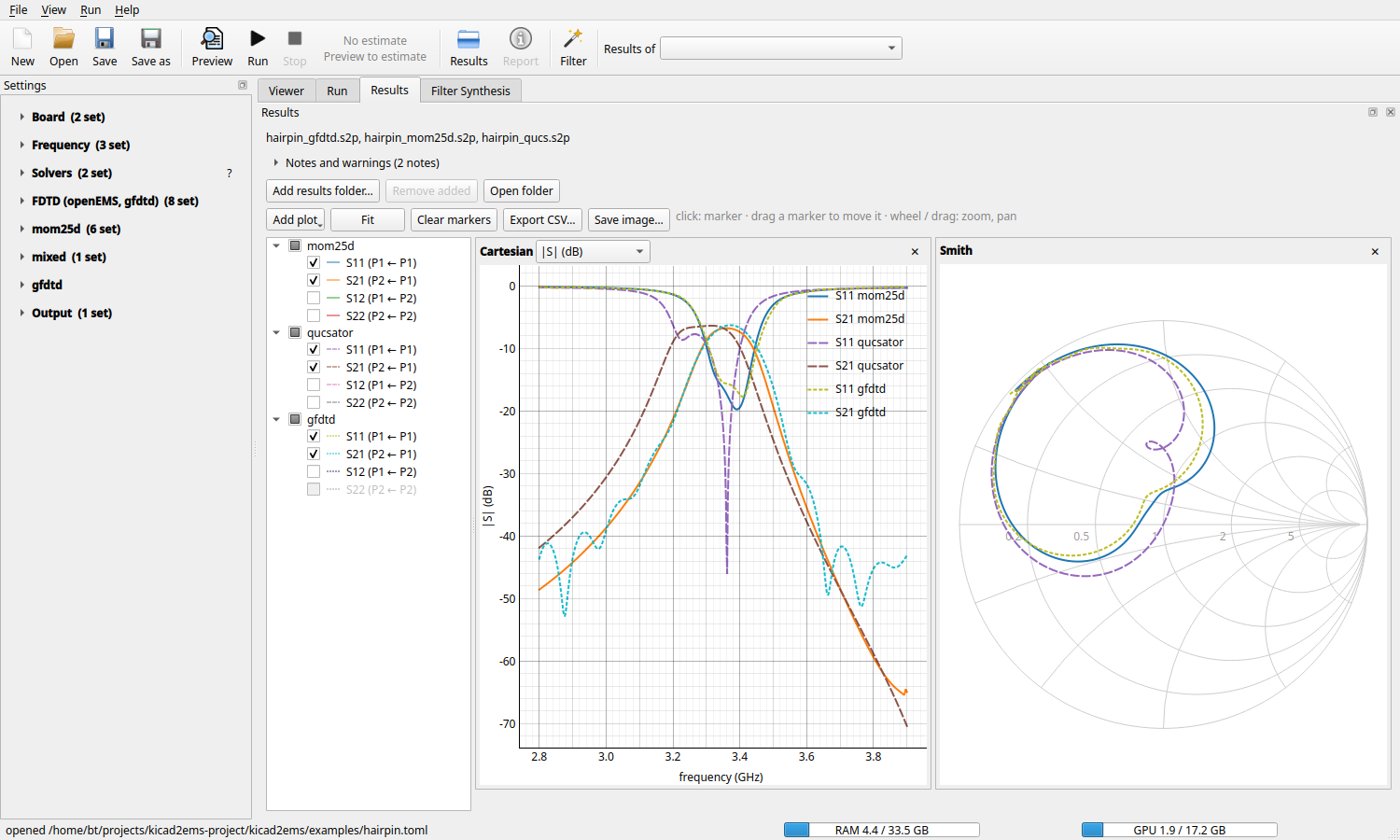
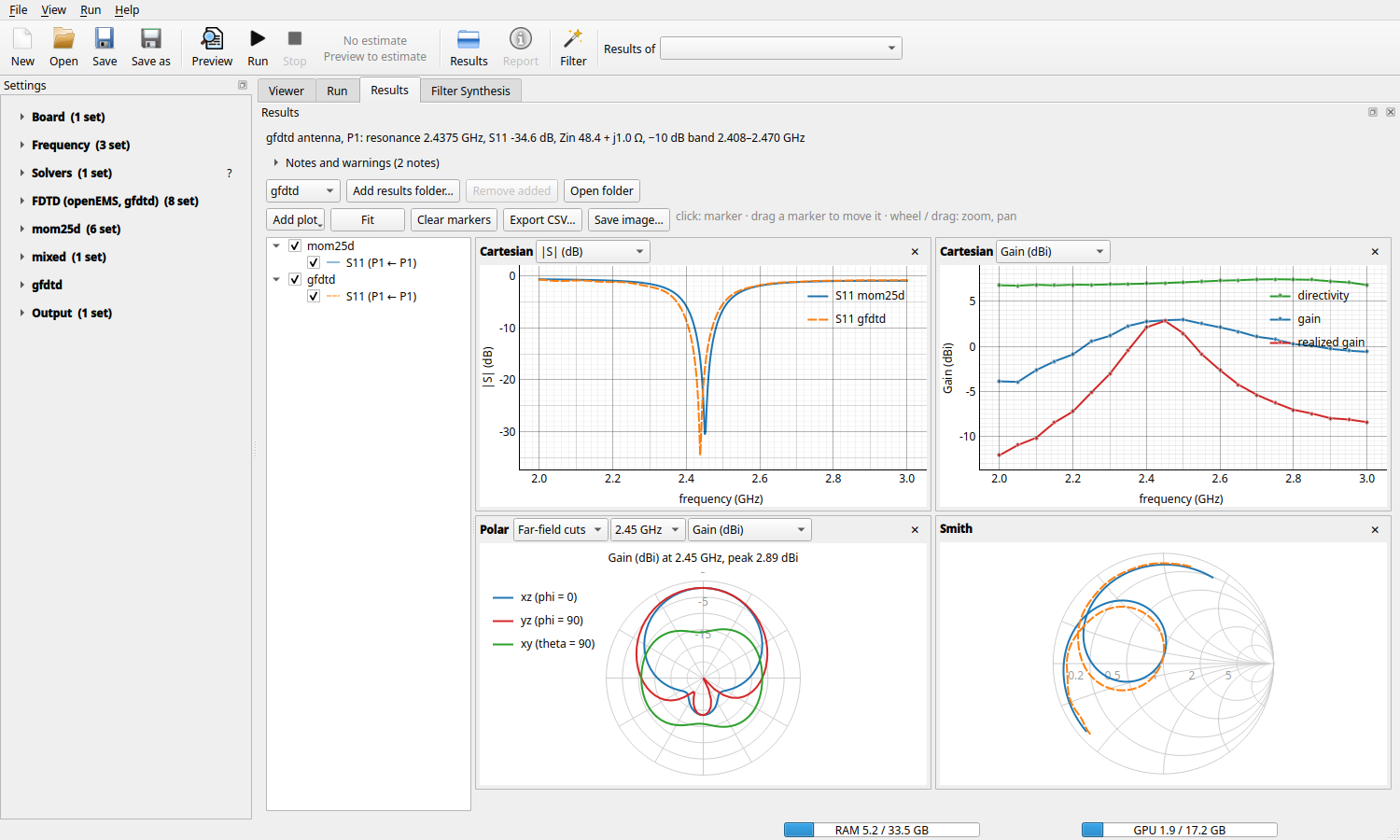
A hairpin band-pass filter solved by gfdtd (FDTD), mom25d (MoM) and the line model (qucsator), overlaid in the GUI with a Smith chart.
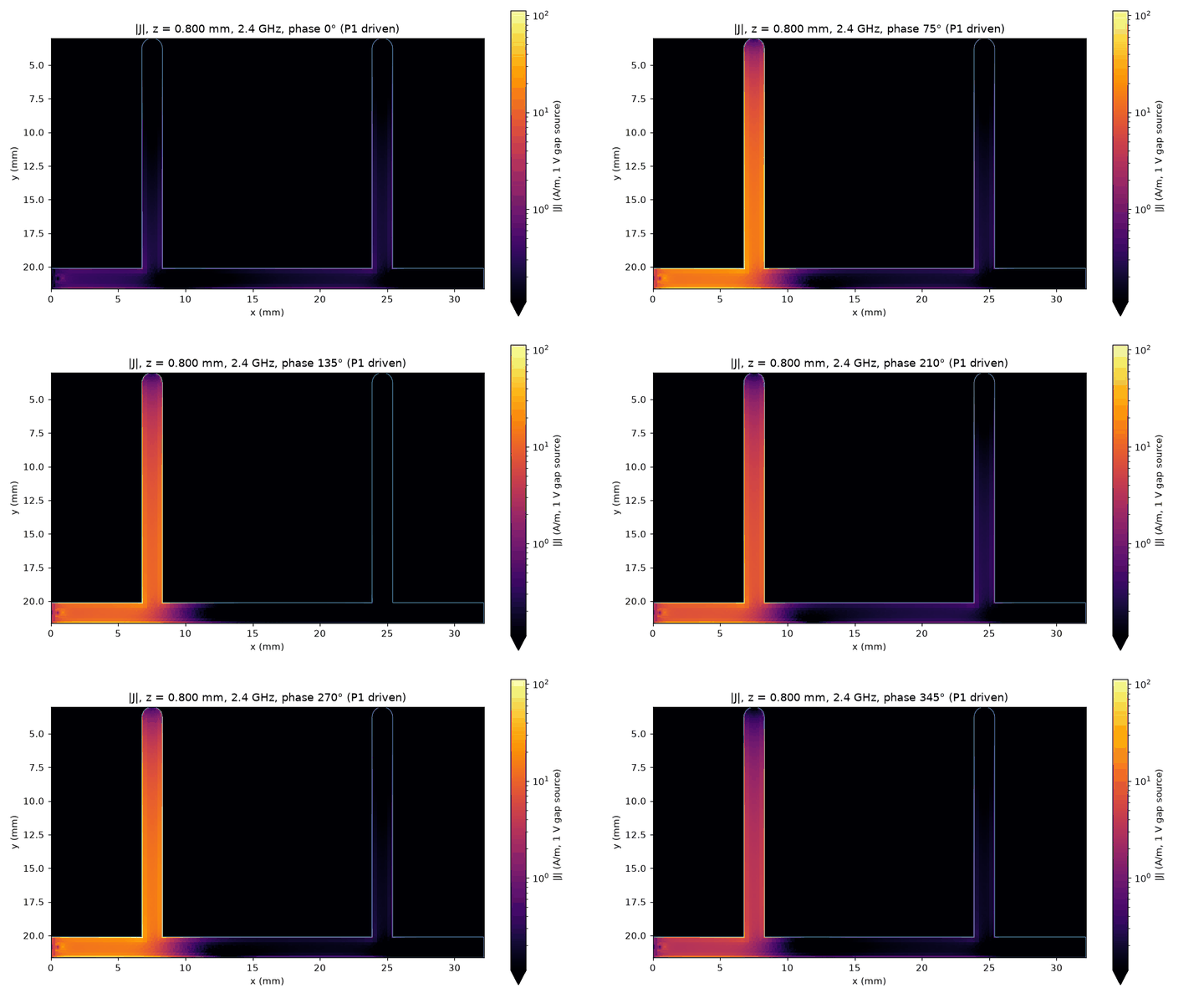
Left: mom25d's surface current on the stub notch at 2.4 GHz (--mom-dump 2.4 --dump-animate gif): the
quarter-wave stub holds the standing wave and nothing passes it. Right: the patch in antenna mode: match, gain and
efficiency over frequency, polar cuts.
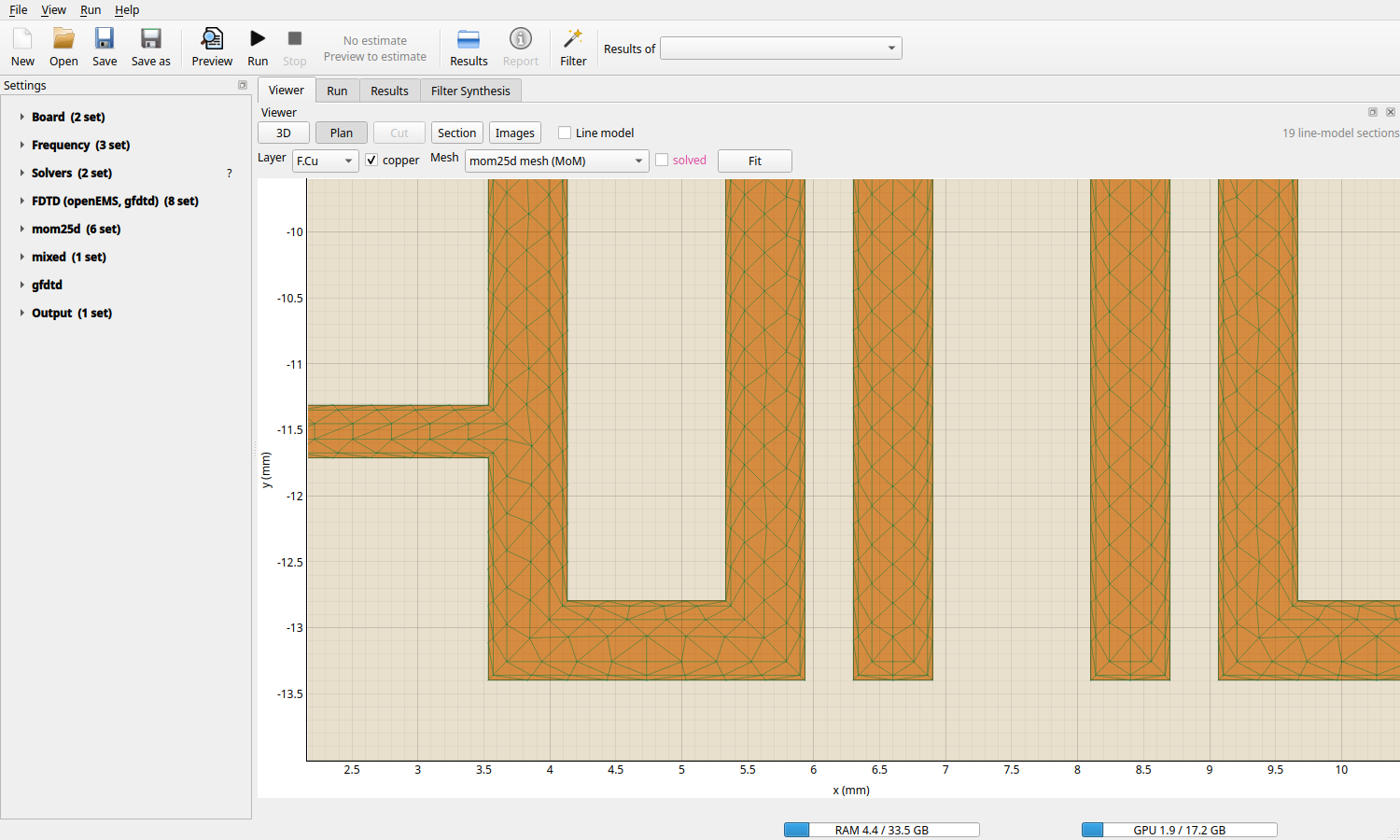
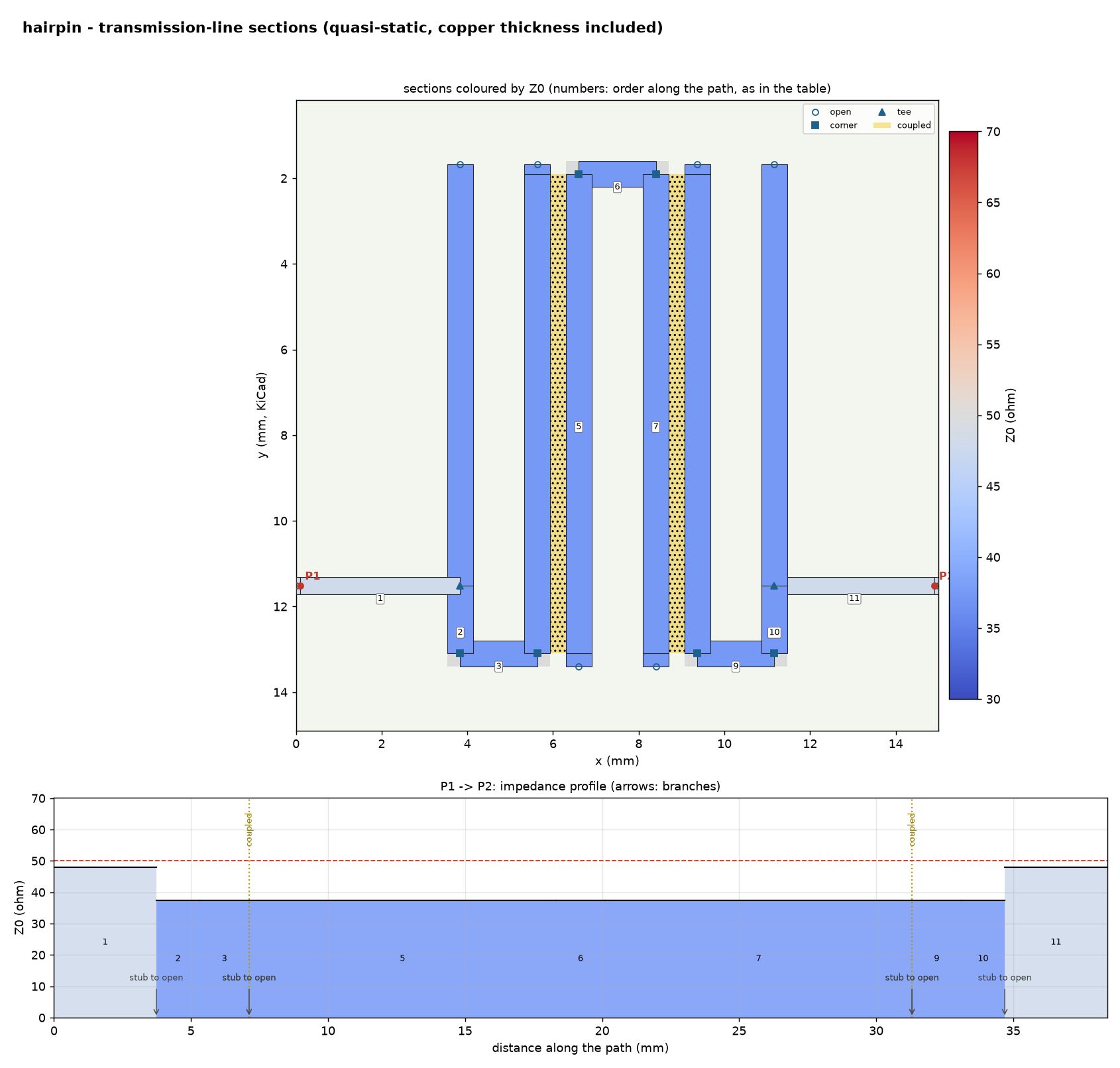
The hairpin's mom25d mesh in the Viewer's plan (rings of thin cells along the copper's edges), and the line
sections the line model finds. kicad2ems-gui's tools/readme_media.py makes these pictures again from the
examples; the plugin's were recorded from KiCad 10, driven by a script.
P1, P2, …, including differential pairs (P1+ / P1-)
and gap ports for antennas.kicad2ems-gui) for setup, preview, progress and results.Linux and macOS:
git clone https://github.com/lowprocess/kicad2ems.git && cd kicad2ems
./setup.sh
source .venv/bin/activate
Windows (Python 3.10 or newer from python.org, and Git):
git clone https://github.com/lowprocess/kicad2ems.git && cd kicad2ems
py install.py
.venv\Scripts\activate
The installer (install.py; ./setup.sh runs it) asks where to install (a venv in this checkout by default, or
for your user, system-wide, or into the Python itself) and which optional parts you want: the GUI, the solvers and
their compiled cores, a GPU package, openEMS, qucsator and a launcher entry. --yes takes the defaults.
Getting started has the options and installing by hand. Without any full-wave solver,
kicad2ems runs the line model alone; kicad2ems --check shows what your setup can run.
kicad2ems examples/rf_interdig.toml --preview            # model, mesh and line model only: seconds
kicad2ems examples/rf_interdig.toml --solvers mom,lines  # MoM and the line model: about a minute
kicad2ems examples/rf_interdig.toml --solvers all        # every solver, compared
Results go to examples/out/: filter_<solver>.s2p for each solver, plots, filter_run.json and
filter_report.html. To simulate your own board, see
Getting started.
Start with Getting started, then Usage. The documentation index lists every page.
GPL-3.0-or-later (see LICENSE). kicad2ems uses openEMS (GPL-3.0-or-later) and CSXCAD (LGPL-3.0-or-later) as Python packages and runs qucsator (GPL-2.0-or-later) as a separate program. No third-party code is copied into the repository.
| Qty | Value | Footprint | References |
|---|---|---|---|
| 2 | RF_Port | kicad2openems:RF_Port | TP1, TP2 |
lowprocess/kicad2ems
Entirely vibecoded python KiCAD to EMS wrapper for validation of EM structures.

hzeller/rpi-rgb-led-matrix
Controlling up to three chains of 64x64, 32x32, 16x32 or similar RGB LED displays using Raspberry Pi GPIO


adamws/kicad-kbplacer
KiCad plugin for automatic keyboard's key placement and routing

Luos-io/luos_engine
Open-source and real-time orchestrator for cyber-physical-systems, to easily design, test and deploy embedded applications and digital twins.

NVNTLabs/switch2-SDEX2M2
Micro SD Express to M.2 NVME Adapter for Nintendo Switch 2

BlueSCSI/BlueSCSI-v2
BlueSCSI v2/Ultra - an open source, open hardware, SCSI emulator using the Pi Pico PR2040 and Pico 2 RP2350

ohmtech-rdi/eurorack-blocks
Software to Hardware Prototyping for Eurorack using C++, Max/Gen~ or Faust

It measures 15 × 15 mm and has 2 copper layers, 0.28 mm thick.
2 parts. The full list of its parts is on this page, with links to each part's symbol and footprint where PCBKit's library has them.
From the lowprocess/kicad2ems repository on GitHub, at the commit this page was made from: the board is examples/hairpin.kicad_pcb. PCBKit opens the board in the browser, with nothing to install.
Its repository publishes it under the GPL-3.0 licence: you may reuse it on that licence's terms (keep the author's notice, and for a copyleft licence share your changes alike).