2 layers57 × 55.2 mm
LogicAnalyzer
gusmanb/logicanalyzer
24 channel, 100Msps logic analyzer hardware and software
10 parts5.1kGPL-3.0

 kubiq/n-gauge
A round AMOLED gauge that lives in the driver-side air vent of a Hyundai i30 N, reading the car live over the OBD-II port: oil temperature - the number the car's own dashboard hides behind a menu - plus coolant, boost…
Carrier is an open-source printed circuit board by kubiq, from the kubiq/n-gauge repository on GitHub, published under the MIT licence. It is a 2-layer board with 10 parts on 11 nets, routed with 33 tracks and 6 vias.
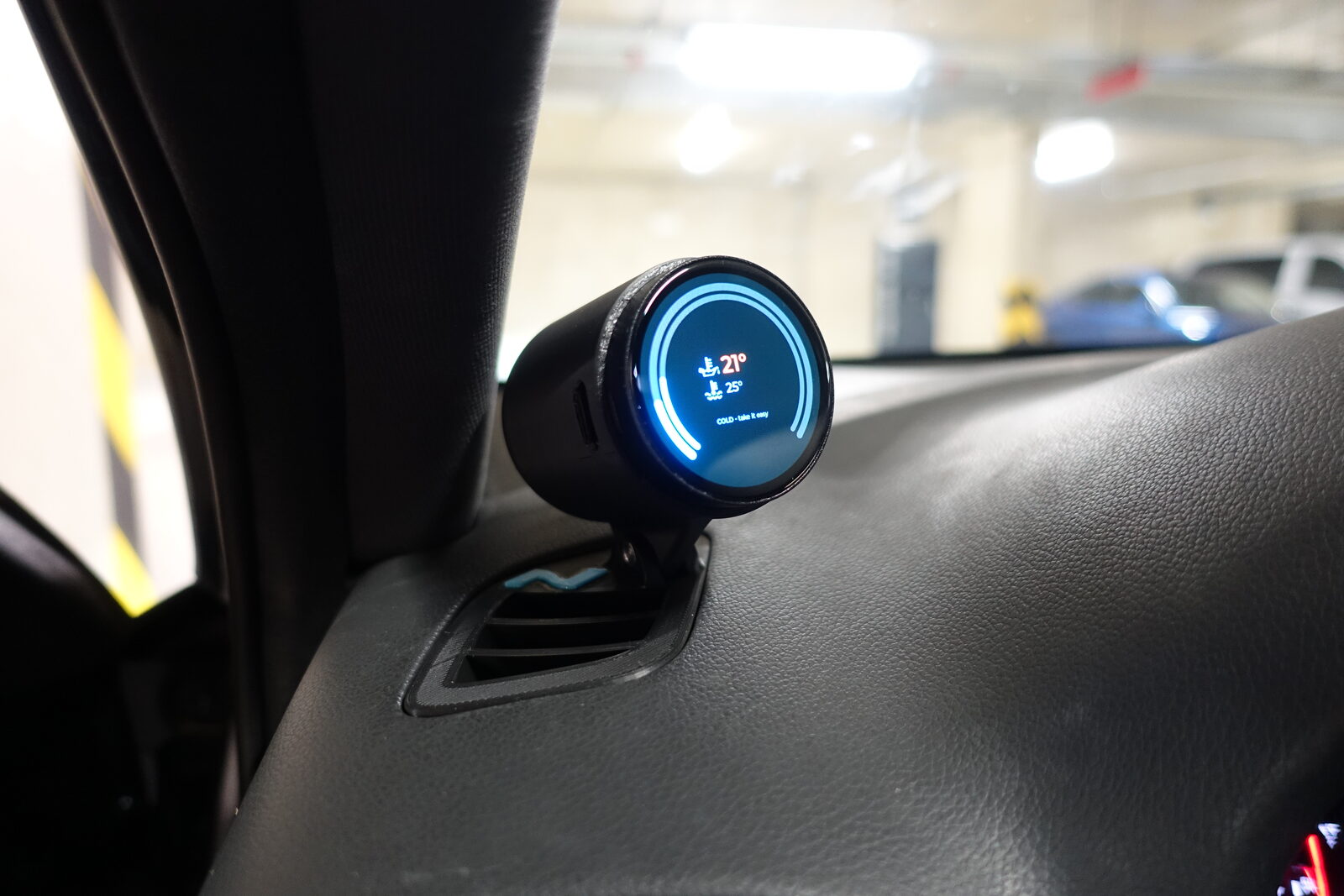
A round AMOLED gauge that lives in the driver-side air vent of a Hyundai i30 N, reading the car live over the OBD-II port: oil temperature - the number the car's own dashboard hides behind a menu - plus coolant, boost, tyre pressures, a g-meter, GPS speed and a lap timer. It logs every drive to an SD card, uploads the logs home by itself as the car starts - over the phone's hotspot and a WireGuard VPN - and a phone app pulls them off it and shows each drive on a map.
Everything here was built for one car and is in daily use in it. It is a hobby project, published in case the findings, the code or the approach help someone with the same car or the same board.
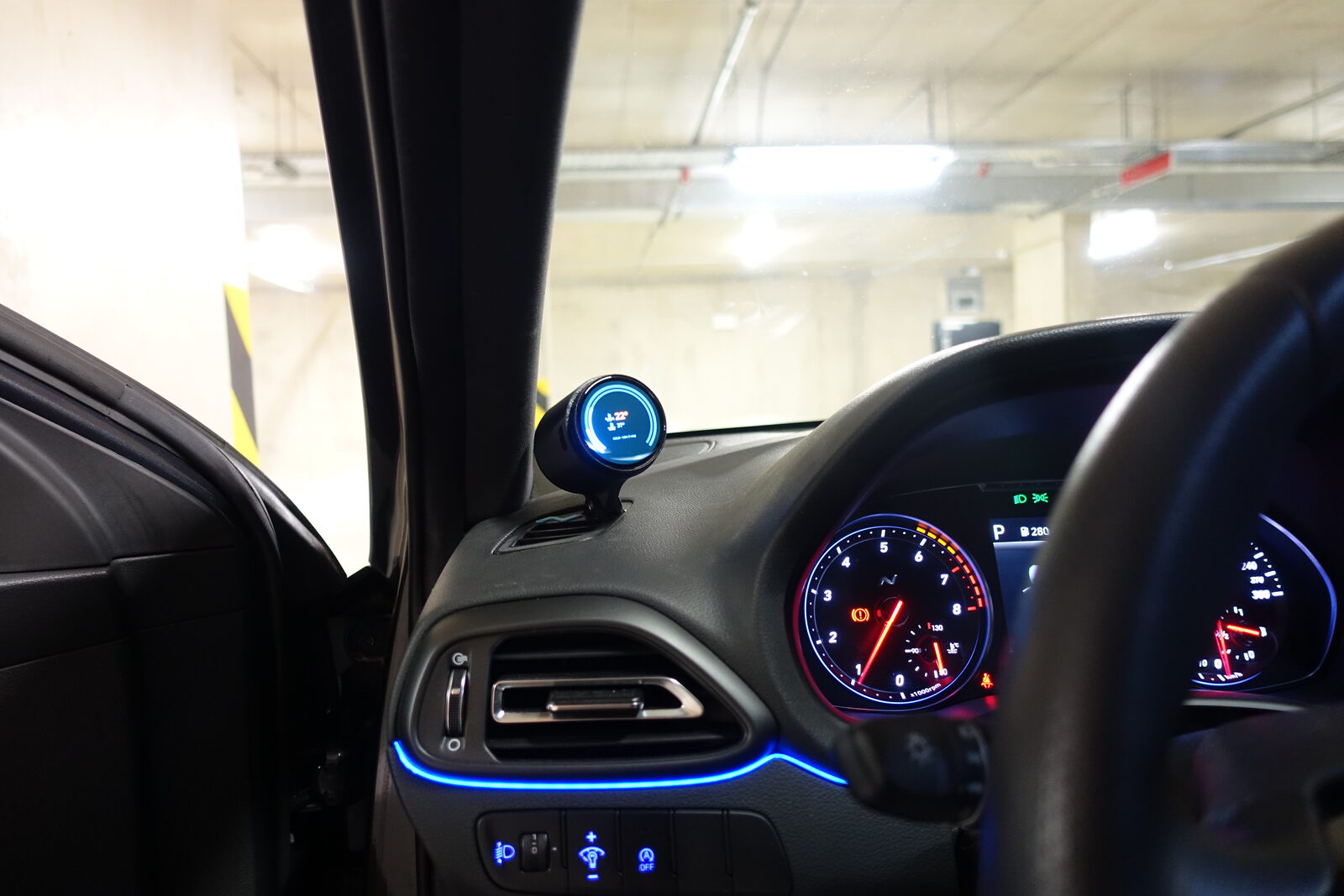
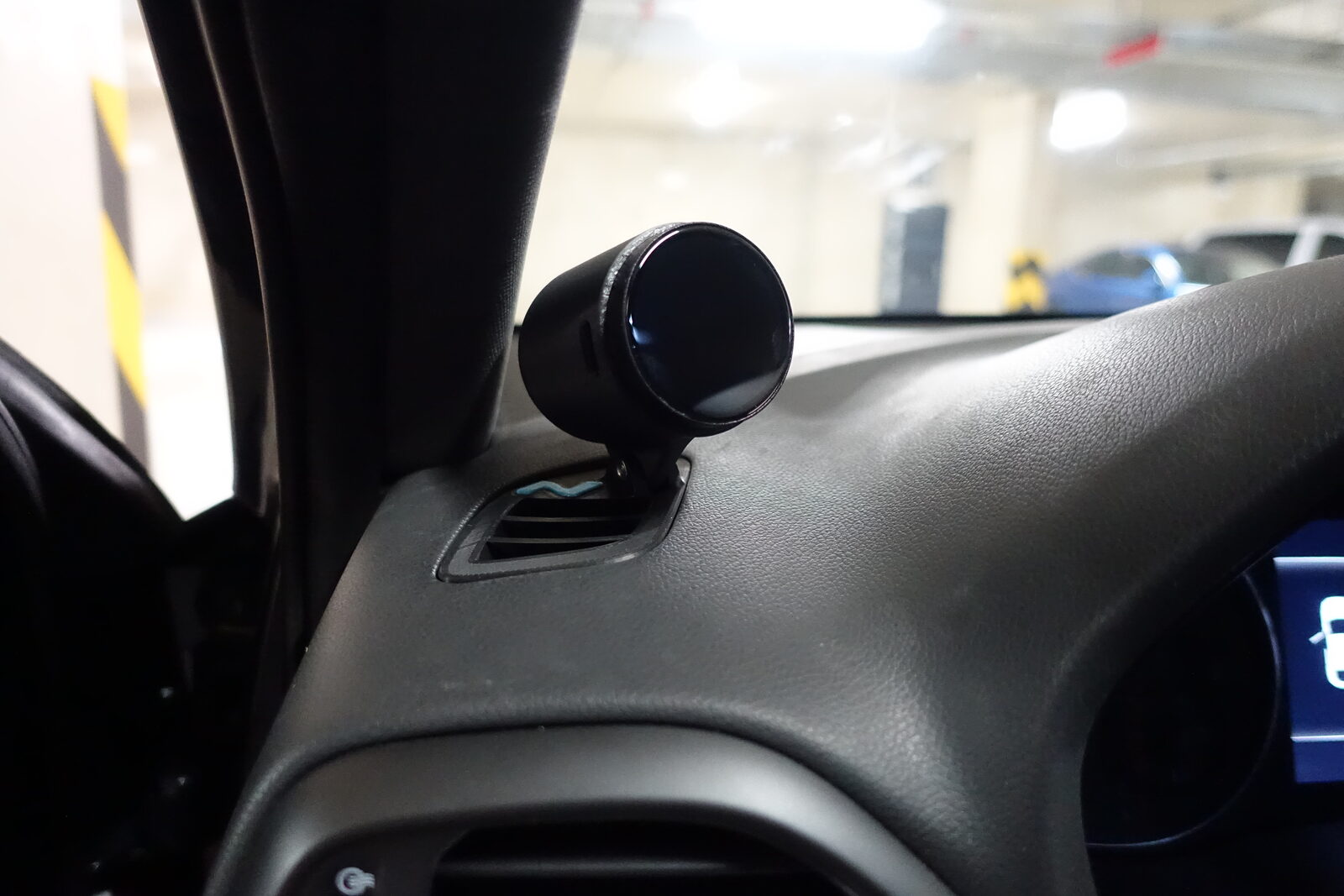
From the driver's seat, beside the car's own cluster; and switched off - the 3D-printed housing replaces the left air vent's surround.
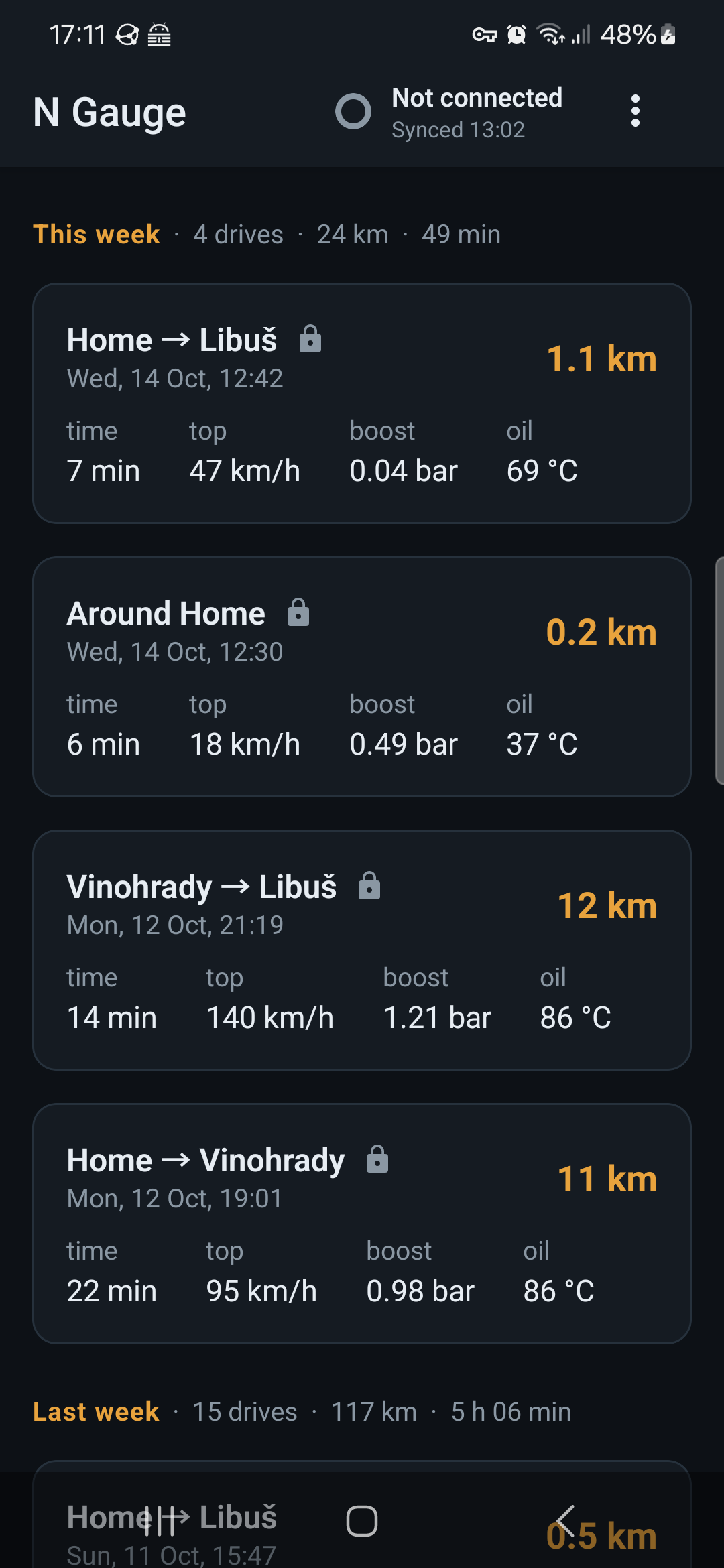
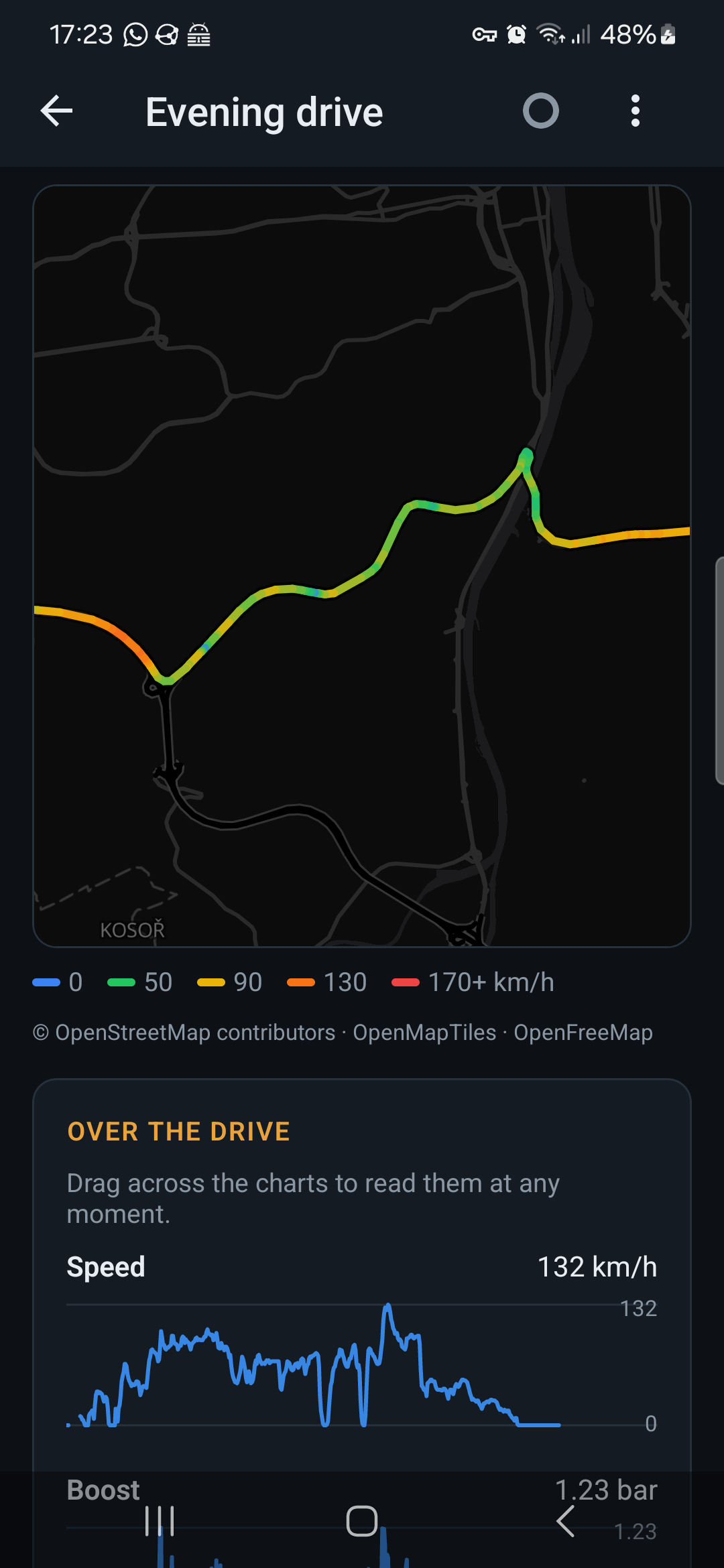
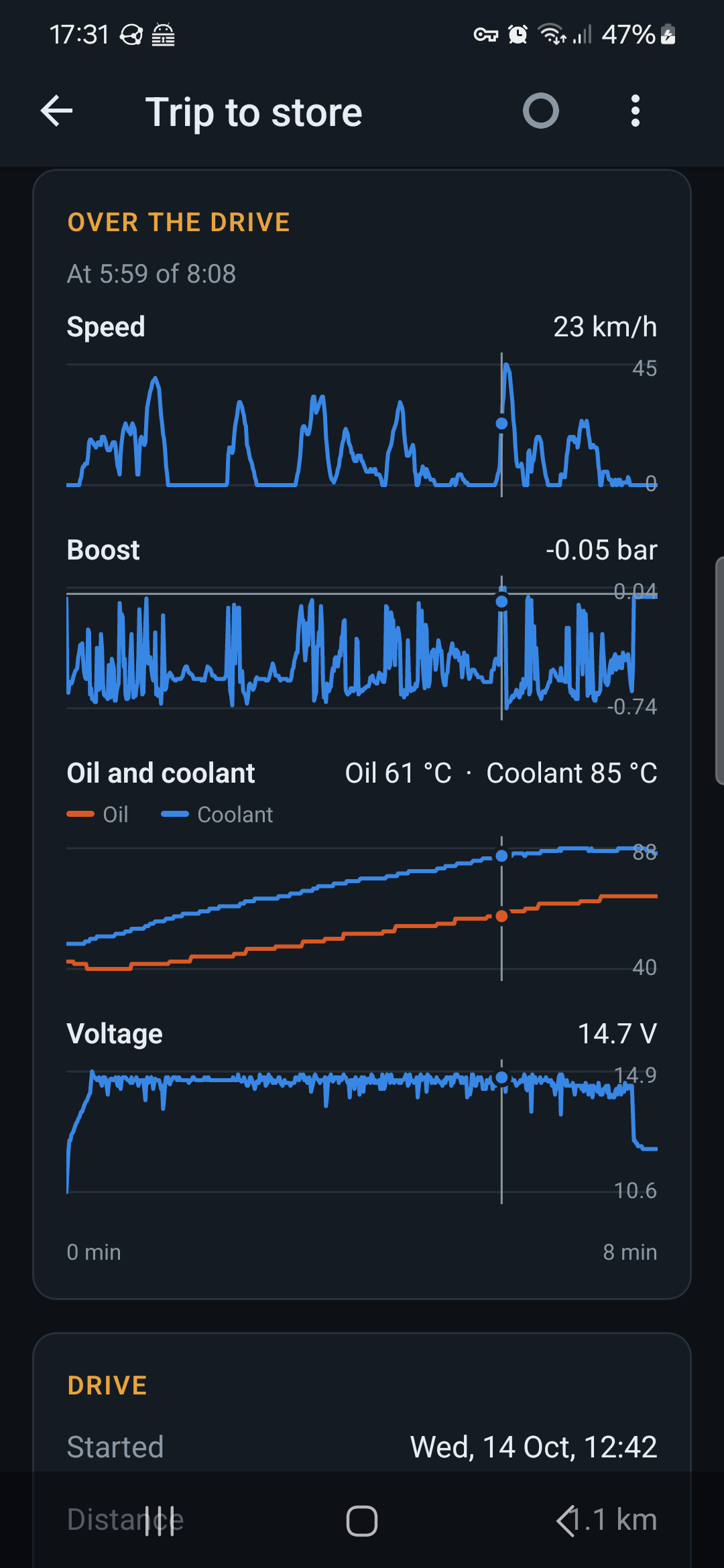
The phone app: every drive, named after where it went and grouped by week, with the gauge in the header - its last sync, like a watch in Garmin Connect; a tap on it syncs, then the phone is back on the internet. A drive on the map, coloured by speed, and its speed, boost, temperatures and voltage over time. More in mobile/.
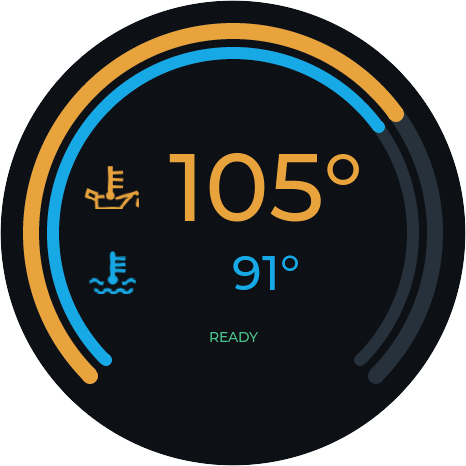
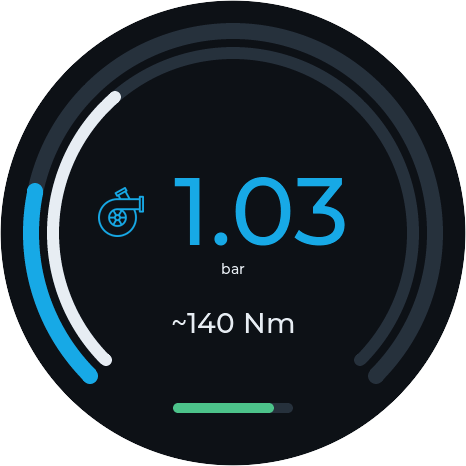
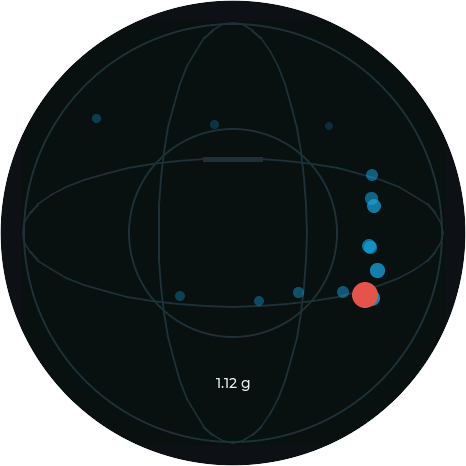
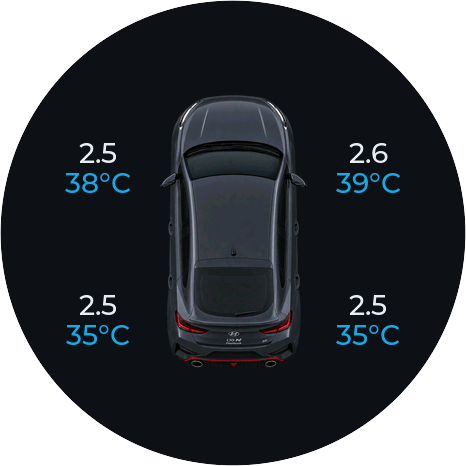
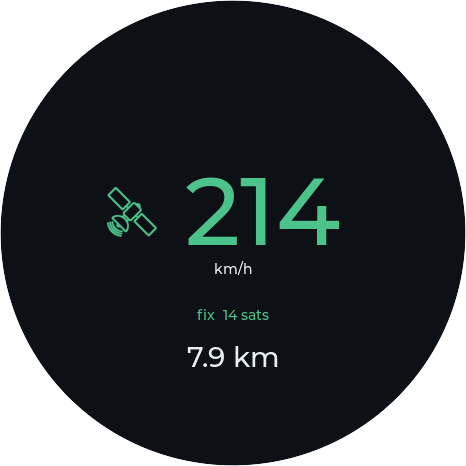
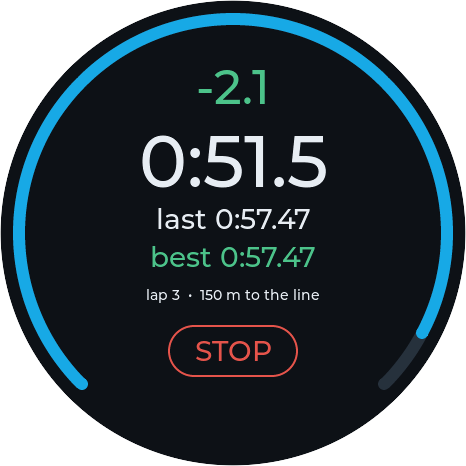
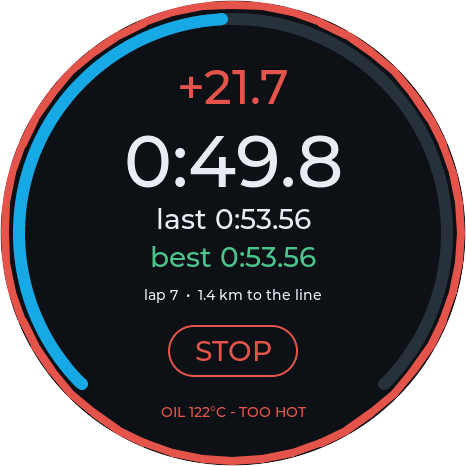

The gauge's screens - oil and coolant, boost, the g-meter, tyres, GPS, and
the lap timer 1.8 s up on the best lap, the arc filling up to the line - then
the oil over its warning on the in-lap, a red rim over whichever screen is
up, and the N badge it wakes up with. Swiped through on the gauge; these are
from the simulator on a made-up track session (sim/screenshots.sh).
.vbo with
every channel, which lap analysers open (HackTheTrack, Circuit Tools).
Logs can be encrypted to a key only the phone holds, so a card taken out of
the gauge gives nothing away. GPS points are kept only while the car talks
or really moves, so a parked car's GPS drift is not a drive.| Part | |
|---|---|
| Waveshare ESP32-S3-Touch-AMOLED-1.75 | 466×466 round AMOLED, touch, IMU, PMU, SD slot |
| SN65HVD230 | CAN transceiver, on OBD pins 6 and 14 |
| u-blox NEO-M9N | GNSS, 25 Hz |
| TPS5430 buck | 12 V → 5 V from OBD pin 16 |
| 3D-printed vent pod | replaces the left air vent; STLs in mechanical/pod |
| carrier PCB | KiCad, in hardware/carrier - replaces the breakout boards |
Most of this took real drives and a lot of wrong turns; the reasoning, and the wrong turns, are in DECISIONS.md.
0xE001 (engine
ECU, 0x7E0): °C = raw × 0.7435 − 49.2, matched against the dashboard up
to 100 °C. Mode 01 PID 0x5C is not supported. Byte 25 of the same reply
looks like oil but is coolant-derived - and correlating bytes against the
coolant curve picks it, which is how it was wrongly used for weeks.0x05.0x7A0,
DID 0xC00B), not the ECU.config.h.0x42: 14.4-15.0 V
running, 9.9-10.6 V cranking, 12.1-12.7 V just after switching off. Then
the ECU answers 0.00 V for a few seconds before going quiet - drop
it, it is not the battery.| Path | |
|---|---|
| firmware/car_gauge_v1 | the gauge firmware (Arduino, ESP32 core 3.x, LVGL 9) |
| mobile | the Android app (Expo / React Native) |
| server | the upload service the gauge sends its logs to (Python, Docker) |
| sim | the gauge firmware on a PC: its screens in a window, fed a recorded drive |
| tests | host tests of the firmware's pure logic |
| hardware, mechanical | carrier PCB, 3D-printed parts |
| DECISIONS.md | why things are the way they are |
| PROTOTYPE_GUIDE.md, PRINTING_GUIDE.md | wiring the prototype; printing the pod |
Firmware (details):
./scripts/setup-libs.sh          # Arduino core, pinned libraries, lv_conf
./scripts/build.sh gauge flash   # compile and flash over USB
./scripts/test.sh                # host tests
./scripts/check.sh               # before a commit: tests, both firmware builds, the sim, the server
The upload server (details), on the home server:
cd server && echo "UPLOAD_TOKEN=$(openssl rand -hex 16)" > .env
docker compose up -d --build
The gauge on a PC (details) - needs SDL2 and CMake:
sim/run.sh                       # the newest drive in data/, in a window
scripts/make_track_gpx.py        # a made-up track session to drive it with
sim/screenshots.sh               # these screenshots, into docs/gauge/
App (details):
cd mobile && ./scripts/build-apk.sh install # release APK onto a phone over adbMIT. Third-party assets keep their own licences - see
firmware/assets/README.md. The place names in
the app (mobile/assets/places) are from GeoNames,
CC BY 4.0.
| Qty | Value | Footprint | References |
|---|---|---|---|
| 3 | M3 to pod | MountingHole_3.2mm_M3 | H1, H2, H3 |
| 1 | Buck IN+ wire pad | TestPoint_THTPad_D2.0mm_Drill1.0mm | J7 |
| 1 | Buck OUT | PinSocket_1x04_P2.54mm_Vertical | J4 |
| 1 | CAN SN65HVD230 | PinSocket_1x06_P2.54mm_Vertical | J2 |
| 1 | Display H2 | PinHeader_1x08_P2.54mm_Vertical | J1 |
| 1 | GNSS GY-GPSV3 | PinSocket_1x04_P2.54mm_Vertical | J3 |
| 1 | OBD cable | JST_XH_B4B-XH-A_1x04_P2.50mm_Vertical | J5 |
| 1 | Rs wire pad | TestPoint_THTPad_D2.0mm_Drill1.0mm | J6 |
gusmanb/logicanalyzer
24 channel, 100Msps logic analyzer hardware and software

byrantech/laptop
anyon_e, a highly integrated, high end, open source laptop. Attempt the impossible.

joeycastillo/Sensor-Watch
A board replacement for the classic Casio F-91W wristwatch


OLIMEX/OLINUXINO
OLINUXINO is Open Source / Open Hardware, low cost from EUR 24 Linux Industrial grade Single Board Computer capable to operate -25+85C

rusefi/rusefi
rusefi - GPL internal combustion engine control unit

VoronDesign/Voron-Hardware
Cool Hardware designed by the Voron Design group

hoglet67/RGBtoHDMI
Bare-metal Raspberry Pi project that provides pixel-perfect sampling of Retro Computer RGB/YUV video and conversion to HDMI
10 parts. The full list of its parts is on this page, with links to each part's symbol and footprint where PCBKit's library has them.
From the kubiq/n-gauge repository on GitHub, at the commit this page was made from: the board is hardware/carrier/carrier.kicad_pcb and its schematic hardware/carrier/carrier.kicad_sch. PCBKit opens the board in the browser, with nothing to install.
Its repository publishes it under the MIT licence: you may reuse it on that licence's terms (keep the author's notice, and for a copyleft licence share your changes alike).