

4 layers34.9 × 30.5 mm
Vsf m484
vsfteam/vsf
Versaloon Software Framework -- a tiny preemptive-capable event-driven incremental software framework for embedded systems
81 parts341Apache-2.0

Self-Hosted Web Application for displaying and interacting with KiCAD Projects
Oracle is an open-source printed circuit board by krishna-swaroop, from the krishna-swaroop/KiCAD-Prism repository on GitHub, published under the Apache-2.0 licence. It is a 4-layer board of 320 × 280 mm with 81 parts on 3 nets, routed with 1 track and 5 vias.
Its parts include 30 connectors, 22 ICs, 14 resistors and 14 transistors.



KiCAD Prism is an open-source, self-hosted review, release and component-governance platform for teams that design in KiCad and keep their projects in Git.
KiCad remains the editor and Git remains the source of truth. Prism adds what happens around them: browsing every revision in the browser, reviewing changes with comments, building and signing off release packages, and running a governed component library that desktop KiCad places parts from. It runs on your own hardware, with no proprietary ECAD cloud.
Documentation: https://krishna-swaroop.github.io/KiCAD-Prism/
The documentation website covers trying Prism, using it, administering a deployment, automating it and contributing. This README is a summary; the website is the reference.
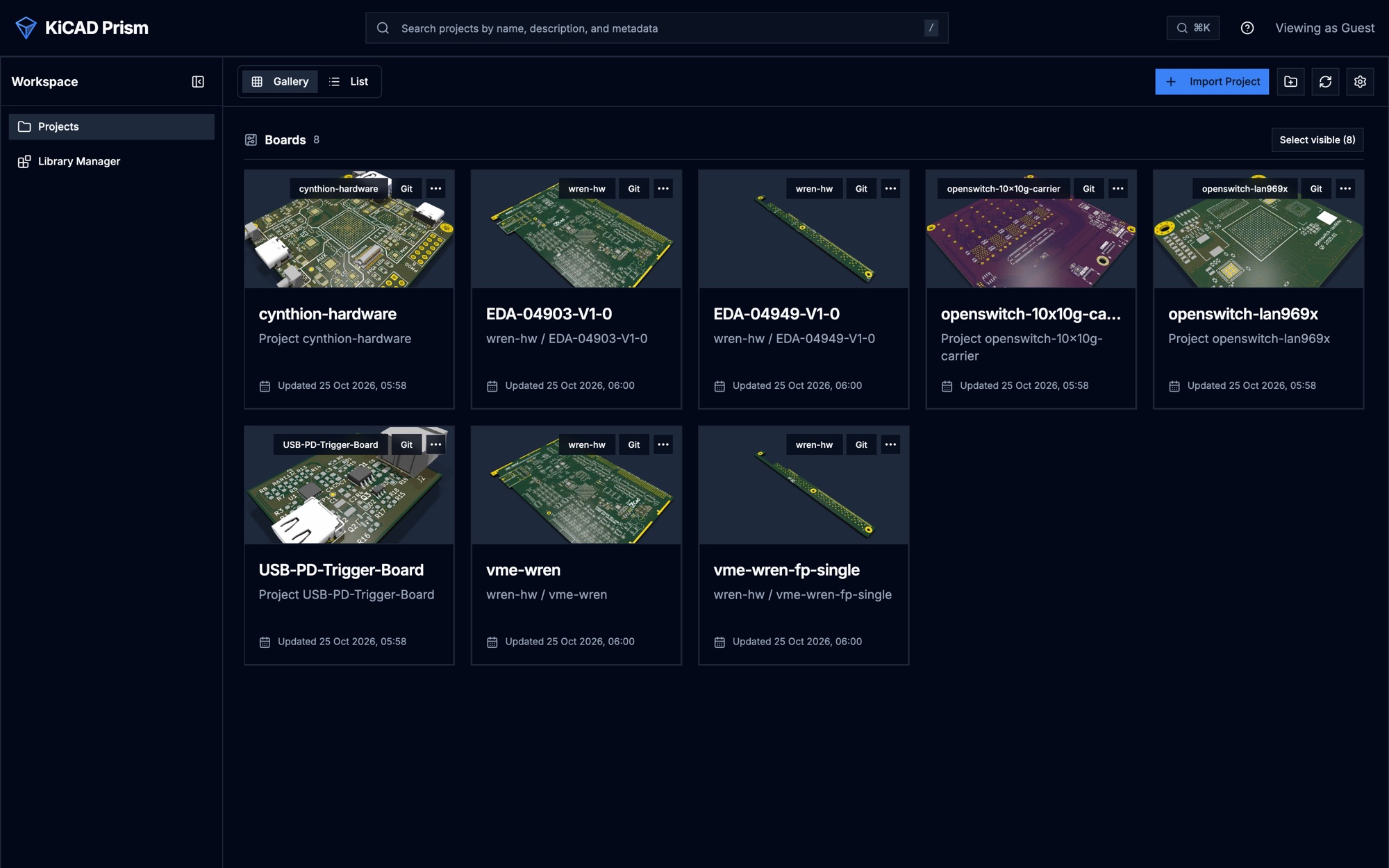
The designs in these screenshots are third-party hardware projects, used to show Prism working on real boards. They are not made by Prism. See Designs shown in the screenshots.
Import projects from SSH or HTTPS Git remotes, monorepos included. Every revision opens in schematic, PCB, 3D, BOM and stackup views, with cross-probing between them, net highlighting, point-to-point measurement and PCB or schematic insets. Prism reads each revision once with its own Rust KiCad parser and keeps the result as a design bundle, so recent commits and every tag open without waiting.
| Schematic | PCB | 3D |
|---|---|---|
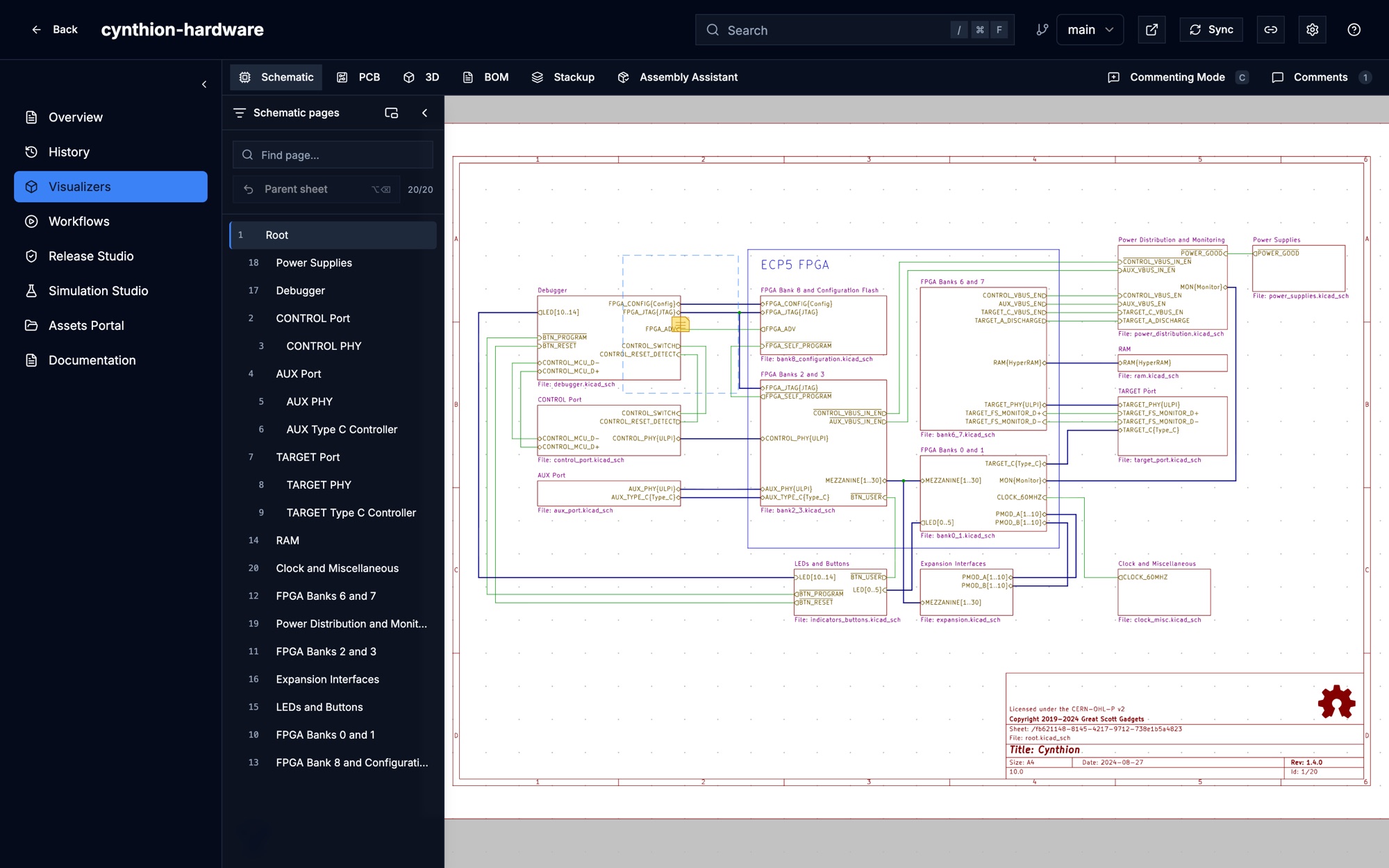 | 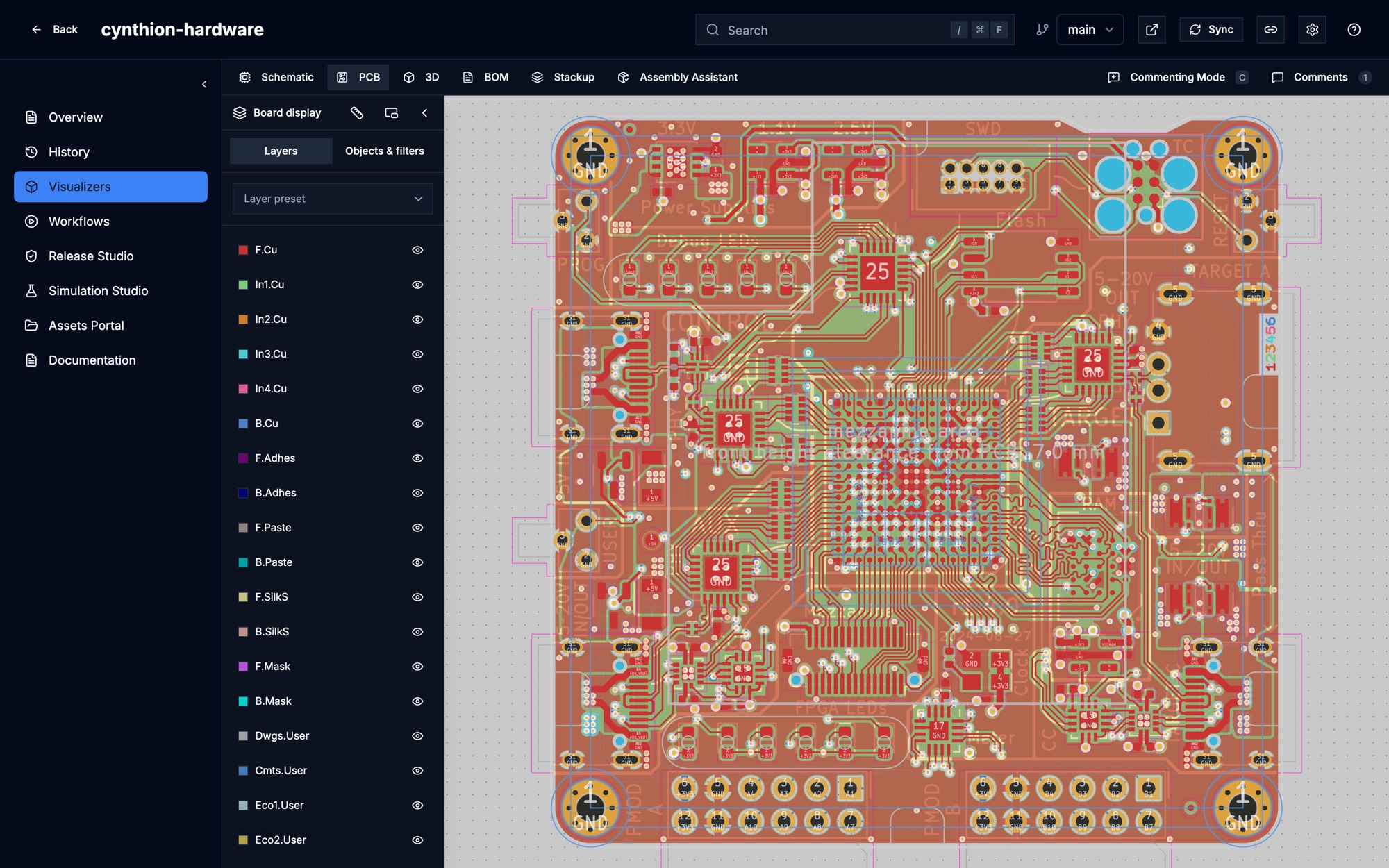 | 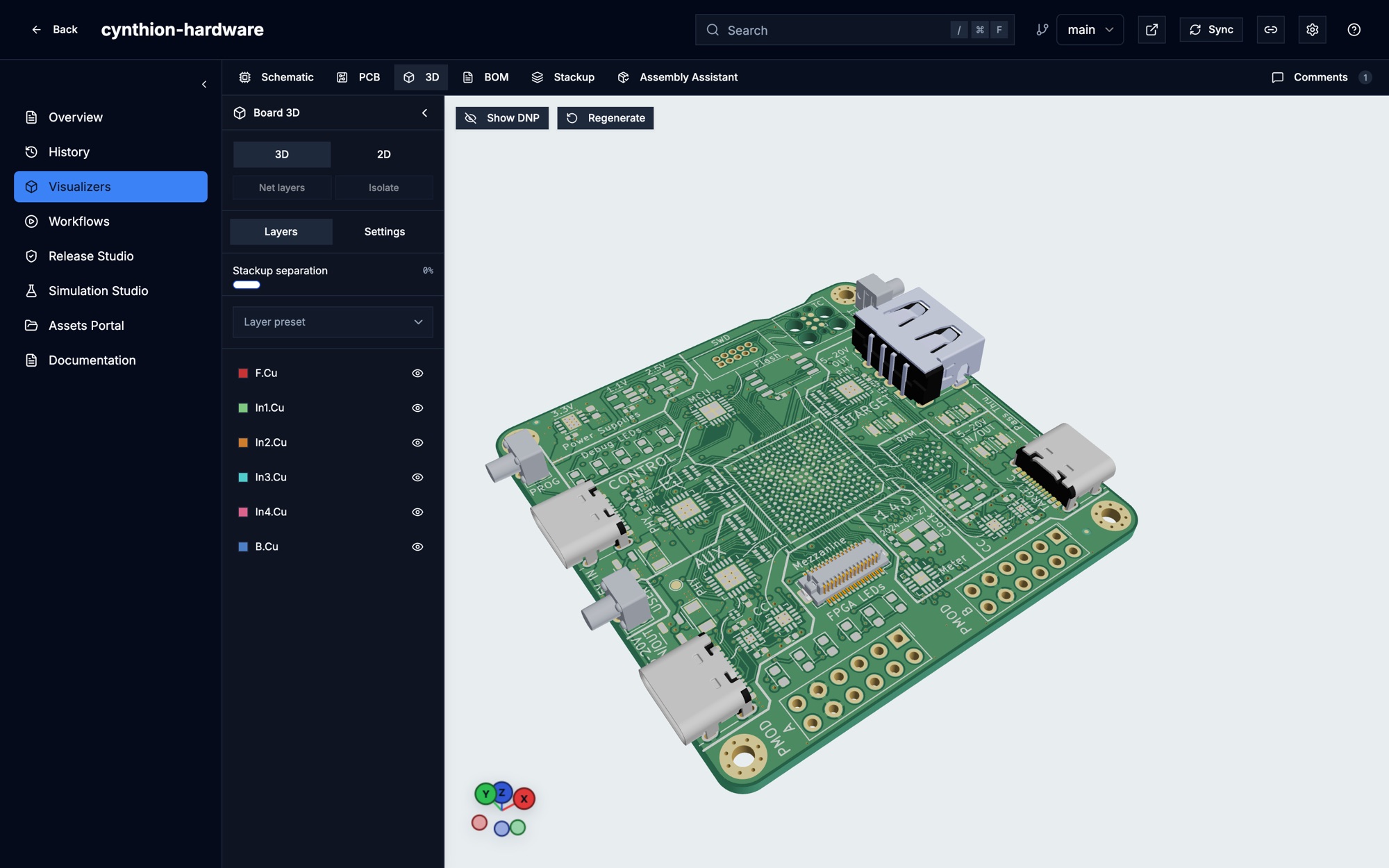 |
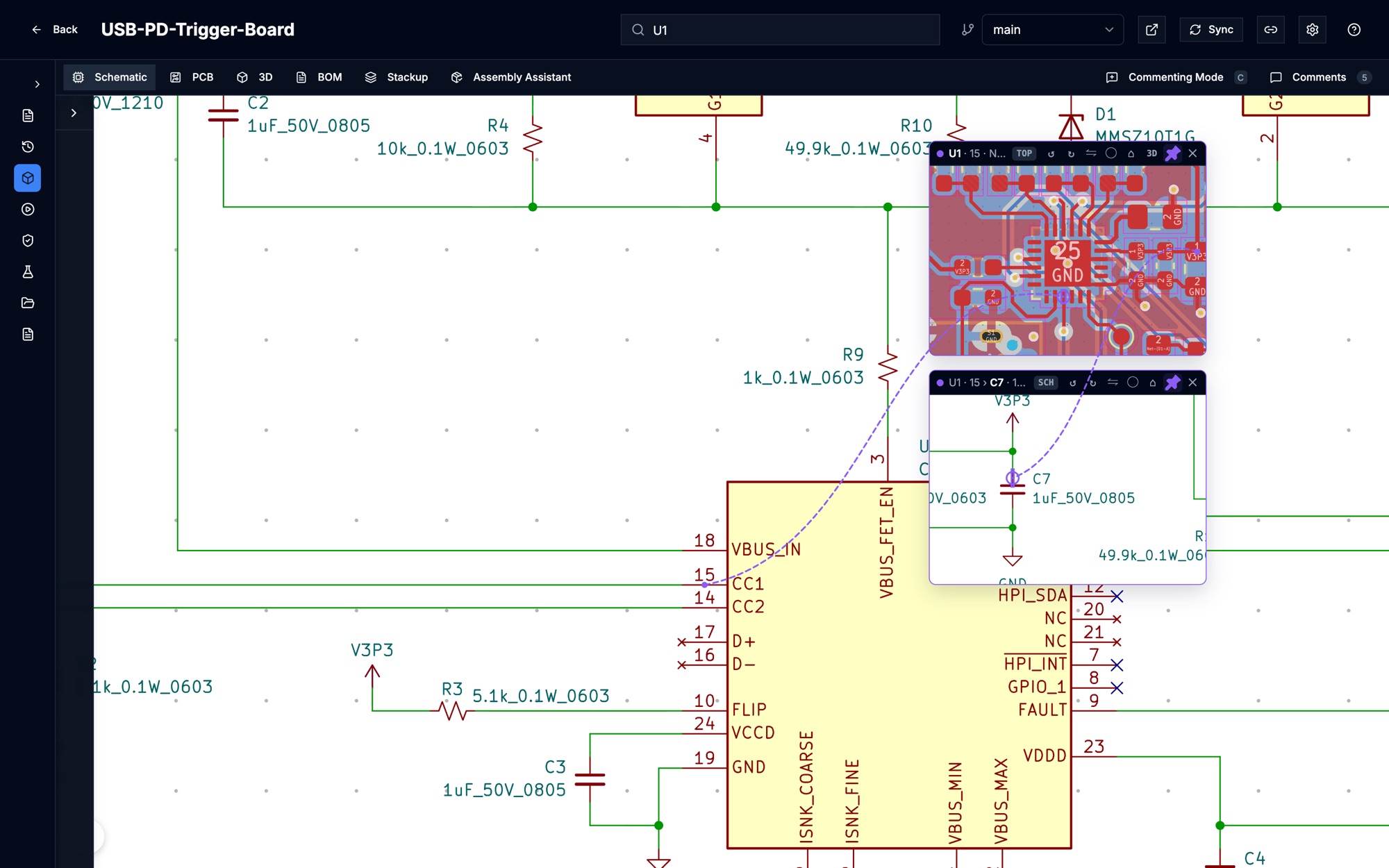
Insets open a live view of the other document from any pin or pad, and chain from there: below, a PCB inset of U1's CC1 pin leads to a schematic inset of C7.
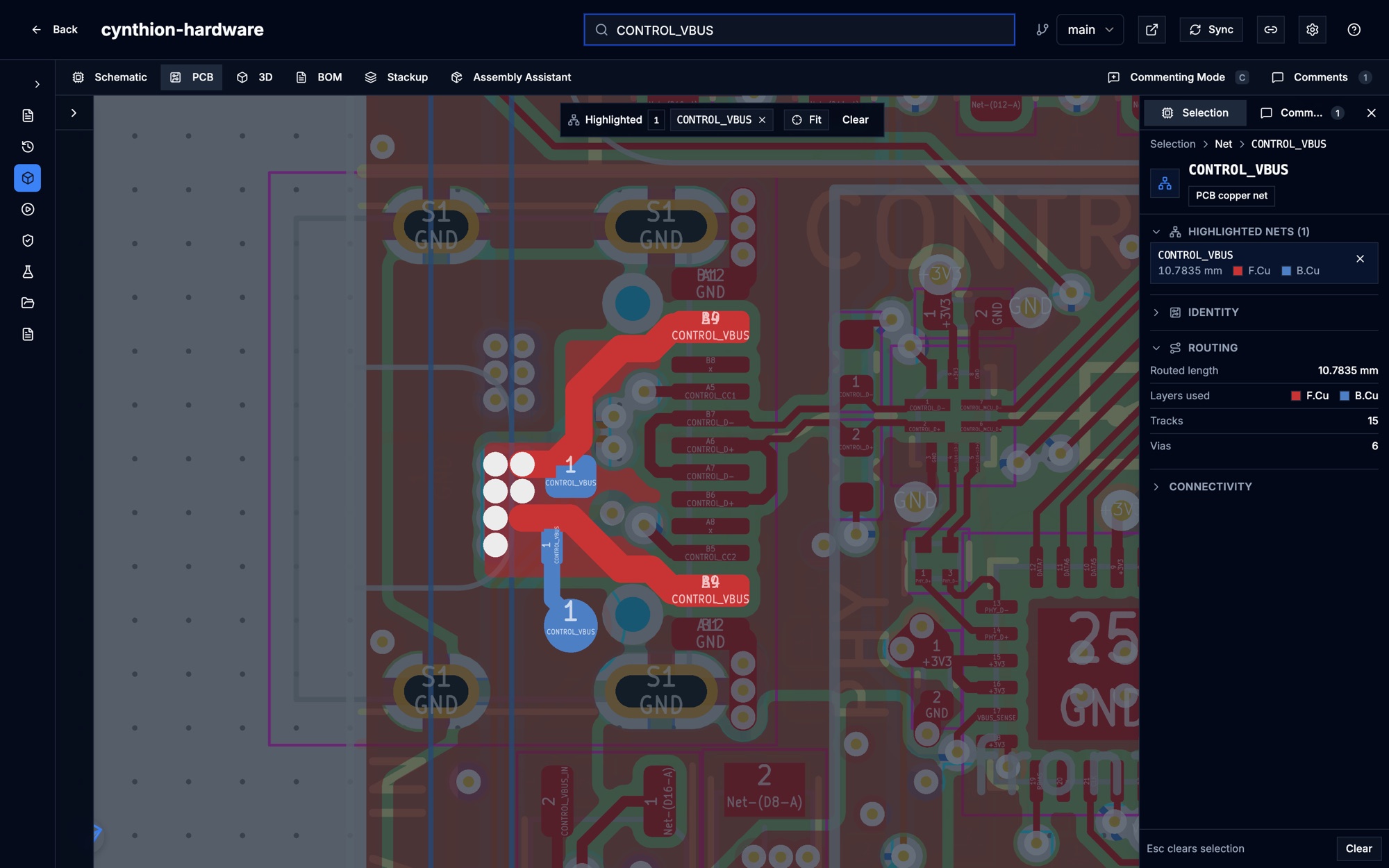
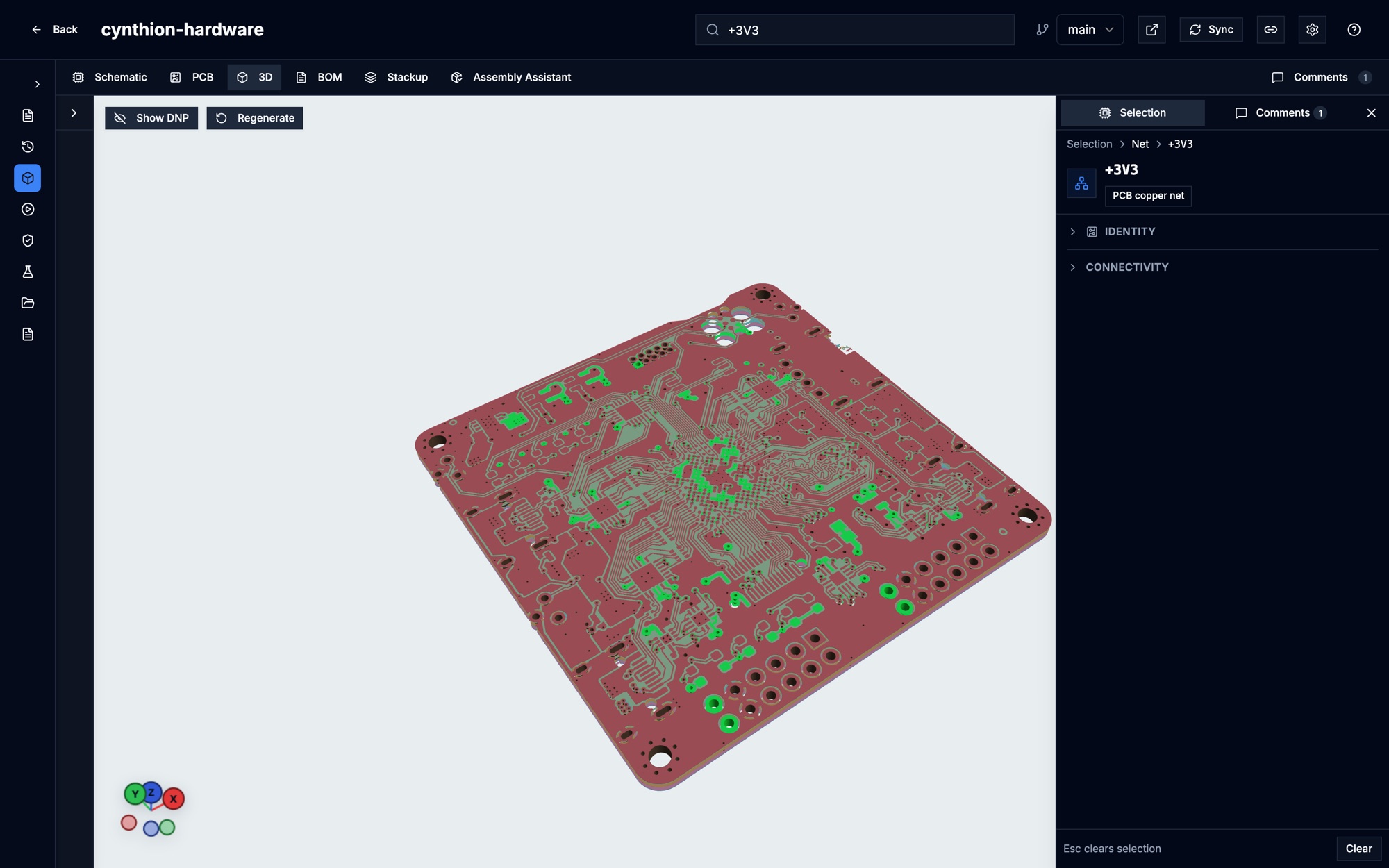
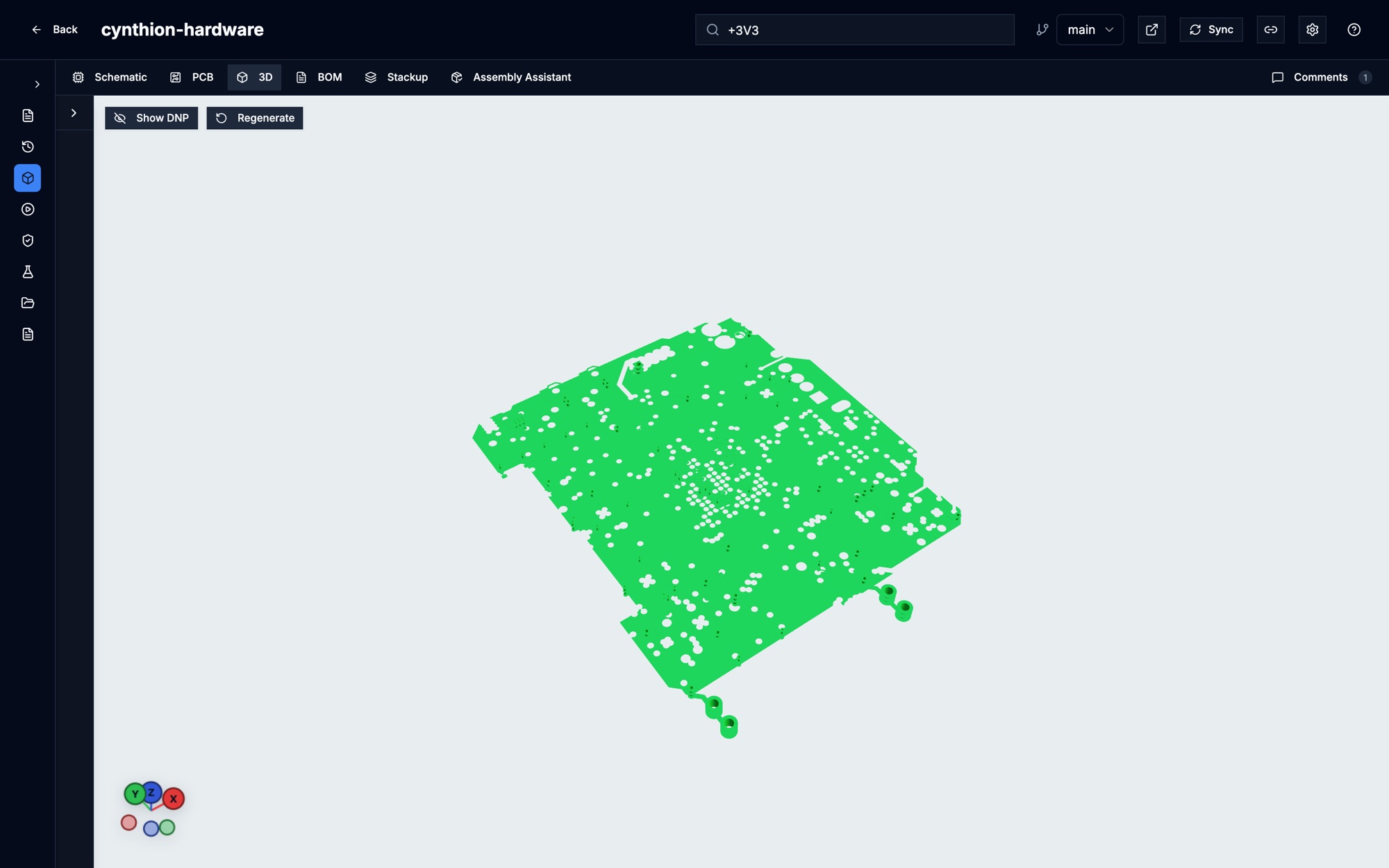
Select a net to highlight it across the schematic, PCB and 3D views, with its routed length, layers, tracks and vias. In 3D, isolate a net to see only its copper: tracks, zones, pads and vias.
| Net highlight (PCB) | Net highlight (3D) | Net isolated (3D) |
|---|---|---|
 |  |  |
Comment on any sheet, part or area. Comments are rich text with pasted snips and attachments, anchored to the revision they were written on, and can be published to GitHub or GitLab issues.
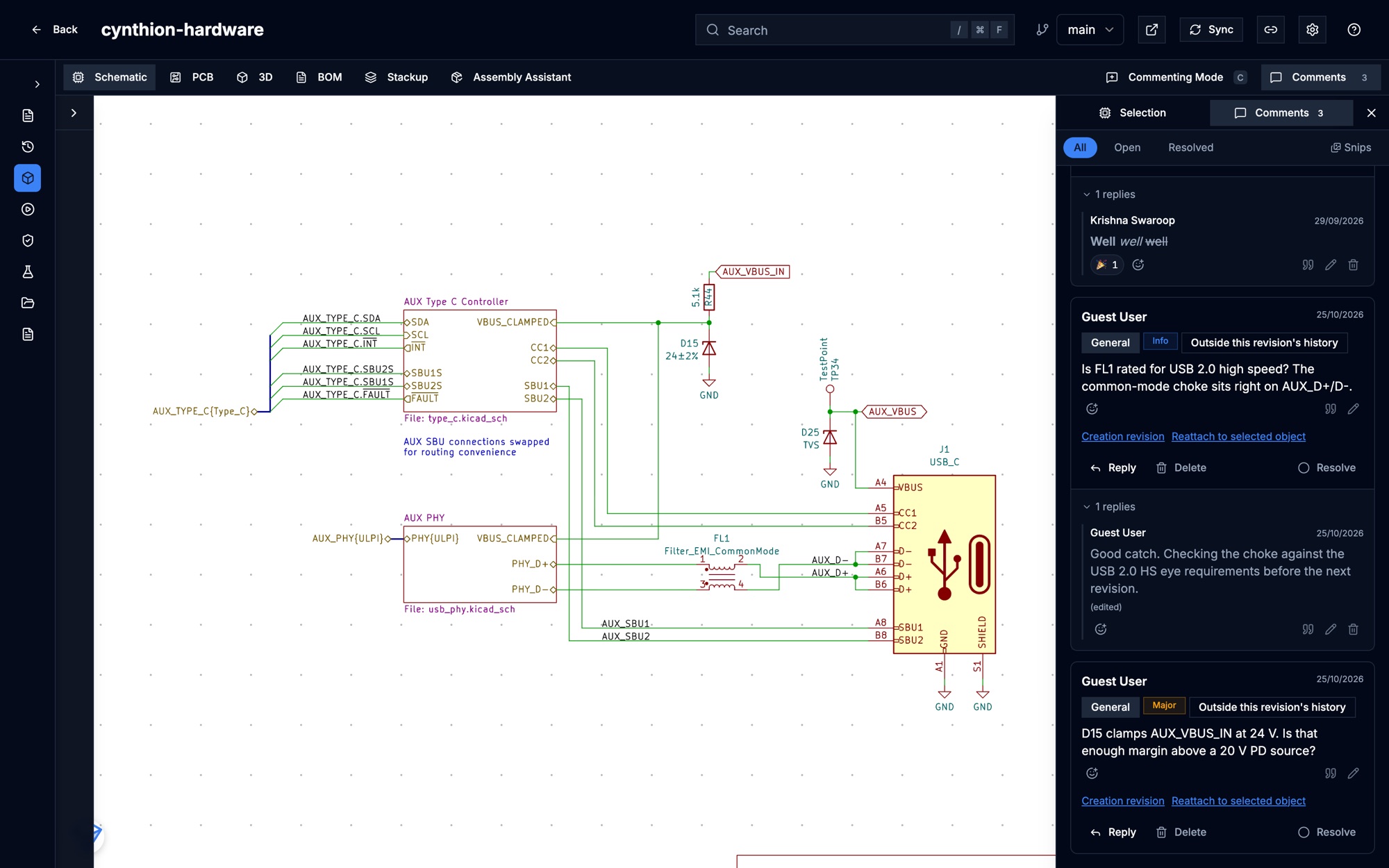
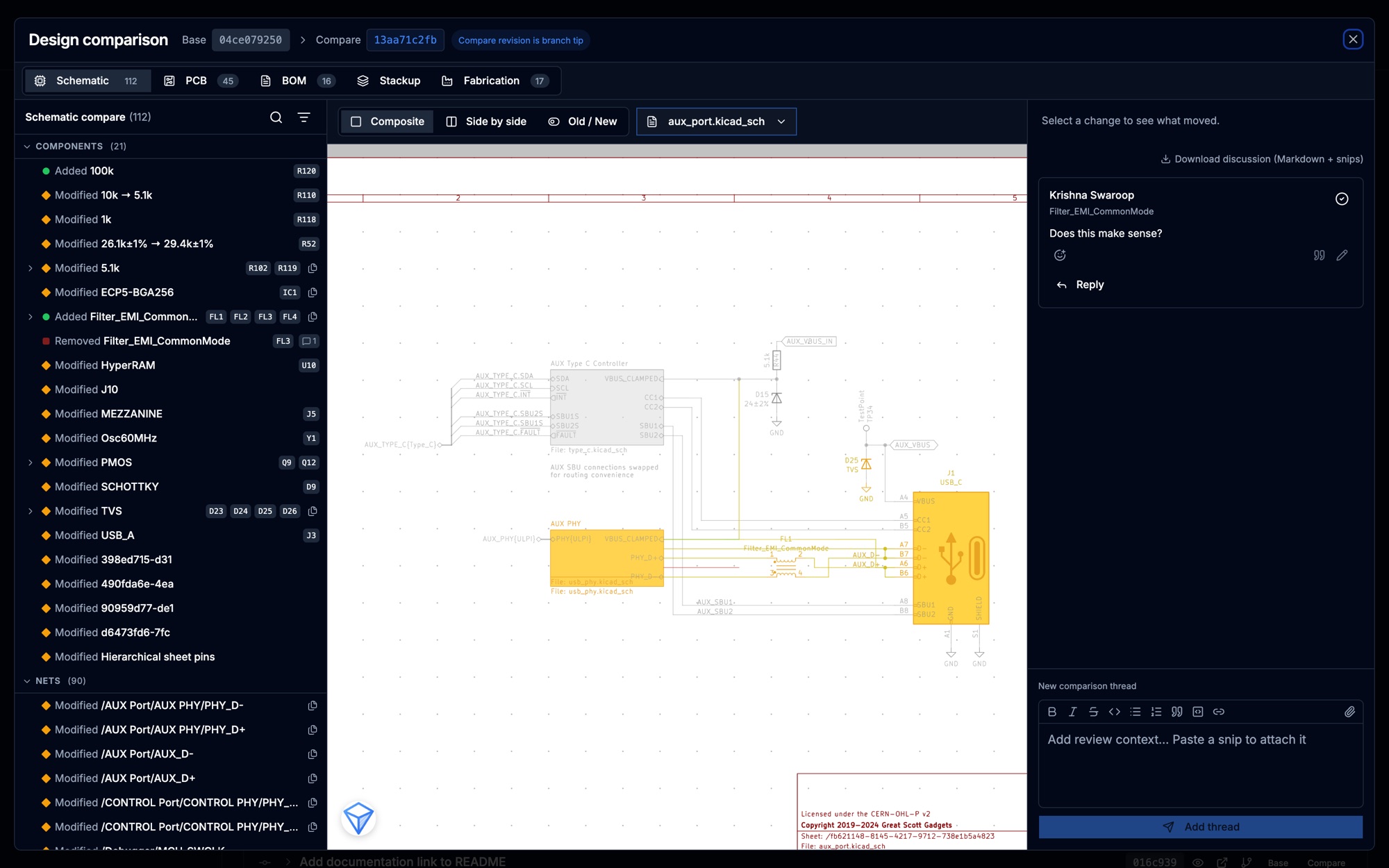
Compare any two revisions. Design Comparison lists what changed in the schematic, PCB, BOM, stackup and fabrication outputs, highlights it on the sheet, and keeps the review discussion next to it.
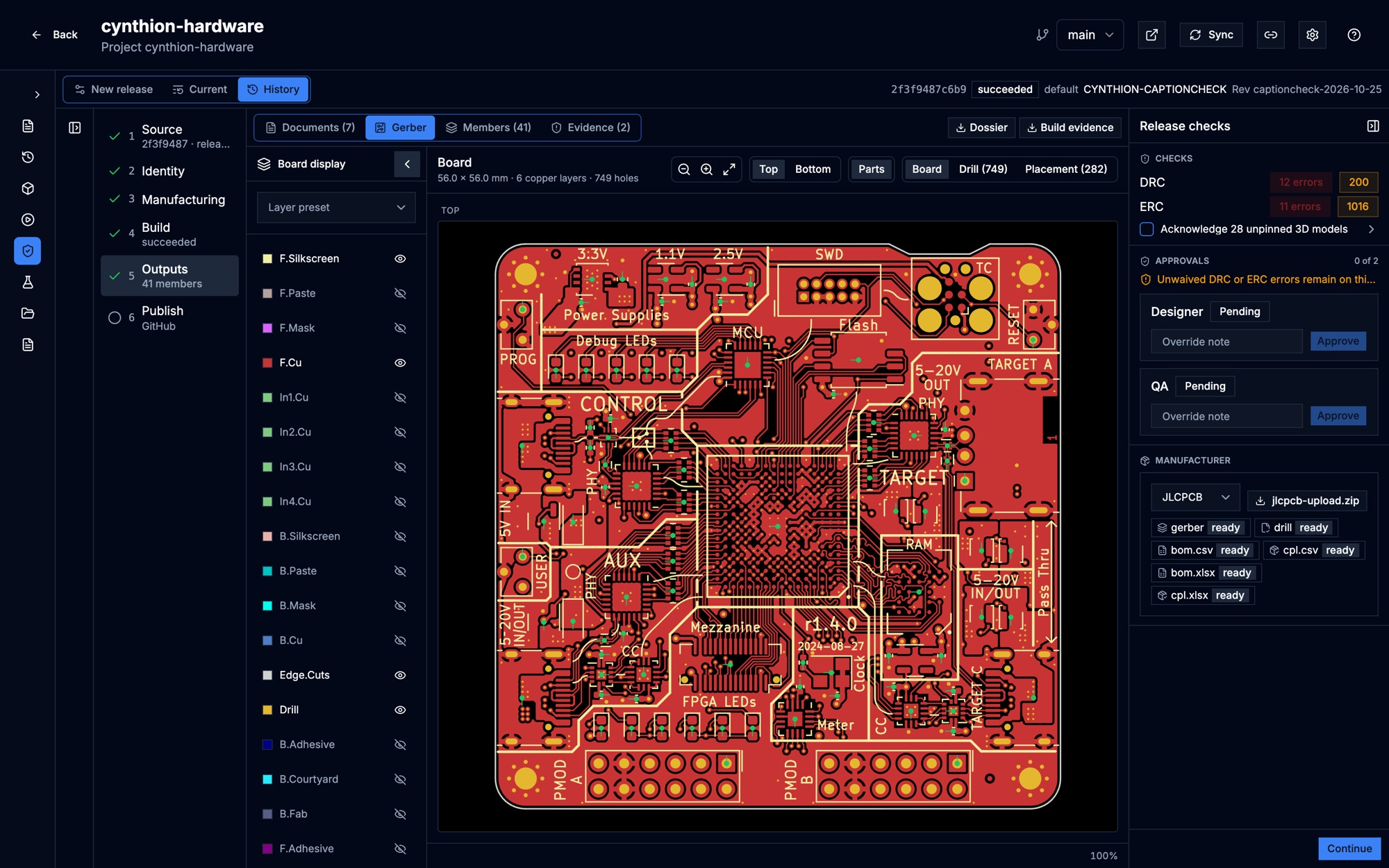
Release Studio takes a committed revision through source, identity, manufacturing, build, outputs and publish. It builds fabrication and assembly files, PDF documents and manufacturer packs, shows the Gerbers in the browser, records DRC/ERC evidence and designer and QA sign-off, and publishes the approved package to GitHub or GitLab Releases.
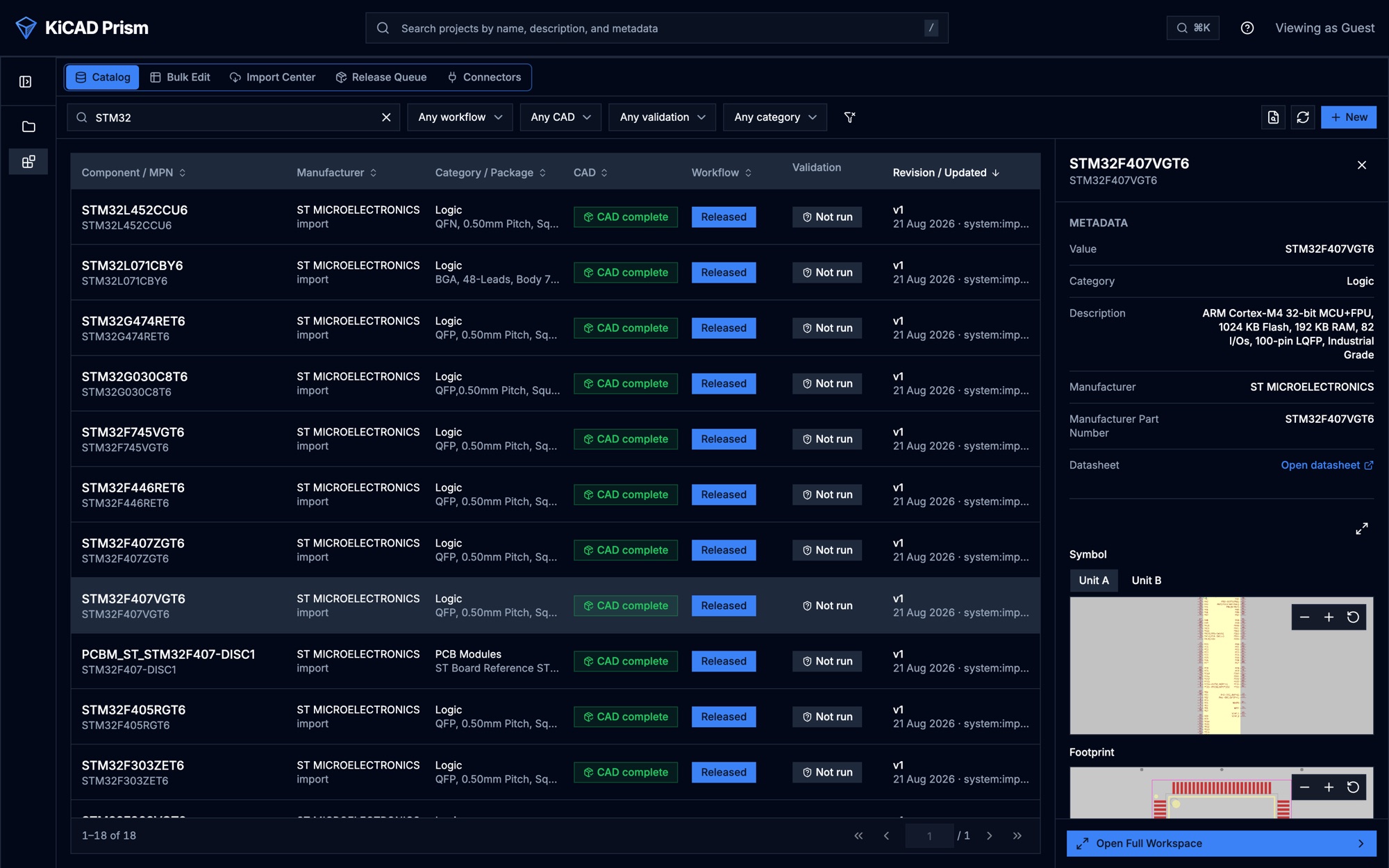
Library Manager is a component catalog with immutable revisions, reusable symbol, footprint, 3D and SPICE assets, optional KiCad Library Convention checks and a QA release flow. Components can be imported from library folders or from the parts your projects already use. Released parts reach desktop KiCad through the Remote Symbol Provider, which places the exact catalog revision with its 3D models embedded, or through a generated KiCad database library.
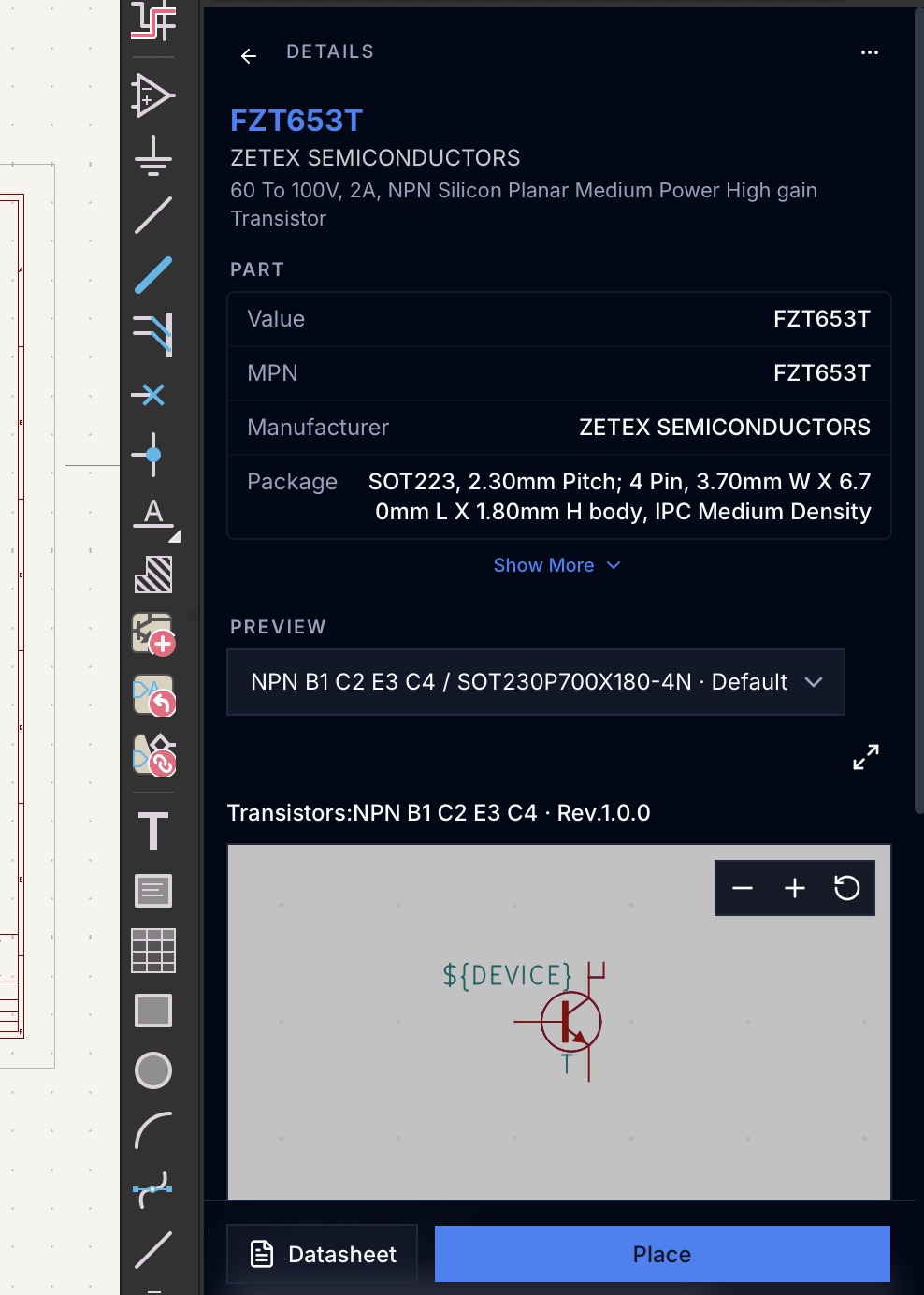
In KiCad, the Remote Symbol Provider panel shows a released part's details and symbol and footprint previews, and places it.
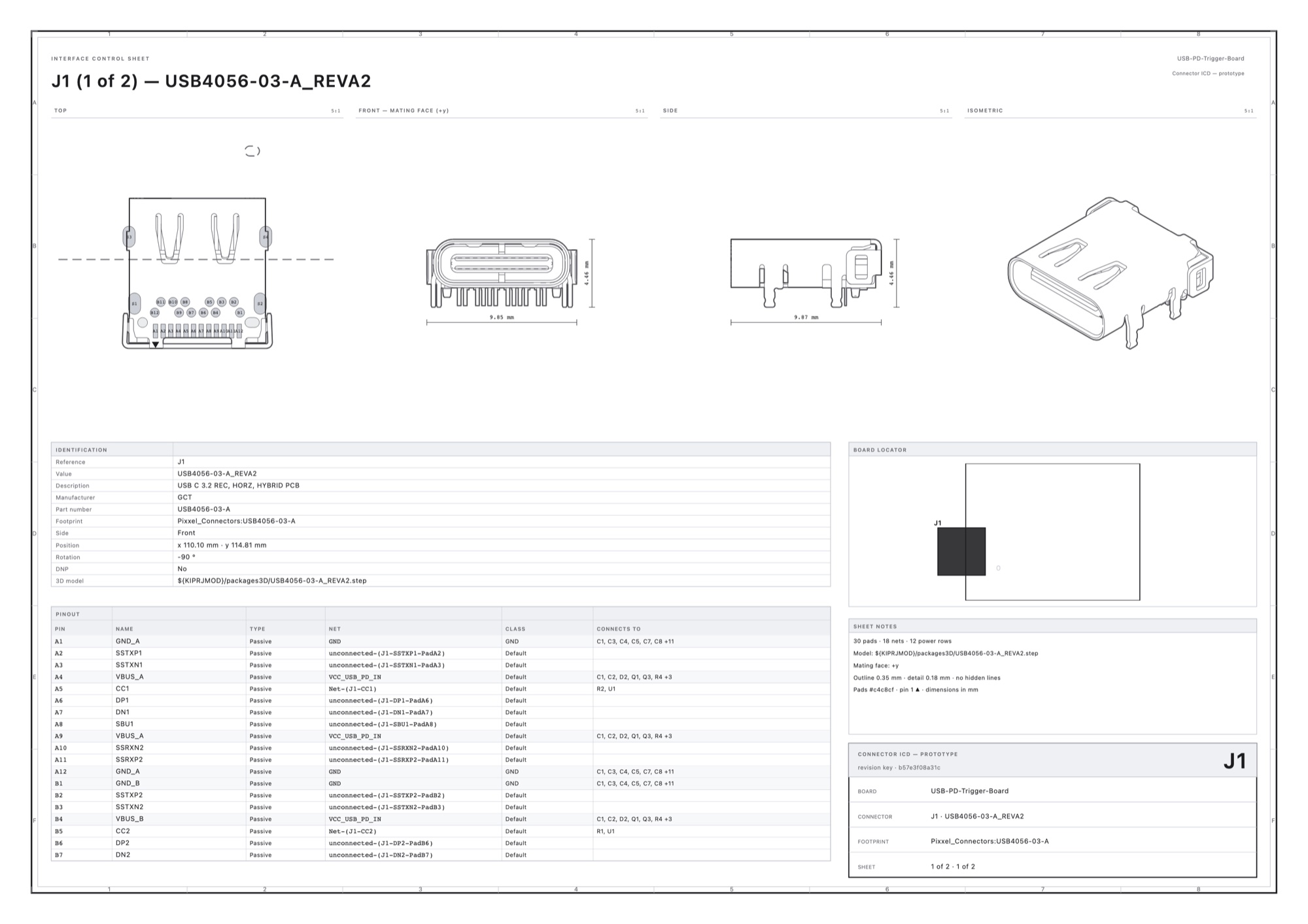
Generated documents are built from the same design bundle. The connector
interface control sheet below, one per connector with views from its STEP model,
a board locator and the pinout with the nets each pin reaches, comes from the
documentation prototypes in native/src/rs/prism-docs-lab.
The prototypes are run by hand and are not part of the product yet.
The screenshots show publicly available KiCad projects by other designers, imported into Prism the way a team would import its own. Their schematics, layouts, 3D models, documentation and design decisions are the work of their authors. They were not designed, generated or modified by Prism or its contributors, and they appear here only to show what Prism does with a real design. All rights stay with the authors under the projects' own terms.
| Project | Author | Source | License |
|---|---|---|---|
| Cynthion | Great Scott Gadgets | greatscottgadgets/cynthion-hardware | CERN-OHL-P v2 |
| WREN (vme-wren, vme-wren-fp-single, EDA-04903, EDA-04949) | CERN, BE-CEM | be-cem-edl/chronos/wren/wren-hw | CERN-OHL-W v2 or later and CC BY-SA 4.0, as stated on the schematic sheets |
| OpenSwitch 10x10G carrier and LAN969x | Quentin Freimanis | qfreiman/openswitch-10x10g-carrier, qfreiman/openswitch-lan969x | No license is stated in the repositories; see them for the author's terms |
| USB-PD-Trigger-Board | Krishna Swaroop (Prism maintainer) | krishna-swaroop/USB-PD-Trigger-Board | MIT |
| ThunderScope | EEVengers | EEVengers/ThunderScope | MIT |
| Jetson AGX Thor baseboard | Antmicro | antmicro/jetson-agx-thor-baseboard | Apache-2.0 |
The component catalog in the Library Manager screenshot is CERN's public KiCad database library. If you are an author of one of these designs and would like a screenshot changed, credited differently or removed, please open an issue.
| Service | Purpose |
|---|---|
frontend | React application and Nginx reverse proxy |
backend | FastAPI, authentication, authorization, and APIs |
prism-worker | project, comparison, visualization, and jobset work |
catalog-worker | catalog import, validation, preview, and release work |
postgres | workspace, comments, catalog, jobs, audit, and session data |
The API and both workers reuse one Prism backend image. Imported repositories
and generated assets live under data/projects; Git SSH state lives under
data/ssh. PostgreSQL and both directories are required for complete recovery.
See Architecture.
Normal users should open the latest stable GitHub Release and download its Linux AMD64 deployment archive and checksum.
Each generated bundle contains a pull-only Compose file and exact Prism image digests:
sha256sum -c kicad-prism-vX.Y.Z-linux-amd64.tar.gz.sha256
tar -xzf kicad-prism-vX.Y.Z-linux-amd64.tar.gz
cd kicad-prism-vX.Y.Z-linux-amd64
sha256sum -c SHA256SUMS
cp .env.example .env
# Configure authentication, domain, database password, and session secret.
docker compose pull
docker compose up -d --wait
The supported public deployment target is Linux AMD64. Native ARM64 release images are not currently published.
Follow Deployment for OIDC, TLS, storage, sizing, and production checks. If a historical release predates deployment bundles, build that stable tag from source as documented there.
For a first deployment from a source checkout, the guided installer can render the environment and proxy configuration for you instead of requiring every Compose setting to be assembled by hand. It supports Linux, macOS, WSL2, and Windows PowerShell, and requires Python 3.9 or newer plus Docker Compose v2.
From the repository root, run the launcher for your platform:
./deploy.sh.\deploy.ps1The installer asks which HTTPS/network scheme applies, collects the required
OIDC and deployment settings, runs preflight and network checks, and writes the
generated configuration under generated/. The output includes the environment
file, proxy configuration, Compose overlay, a redacted run record, and a
NEXT_STEPS.md checklist. Review the generated files before starting the
services, or let the installer start them after all checks pass:
./deploy.sh --startUseful first-run modes include:
./deploy.sh --dry-run                         # render without writing files
./deploy.sh --fresh                           # ignore existing generated config
./deploy.sh --answers answers.json --non-interactive
Generated configuration contains deployment secrets and is excluded from Git;
back it up with the rest of the Prism deployment state. The installer is a
guided configuration layer, not a replacement for the Deployment
and Operations guides. For a stable release archive,
follow the pull-only bundle instructions above and use the installer only when
working from a source checkout that includes deploy.sh or deploy.ps1.
All feature development and source testing happen through dev:
git clone --branch dev https://github.com/krishna-swaroop/KiCAD-Prism.git
cd KiCAD-Prism
cp .env.example .env
docker compose up --build -d
For a private local evaluation, explicitly set AUTH_ENABLED=false. Never use
guest administrator mode on a shared or reachable host.
See Getting started and Contributing.
dev through pull requests.dev is the integration branch for the next release.dev into protected main.main commit builds, smoke-tests,
and publishes the AMD64 images and deployment bundle.See Release process.
The full documentation is published at
https://krishna-swaroop.github.io/KiCAD-Prism/, built from website/ on
every change to main.
Release notes and in-repository design notes are indexed in
docs/README.md.
main contains stable release history; the latest release is
v5.0.2-alpha.
dev holds unreleased work and may change between releases.
Current boundaries include:
See Platform overview before planning a team rollout.
Changes target protected dev through pull requests. The required quality gate
validates frontend, backend, semantic viewer, the native Rust workspace and its
projection parity, source Compose, and release deployment configuration.
Prism builds on work from the KiCad ecosystem, including:
KiCAD Prism is licensed under the Apache License 2.0.
| Qty | Value | Footprint | References |
|---|---|---|---|
| 14 | OffsetDrills | Oracle:OffsetDrills | J8, J9, J10, J11, J12, J13, J14, J22, J23, J24, J25, J26, J27, J28 |
| 14 | PinHeader_1x04_P2.54mm_Vertical | PinHeader_1x04_P2.54mm_Vertical | J1, J2, J3, J4, J5, J6, J7, J15, J16, J17, J18, J19, J20, J21 |
| 14 | R_0603_1608Metric | R_0603_1608Metric | R1, R2, R3, R4, R5, R6, R7, R8, R9, R10, R11, R12, R13, R14 |
| 14 | SOIC-8_3.9x4.9mm_P1.27mm | SOIC-8_3.9x4.9mm_P1.27mm | U1, U2, U3, U4, U5, U6, U7, U8, U9, U10, U11, U12, U13, U14 |
| 14 | SOT-23 | SOT-23 | Q1, Q2, Q3, Q4, Q5, Q6, Q7, Q8, Q9, Q10, Q11, Q12, Q13, Q14 |
| 8 | UnusualPads | Oracle:UnusualPads | U100, U101, U102, U103, U104, U105, U106, U107 |
| 1 | ArcLink | Oracle:ArcLink | J91 |
| 1 | EdgePads | Oracle:EdgePads | J90 |
| 1 | SolderJumper-2_P1.3mm_Open_Pad1.0x1.5mm | SolderJumper-2_P1.3mm_Open_Pad1.0x1.5mm | JP1 |
vsfteam/vsf
Versaloon Software Framework -- a tiny preemptive-capable event-driven incremental software framework for embedded systems

shilga/rp-gameboy-cartridge-hw
You should order with ENIG (electroless nickel immersion gold) plating. While the cartridge will work with HASL you will getter contact with ENIG and it is less prone to wearing down.

atomic14/esp32-tv-hardware
This is Work In Progress - I'm still working on this.

nataliethenerd/GCController23-0899D
Game Cube Controller 23-0899D reverse engineer


will127534/microSD-Switcher-Reader
A simple USB3.0 uSD card reader with a SD card switch for SBCs

protolux-electronics/soleil_hardware
Hardware design files for Soleil, an open source power management and sleep control board for Raspberry Pi

Geophysical-Instrumentation-Group-UL/Geophysical-Open-Seismic-Hardware
Hardware and firmware of the Geophysical Open Seismic Hardware project. The goal is to stimulate open development in geophysical instrumentation
It measures 320 × 280 mm and has 4 copper layers, 1.6 mm thick.
81 parts. The full list of its parts is on this page, with links to each part's symbol and footprint where PCBKit's library has them.
From the krishna-swaroop/KiCAD-Prism repository on GitHub, at the commit this page was made from: the board is native/parity/docs-oracle/board/oracle.kicad_pcb. PCBKit opens the board in the browser, with nothing to install.
Its repository publishes it under the Apache-2.0 licence: you may reuse it on that licence's terms (keep the author's notice, and for a copyleft licence share your changes alike).