4 layers117.3 × 78.7 mm
OSMC Receiver
Koalaven/Open-Source-Modular-Controller
A modular controller that can be configure to how you want to use it
91 parts
 Koalaven/Open-Source-Modular-Controller
A modular controller that can be configure to how you want to use it
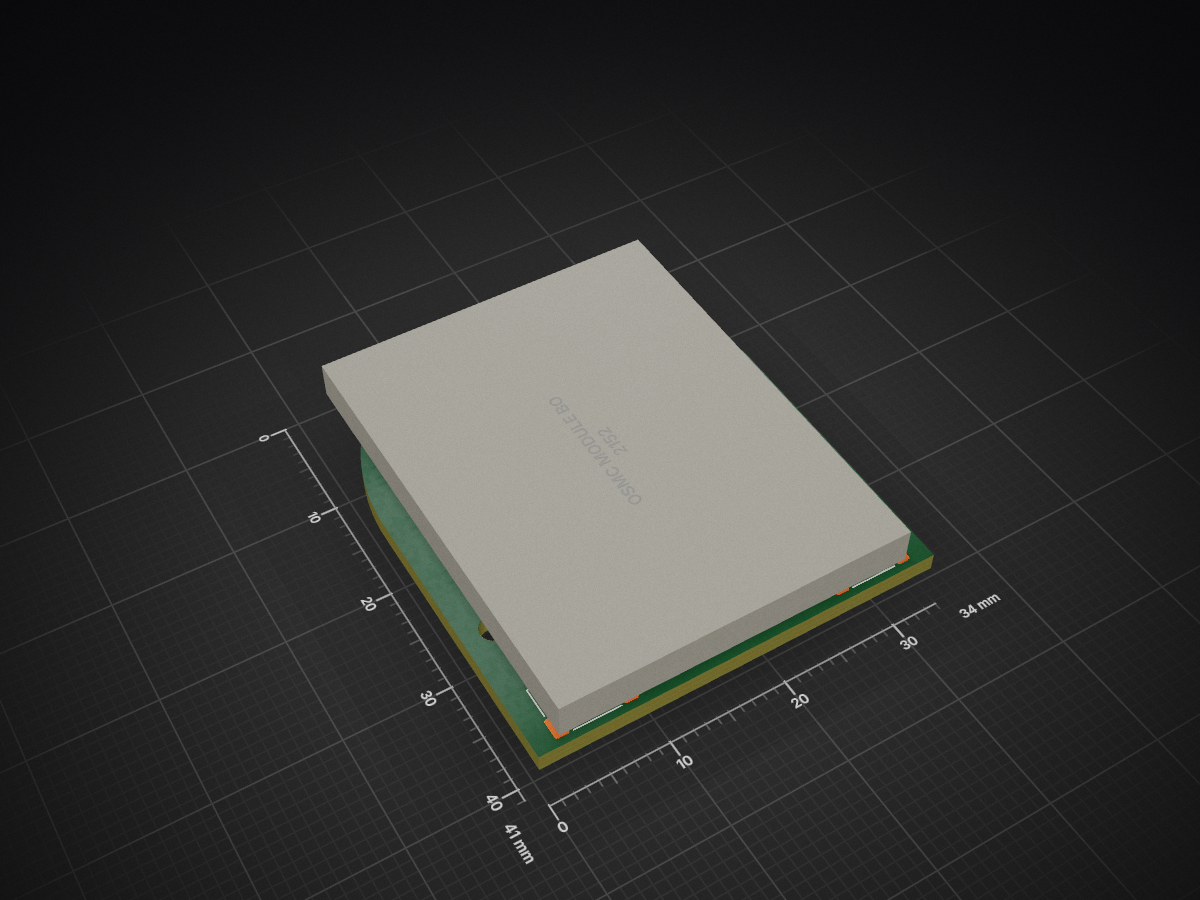
OSMC Module Buttons Nav is an open-source printed circuit board by Koalaven, from the Koalaven/Open-Source-Modular-Controller repository on GitHub. It is a 4-layer board of 34 × 41 mm with 15 parts on 24 nets, routed with 162 tracks and 36 vias.
It is built around the PCF8574DWR, 24LC02BT-I/OT and EAST1616RGBB2. Its parts include 4 switches, 3 ICs, 2 resistors, 2 diodes and 1 connector.


Using a modular, reconfigurable hardware architecture to create a customizable USB HID game controller.
The Open Source Modular Controller project is a fully modular and customizable gaming input system. Users can freely rearrange joysticks, buttons, and future input modules on a set of interchangeable receiver boards to build a layout that fits their gameplay style, ergonomic needs, or accessibility requirements.
The controller connects over USB and is recognized as a standard Human Interface Device (HID) with no additional drivers required.

The current prototype includes:
The system operates as a recognized USB gamepad on Windows. Some hardware issues were identified and corrected in updated revisions.
The repository is organized as follows:
Core system components include:
USB HID enumeration and report handling are implemented using TinyUSB. Modules communicate through standardized connectors to the controller board.
A full BOM including the ESP32‑S3 boards, connector sets, resistors, capacitors, PCBs, wire, and 3D‑printed components is provided in the documentation.
BOM
For the Enterprise Program at Michigan Tech there is a end of semester and project report for the project to summarize the progress of the project. Link
This project is supported by the Open Source Hardware Enterprise at Michigan Technological University.
| Qty | Value | Footprint | References |
|---|---|---|---|
| 4 | SW_Push | footprints:SW_Push_1P1T_XKB_TS-1187A | SW1, SW2, SW3, SW4 |
| 3 | SolderJumper_2_Bridged | Jumper:SolderJumper-2_P1.3mm_Bridged2Bar_Pad1.0x1.5mm | JP1, JP2, JP3 |
| 2 | R | PCM_Resistor_SMD_AKL:R_0603_1608Metric_Pad0.98x0.95mm | R1, R2 |
| 1 | 24LC02BT-I/OT | Library:SOT-23-5_MC_MCH | U2 |
| 1 | Conn_01x08_Socket | Library:OSMC_Button_Membrane | J1 |
| 1 | EAST1616RGBB2 | EAST1616RGBB2:EAST1616RGBB2_EVE | LED1 |
| 1 | LED | LED_SMD:LED_0603_1608Metric_Pad1.05x0.95mm_HandSolder | D4 |
| 1 | OSMC Module Board w/pins | Library:Module standard pin large | U1 |
| 1 | PCF8574DWR | Library:DW16 | U3 |
Koalaven/Open-Source-Modular-Controller
A modular controller that can be configure to how you want to use it

Koalaven/Open-Source-Modular-Controller
A modular controller that can be configure to how you want to use it

Koalaven/Open-Source-Modular-Controller
A modular controller that can be configure to how you want to use it

Koalaven/Open-Source-Modular-Controller
A modular controller that can be configure to how you want to use it

Koalaven/Open-Source-Modular-Controller
A modular controller that can be configure to how you want to use it

Koalaven/Open-Source-Modular-Controller
A modular controller that can be configure to how you want to use it

Koalaven/Open-Source-Modular-Controller
A modular controller that can be configure to how you want to use it

Koalaven/Open-Source-Modular-Controller
A modular controller that can be configure to how you want to use it

Koalaven/Open-Source-Modular-Controller
A modular controller that can be configure to how you want to use it

Koalaven/Open-Source-Modular-Controller
A modular controller that can be configure to how you want to use it

Koalaven/Open-Source-Modular-Controller
A modular controller that can be configure to how you want to use it

nekaas/LumaDIY
ESP32-C3 SuperMini educational development board — learn electronics, programming, sensors & robotics

tangles-0/cyberdeck-scout
// #ifndef PINPA0 // #define PINPA0 11 // #endif // #ifndef PINPA1 // #define PINPA1 8 // #endif // #ifndef PINPA2 // #define PINPA2 9 // #endif // #ifndef PINPA3 // #define PINPA3 10 // #endif // #ifndef PINPA4 //…

oomlout/oomlout_oomp_project_bot_v_2

logisim-evolution/GECKO5Education
Openhardware educational platform based on the ideas of the ulx3s and Gecko4Education


aswild/corncob
Corncob is an adapter to run standard 12V PWM computer fans off of a USB power source. It boosts 5V or 9V USB-PD power to 12V and outputs a PWM control signal.


gabrielpgagne/imu-geolocator-hw
An experimental project about trying to use an IMU as a geolocalization device.
It measures 34 × 41 mm and has 4 copper layers, 1.6 mm thick.
15 parts, built around the PCF8574DWR, 24LC02BT-I/OT and EAST1616RGBB2. The full list of its parts is on this page, with links to each part's symbol and footprint where PCBKit's library has them.
From the Koalaven/Open-Source-Modular-Controller repository on GitHub, at the commit this page was made from: the board is Hardware/PCBs/module/OSMC_Module_Buttons-Nav/OSMC_Module_Buttons-Nav.kicad_pcb and its schematic Hardware/PCBs/OSMC_Receiver/Modules.kicad_sch. PCBKit opens the board in the browser, with nothing to install.
Its repository states no licence, so its author keeps all rights: ask Koalaven before reusing the design.