
2 layers89 × 100 mm
Hub16
joshajohnson/Hub16
A macro pad with 16 keys, two rotary encoders, a four port USB hub, and plenty of LEDs!
132 parts388

A macro pad with 16 keys, two rotary encoders, a four port USB hub, and plenty of LEDs!
Hub16 is an open-source printed circuit board by joshajohnson, from the joshajohnson/Hub16 repository on GitHub. It is a 2-layer board of 89 × 100 mm with 132 parts on 99 nets, routed with 1,282 tracks and 181 vias.
It is built around the CY7C65632-28LTXCT, USBLC6-2SC6 and ATMEGA32U4, with the WS2812B among its other parts. Its parts include 38 capacitors, 28 diodes, 19 switches, 13 resistors and 6 ICs. It belongs with the keyboards and input boards and the AVR (ATmega, ATtiny) boards of this library.


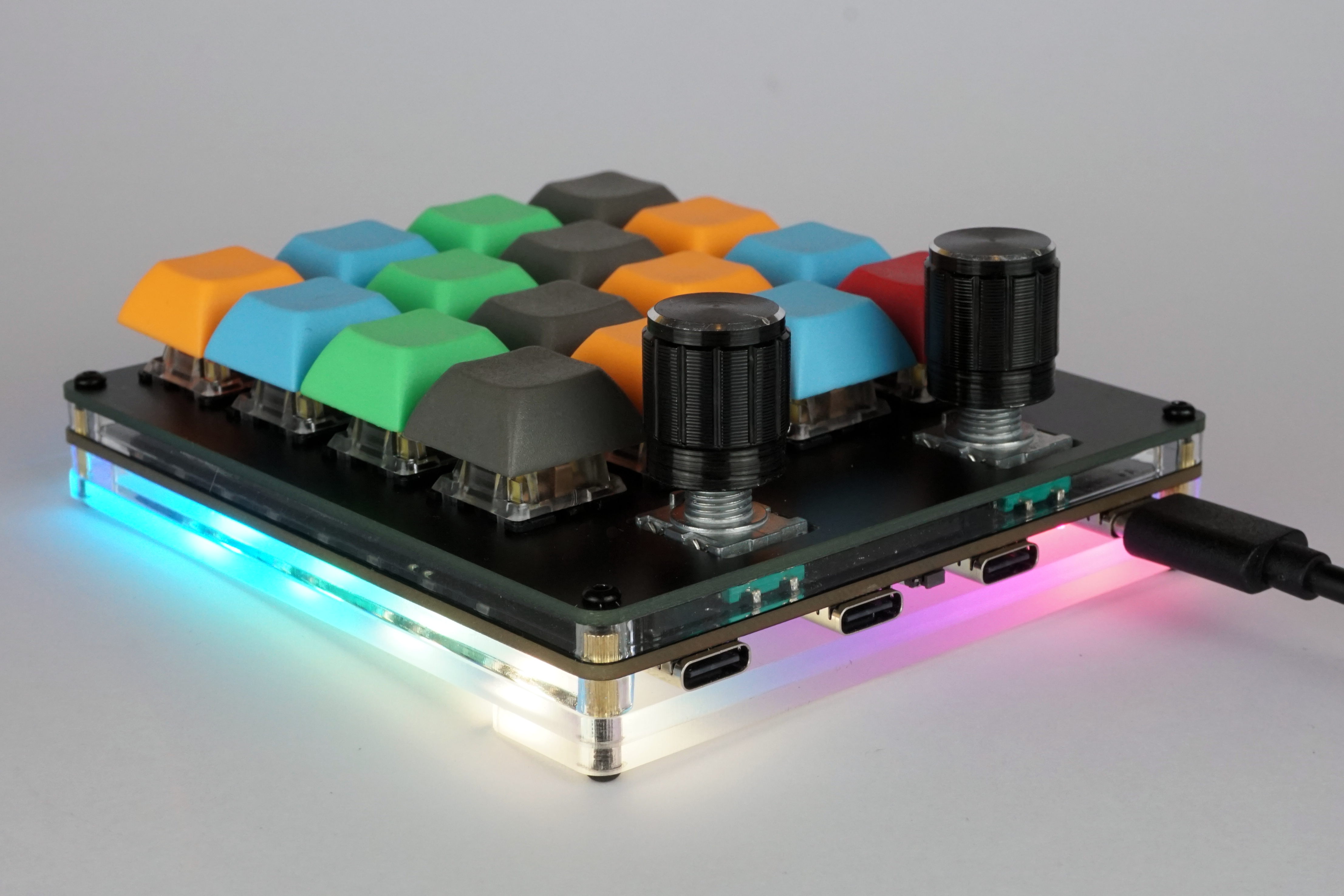
Hub16 is a macropad with a bunch of features you never knew you needed. They include:
Project is stable, with assembled boards available at Tindie.
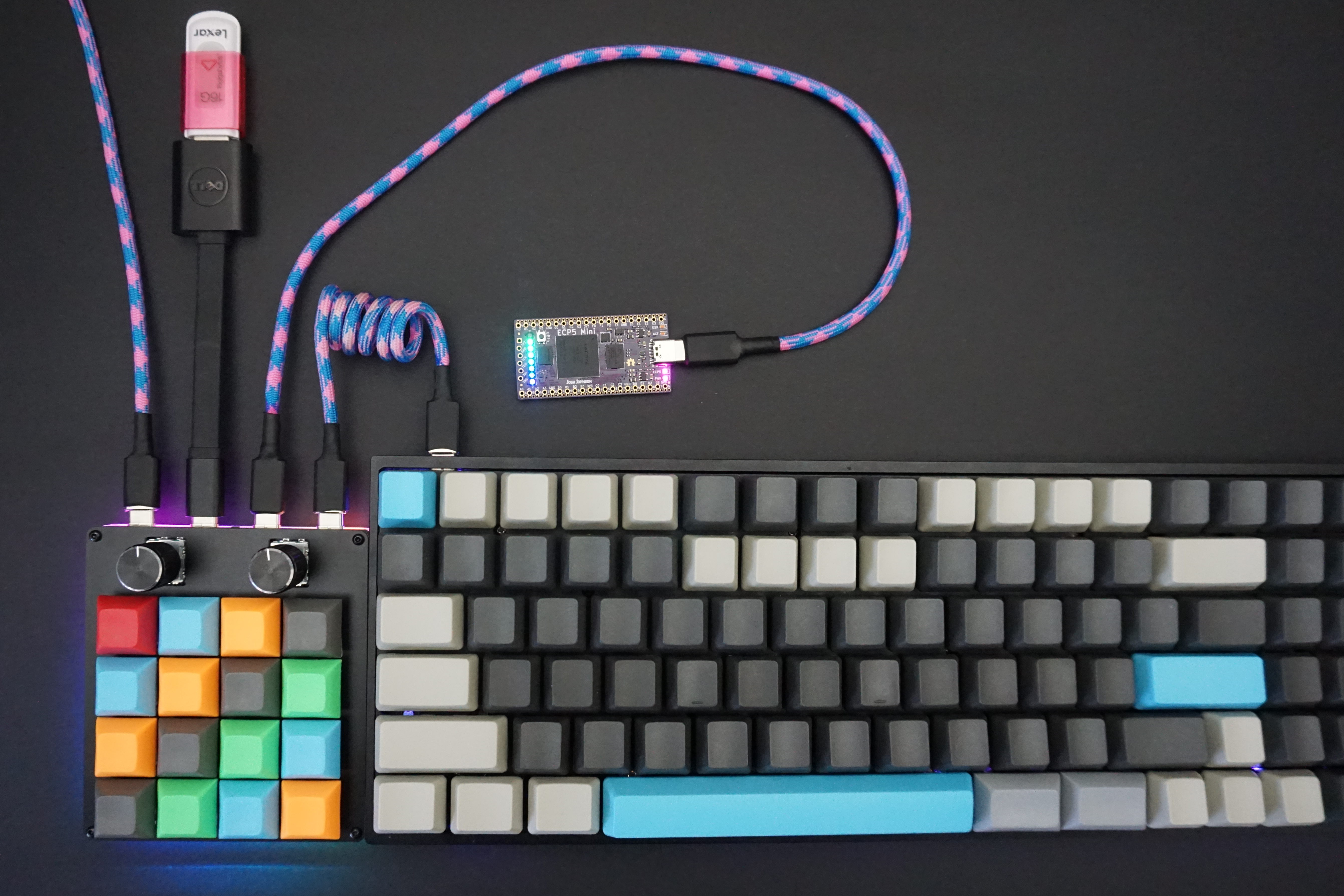
Documents contains all documentation and images for the project.Firmware contains both the source and precompiled binaries for Hub16.Hardware contains the KiCad design files for the keyboard.josh-kicad-lib is my personal KiCad parts library which contains many of the parts used.Mechanicals contain the plate and case design for Hub16.Production contains all the files required to produce the PCB. It also contains test scripts and jigs.Software contains all the VIA config, along with template script to use Hub16 as a macropad with software on your computer.The hub is a four port USB 2.0 Hub with Type-C connectors, aimed at allowing connection of keyboards, mice, memory sticks, wireless receivers, and other small devices (including a second Hub16!) to your computer.
Due to cost and space constraints, the hub has some limitations. The hub is not:
Might you be able to charge your phone whilst copying files at full speed of a spinning hard drive over a long cable? Maybe. However Hub16 is a macropad first, USB hub second, so if you are looking for a high performance device I'd suggest picking up a dedicated USB hub and just using Hub16 as a macropad.
p not functioning correctly.If you have any questions or comments please get in touch. Asking in the No Sharp Corners Discord Discord or opening an issue / pull request will result in the quickest response.
| Qty | Value | Footprint | References |
|---|---|---|---|
| 27 | 100n | Capacitor_SMD:C_0603_1608Metric | C10, C11, C13, C14, C15, C16, C21, C23, C24, C25, C26, C27, C28, C29, C30, C31 +11 |
| 16 | D | Diode_SMD:D_SOD-123 | D5, D6, D7, D8, D11, D12, D13, D14, D17, D18, D19, D20, D24, D25, D26, D27 |
| 16 | KEYSW | josh-keyboard:MX_KEYSWITCH | K1, K2, K3, K4, K6, K7, K8, K9, K11, K12, K13, K14, K16, K17, K18, K19 |
| 11 | WS2812B | LED_SMD:LED_WS2812B_PLCC4_5.0x5.0mm_P3.2mm | D2, D3, D4, D10, D16, D22, D23, D29, D30, D31, D32 |
| 7 | 10K | Resistor_SMD:R_0603_1608Metric | R2, R5, R8, R9, R10, R11, R12 |
| 5 | 1u | Capacitor_SMD:C_0603_1608Metric | C4, C5, C19, C20, C22 |
| 5 | 600R | josh-passives-smt:Ferrite_Bead_0603 | FB1, FB2, FB3, FB4, FB5 |
| 4 | 22p | Capacitor_SMD:C_0603_1608Metric | C2, C3, C17, C18 |
| 4 | MH-M3 | MountingHole:MountingHole_3.2mm_M3_ISO14580 | H1, H2, H3, H4 |
| 4 | USBLC6-2SC6 | Package_TO_SOT_SMD:SOT-23-6 | U1, U4, U5, U6 |
| 4 | USB_C_Receptacle_USB2.0 | josh-connectors:USB_C_U262-161N-4BVC11 | J1, J3, J4, J5 |
| 3 | 10K | Resistor_SMD:R_Array_Convex_4x0603 | RN1, RN3, RN5 |
| 3 | 200mA | josh-passives-smt:Fuse_0805_2012Metric | F2, F3, F4 |
| 3 | 5K1 | Resistor_SMD:R_0603_1608Metric | R1, R3, R4 |
| 2 | 10u | Capacitor_SMD:C_0603_1608Metric | C1, C12 |
| 2 | 22R | Resistor_SMD:R_0603_1608Metric | R6, R7 |
| 2 | Rotary_Encoder_Switch | josh-buttons-switches:RotaryEncoder_Alps_EC11E-Switch_Vertical_H20mm_CircularMountingHoles | SW2, SW3 |
| 1 | 12MHz | josh-oscillators:Crystal_SMD_3225-4Pin_3.2x2.5mm | Y2 |
| 1 | 16MHz | josh-oscillators:Crystal_SMD_3225-4Pin_3.2x2.5mm | Y1 |
| 1 | 500mA | josh-passives-smt:Fuse_0805_2012Metric | F1 |
| 1 | 649R | Resistor_SMD:R_0603_1608Metric | R14 |
| 1 | ATMEGA32U4 | josh-dfn-qfn:QFN-44-1EP_7x7mm_P0.5mm_EP5.2x5.2mm_ThermalVias | U2 |
| 1 | AVR-ISP-6 | josh-connectors:AVR_PROG_2.54_THT | J2 |
| 1 | Board-Details | josh-logos:board-title | LOGO3 |
| 1 | CY7C65632-28LTXCT | josh-dfn-qfn:QFN-28-1EP_5x5mm_P0.5mm_EP3.35x3.35mm_ThermalVias | U3 |
| 1 | Josh-Details | josh-logos:josh-details | LOGO2 |
| 1 | Josh-Logo | josh-logos:josh-johnson-logo-17x3 | LOGO1 |
| 1 | KMR2 | josh-buttons-switches:Panasonic_EVQPUL_EVQPUC | SW1 |
| 1 | LED | LED_SMD:LED_0603_1608Metric | D1 |
| 1 | LED_ON | Jumper:SolderJumper-2_P1.3mm_Bridged_RoundedPad1.0x1.5mm | JP11 |
| 1 | Logo_Open_Hardware_Small | josh-logos:OSHW-Logo2_9.8x8mm_Mask | LOGO4 |
joshajohnson/Hub16
A macro pad with 16 keys, two rotary encoders, a four port USB hub, and plenty of LEDs!

joshajohnson/Hub16
A macro pad with 16 keys, two rotary encoders, a four port USB hub, and plenty of LEDs!

joshajohnson/Hub16
A macro pad with 16 keys, two rotary encoders, a four port USB hub, and plenty of LEDs!

joshajohnson/Hub16
A macro pad with 16 keys, two rotary encoders, a four port USB hub, and plenty of LEDs!

joshajohnson/Hub16
A macro pad with 16 keys, two rotary encoders, a four port USB hub, and plenty of LEDs!

joshajohnson/Hub20
Hub20 is a numpad with a bunch of features you never knew you needed.


0xCB-dev/0xCB-micro
1% - 65% keyboard controller with RGB underglow and a backlight driver


It measures 89 × 100 mm and has 2 copper layers, 1.6 mm thick.
132 parts, built around the CY7C65632-28LTXCT, USBLC6-2SC6, ATMEGA32U4 and WS2812B. The full list of its parts is on this page, with links to each part's symbol and footprint where PCBKit's library has them.
From the joshajohnson/Hub16 repository on GitHub, at the commit this page was made from: the board is Hardware/0.7/Hub16.kicad_pcb. PCBKit opens the board in the browser, with nothing to install.
Its repository states no licence, so its author keeps all rights: ask joshajohnson before reusing the design.