2 layers159.5 × 30 mm
Type f
google/mozc-devices
Circuit diagrams and firmware source code for Gboard DIY keyboards
25 parts3kApache-2.0

 jeremyrapalo6-collab/Starfall1
Starfall is my first hardware project. I wanted to make a macropad because it seemed cool, and I chose to use my favorite colors, black and purple, along with my group name, LTC.
Starfall is an open-source printed circuit board by jeremyrapalo6-collab, from the jeremyrapalo6-collab/Starfall repository on GitHub. It is a 2-layer board of 84.9 × 96.9 mm with 25 parts on 23 nets, routed with 149 tracks and 1 via.
Its parts include 10 switches, 9 diodes and 2 ICs.
Starfall is my first hardware project. I wanted to make a macropad because it seemed cool, and I chose to use my favorite colors, black and purple, along with my group name, LTC. This was a cool but long project, and I learned a lot while making it.
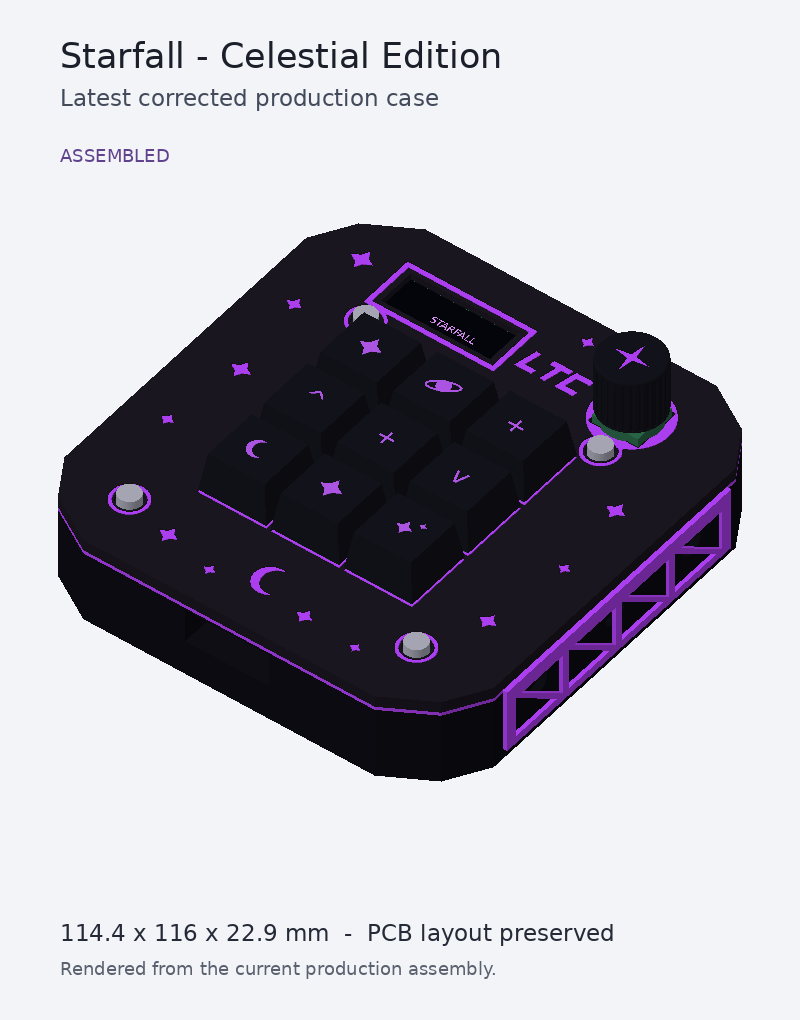
Starfall is a 9-key macropad with a rotary encoder and a small OLED display. I designed it around a Seeed Studio XIAO RP2040 and made a custom PCB and case for it.
The macropad has three modes:
The bottom-right key changes between the three modes, and the OLED shows which mode is active.
The Celestial case pairs a black shell with purple side trusses, stars, a crescent and a bold slanted LTC logo. It has a stepped OLED surround and a recessed USB-C opening. Keycap symbols are illustrative; the preview includes the printable Starfall star knob.
The firmware uses KMK / CircuitPython.
The three layers are:
Copy, paste, cut, undo, redo, select all, screenshot, media play/pause, and mode change.
A set of gaming keys plus the mode-change key.
VS Code shortcuts such as run, debug, format, comment, terminal, split editor, command palette, quick open, and mode change.
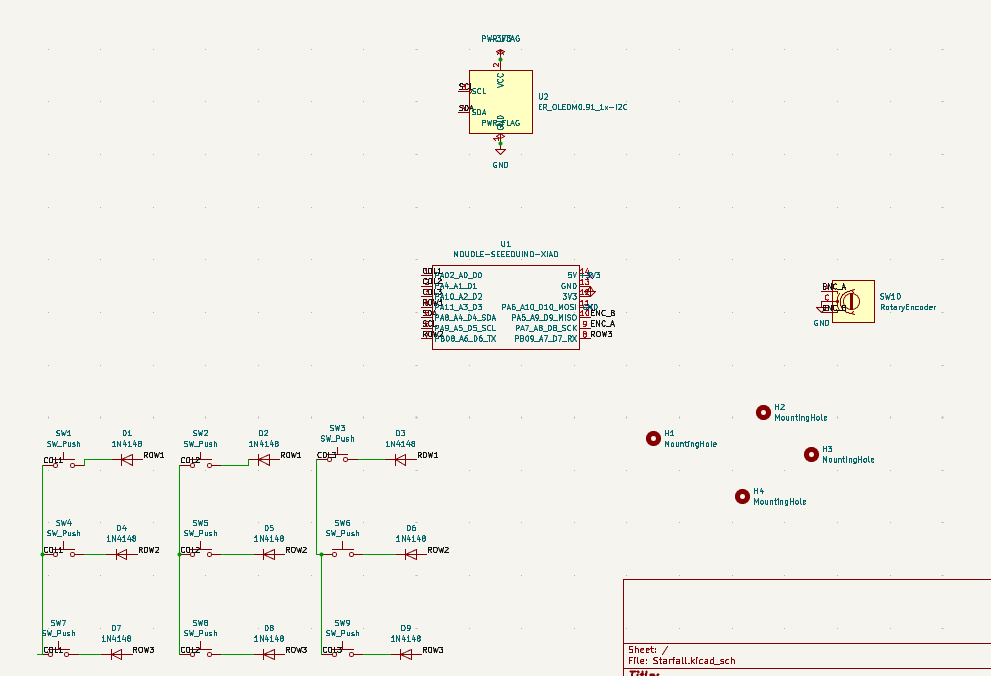
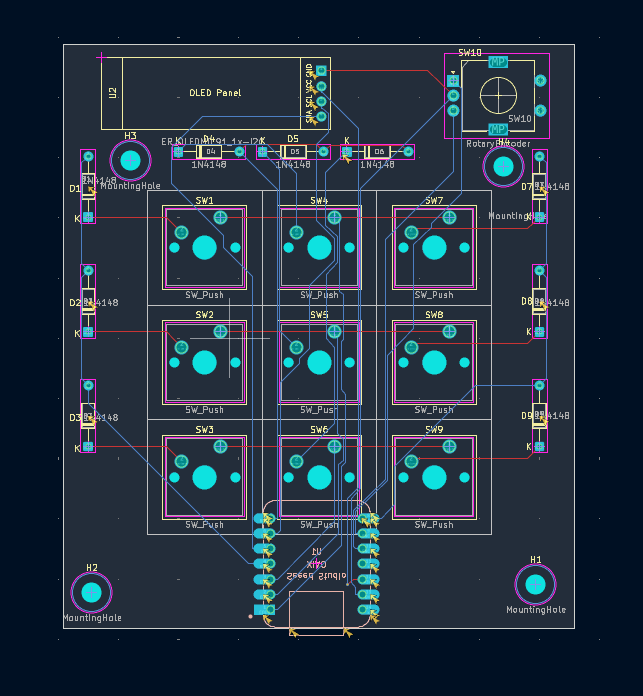
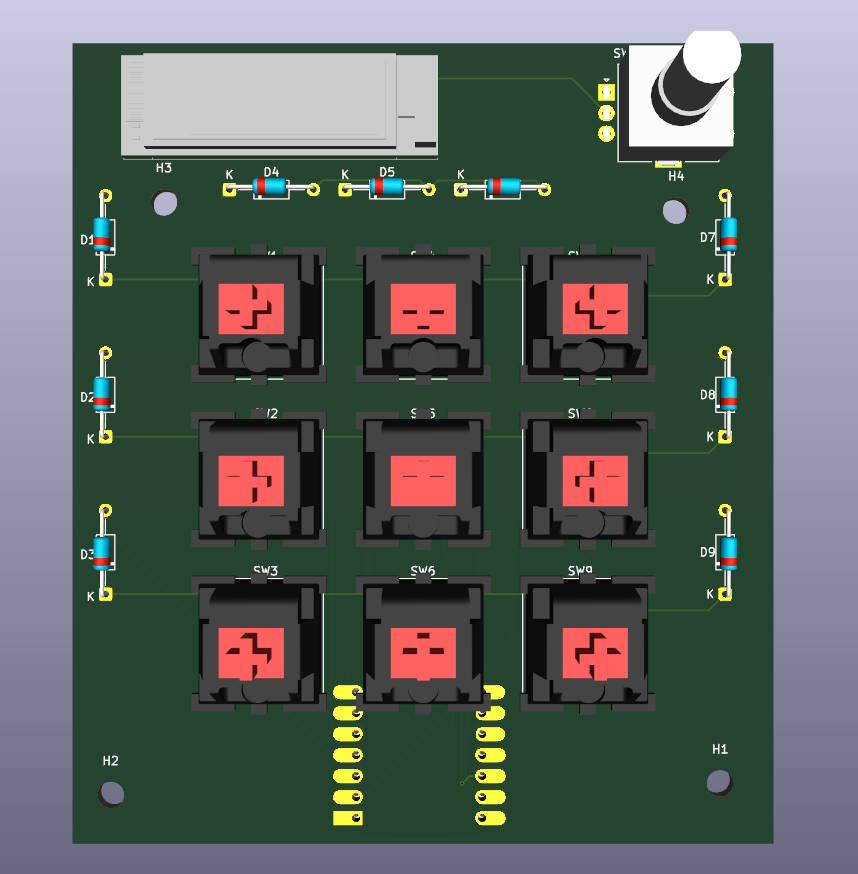
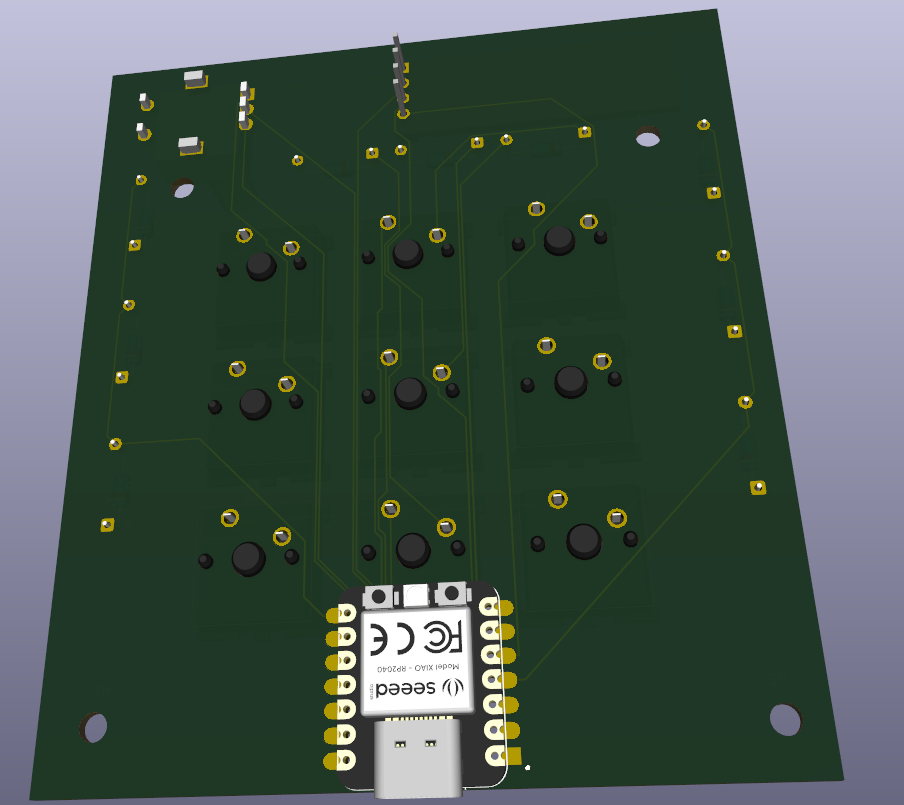
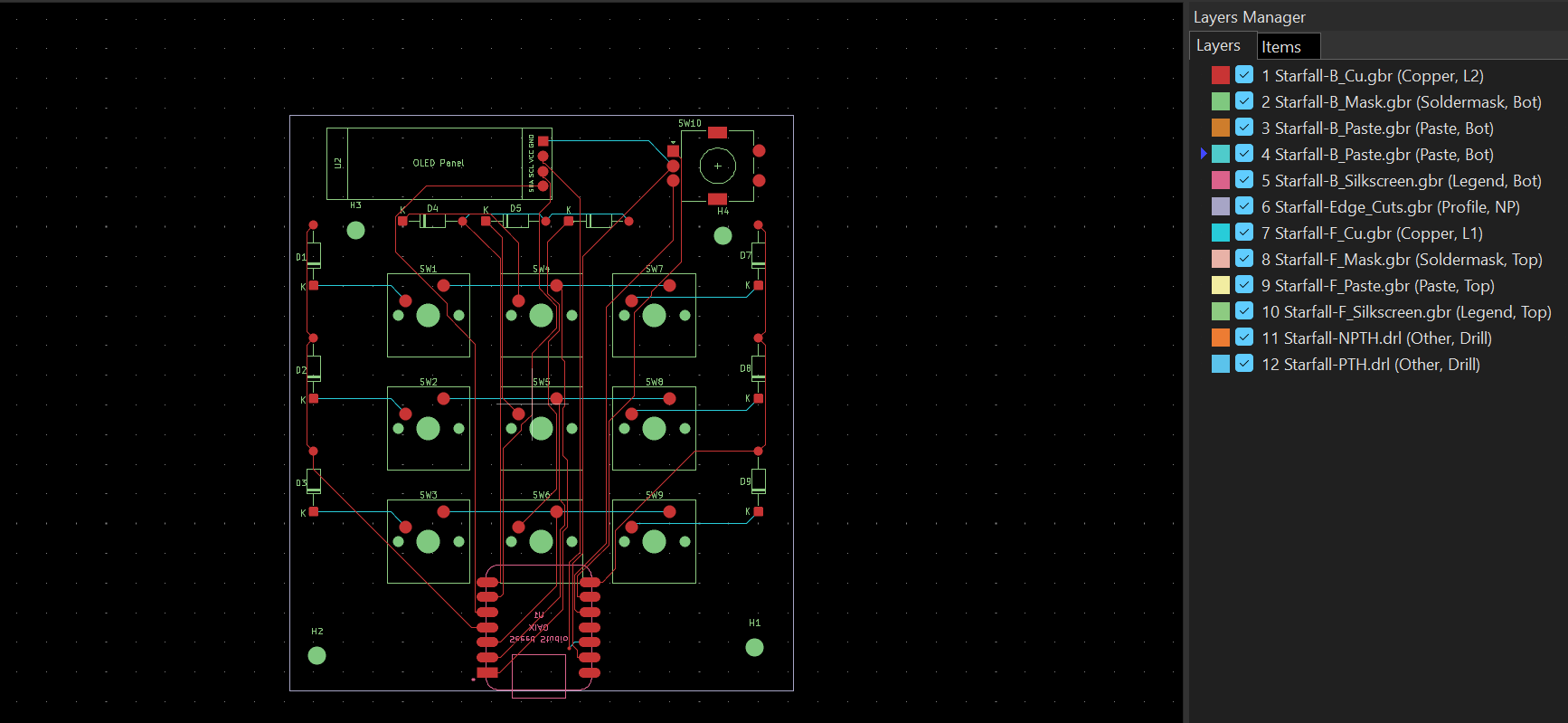
The current case is Starfall Celestial (114.4 x 116 x 22.9 mm including side trusses).
production/Top.STEP and production/Bottom.STEP.production/Middle_Purple.STEP and production/Purple_Inlays_Print_Layout.STEP (one set of accents).Purple_Inlays.STEP is the same accents in assembled positions: do not print both accent files.The L has been shifted 0.35 mm right. The taller bottom retains M3x16 screws with recessed insert seats. The PCB layout is unchanged. Print the switch/insert coupons and check your actual cable before a full case: CAD checks do not guarantee physical fit. All files in production are current. The case PNGs and older assembly filenames are synchronized to the latest Celestial case; PCB screenshots describe the unchanged PCB.
Automated CAD results: mechanical, exports, structural intersections.
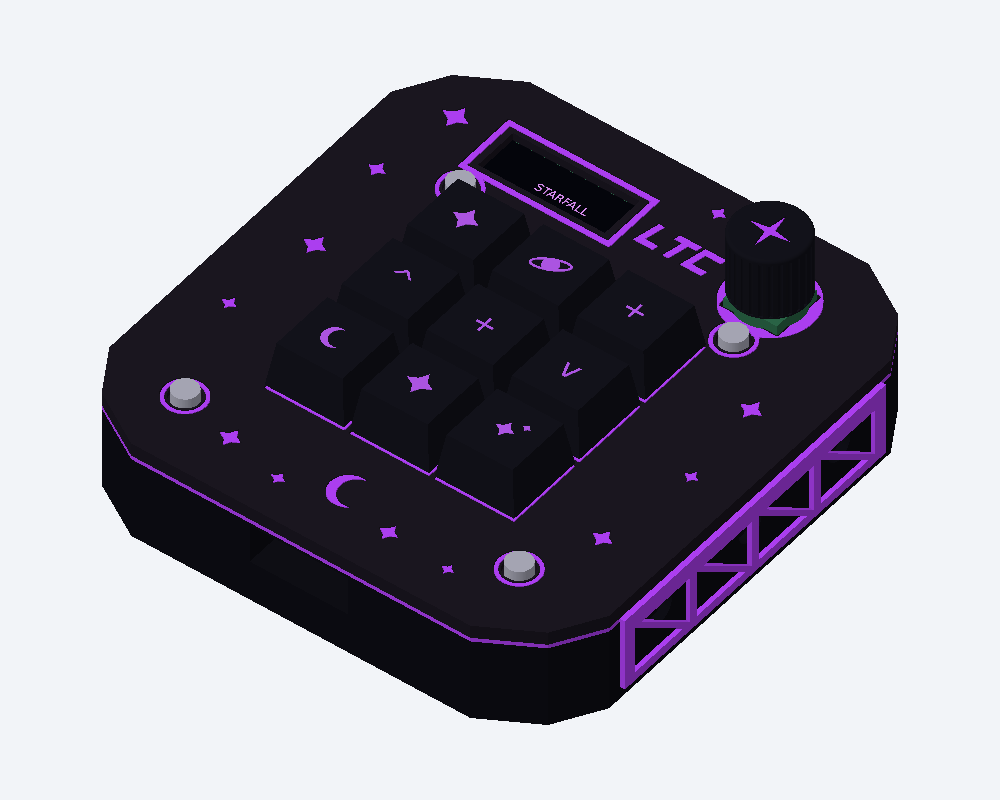
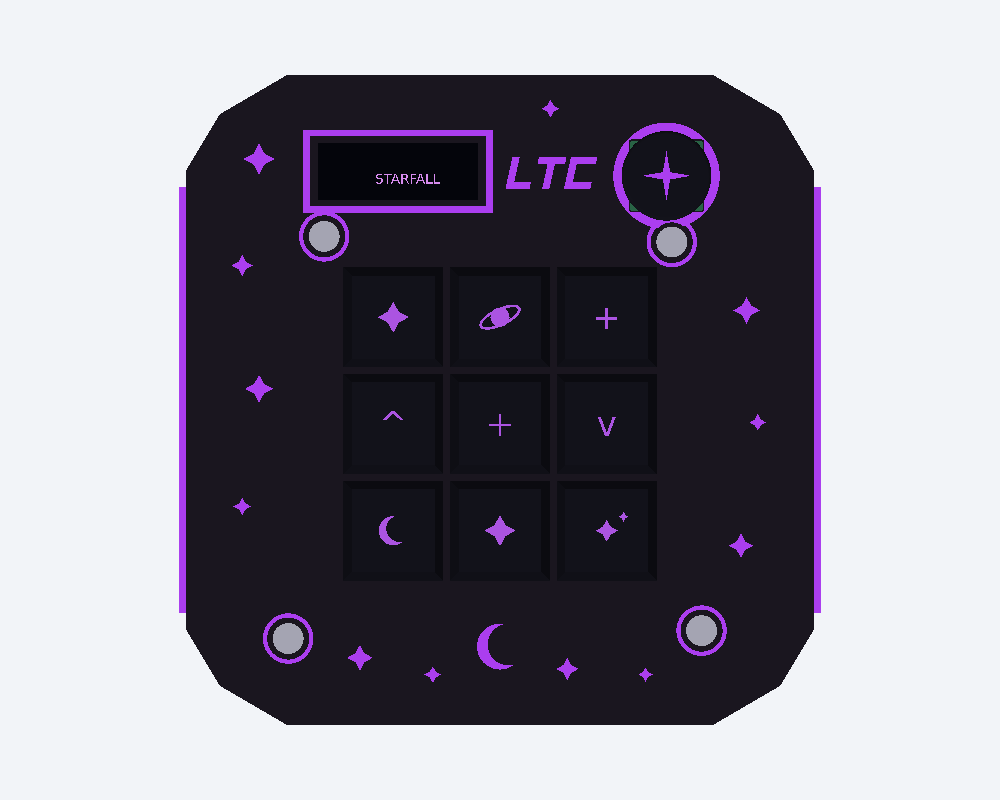
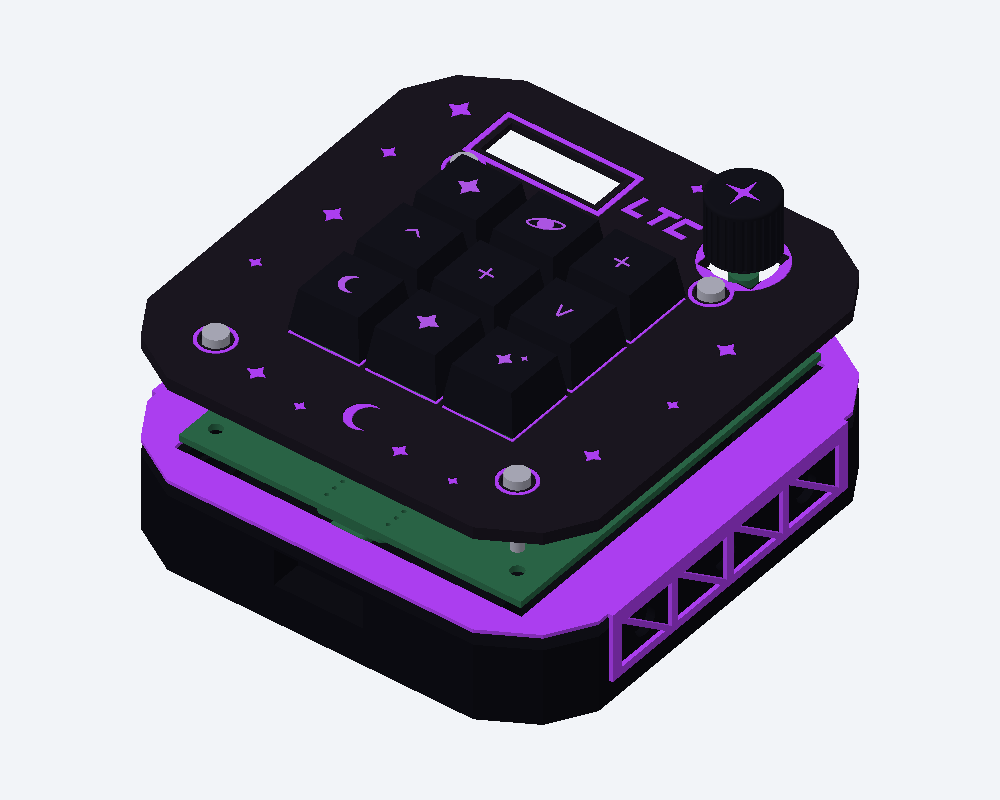
These views are rendered from the current assembly. Keycaps and legends are illustrative accessories; the knob matches the printable files. See asset descriptions.
Download the complete printer ZIP (case + knob + samples).
Download the knob print pack or browse individual STL/STEP files and instructions.
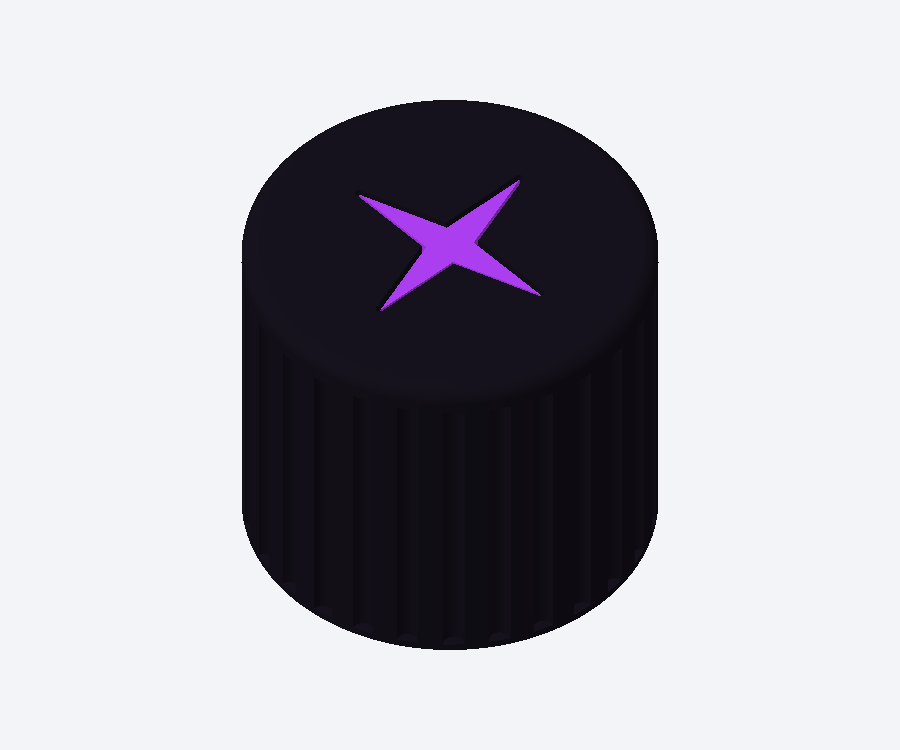
Print Knob_Black.stl in black and Knob_Star_Purple.stl in purple. Test Dshaft_sample_6p2mm.stl on the actual encoder first. The 6.1 and 6.3 mm samples provide fit alternatives; change the knob bore if needed before printing. Modeled clearances pass, but physical shaft fit and push travel require testing. Full-case previews and assembled STEP/GLB files now include this printable star knob.
| Item | Qty | Part / Specification | Notes |
|---|---|---|---|
| Microcontroller | 1 | Seeed Studio XIAO RP2040 | Hackpad MCU |
| Mechanical switch | 9 | MX-compatible PCB-mount switch | 1u switches |
| Diode | 9 | 1N4148 DO-35 through-hole | One per key |
| Rotary encoder | 1 | EC11E, 20 mm D-shaft | Encoder input |
| OLED | 1 | 0.91 in 128x32 SSD1306 I2C | 4-pin module |
| Keycap | 9 | 1u MX keycaps | 9 total |
| Encoder knob | 1 | D-shaft knob sized for EC11E | Knob for encoder |
| M3 screw | 4 | M3 x 16 mm | Deeper bottom; checked head envelope is diameter 5.5 x height 3 mm |
| Heat-set insert | 4 | M3 x 5 x 4 mm insert | 4.7 x 4.1 mm pocket below a 5.8 mm installation well |
| PCB | 1 | Starfall 2-layer PCB, 84.89 x 96.94 mm | Gerbers in production/ |
| Case: black | 1 set | Top.STEP + Bottom.STEP | 3D printed |
| Case: purple | 1 set | Middle_Purple.STEP + Purple_Inlays.STEP | 3D printed accents |
The full BOM with source/reference links is also available in BOM.csv.
PCB/ - KiCad schematic, PCB, and project filesCAD/ - case, assemblies, and full-color GLB previewproduction/ - final STEP/STL case parts, Gerbers, print-ready check, and main.pyFirmware/ - KMK firmware sourceassets/ - project screenshots and graphicstools/ - reproducible final-case generatorBOM.csv - bill of materials with reference linksThis was my first project, so I learned a lot about KiCad, schematics, PCB routing, key matrices, diodes, 3D models, case design, Gerbers, and firmware. It took a while, but seeing the whole project come together was worth it.
| Qty | Value | Footprint | References |
|---|---|---|---|
| 9 | 1N4148 | Diode_THT:D_DO-35_SOD27_P10.16mm_Horizontal | D1, D2, D3, D4, D5, D6, D7, D8, D9 |
| 9 | SW_Push | Button_Switch_Keyboard:SW_Cherry_MX_1.00u_PCB | SW1, SW2, SW3, SW4, SW5, SW6, SW7, SW8, SW9 |
| 4 | MountingHole | MountingHole:MountingHole_3.2mm_M3 | H1, H2, H3, H4 |
| 1 | ER_OLEDM0.91_1x-I2C | OLED:SSD1306-0.91-OLED-4pin-128x32 | U2 |
| 1 | MOUDLE-SEEEDUINO-XIAO | footprints:XIAO-Generic-Hybrid-14P-2.54-21X17.8MM | U1 |
| 1 | RotaryEncoder | Rotary_Encoder:RotaryEncoder_Alps_EC11E-Switch_Vertical_H20mm | SW10 |
google/mozc-devices
Circuit diagrams and firmware source code for Gboard DIY keyboards

davidphilipbarr/Sweep
Sweep - a small promicro based keyboard inspired by the Ferris.


hackclub/OnBoard
💡 Join 1,000 teenagers and make your first PCB with a $100 grant!

xyphro/UsbGpib
Versatile, cheap and portable USB to GPIB converter (USBTMC class based)


jes/scamp-cpu
A homebrew 16-bit CPU with a homebrew Unix-like-ish operating system.

It measures 84.9 × 96.9 mm and has 2 copper layers, 1.6 mm thick.
25 parts. The full list of its parts is on this page, with links to each part's symbol and footprint where PCBKit's library has them.
From the jeremyrapalo6-collab/Starfall repository on GitHub, at the commit this page was made from: the board is PCB/Starfall.kicad_pcb and its schematic PCB/Starfall.kicad_sch. PCBKit opens the board in the browser, with nothing to install.
Its repository states no licence, so its author keeps all rights: ask jeremyrapalo6-collab before reusing the design.