2 layers44.9 × 48.2 mm
2812LEDChain nutzen
jacksitlab/2812LEDChain
This Project is based on a little piece of Hardware I build for accessing 2812LEDs via I2C-Bus(aka TWI). In my special case I use a Raspberry PI to control them.
44 parts
 jacksitlab/2812LEDChain
This Project is based on a little piece of Hardware I build for accessing 2812LEDs via I2C-Bus(aka TWI). In my special case I use a Raspberry PI to control them.
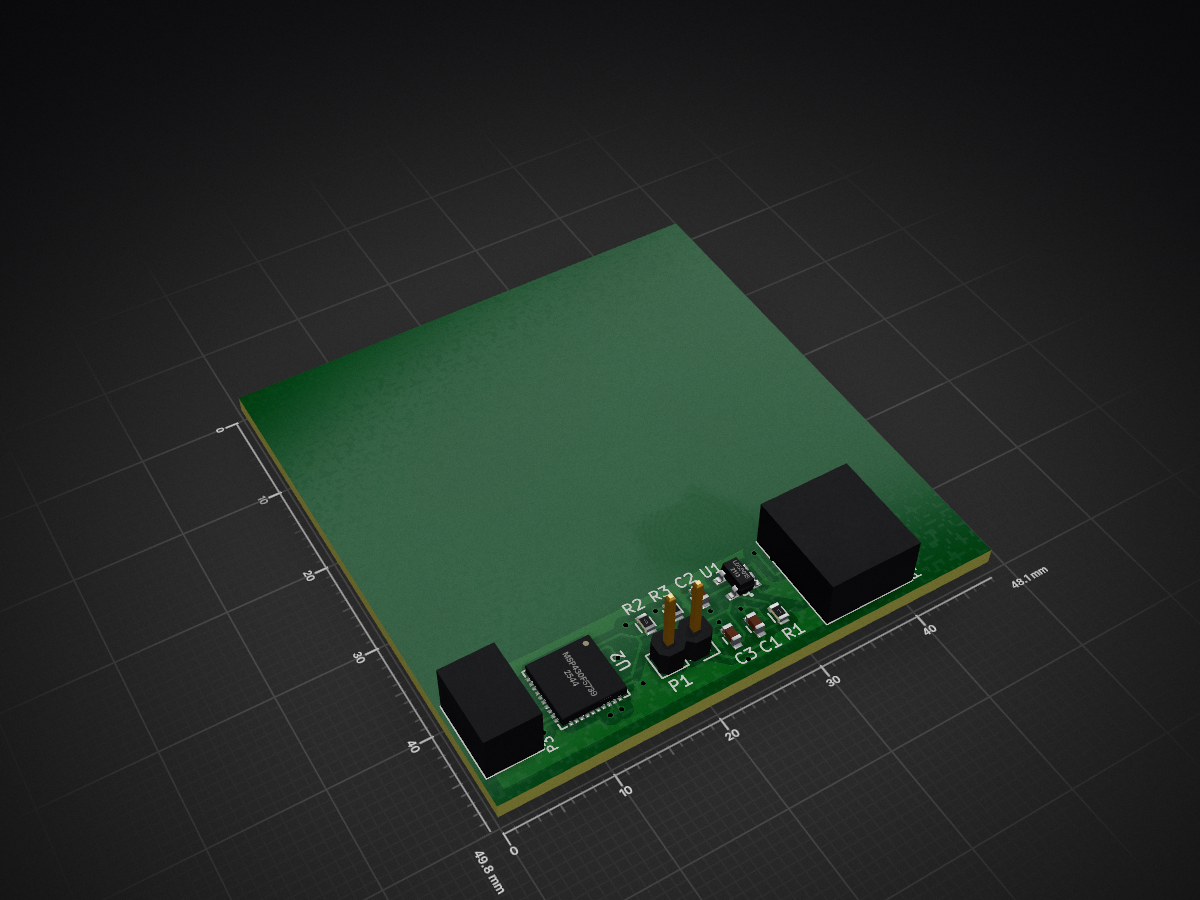
2812LEDChain is an open-source printed circuit board by jacksitlab, from the jacksitlab/2812LEDChain repository on GitHub. It is a 2-layer board of 48.1 × 49.8 mm with 11 parts on 8 nets, routed with 110 tracks and 14 vias.
Its parts include 3 capacitors, 3 resistors, 3 connectors and 2 ICs. It belongs with the MSP430 boards of this library.
This Project is based on a little piece of Hardware I build for accessing 2812LEDs via I2C-Bus(aka TWI). In my special case I use a Raspberry PI to control them. The Clou: It is possible to wire them from board to board and control them seperately. So you can wire the seperated LEDChains from one to another. The Controller works like a simple 32bit adressable I2C-EEPROM where you can write the RGB-Values.
Yeah, thats right. But this lib is using the PWM-output Pin and many of my Projects are using this as it should be. That's why I want to put it on a place where I can control them with a seperate address.
	from ws2812ledchain import *

	chain=WS2812Chain(1)  //1 =>bus number(i2c-1 on raspi 2 and 3, i2c-0 on raspi 1)
	leds=chain.Add(0x44,256)  //0x44 => 7bit address of the chain element. 0x44 is the default. can be modified in firmware, 256 leds to handle
	leds.Test()
	leds.RingBuffer(500,0)  //shift forward every LED every 500ms
	time.sleep(5)
leds.RingBuffer(100,1) //shift backward every LED every 100ms pi@raspberrypi ~ $ sudo apt-get install apache2 pi@raspberrypi ~ $ sudo chmod 0755 /usr/lib/cgi-bin/*.py <Directory "/usr/lib/cgi-bin">
AllowOverride None
Options +ExecCGI -MultiViews +SymLinksIfOwnerMatch
Order allow,deny
Allow from all
</Directory>
	sudo a2enmod cgi
sudo /etc/init.d/apache2 restart $.ajax({
url:'cgi-bin/api.py?task='+task,
success: function(r){
console.log(r);
}
});Beerware License.
| Qty | Value | Footprint | References |
|---|---|---|---|
| 2 | 10k | Resistors_SMD:R_0603 | R2, R3 |
| 2 | 1u | Capacitors_SMD:C_0603 | C2, C3 |
| 1 | 1n | Capacitors_SMD:C_0603 | C1 |
| 1 | 47k | Resistors_SMD:R_0603 | R1 |
| 1 | CONN_01X02 | Pin_Headers:Pin_Header_Straight_1x02 | P1 |
| 1 | CONN_01X03 | Pin_Headers:PINHEAD1-3_SMD | P3 |
| 1 | CONN_02X04 | Pin_Headers:PINHEAD1-8_SMD | P2 |
| 1 | LD59015 | TO_SOT_Packages_SMD:SOT-23-5 | U1 |
| 1 | MSP430F5739 | Housings_DFN_QFN:QFN-40-1EP_6x6mm_Pitch0.5mm | U2 |
jacksitlab/2812LEDChain
This Project is based on a little piece of Hardware I build for accessing 2812LEDs via I2C-Bus(aka TWI). In my special case I use a Raspberry PI to control them.

jacksitlab/2812LEDChain
This Project is based on a little piece of Hardware I build for accessing 2812LEDs via I2C-Bus(aka TWI). In my special case I use a Raspberry PI to control them.

google/mozc-devices
Circuit diagrams and firmware source code for Gboard DIY keyboards


FrameworkComputer/ExpansionCards
Reference designs and documentation to create Expansion Cards for the Framework Laptop

hoglet67/RGBtoHDMI
Bare-metal Raspberry Pi project that provides pixel-perfect sampling of Retro Computer RGB/YUV video and conversion to HDMI

hackclub/OnBoard
💡 Join 1,000 teenagers and make your first PCB with a $100 grant!


tardate/LittleArduinoProjects
a collection of "Little Electronic & Arduino Projects", most involving electronics or an Arduino in one way or another!

basilfx/TRADFRI-Hacking
Hacking IKEA TRÅDFRI products, such as light bulbs, window blinds and other accessories.
It measures 48.1 × 49.8 mm and has 2 copper layers, 1.6 mm thick.
11 parts. The full list of its parts is on this page, with links to each part's symbol and footprint where PCBKit's library has them.
From the jacksitlab/2812LEDChain repository on GitHub, at the commit this page was made from: the board is pcb/2812LEDChain.kicad_pcb. PCBKit opens the board in the browser, with nothing to install.
Its repository states no licence, so its author keeps all rights: ask jacksitlab before reusing the design.