

2 layers55.9 × 35.9 mm
USB JST XH Converter
issaimaru/PowerSupply_v1
MotorDriver-Controller_v4の機能+αと電源回路を合体させた統合型電源基板
54 parts9Apache-2.0

MotorDriver-Controller_v4の機能+αと電源回路を合体させた統合型電源基板
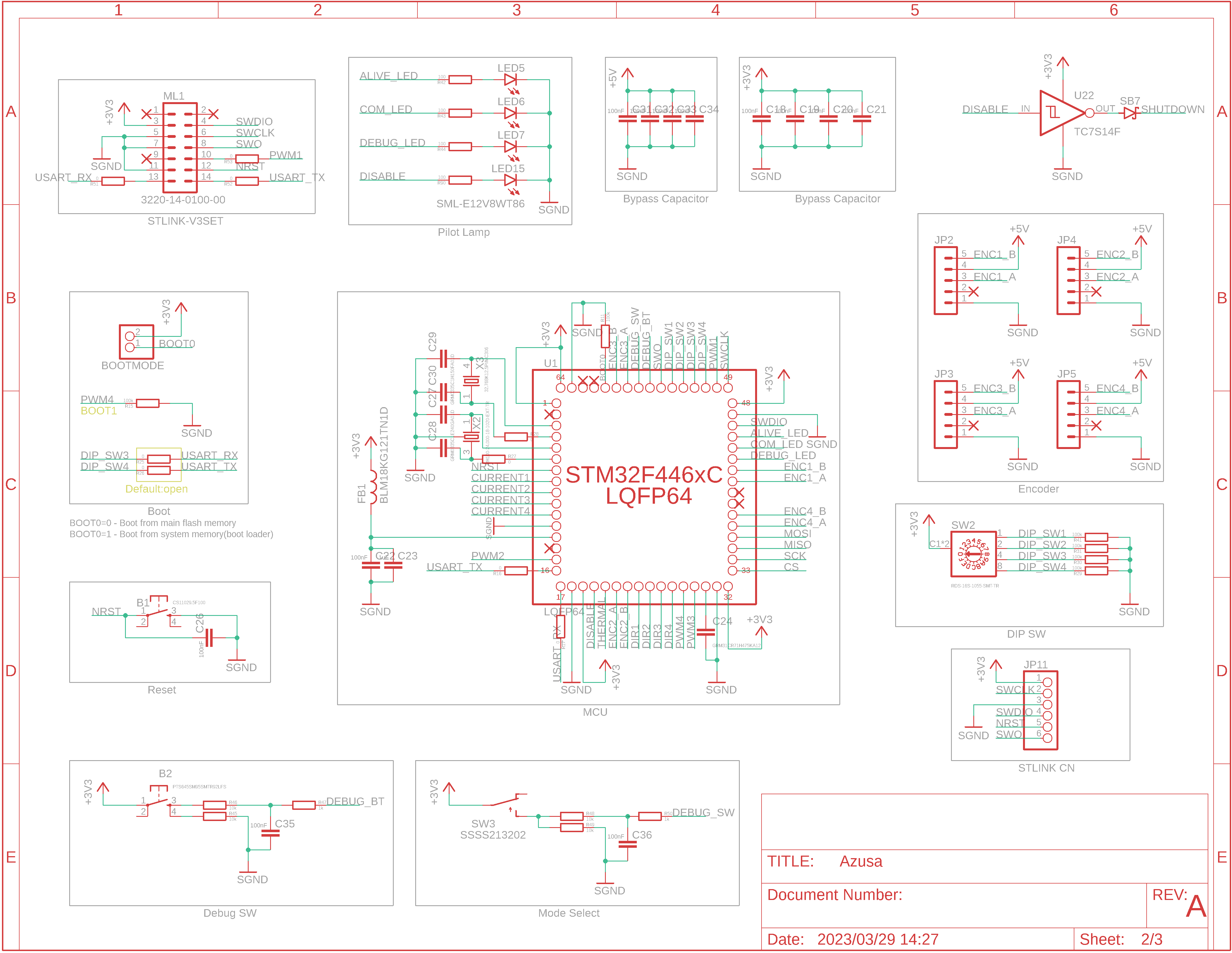
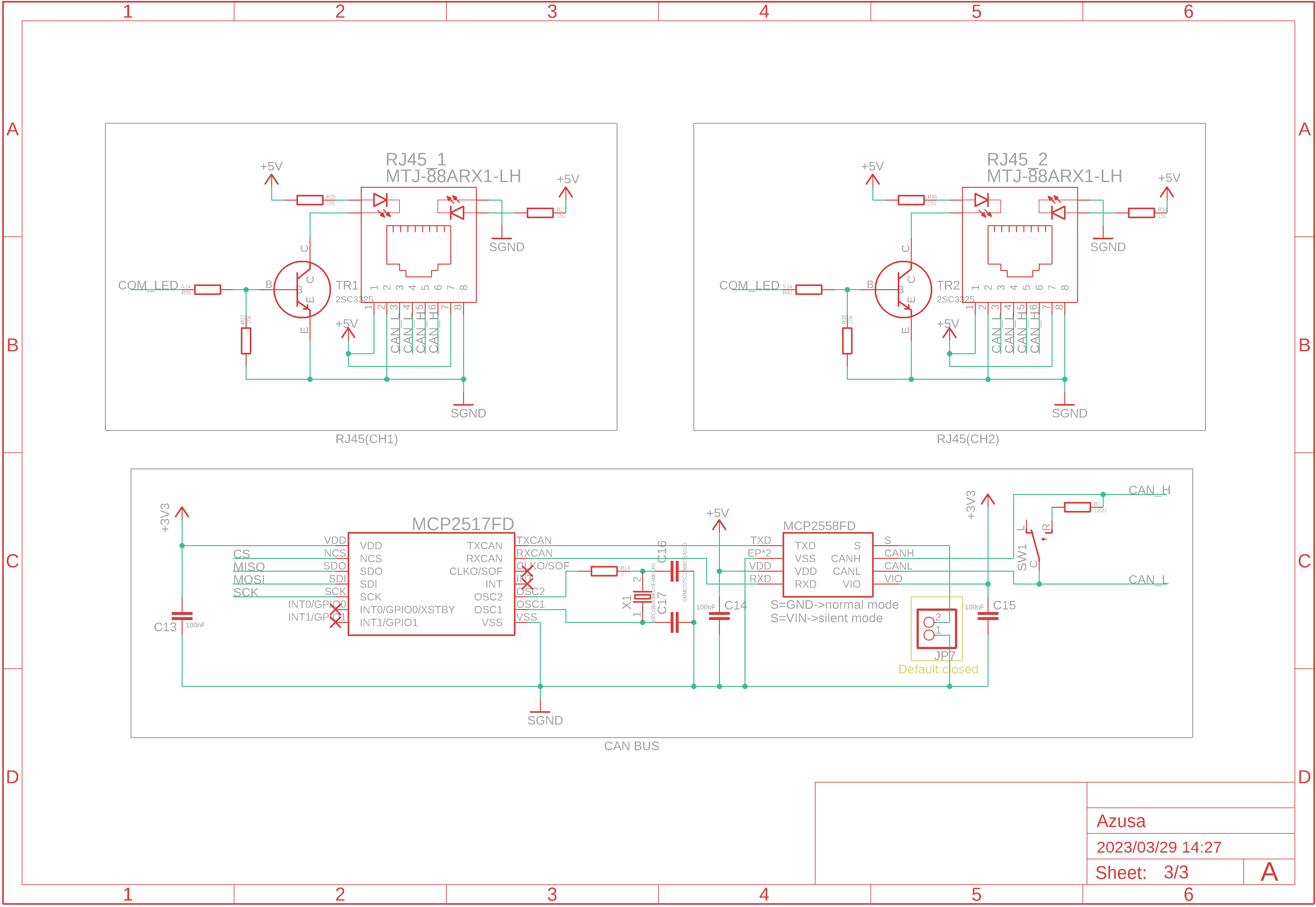
Azusa is an open-source printed circuit board by issaimaru, from the issaimaru/PowerSupply_v1 repository on GitHub, published under the Apache-2.0 licence. It is a 4-layer board of 105 × 137 mm with 320 parts on 207 nets, routed with 2,674 tracks and 307 vias.
It is built around the R11, CH340E and GCM188L81H104KA57, with the SML-E12V8WT86, GRM21BC72A105KE01 and XT60PW-F among its other parts. Its parts include 71 capacitors, 10 resistors, 6 transistors, 4 diodes and 4 connectors.


この基板はJLCPCB様のFree PCB Sponsorshipにて制作しています.
MotorDriver-Controller_v4の機能+αと電源回路を合体させた統合型電源基板
Note
USB Type-C用電源を省略する方法はDescriptionsを参照
本ハードウェアの使用方法を詳しく書いていきます.
質問や連絡等あれば@TakenMakerまでお願いします.
始動方法についてはUsageで示しました.
ここでは始動時の応用的な使い方について紹介していきます.
JP6で信号用の電源をUSB給電or外部給電に切り替えることができます.
外部電源としては,SPOWのピンに接続された電源かリポバッテリーか選ぶことができます.
リポバッテリーの場合は「GND」と「SPOW」のピンヘッダを短絡してください.
その際にE5VのLEDが点灯していることを確認してください.
Note
最低限の部品のみここに書いています.
はんだ付けに必要な部品を調べるときは以下のexcelファイルを見るか,BOMファイルを出力してください.
アズサ(Azusa)-ver2.0_必要部品.xlsx
 Issaimaru |
本ハードウェアは,Apache License Version 2.0の下で配布されます.
詳しくはLICENSEファイルをご確認ください.
cd ”ダウンロード先フォルダの絶対パス” git clone https://github.com/Issaimaru/PowerSupply_v1.git| Qty | Value | Footprint | References |
|---|---|---|---|
| 32 | GCM188L81H104KA57 | (Eagle)PowerUnit-Bseries(ver2.0):GCM188L81H104KA57 | C3, C10, C11, C13, C14, C15, C18, C19, C20, C21, C22, C26, C31, C32, C33, C34 +16 |
| 14 | SML-E12V8WT86 | (Eagle)PowerUnit-Bseries(ver2.0):SML-E12V8WT86 | +3V3, +5V, ALIVE, BATTERY, COM, DEBUG, DISABLE, GO, LED1, LED3, LED11, OTP, SUPPLY, U5V |
| 10 | GRM21BC72A105KE01 | (Eagle)PowerUnit-Bseries(ver2.0):GRM21BC72A105KE01 | C2, C23, C47, C50, C53, C56, C66, C67, C69, C71 |
| 8 | GF063PB103K | (Eagle)PowerUnit-Bseries(ver2.0):GF063PB104K | TP1, TP2, TP3, TP4, TP5, TP6, TP7, TP8 |
| 7 | 02-JST | (Eagle)PowerUnit-Bseries(ver2.0):B2B-XH | CTRL1, CTRL2, Emergency1, INV_SW2, SPOW, THRU1, THRU2 |
| 6 | RSX101VAM-30TR | (Eagle)PowerUnit-Bseries(ver2.0):RSX101VAM-30TR | SB1, SB2, SB3, SB4, SB7, SB8 |
| 5 | (Eagle)PowerUnit-Bseries(ver2.0):1X03 | JP1, JP6, JP8, JP9, JP10 | |
| 5 | (Eagle)PowerUnit-Bseries(ver2.0):1X02 | BOOTMODE, ECHO, GND, JP7, SPOW | |
| 4 | (Eagle)PowerUnit-Bseries(ver2.0):B5B-XH | Encoder1, Encoder2, Encoder3, Encoder4 | |
| 4 | 10046971-019LF-FEMAL | (Eagle)PowerUnit-Bseries(ver2.0):10046971-019LF | EDGE1, EDGE2, EDGE3, EDGE4 |
| 4 | MOUNT-HOLE3.2(NORESIST) | (Eagle)PowerUnit-Bseries(ver2.0):3,2 | H1, H2, H3, H4 |
| 4 | XT60PW-F | (Eagle)PowerUnit-Bseries(ver2.0):XT60PW-F | CON4, MOTER, Motor1, Motor3 |
| 3 | 2SC3325 | (Eagle)PowerUnit-Bseries(ver2.0):2SC3325 | TR1, TR2, TR3 |
| 2 | 2MS1-T2-B4-M2-Q-E-S | (Eagle)PowerUnit-Bseries(ver2.0):2MS1-T2-B4-M2-Q-E-S | SW4, SW5 |
| 2 | GRM0335C1E240GA01D | (Eagle)PowerUnit-Bseries(ver2.0):GRM0335C1E240GA01D | C27, C28 |
| 2 | MTJ-88ARX1-LH | (Eagle)PowerUnit-Bseries(ver2.0):MTJ-88ARX1-LH | RJ45_1, RJ45_2 |
| 2 | R11 | (Eagle)PowerUnit-Bseries(ver2.0):CR0603 | R1, R11 |
| 1 | (Eagle)PowerUnit-Bseries(ver2.0):1X06 | JP11 | |
| 1 | 1.1k | (Eagle)PowerUnit-Bseries(ver2.0):CR0603 | R113 |
| 1 | 10 | (Eagle)PowerUnit-Bseries(ver2.0):0411V | R3 |
| 1 | 100 | (Eagle)PowerUnit-Bseries(ver2.0):CR0603 | R42 |
| 1 | 32.768K12.5PI/MC306 | (Eagle)PowerUnit-Bseries(ver2.0):32.768K12.5PI_MC306 | X3 |
| 1 | 3220-14-0100-00 | (Eagle)PowerUnit-Bseries(ver2.0):3220-14-0100-00 | ML1 |
| 1 | 5.1k | (Eagle)PowerUnit-Bseries(ver2.0):CR0603 | R9 |
| 1 | 5077CR-16SMC2-BK-TR | (Eagle)PowerUnit-Bseries(ver2.0):5077CR-16SMC2-BK-TR | USB1 |
| 1 | C12 | (Eagle)PowerUnit-Bseries(ver2.0):3225M | C12 |
| 1 | C16 | (Eagle)PowerUnit-Bseries(ver2.0):GRM0335C1H120GA01 | C16 |
| 1 | C17 | (Eagle)PowerUnit-Bseries(ver2.0):GRM0335C1H120GA01 | C17 |
| 1 | C24 | (Eagle)PowerUnit-Bseries(ver2.0):GRM31CR71H475KA12 | C24 |
| 1 | C29 | (Eagle)PowerUnit-Bseries(ver2.0):GRM0335C1H120GA01 | C29 |
| 1 | C30 | (Eagle)PowerUnit-Bseries(ver2.0):GRM0335C1H120GA01 | C30 |
| 1 | C39 | (Eagle)PowerUnit-Bseries(ver2.0):GRM18 | C39 |
| 1 | C4 | (Eagle)PowerUnit-Bseries(ver2.0):GRM32ER71H106KA12 | C4 |
| 1 | C40 | (Eagle)PowerUnit-Bseries(ver2.0):GRM18 | C40 |
| 1 | C41 | (Eagle)PowerUnit-Bseries(ver2.0):GRM18 | C41 |
| 1 | C42 | (Eagle)PowerUnit-Bseries(ver2.0):GRM18 | C42 |
| 1 | C44 | (Eagle)PowerUnit-Bseries(ver2.0):GRM18 | C44 |
| 1 | C45 | (Eagle)PowerUnit-Bseries(ver2.0):GRM18 | C45 |
| 1 | C48 | (Eagle)PowerUnit-Bseries(ver2.0):GRM18 | C48 |
| 1 | C49 | (Eagle)PowerUnit-Bseries(ver2.0):GRM18 | C49 |
| 1 | C5 | (Eagle)PowerUnit-Bseries(ver2.0):GRM32ER71H106KA12 | C5 |
| 1 | C51 | (Eagle)PowerUnit-Bseries(ver2.0):GRM18 | C51 |
| 1 | C52 | (Eagle)PowerUnit-Bseries(ver2.0):GRM18 | C52 |
| 1 | C54 | (Eagle)PowerUnit-Bseries(ver2.0):GRM18 | C54 |
| 1 | C55 | (Eagle)PowerUnit-Bseries(ver2.0):GRM18 | C55 |
| 1 | C58 | (Eagle)PowerUnit-Bseries(ver2.0):GRM18 | C58 |
| 1 | C59 | (Eagle)PowerUnit-Bseries(ver2.0):GRM18 | C59 |
| 1 | C62 | (Eagle)PowerUnit-Bseries(ver2.0):GRM18 | C62 |
| 1 | C63 | (Eagle)PowerUnit-Bseries(ver2.0):GRM18 | C63 |
| 1 | C7 | (Eagle)PowerUnit-Bseries(ver2.0):A768EB566M1VLAE042 | C7 |
| 1 | C9 | (Eagle)PowerUnit-Bseries(ver2.0):3225M | C9 |
| 1 | CH340E | (Eagle)PowerUnit-Bseries(ver2.0):MSOP-10 | U3 |
| 1 | CS11029.5F100 | (Eagle)PowerUnit-Bseries(ver2.0):CS11029.5F100 | B1 |
| 1 | D1 | (Eagle)PowerUnit-Bseries(ver2.0):GS2M-LTP | D1 |
| 1 | D2 | (Eagle)PowerUnit-Bseries(ver2.0):GS2M-LTP | D2 |
| 1 | D3 | (Eagle)PowerUnit-Bseries(ver2.0):SOD-523 | D3 |
| 1 | D4 | (Eagle)PowerUnit-Bseries(ver2.0):GS2M-LTP | D4 |
| 1 | FB1 | (Eagle)PowerUnit-Bseries(ver2.0):BLM18KG121TN1D | FB1 |
| 1 | FUSEHOLDER-3568 | (Eagle)PowerUnit-Bseries(ver2.0):FUSEHOLDER-3568 | FUSE1 |
| 1 | GRM0335C1H620GA01D | (Eagle)PowerUnit-Bseries(ver2.0):GRM0335C1E240GA01D | C68 |
| 1 | L1 | (Eagle)PowerUnit-Bseries(ver2.0):NRS5030T4R7MMGJ | L1 |
| 1 | LOGO | (Eagle)PowerUnit-Bseries(ver2.0):cat | G*** |
| 1 | LOGO | (Eagle)PowerUnit-Bseries(ver2.0):kicad | G*** |
| 1 | LOGO | (Eagle)PowerUnit-Bseries(ver2.0):USB2.0 | G*** |
| 1 | LOGO | (Eagle)PowerUnit-Bseries(ver2.0):GitHub_QR | G*** |
| 1 | LOGO | (Eagle)PowerUnit-Bseries(ver2.0):JLCPCB | G*** |
| 1 | LQFP64 | (Eagle)PowerUnit-Bseries(ver2.0):STM32F446XC | U1 |
| 1 | MMBZ5248B-TP | (Eagle)PowerUnit-Bseries(ver2.0):MMBZ5248B-TP | ZD5 |
| 1 | NTC1 | (Eagle)PowerUnit-Bseries(ver2.0):NCU15WB473F60RC | NTC1 |
| 1 | PTS645SM95SMTR92LFS | (Eagle)PowerUnit-Bseries(ver2.0):PTS645SM95SMTR92LFS | B2 |
| 1 | Q1 | (Eagle)PowerUnit-Bseries(ver2.0):SQJA16EP-T1_GE3 | Q1 |
| 1 | Q10 | (Eagle)PowerUnit-Bseries(ver2.0):SQJA16EP-T1_GE3 | Q10 |
| 1 | Q11 | (Eagle)PowerUnit-Bseries(ver2.0):TMBT3906 | Q11 |
| 1 | Q12 | (Eagle)PowerUnit-Bseries(ver2.0):TMBT3906 | Q12 |
| 1 | Q2 | (Eagle)PowerUnit-Bseries(ver2.0):SOT-23F | Q2 |
| 1 | Q6 | (Eagle)PowerUnit-Bseries(ver2.0):SQJA16EP-T1_GE3 | Q6 |
| 1 | R10 | (Eagle)PowerUnit-Bseries(ver2.0):CR0603 | R10 |
| 1 | R100 | (Eagle)PowerUnit-Bseries(ver2.0):CR0603 | R100 |
| 1 | R101 | (Eagle)PowerUnit-Bseries(ver2.0):CR0603 | R101 |
| 1 | R102 | (Eagle)PowerUnit-Bseries(ver2.0):CR0603 | R102 |
The 177 most common of 320 parts.
issaimaru/PowerSupply_v1
MotorDriver-Controller_v4の機能+αと電源回路を合体させた統合型電源基板

issaimaru/MoterDriver_v1
80A級モータードライバ 制作期間:2022/01/18頃~ 名前:DriveUnit Bseries


Mage-Control-Systems-Ltd/CANBOB
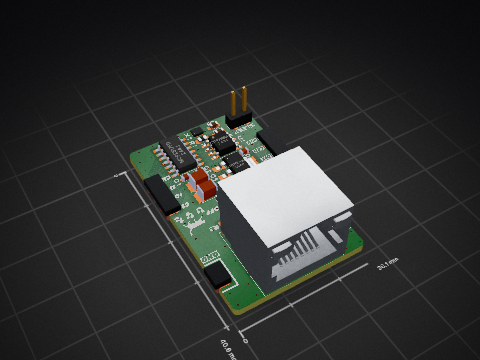
A breakout board that enables USB or SPI to CAN communication using the MCP2515.


It measures 105 × 137 mm and has 4 copper layers, 1.6 mm thick.
320 parts, built around the R11, CH340E, GCM188L81H104KA57 and SML-E12V8WT86. The full list of its parts is on this page, with links to each part's symbol and footprint where PCBKit's library has them.
From the issaimaru/PowerSupply_v1 repository on GitHub, at the commit this page was made from: the board is src/(KiCad)Azusa/Azusa.kicad_pcb and its schematic src/(KiCad)Azusa/Azusa.kicad_sch. PCBKit opens the board in the browser, with nothing to install.
Its repository publishes it under the Apache-2.0 licence: you may reuse it on that licence's terms (keep the author's notice, and for a copyleft licence share your changes alike).