🎹 Project Octave
By Team WeBeSyncing
Project Octave is a high-speed, polyphonic, CNC-style robotic piano playing system. Utilizing a multi-microcontroller architecture, ESP-NOW wireless synchronization, and a custom lookahead kinematic engine, Octave translates standard .mid files into precise physical movements, playing an acoustic piano with superhuman speed and accuracy.
https://github.com/user-attachments/assets/f8b78fd2-65e9-428f-8b61-9593326f1c79
✨ Key Features
Polyphonic "Cluster" Engine: Groups simultaneous MIDI notes and calculates a "Center of Gravity" offset, allowing a rigid solenoid block to perfectly strike multiple keys at once.
Anti-Flood Staggering: Automatically spaces out simultaneous polyphonic WebSocket commands by 15ms to prevent Arduino Uno serial buffer overflow and dropped notes.
Lookahead Background Pre-Positioning: The Web UI calculates future moves and silently drives the stepper carriages into position during the natural musical rests, eliminating mechanical latency.
Strict Hardware Interlock: A closed-loop feedback system using ESP-NOW guarantees that solenoids will never fire while the carriage is in transit, completely protecting the 3D-printed mounts from lateral shear forces.
Dynamic Velocity Control: Maps MIDI velocity data to hardware PWM duty cycles, allowing for expressive, dynamic play (Soft vs. Hard strikes), or strict binary toggling.
Asynchronous Web UI: A beautiful, dark-mode TailwindCSS web interface hosted directly on the ESP32. Features live BPM scaling, dynamic clearance tuning, and an interactive virtual keyboard.
Over-The-Air (OTA) Updates: Fully integrated ElegantOTA allows for flashing firmware to the embedded microcontrollers via Wi-Fi without dismantling the piano hardware.
🧠 System Architecture
Octave uses a distributed computing model to ensure non-blocking, real-time performance.
1. The Master Node (ESP32)
Hosts the Web UI (test.html) via ESPAsyncWebServer.
Receives WebSocket commands from the user's browser.
Directly drives the Black Key Solenoids (S1 - S5) via hardware PWM.
Broadcasts MOVE commands to the Stepper Node over ESP-NOW.
Sends Serial commands to the Arduino Uno.
2. The Stepper Node (ESP32)
Listens for ESP-NOW packets and drives two NEMA 17 stepper motors using AccelStepper.
Motor 1 (White Carriage): Uses sliding-window nearest-neighbor logic to traverse the white keys.
Motor 2 (Black Carriage): Uses inverted, octave-locked kinematics to perfectly align with the irregular 2-and-3 black key clusters.
Reads physical limit switches and transmits AT_TARGET packets back to the Master to unlock the software thread.
3. The Strike Node (Arduino Uno)
Receives ultra-fast Serial packets from the Master ESP32 via a logic level shifter.
Manages a non-blocking 40ms ballistic state machine for the 7 White Key Solenoids.
Utilizes a custom 1kHz Software PWM engine for digital pins to maintain a 23% low-current hold state, preventing coil burnout.
🛠️ Hardware Requirements
2x ESP32 Development Boards
1x Arduino Uno R3
2x NEMA 17 Stepper Motors (w/ TMC2209 or A4988 Drivers)
12x 15N Push-Pull Solenoids
3D-Printed Carriages & Solenoid Mounts
12V / 24V Power Supplies & Logic Level Converters (HW-209)
🛜 Changing the Wi-Fi Network Name (SSID)
By default, the Master ESP32 creates a hotspot named POCOF3. Because the Master and Stepper nodes must communicate, their network credentials must match perfectly.
Open solenoid_esp.cpp (Master) and modify:
C++
const char* hotspotSSID = "Project_Octave"; // Your new name
const char* hotspotPassword = "00000000"; // Your new password
Open stepper_esp.cpp (Stepper) and ensure lines 8 & 9 match exactly.
Re-flash both ESP32s.
🚀 Installation & Setup
1. Flash the Firmware
Open the project in PlatformIO or the Arduino IDE.
Install the required libraries: ESPAsyncWebServer, AsyncTCP, AccelStepper, ElegantOTA.
Flash solenoid_esp.cpp and stepper_esp.cpp to your respective ESP32s.
Flash solenoid_uno.ino to your Arduino Uno.
2. Connect to the UI
Power on the Master ESP32.
Connect your computer/tablet to the Octave Wi-Fi hotspot.
Open your web browser and navigate to the ESP32's IP address (default: http://192.168.4.1).
Enter the IP into the Master Control UI and click CONNECT WS.
🎹 Polyphony Limits & Hardware Constraints
While the software fully supports polyphonic MIDI playback, it is bound by the physical laws of the rigid 3D-printed solenoid blocks.
The Span Limit: The system can play multiple notes at the exact same time, but they must physically fit under the 7-solenoid white carriage or the 5-solenoid black carriage. * The Outlier Drop: If a MIDI file demands a C3 and a C5 simultaneously, the carriage cannot stretch. The software's Cluster Engine will calculate a "Center of Gravity" to cover the densest cluster of notes and safely ignore the unreachable outliers to prevent the motors from destroying the mounts.
🎯 Usage & Tuning
Once connected to the UI, you can calibrate Octave to match your specific physical build:
White Home / Black Home: Adjust these steps to perfectly align the 3D-printed carriages over the physical C3 octave. (Note: Black Home uses inverted kinematics, so its home step is a high value like 2400).
Clearance (ms): The mechanical time allowed for the 15N solenoid springs to pull the metal slugs out of the keybed before the stepper motors are allowed to move. Lower this value for faster songs, but ensure the slugs clear the keys to avoid lateral dragging.
Target BPM: The live tempo scaler. You can speed up or slow down a loaded MIDI file in real-time.
📝 License & Credits
Schematics & PCB
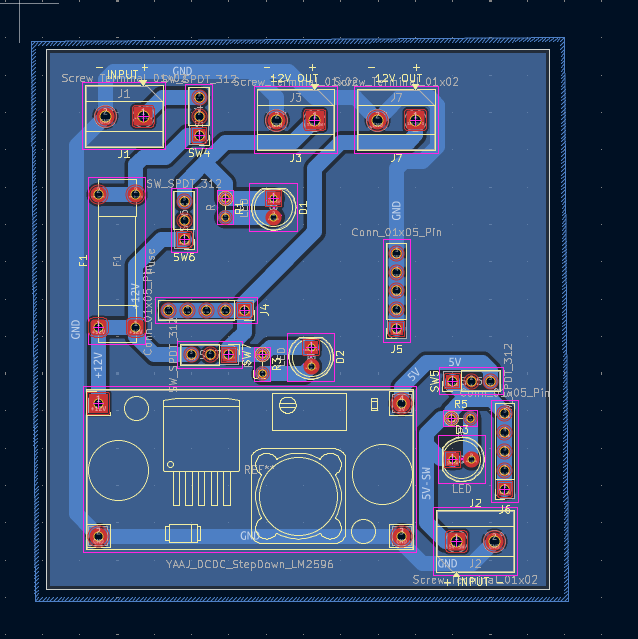
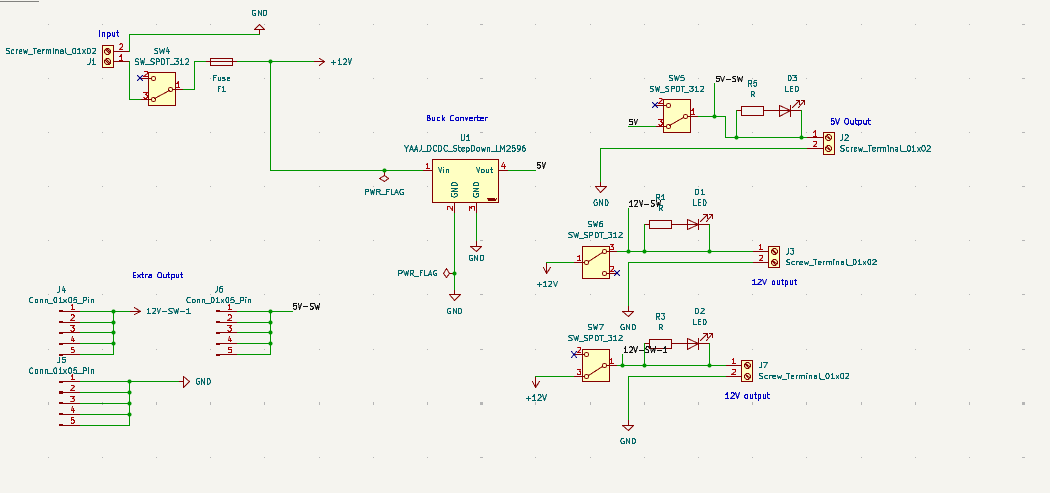
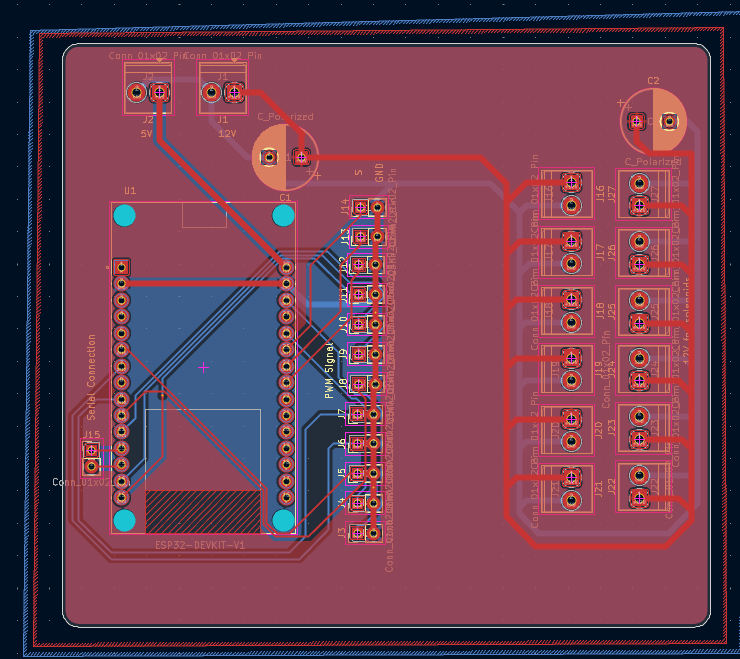
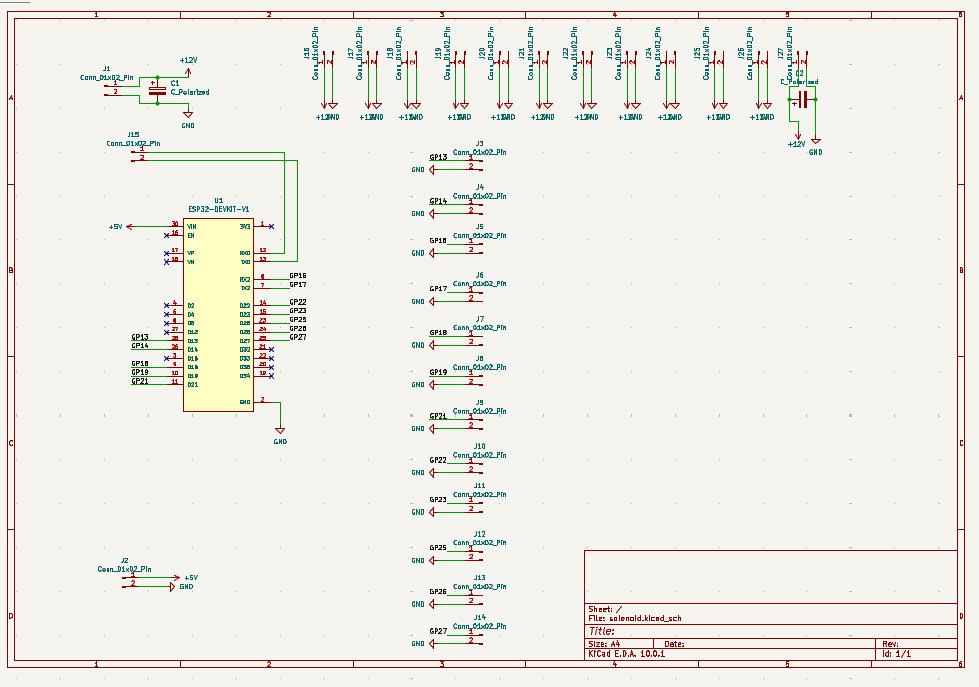
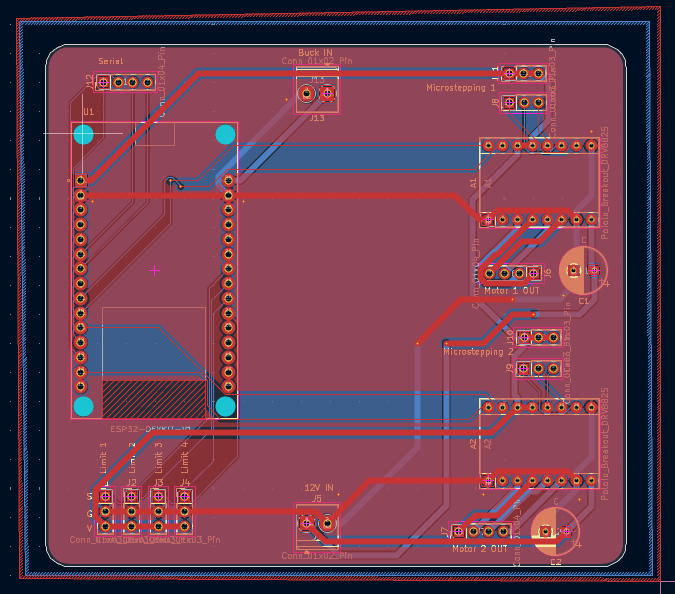
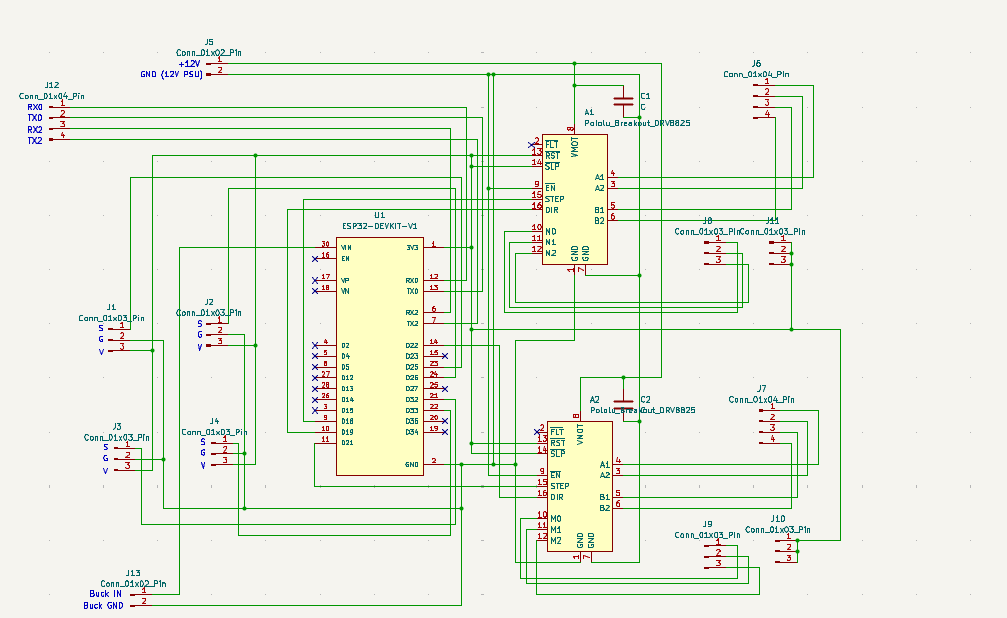
Developed by Team WeBeSyncing.
Built for the intersection of Embedded Systems, Mechanical Engineering, and Music.


