2 layers71.4 × 138.1 mm

 isol33t/viper1
duck viper v1 pcb
Viper is an open-source printed circuit board by isol33t, from the isol33t/viper repository on GitHub, published under the MIT licence. It is a 2-layer board of 285 × 95.1 mm with 309 parts on 177 nets, routed with 79 tracks and 0 vias.
It is built around the ATMEGA32U4-MU, USBLC6-2SC6 and WS2812B, with the SMF9.0CA, AO3400A and TYPE-C-31-M-12 among its other parts. Its parts include 128 diodes, 65 switches, 62 resistors, 6 capacitors and 2 ICs. It belongs with the AVR (ATmega, ATtiny) boards of this library.


⚠️ Work in Progress - This project is currently under development
Inspired by Automated keyboard PCB design with ergogen and kbplacer by adamws & its dockerfile.
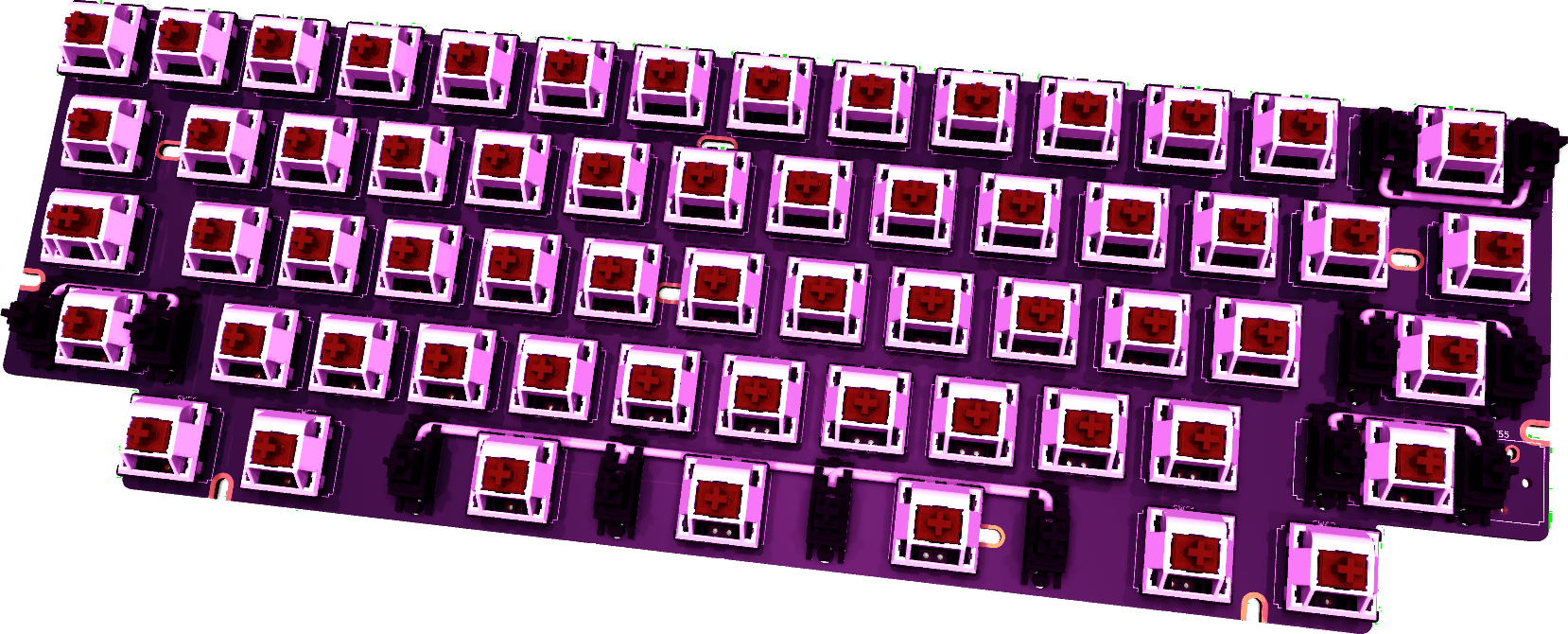
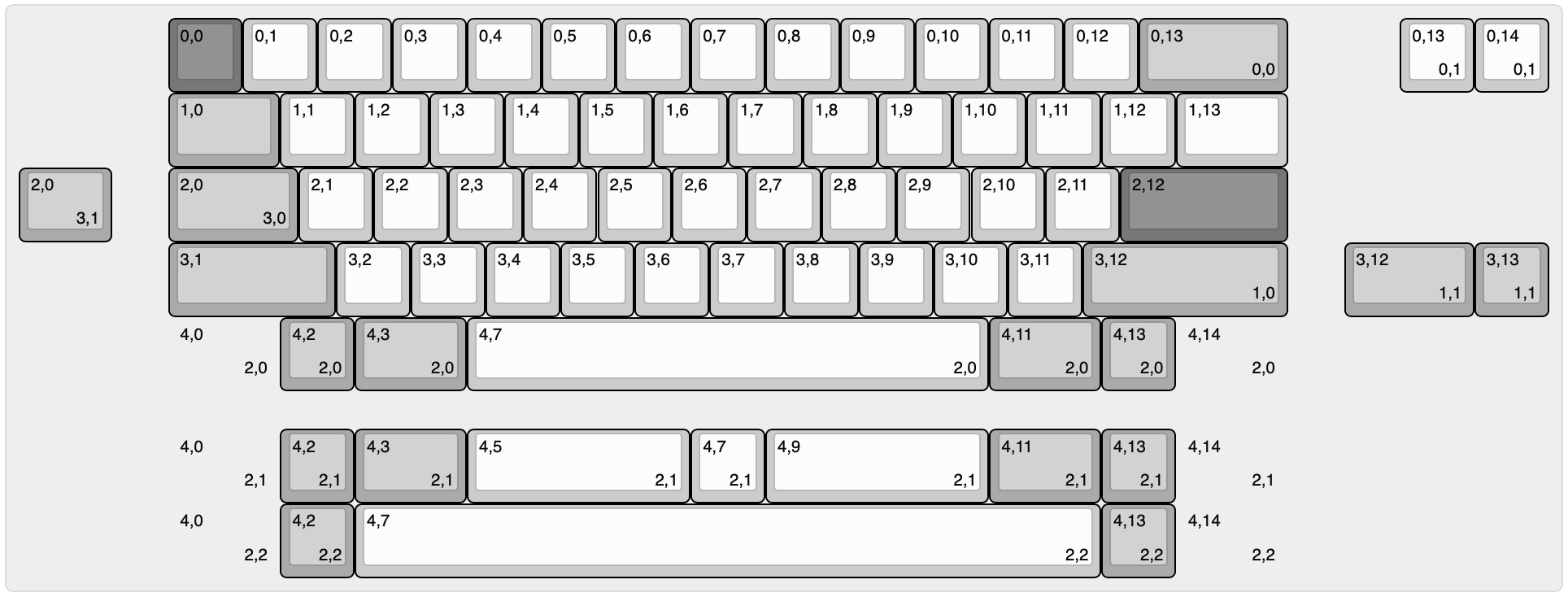
An open-source PCB design for the Duck Viper v1 keyboard with hardware upgrades. This project focuses on transparency and community collaboration while building upon existing open-source resources.
Disclaimer: I'm not an electrical engineer - this project represents my attempt at "putting the parts together" using available community resources, guides, and libraries. Community feedback and contributions are greatly appreciated!
(Planned *) Upgrades:
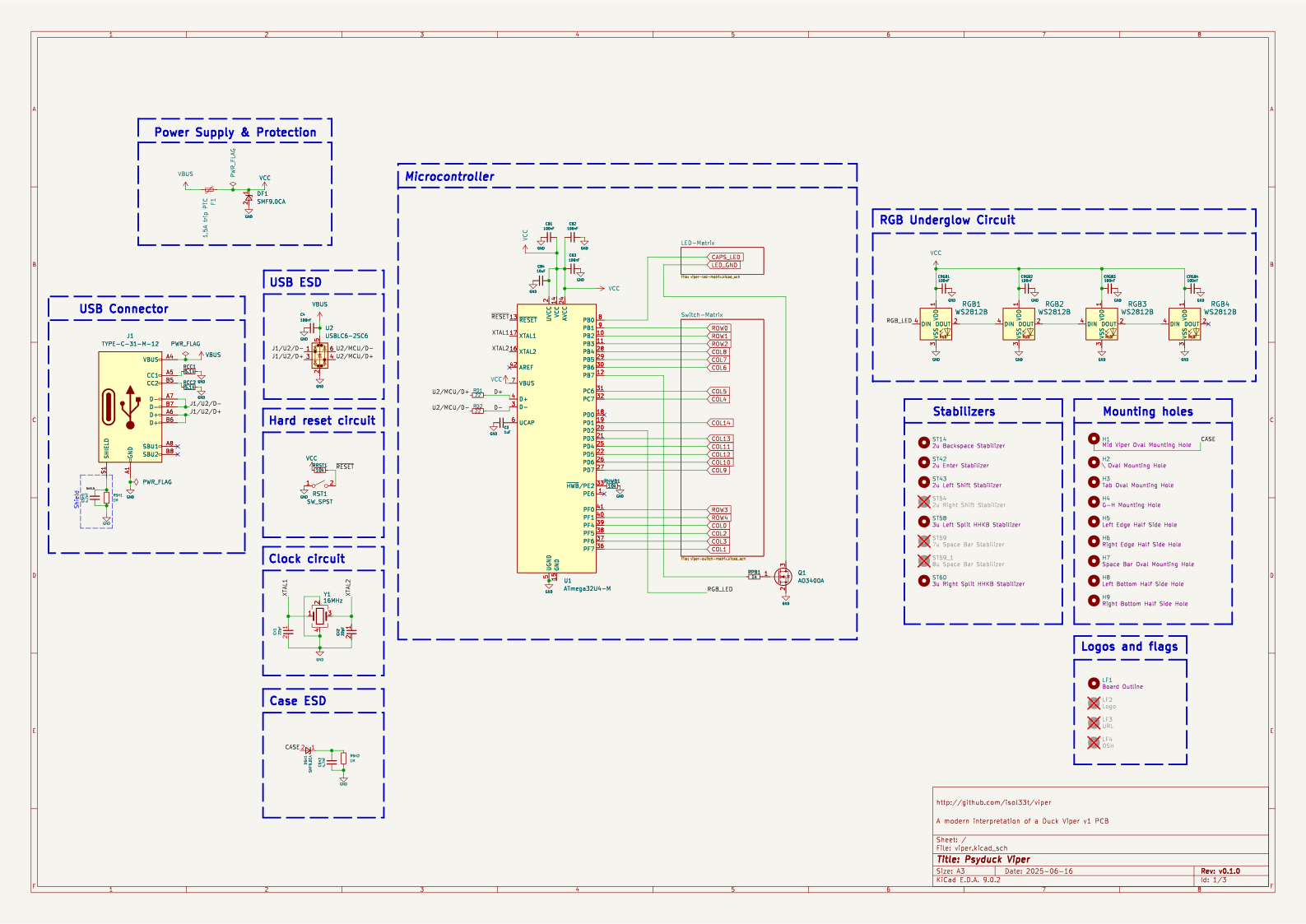
1. QFN vs QFP Package Decision
QFN IC placement mock-up:
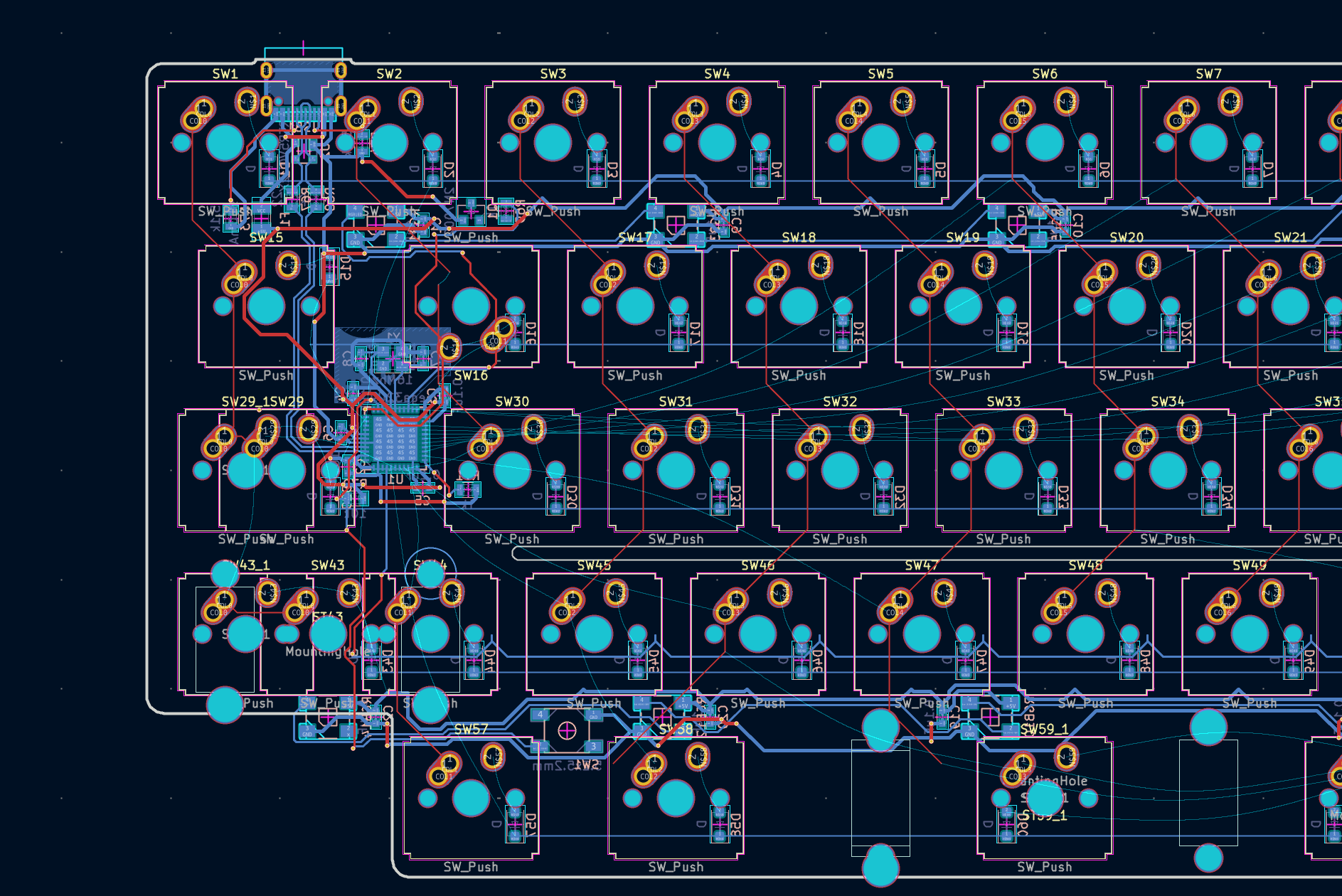
If going QFN route, schematic verification help would be greatly appreciated!
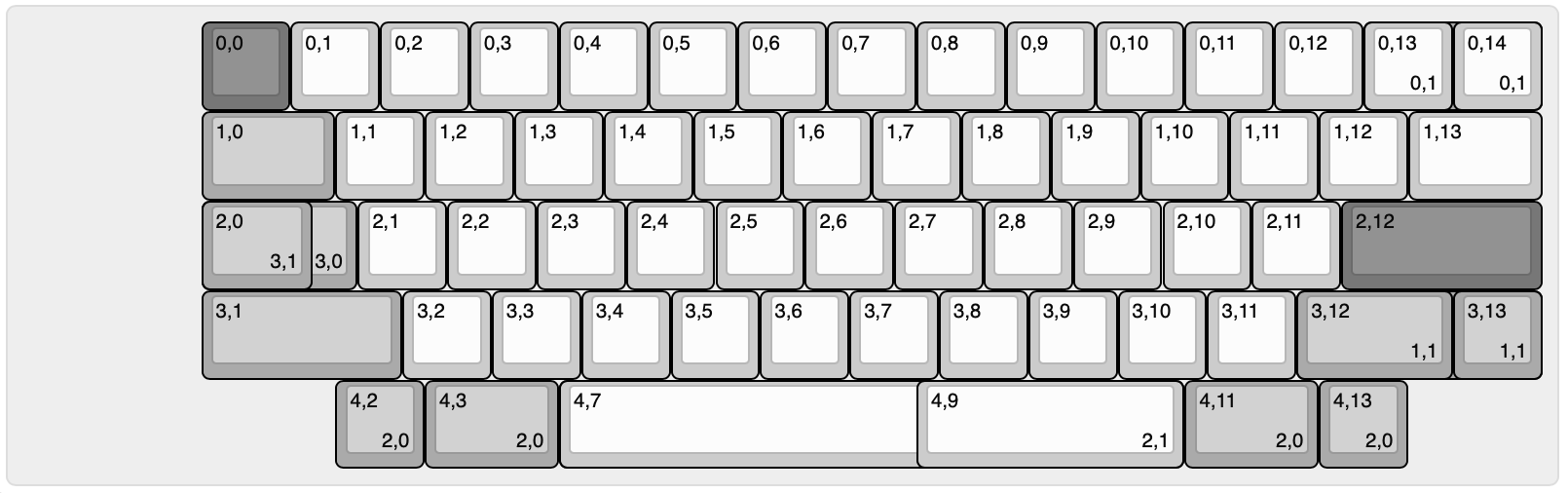
kbplacer can use via for switch placement & requires via for collapsing a KLE layout
VIA spec https://www.caniusevia.com/docs/layouts#overview uses KLE raw, but not kle.com's raw json VIA spec based on wt60_d
python -m kbplacer.kle_serial -in -in kle/keyboard-layout-via-10u.json -inform KLE_VIA -out keyboard-layout-collapsed.json -outform KLE_RAW -collapse
Requirements:
Setup:
# Clone the repository
git clone [repository-url]
cd duck-viper-v1-pcb

# Open the project in KiCad
# File -> Open Project -> duck-viper-v1.kicad_pro
Setup for adamws/kbplacer:
# Clone the repository
git clone [repository-url]
cd duck-viper-v1-pcb
python3 -m venv .venv
source .venv/bin/activate
python3 -m pip install .

python -m kbplacer.kle_serial -in kle/keyboard-layout-via.json -inform KLE_VIA -out kle/keyboard-layout-collapsed.json -outform KLE_INTERNAL -collapse
python tools/layout2url.py -in keyboard-layout-collapsed.json|pbcopy

# Open the project in KiCad
# File -> Open Project -> duck-viper-v1.kicad_pro
linux
python3 -m venv .venv --system-site-packages
source .venv/bin/activate
pip install .

# test kicad
python -c "import pcbnew; print(pcbnew.Version())"
Libraries Used:
Detailed firmware setup instructions will be added as development progresses.
Generation of Gerber files, pick-and-place files, and BOM will be documented once design is finalized.
This project builds upon the incredible work of the open-source keyboard community. Specific libraries, guides, and resources used will be documented as the project progresses.
As a learning project, I welcome:
This project is inspired by Automated Keyboard PCB design with ergogen and kbplacer. Still, it's far from being fully automated.
This project is a learning exercise in PCB design. Use at your own risk and always verify designs before manufacturing.
| Qty | Value | Footprint | References |
|---|---|---|---|
| 65 | LED | locallib:MX-LED | LED1, LED2, LED10, LED11, LED12, LED13, LED14, LED14_1, LED15, LED16, LED17, LED18, LED19, LED20, LED21, LED22 +49 |
| 65 | SW_Push | locallib:SW_Hybrid_Cherry_MX_Alps_1.00u_1 | SW1, SW2, SW10, SW11, SW12, SW13, SW14, SW14_1, SW15, SW16, SW17, SW18, SW19, SW20, SW21, SW22 +49 |
| 62 | 1N4148 | Diode_SMD:D_0805_2012Metric | D1, D2, D10, D11, D12, D13, D14, D15, D16, D17, D18, D19, D20, D21, D22, D23 +46 |
| 62 | 470 | Resistor_SMD:R_0805_2012Metric | R1, R2, R10, R11, R12, R13, R14, R15, R16, R17, R18, R19, R20, R21, R22, R23 +46 |
| 5 | 100nF | Capacitor_SMD:C_0805_2012Metric | C4, CRGB1, CRGB2, CRGB3, CRGB4 |
| 4 | WS2812B | locallib:LED_WS2812B-Mini_PLCC4_3.5x3.5mm | RGB1, RGB2, RGB3, RGB4 |
| 4 | ~ | Mounting_Keyboard_Stabilizer:Stabilizer_Cherry_MX_2.00u | ST14, ST42, ST43, ST54 |
| 4 | ~ | acheron_MountingHoles:halfSideHole | H5, H6, H8, H9 |
| 4 | ~ | acheron_MountingHoles:MoutingHole_Oval_BackOnly_7mm_5.0x2.5mm | H2, H3, H4, H7 |
| 3 | 100nF | Capacitor_SMD:C_0603_1608Metric | CB1, CB2, CB3 |
| 2 | 10k | Resistor_SMD:R_0603_1608Metric | RHWB1, RRST1 |
| 2 | 1M | Resistor_SMD:R_0805_2012Metric | RSH1, RSH2 |
| 2 | 22 | Resistor_SMD:R_0603_1608Metric | RD1, RD2 |
| 2 | 22pF | Capacitor_SMD:C_0603_1608Metric | CX1, CX2 |
| 2 | 4.7nF | Capacitor_SMD:C_0805_2012Metric | CSH1, CSH2 |
| 2 | 5.1k | Resistor_SMD:R_0603_1608Metric | RCC1, RCC2 |
| 2 | SMF9.0CA | Diode_SMD:D_SOD-123 | DF1, DSH1 |
| 2 | ~ | Mounting_Keyboard_Stabilizer:Stabilizer_Cherry_MX_3.00u | ST58, ST60 |
| 1 | 1.5A trip PTC | Fuse:Fuse_1206_3216Metric | F1 |
| 1 | 10uF | Capacitor_SMD:C_0603_1608Metric | CB4 |
| 1 | 16MHz | Crystal:Crystal_SMD_3225-4Pin_3.2x2.5mm | Y1 |
| 1 | 1k | Resistor_SMD:R_0805_2012Metric | RPB1 |
| 1 | 1uF | Capacitor_SMD:C_0603_1608Metric | C3 |
| 1 | AO3400A | Package_TO_SOT_SMD:SOT-23 | Q1 |
| 1 | ATmega32U4-M | Package_DFN_QFN:QFN-44-1EP_7x7mm_P0.5mm_EP5.2x5.2mm | U1 |
| 1 | LockLED | locallib:MX-Lock-LED | LED30_2 |
| 1 | SW_SPST | Button_Switch_SMD:SW_SPST_TL3342 | RST1 |
| 1 | TYPE-C-31-M-12 | locallib:USB_C_Receptacle_HRO_TYPE-C-31-M-12 | J1 |
| 1 | USBLC6-2SC6 | Package_TO_SOT_SMD:SOT-23-6 | U2 |
| 1 | ~ | Mounting_Keyboard_Stabilizer:Stabilizer_Cherry_MX_7.00u | ST59 |
| 1 | ~ | locallib:viper_outline | LF1 |
| 1 | ~ | PCM_Mounting_Keyboard_Stabilizer:Stabilizer_Cherry_MX_8.00u | ST59_1 |
| 1 | ~ | acheron_MountingHoles:Mounting_Hole_Oval_2.5x8mm | H1 |
It measures 285 × 95.1 mm and has 2 copper layers, 1.6 mm thick.
309 parts, built around the ATMEGA32U4-MU, USBLC6-2SC6, WS2812B and SMF9.0CA. The full list of its parts is on this page, with links to each part's symbol and footprint where PCBKit's library has them.
From the isol33t/viper repository on GitHub, at the commit this page was made from: the board is hardware/viper/viper.kicad_pcb and its schematic hardware/viper/viper-led-matrix.kicad_sch. PCBKit opens the board in the browser, with nothing to install.
Its repository publishes it under the MIT licence: you may reuse it on that licence's terms (keep the author's notice, and for a copyleft licence share your changes alike).


ghostseven/Draytronics-Elise-PCB-V2
(Current V2) An open source 65% mechanical keyboard, designed to be physically compatible with XD68

pierrechevalier83/ferris
A low profile split keyboard designed to satisfy one single use case elegantly

dev-campusfab/FabRice
Documentation et code source de FabRice, le robot Autonome.

GuzziFlipFlops/ESP32-Walkie-Talkie
An open source ESPNOW based walkie talkie with a 600 meter tested distance, with an OLED and multiple buttons to interact with


justinlindh/bramble
Privacy-first LoRa mesh networking for ESP32-S3, built with ESP-IDF