

4 layers99 × 53.3 mm
PSLab
fossasia/pslab-hardware
PSLab Hardware Design and Schematics https://pslab.io
199 parts1.7kApache-2.0

 ILikeBWRs/MicroDev128-32P
The board specific repo of the MicroDev128-32P
MicroDev128 is an open-source printed circuit board by ILikeBWRs, from the ILikeBWRs/MicroDev128-32P repository on GitHub, published under the GPL-3.0 licence. It is a 4-layer board of 49.1 × 17.8 mm with 32 parts on 53 nets, routed with 490 tracks and 79 vias.
It is built around the WS2812B and PDS560. Its parts include 11 capacitors, 6 diodes, 4 resistors, 3 connectors and 2 ICs.
Main Project Page:MicroDev128 project
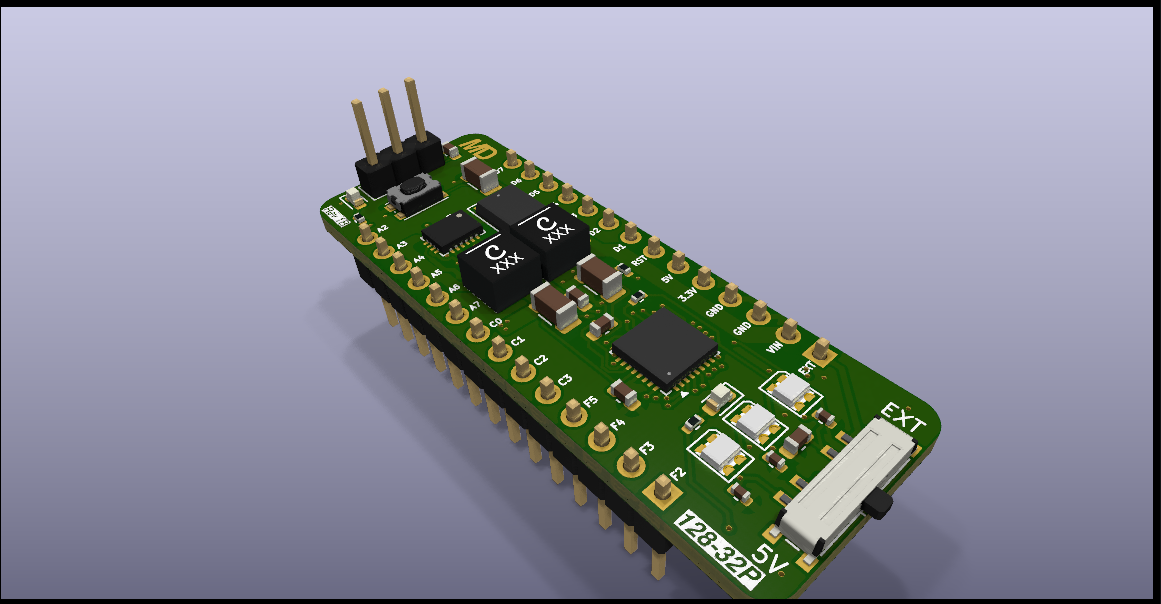
Based on the AVR128DB32.
The MicroDev128-32P is open-source development board with a high-power voltage regulator with up to 2A continous, Multi-voltage IO - which allows PortC to run on a different voltage than the rest of the board - elimenating the need for voltage level shifters. The MicroDev128-32P aims to be better price to performance ratio than a tradition Arduino Nano. To view the Schematics you can go into the Kicad files folder. All files were made on KiCad 10.04 and should import without other dependencies. The 3D models are all included in the folder.
Key Specifications:
For Documentation see the MicroDev128 Docs repository. This includes technical information such as regulator ripple, tests etc. Link to Documents
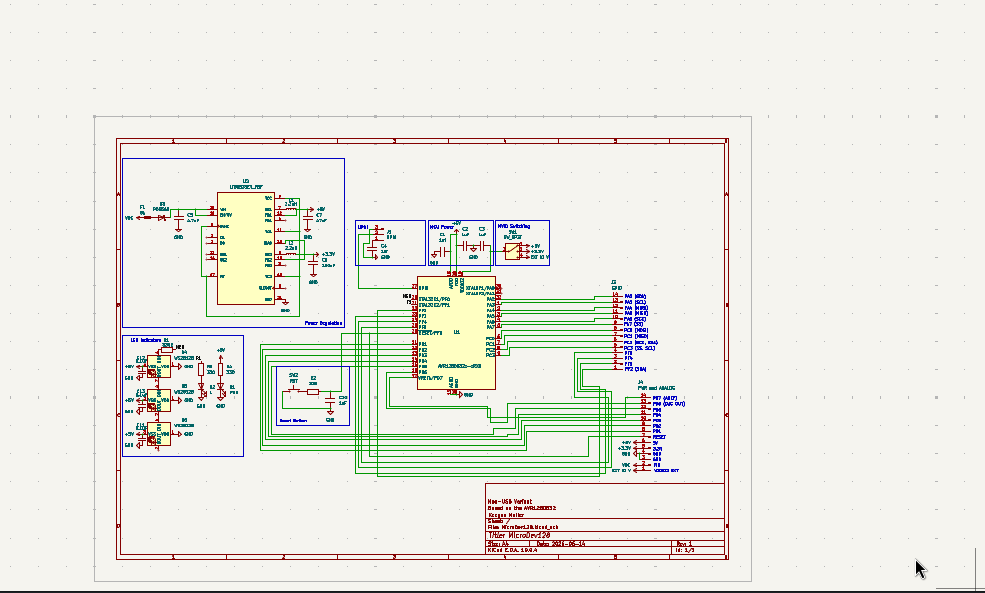
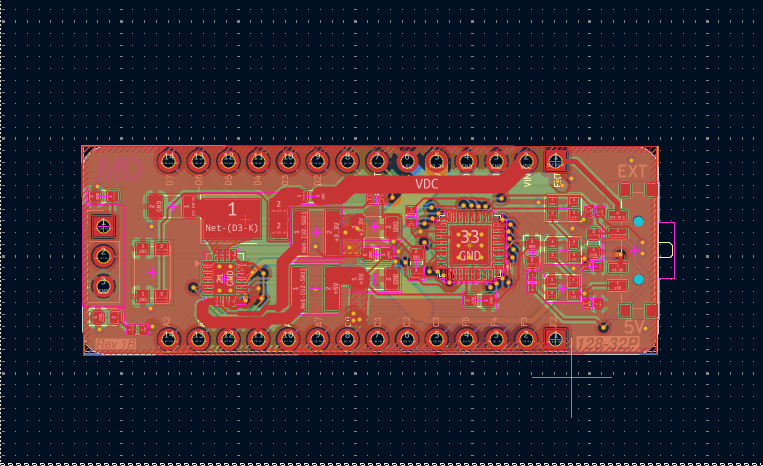
To order your own you have a few ways:
1. Order Blank PCBs and assemble them yourself
You will need a hotplate for solder reflow and solder paste. May be cheaper but harder to do!
Upload the Gebers at: /MicroDev128-32P Production Files /Gebers.zip Go to PCBWay's online ordering page and upload the gebers. Make sure it says 4-layers. Set it to ENIG, and set the solder mask to any colour you want. The rest of the default settings will be fine. Hit order or add stencil if you need one. It's that easy!
Next in the same folder find the BOM.csv and order the parts from your favorite part distributor. To lay out components once they turn up you can use the KiCad PCB layout. A dedicated image for this step will come later.
2. Use PCBWay's PCBA service and get them shipped assembled
Upload the Gebers at:
/Production Files
/Gebers.zip
Go to your PCB and upload the gebers. Make sure it says 4-layers. Set it to ENIG, and set the solder mask to any colour you want. The default settings will be fine. Then upload the BOM.csv and CPL.csv to the page. Then check if they in stock. (You may need to pre-order some parts!) The check component orientation - it has a tendency to flip the LT8653S by 90 degrees. Then pay and let PCBWay's professional automated factory ship them fully assembled, right to your door!
This repository was last updated: 2026-09-12
This design is revision: 1B
| Qty | Value | Footprint | References |
|---|---|---|---|
| 4 | 1uf | Capacitor_SMD:C_0603_1608Metric | C1, C2, C3, C4 |
| 3 | 0.1uF | Capacitor_SMD:C_0402_1005Metric | C11, C12, C13 |
| 3 | 330 | Resistor_SMD:R_0402_1005Metric | R2, R3, R4 |
| 3 | WS2812B | LED_SMD:LED_WS2812B-2020_PLCC4_2.0x2.0mm | D4, D5, D6 |
| 2 | 2.2uH | Inductor_SMD:L_Taiyo-Yuden_NR-40xx | L1, L2 |
| 1 | 100uF | Capacitor_SMD:C_1206_3216Metric | C6 |
| 1 | 1uF | Capacitor_SMD:C_0603_1608Metric | C10 |
| 1 | 330R | Resistor_SMD:R_0402_1005Metric | R1 |
| 1 | 4.7uF | Capacitor_SMD:C_1206_3216Metric | C5 |
| 1 | 47uF | Capacitor_SMD:C_1206_3216Metric | C7 |
| 1 | 5A | Fuse:Fuse_0603_1608Metric | F1 |
| 1 | AVR128DB32x-xRXB | Package_DFN_QFN:QFN-32-1EP_5x5mm_P0.5mm_EP3.1x3.1mm | U1 |
| 1 | GPIO | Connector_PinHeader_2.54mm:PinHeader_1x14_P2.54mm_Vertical | J3 |
| 1 | L | LED_SMD:LED_0603_1608Metric | D2 |
| 1 | LOGO | LOGO | G*** |
| 1 | LT8653SEV_PBF | Package_DFN_QFN:QFN-20-1EP_3x4mm_P0.5mm_EP1.65x2.65mm | U2 |
| 1 | PDS560 | Diode_SMD:D_PowerDI-5 | D3 |
| 1 | PWR | LED_SMD:LED_0603_1608Metric | D1 |
| 1 | PWR and ANALOG | Connector_PinHeader_2.54mm:PinHeader_1x14_P2.54mm_Vertical | J4 |
| 1 | RST | Button_Switch_SMD:SW_Push_1P1T_NO_CK_KMR2 | SW2 |
| 1 | SW_SP3T | Button_Switch_SMD:SW_SP3T_PCM13 | SW1 |
| 1 | UPDI | Connector_PinHeader_2.54mm:PinHeader_1x03_P2.54mm_Vertical | J1 |
It measures 49.1 × 17.8 mm and has 4 copper layers, 1.6 mm thick.
32 parts, built around the WS2812B and PDS560. The full list of its parts is on this page, with links to each part's symbol and footprint where PCBKit's library has them.
From the ILikeBWRs/MicroDev128-32P repository on GitHub, at the commit this page was made from: the board is KiCad Files/MicroDev128.kicad_pcb and its schematic KiCad Files/MicroDev128.kicad_sch. PCBKit opens the board in the browser, with nothing to install.
Its repository publishes it under the GPL-3.0 licence: you may reuse it on that licence's terms (keep the author's notice, and for a copyleft licence share your changes alike).
fossasia/pslab-hardware
PSLab Hardware Design and Schematics https://pslab.io

FrameworkComputer/ExpansionCards
Reference designs and documentation to create Expansion Cards for the Framework Laptop


PrintersForAnts/Micron
If you want to purchase full kits there are 3 available (Kits are slowly updating to R1 hardware just make sure to double check the included hardware in your kit and if you have any questions reach out in the discord)


