2 layers20.5 × 24.8 mm

 ide/raspberry-pi-pico-stripboard2
A stripboard PCB for the Raspberry Pi Pico family
Raspberry pi pico stripboard is an open-source printed circuit board by ide, from the ide/raspberry-pi-pico-stripboard repository on GitHub, published under the MIT licence. It is a 2-layer board of 21.2 × 51.7 mm with 8 parts on 33 nets, routed with 36 tracks and 0 vias.
It belongs with the RP2040 boards of this library.
A stripboard PCB designed for the Raspberry Pi Pico. Compatible with Pico W also.
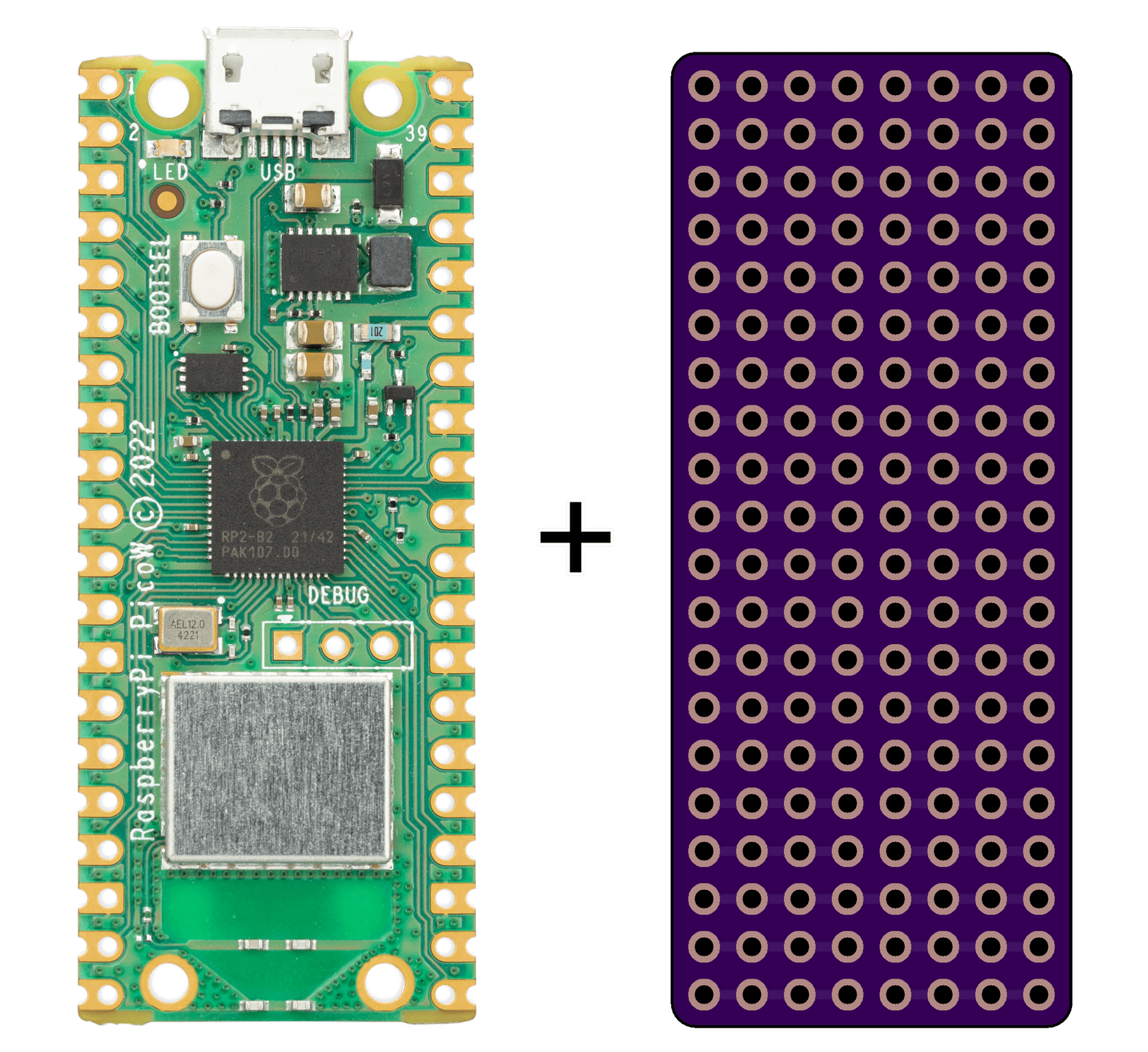
Use this stripboard to permanently solder through-hole components to a Raspberry Pi Pico, designed for tidy, complete projects that don't need a custom PCB. Unlike protoboards, the footprint of this stripboard matches the Pico's within a couple tenths of a millimeter.
The stripboard has a breadboard-like layout of horizontal rows of holes connected to each other. Both the left and right sides have four holes per row, each. This allows up to three components to be soldered to each pin of the Pico. The rows connected to ground are an exception. Because the Pico's ground pins are mirrored on the left and right sides, the rows connected to ground are connected all the way across the stripboard.
Aside from the ground rows, the traces between holes in the same row can be drilled or scratched out to separate the holes if needed.
| Qty | Value | Footprint | References |
|---|---|---|---|
| 4 | Left Header Pins | Library:PinHeader_1x20_P2.54mm_Vertical_Uniform | J1, J2, J3, J4 |
| 4 | Right Header Pins | Library:PinHeader_1x20_P2.54mm_Vertical_Uniform | J5, J6, J7, J8 |

joeycastillo/Sensor-Watch
A board replacement for the classic Casio F-91W wristwatch

rusefi/rusefi
rusefi - GPL internal combustion engine control unit

hoglet67/RGBtoHDMI
Bare-metal Raspberry Pi project that provides pixel-perfect sampling of Retro Computer RGB/YUV video and conversion to HDMI

shanteacontrols/OpenDeck
A platform for building interactive control and sensing devices using MIDI and OSC built with Zephyr RTOS.

hackclub/OnBoard
💡 Join 1,000 teenagers and make your first PCB with a $100 grant!

dangiu/PicoMemcard
Emulating PSX Memory Card (or controller) using a Raspberry Pi Pico

OLIMEX/DIY-LAPTOP
Do It Yourself Open Source Hardware and Software Modular Hacker's Friendly Laptop
It measures 21.2 × 51.7 mm and has 2 copper layers, 1.6 mm thick.
8 parts. The full list of its parts is on this page, with links to each part's symbol and footprint where PCBKit's library has them.
From the ide/raspberry-pi-pico-stripboard repository on GitHub, at the commit this page was made from: the board is Raspberry Pi Pico Stripboard/Raspberry Pi Pico Stripboard.kicad_pcb and its schematic Raspberry Pi Pico Stripboard/Raspberry Pi Pico Stripboard.kicad_sch. PCBKit opens the board in the browser, with nothing to install.
Its repository publishes it under the MIT licence: you may reuse it on that licence's terms (keep the author's notice, and for a copyleft licence share your changes alike).