2 layers238.8 × 61 mm
 ianof/Z80Computer
The computer will be operated using the following controls:
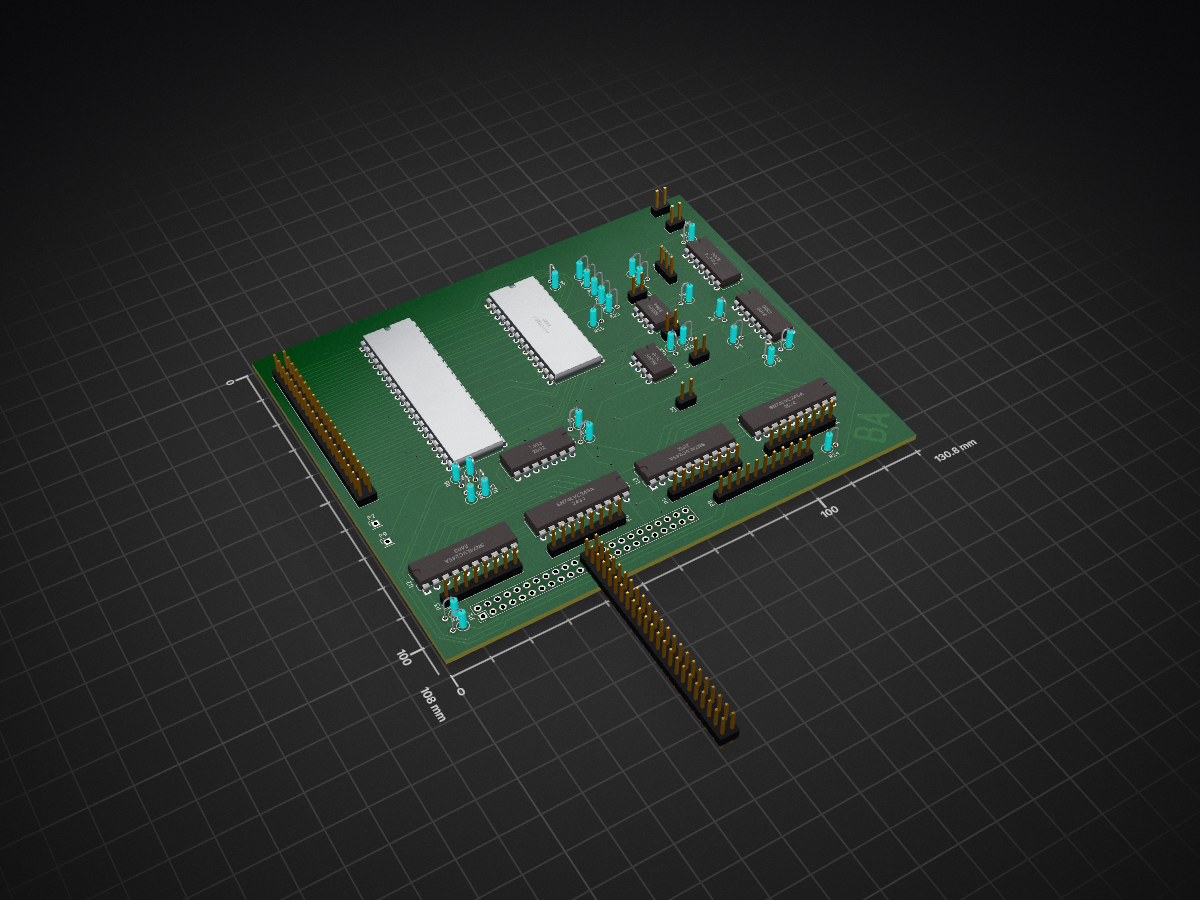
Z80Computer is an open-source printed circuit board by ianof, from the ianof/Z80Computer repository on GitHub. It is a 2-layer board of 130.8 × 107.9 mm with 53 parts on 96 nets, routed with 771 tracks and 31 vias.
It is built around the SN74LVC245AN, NE555 and 74LS74PC. Its parts include 25 resistors, 10 ICs, 10 connectors, 5 capacitors and 1 diode.


A minimalistic computer using the Zilog Z80 microprocessor as an educational display.
The computer will be operated using the following controls:
The computer will be in a laser-cut plywood housing. SolidWorks files for this can be found in the "Housing" folder.
A printed circuit board contains all the circuitry for the computer. Gerber files for this can be found in the "PCBFiles" folder. A schematic can be found in the "KiCad" folder.
| Qty | Value | Footprint | References |
|---|---|---|---|
| 19 | 10k | Discret:R1 | R2, R3, R4, R5, R6, R11, R12, R15, R19, R20, R23, R24, R25, R26, R27, R28 +3 |
| 4 | CONN_01X08 | Pin_Headers:Pin_Header_Straight_1x08_Pitch2.54mm | P3, P4, P6, P7 |
| 4 | SN74LVC245A | Housings_DIP:DIP-20_W7.62mm | U2, U3, U5, U6 |
| 3 | 10nF | Pin_Headers:Pin_Header_Straight_1x02_Pitch2.54mm | C1, C2, C3 |
| 2 | 10uF | Pin_Headers:Pin_Header_Straight_1x02_Pitch2.54mm | C4, C5 |
| 2 | 220 | Discret:R1 | R13, R14 |
| 2 | 630 | Discret:R1 | R21, R22 |
| 2 | 7400 | Housings_DIP:DIP-14_W7.62mm | U1, U9 |
| 2 | CONN_01X01 | Pin_Headers:Pin_Header_Straight_1x01_Pitch2.54mm | P2, P9 |
| 2 | NE555 | Housings_DIP:DIP-8_W7.62mm | U7, U8 |
| 1 | 100k | Discret:R1 | R1 |
| 1 | 3.3k | Discret:R1 | R10 |
| 1 | 74LS74 | Housings_DIP:DIP-14_W7.62mm | U10 |
| 1 | AS6C6264 | Housings_DIP:DIP-28_W15.24mm | U4 |
| 1 | CONN_01X11 | Pin_Headers:Pin_Header_Straight_1x11_Pitch2.54mm | P8 |
| 1 | CONN_02X20 | Pin_Headers:Pin_Header_Straight_2x20_Pitch2.54mm | P5 |
| 1 | CONN_02X23 | Pin_Headers:Pin_Header_Straight_2x23_Pitch2.54mm | P1 |
| 1 | D | Discret:R1 | D1 |
| 1 | Q_NPN_CBE | Pin_Headers:Pin_Header_Straight_1x03_Pitch2.54mm | Q1 |
| 1 | Screw_Terminal_Power_Input | Pin_Headers:Pin_Header_Straight_1x02_Pitch2.54mm | J1 |
| 1 | Z80 | Housings_DIP:DIP-40_W15.24mm | Z1 |


jabadiagm/MSXhdmi_tn20k
Adaptador hdmi para MSX con Tang Nano 20k


wangyeee/OpenHardware
Collections of hardware design related to my drone project.

It measures 130.8 × 107.9 mm and has 2 copper layers, 1.6 mm thick.
53 parts, built around the SN74LVC245AN, NE555 and 74LS74PC. The full list of its parts is on this page, with links to each part's symbol and footprint where PCBKit's library has them.
From the ianof/Z80Computer repository on GitHub, at the commit this page was made from: the board is KiCad/Z80Computer.kicad_pcb. PCBKit opens the board in the browser, with nothing to install.
Its repository states no licence, so its author keeps all rights: ask ianof before reusing the design.