2 layers64 × 56 mm
Pi adapter
hzeller/spixels
Spixels - 16-SPI LED Raspberry Pi adapter with library (SPI - Pixels).
37 parts41LGPL-3.0

 hzeller/spixels41
Spixels - 16-SPI LED Raspberry Pi adapter with library (SPI - Pixels).
Pi adapter hc is an open-source printed circuit board by hzeller, from the hzeller/spixels repository on GitHub, published under the LGPL-3.0 licence. It is a 4-layer board of 70 × 56 mm with 40 parts on 68 nets, routed with 584 tracks and 107 vias.
It is built around the 74AHCT245D and CL31A226MQHNNNE. Its parts include 30 connectors, 5 capacitors and 4 ICs. It belongs with the interfaces and adapters boards of this library.


Adapter to connect up to 16 SPI-type LED strips (e.g. WS2801, LPD6803 or APA102).
The software to control these SPI outputs can be found in the MultiSPI class
in this project.
The output pins contain GND, CLK and Data. Also, 5V is given which can power shorter LED strips or is useful for active termination of longer wires.
Pinout of each of the connectors:
| GND | CLK | DATA | +5V |
|---|
(GND is pointing towards the Rasbperry Pi GPIO header).
The CLK is shared, but each connector gets a dedicated buffered signal.
The 5V output, accessible on each of the 16 connectors, is fused, so that accidental shorts when messing with the LED strip wires in the field do not cause harm.
If you don't need 5V at all (using an external power supply), don't add a fuse. For smaller power use (e.g. active termination), use a 1A fuse. The outputs are beefy enough that they even could support a couple of shorter 5V LED strips directly, in that case use up to 20A fuse. However, generally it is advisable to separately power the strips; 20A only powers 300 LEDs or so.
If there is no fuse, then the 5V connectors are floating, but note that all 5V pins on that rail are connected with each other: if you use multiple external power supplies, only connect GND, not 5V to prevent balancing currents.
| Count | Type | Package | Info |
|---|---|---|---|
| 4 | 74HCT245 | TSSOP-20 | HCT or AHCT not HC. |
| 4 | 100nF ceramic capacitor | 0805 | One per HCT245 |
| 1 | 22µF ceramic capacitor, 6.3V | 1206 | Stabilizing Pi Power |
| 1 | 20x2 female pin socket | 0.1" raster | to connect to Pi GPIO |
| 16 | 4x1 pin header | 0.1" raster | to connect to LED strips |
| 1 | Fuse holder | for 20mm fuse | Optional (see text) |
Get a reasonable current version of kicad (or use the shell.nix) and call
makeThis will create the gerbers in pi-adapter-fab/ and also produces
a pi-adapter-fab.zip, ready to be sent to a fab.
It is also shared on OSH Park (not affiliated).
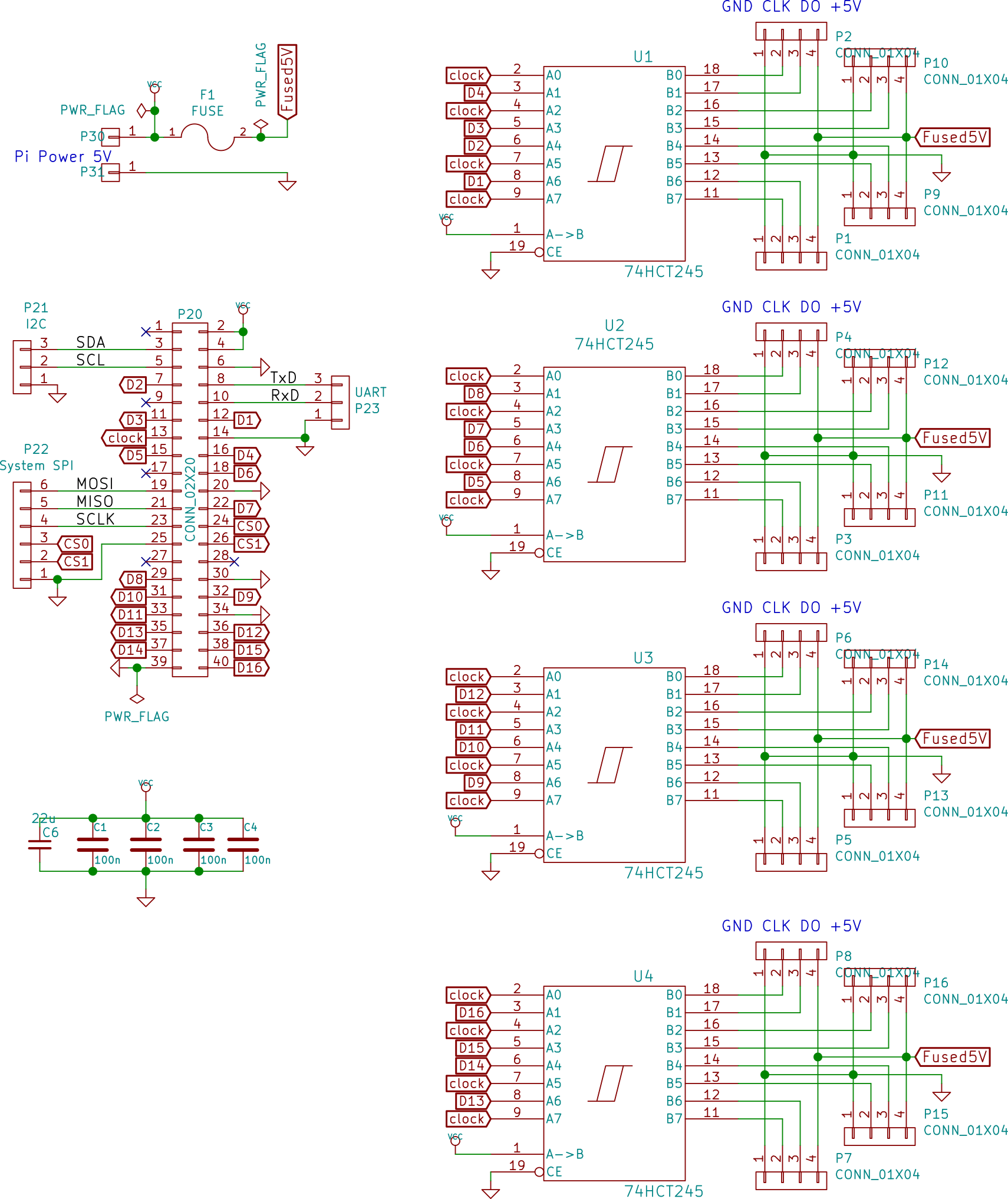
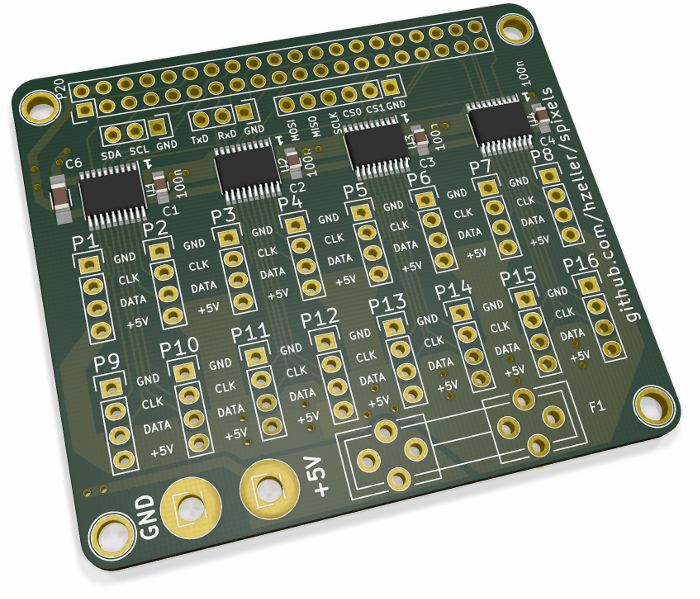
| Qty | Value | Footprint | References |
|---|---|---|---|
| 16 | CONN_01X04 | Pin_Headers:Pin_Header_Straight_1x04 | P1, P2, P3, P4, P5, P6, P7, P8, P9, P10, P11, P12, P13, P14, P15, P16 |
| 4 | 100n | Capacitors_SMD:C_0603 | C1, C2, C3, C4 |
| 4 | 74AHCT245 | Package_SO:TSSOP-20_4.4x6.5mm_P0.65mm | U1, U2, U3, U4 |
| 4 | CONN_01X01 | Connect:1pin | P40, P40, P41, P43 |
| 2 | +5V | Connector_PinHeader_1.00mm:PinHeader_1x01_P1.00mm_Vertical | P30, P32 |
| 2 | GND | Connector_PinHeader_1.00mm:PinHeader_1x01_P1.00mm_Vertical | P31, P33 |
| 1 | 22u | Capacitors_SMD:C_1206_HandSoldering | C6 |
| 1 | 5V | Pin_Headers:Pin_Header_Straight_1x02_Pitch2.54mm | P17 |
| 1 | Conn_02x02_Odd_Even | Pin_Headers:Pin_Header_Straight_2x02_Pitch2.54mm | J1 |
| 1 | I2C | Pin_Headers:Pin_Header_Straight_1x03 | P21 |
| 1 | Pi-GPIO | Connector_PinHeader_2.54mm:PinHeader_2x20_P2.54mm_Vertical | P20 |
| 1 | System SPI | Pin_Headers:Pin_Header_Straight_1x06 | P22 |
| 1 | UART | Pin_Headers:Pin_Header_Straight_1x03 | P23 |
The 39 most common of 40 parts.
hzeller/spixels
Spixels - 16-SPI LED Raspberry Pi adapter with library (SPI - Pixels).


adrienkohlbecker/BB816
A homebrew 16 bit breadboard computer based on WDC's 65C816 processor

michaelkamprath/minimal-64x4-expansion-cards
A set of expansion boards for the Minimal 64x4 Home Computer

thorpej/pg68k
The 68k Playground, a 680x0-based home-brew computer with multiple CPU options


gfoot/fastpdip6502
Fast PDIP-only 6502-based homebrew computer - code and hardware design sources

Aronnax9000/Vega816
A Multiprocessor Implementation of the Kohlbecker 65816 Breakout Board
It measures 70 × 56 mm and has 4 copper layers, 1.6 mm thick.
40 parts, built around the 74AHCT245D and CL31A226MQHNNNE. The full list of its parts is on this page, with links to each part's symbol and footprint where PCBKit's library has them.
From the hzeller/spixels repository on GitHub, at the commit this page was made from: the board is hardware/pi-adapter-16-high-current/pi-adapter-hc.kicad_pcb and its schematic hardware/pi-adapter-16-high-current/pi-adapter-hc.kicad_sch. PCBKit opens the board in the browser, with nothing to install.
Its repository publishes it under the LGPL-3.0 licence: you may reuse it on that licence's terms (keep the author's notice, and for a copyleft licence share your changes alike).