
2 layers98 × 27 mm

My very own custom hackpad
Easy is an open-source printed circuit board by hqwn, from the hqwn/Custom-Hackpad-aka-macropad- repository on GitHub. It is a 2-layer board of 60.8 × 42.2 mm with 5 parts on 14 nets, routed with 40 tracks and 0 vias.
Its parts include 4 switches and 1 IC.
Hi My name is Aryan, Im 14 years old and this is my custom 4 key macropad.
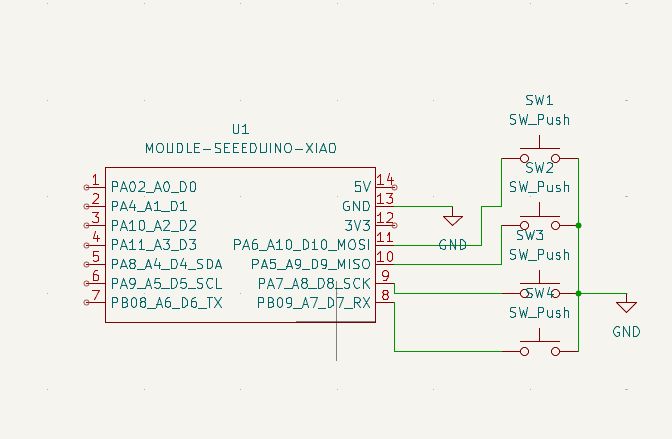
Here's the schematic in kicad:
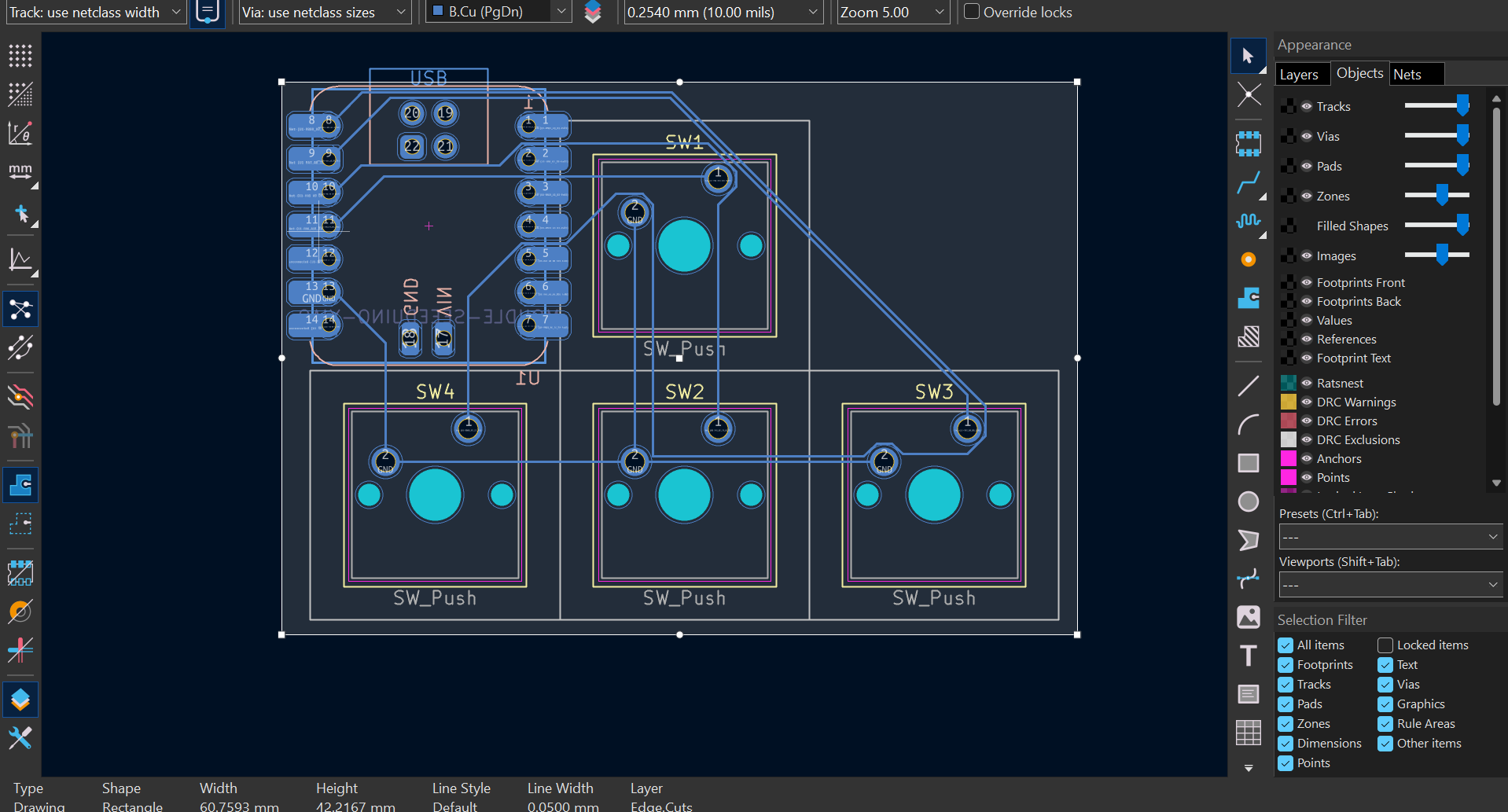
Here's the pcb in kicad:
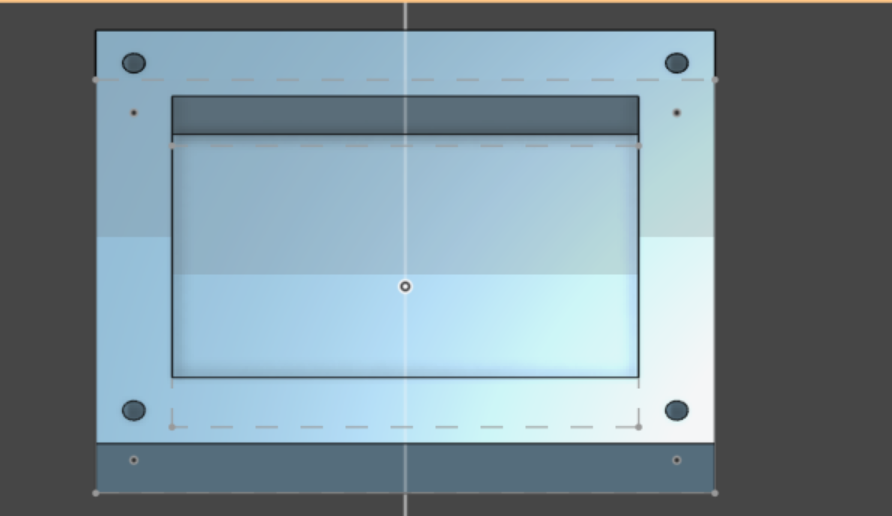
Here's the bottom of the case I made in onshape:
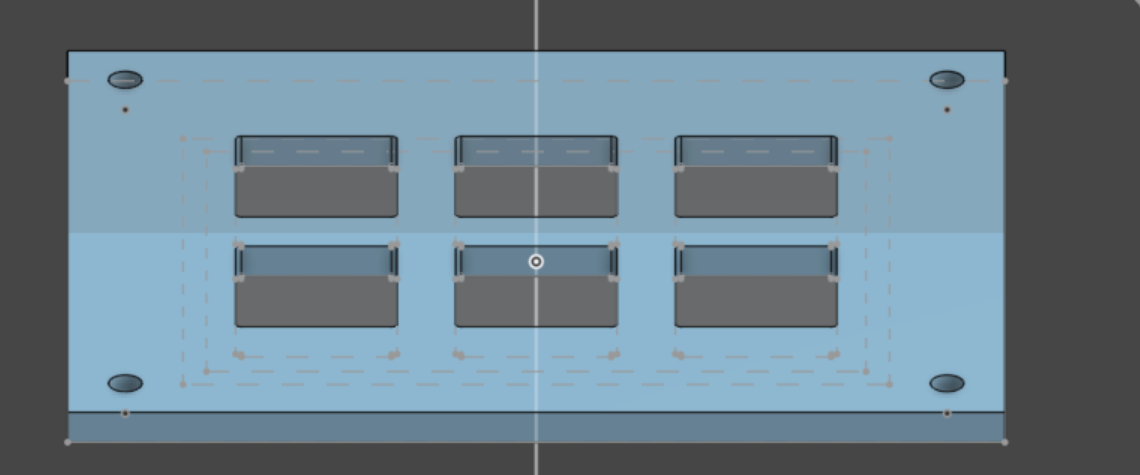
Here's the top of the case I made in onshape:
All of my files including my .step and kicad files are listed in this repo. I made this for a hackclub event called hackpad (hence the name), where It teaches you how to make a macropad. so thats what I did and built on top of it to make it my own. The hardest part for me was the case, It was really weird. Cause I was using Onshape and not Fusion360 like in the tutorial, and on top of that I'm new to 3d modeling, but at the end It worked out. I will flash the firmware through a Circuit Python Script.
| Qty | Value | Footprint | References |
|---|---|---|---|
| 4 | SW_Push | Button_Switch_Keyboard:SW_Cherry_MX_1.00u_PCB | SW1, SW2, SW3, SW4 |
| 1 | MOUDLE-SEEEDUINO-XIAO | PCM_marbastlib-xp-promicroish:Xiao_rp2040_ACH | U1 |

joypad-ai/joypad-os
Universal controller firmware for building adapters, dongles, and custom controllers.

OLIMEX/OLINUXINO
OLINUXINO is Open Source / Open Hardware, low cost from EUR 24 Linux Industrial grade Single Board Computer capable to operate -25+85C

jamro/tiny-engineer
A small desktop robot that brings an AI coding assistant to life, physically acting out when it reads files, thinks, writes code, and finishes work.

hackclub/OnBoard
💡 Join 1,000 teenagers and make your first PCB with a $100 grant!


Luos-io/luos_engine
Open-source and real-time orchestrator for cyber-physical-systems, to easily design, test and deploy embedded applications and digital twins.
It measures 60.8 × 42.2 mm and has 2 copper layers, 1.6 mm thick.
5 parts. The full list of its parts is on this page, with links to each part's symbol and footprint where PCBKit's library has them.
From the hqwn/Custom-Hackpad-aka-macropad- repository on GitHub, at the commit this page was made from: the board is Kicad_files/easy.kicad_pcb and its schematic Kicad_files/easy.kicad_sch. PCBKit opens the board in the browser, with nothing to install.
Its repository states no licence, so its author keeps all rights: ask hqwn before reusing the design.