2 layers40 × 30 mm

 homebrew8088/pi8686
Raspberry PI 8088 "hat"
Single Chip is an open-source printed circuit board by homebrew8088, from the homebrew8088/pi86 repository on GitHub, published under the GPL-3.0 licence. It is a 2-layer board of 51.3 × 38.1 mm with 3 parts on 43 nets, routed with 157 tracks and 7 vias.
Its parts include 2 connectors and 1 IC.
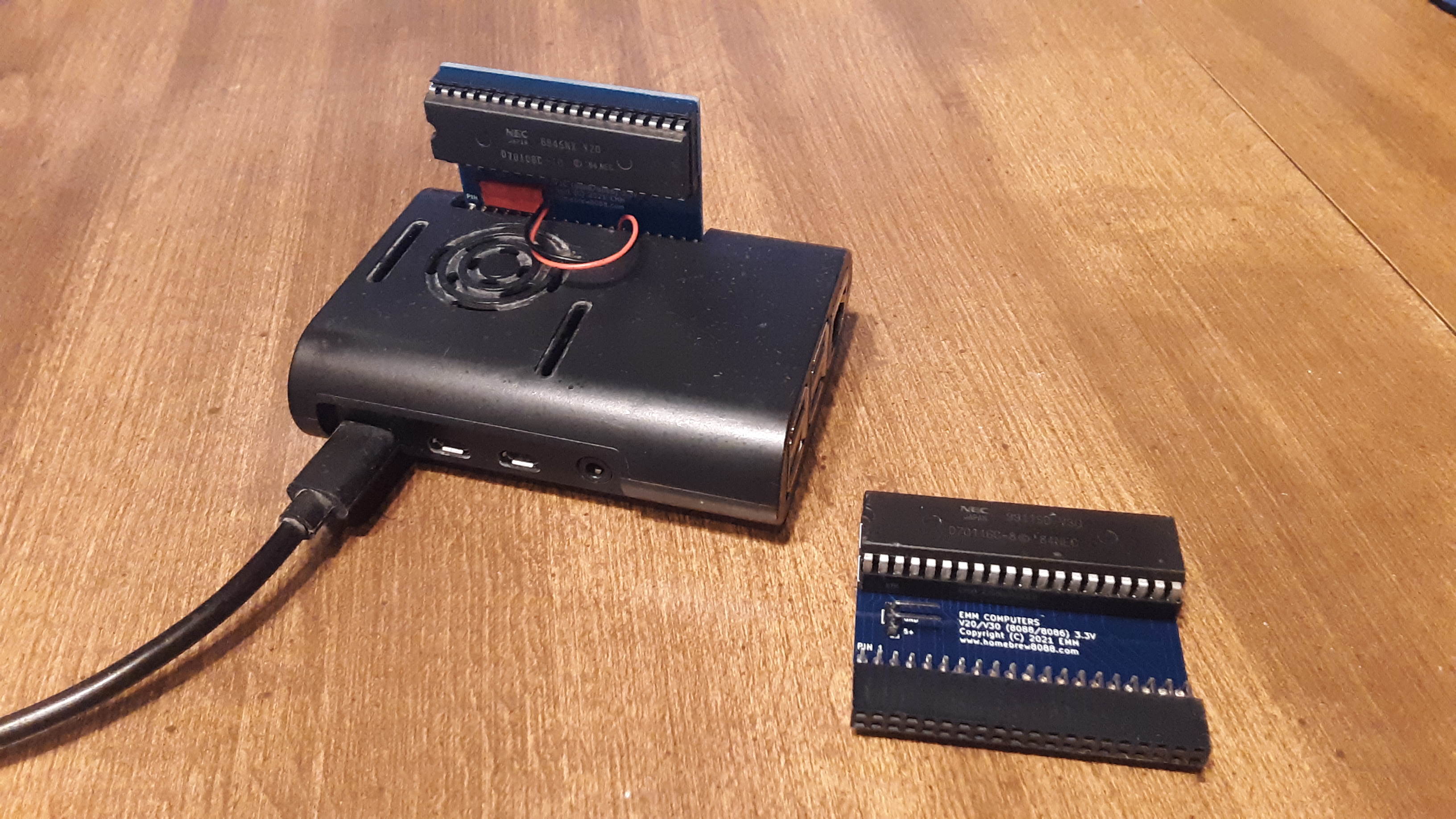
This is the code for my 8088/8086 (Really V20/V30) Raspberry Pi "hat"
https://www.homebrew8088.com/home/raspberry-pi-second-project
The code is fairly simple and easy to modify. Basically the Raspberry PI toggles the Clock then reads the Control Bus and then provides the 8088 what it is requesting. It will read the ALE pin and save the address then provide the proper Memory or IO Read/Write.
Disadvantages:
The speed, the processor is only running at about 0.3 MHz the best I could calculate. But on the flip side the drive read writes are very fast because the memory is virtual on raspberry pi.
Not all 8088/8086 Processors will work. The power is connected to the 3.3v pin on the PI. Most NEC V20/V30's will operate 3V - 7V so this is not problem.
I have written a c library that helps with interfacing the 8088 PCB. I have also begun to develop a GUI window that emulates CGA/VGA graphics
I tested this with a fresh install of Raspberry PI os and it ran just fine.
Open Terminal
git clone https://github.com/homebrew8088/pi86.git
sudo apt-get update
sudo apt-get upgrade
sudo apt-get install gcc build-essential libsdl2-dev
sudo apt-get install nasm
git clone https://github.com/WiringPi/WiringPi.git
cd WiringPi
git pull origin
./build
cd ..
cd pi86
cd v20 (or v30)
sudo chmod +x pi86 (or pi86.)
./pi86
*** This is experimental use at your own risk.
This current build runs very stable. I have left it running for seveal hours and came back and it was still running just fine. I encourage you to download the source code to the projects and give them a try and make modification.
| Qty | Value | Footprint | References |
|---|---|---|---|
| 1 | 8088_Min_Mode | Package_DIP:DIP-40_W15.24mm | U1 |
| 1 | Conn_01x02 | Connector_PinHeader_2.54mm:PinHeader_1x02_P2.54mm_Vertical | J2 |
| 1 | Raspberry_Pi_2_3 | Connector_PinHeader_2.54mm:PinHeader_2x20_P2.54mm_Vertical | J1 |

hzeller/rpi-rgb-led-matrix
Controlling up to three chains of 64x64, 32x32, 16x32 or similar RGB LED displays using Raspberry Pi GPIO


atopile/atopile
Design circuit boards with code! ✨ Get software-like design reuse 🚀, validation, version control and collaboration in hardware; starting with electronics ⚡️


hackclub/sprig
🍃 Learn to code by making games in a JavaScript web-based game editor.
It measures 51.3 × 38.1 mm and has 2 copper layers, 1.6 mm thick.
3 parts. The full list of its parts is on this page, with links to each part's symbol and footprint where PCBKit's library has them.
From the homebrew8088/pi86 repository on GitHub, at the commit this page was made from: the board is Kicad/Single Int/Single Chip.kicad_pcb and its schematic Kicad/Single Int/Single Chip.kicad_sch. PCBKit opens the board in the browser, with nothing to install.
Its repository publishes it under the GPL-3.0 licence: you may reuse it on that licence's terms (keep the author's notice, and for a copyleft licence share your changes alike).