2 layers116.8 × 30 mm
Type d
google/mozc-devices
Circuit diagrams and firmware source code for Gboard DIY keyboards
14 parts3kApache-2.0

 heyy-Shubham/hackpad-for-editing
Hackpad for Editing is a custom-built, open-source mechanical macropad designed to supercharge your video and audio editing workflow. It combines a hand-designed PCB schematic (KiCad), a 3D-printed enclosure, and lightweight C++ firmware — all built from scratch. The firmware runs on PlatformIO inside VS Code, making it easy to modify, build, and f
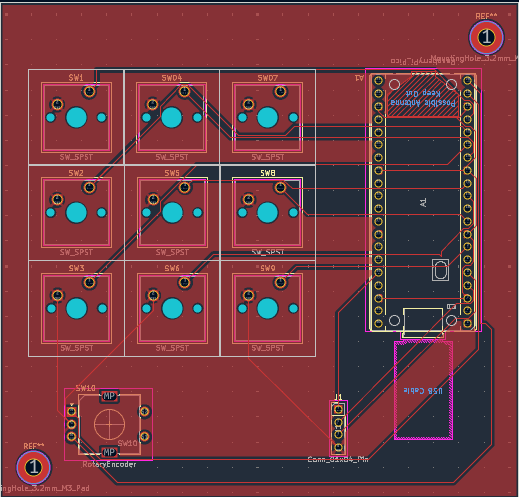
Hacpad for editing PCB File is an open-source printed circuit board by heyy-Shubham, from the heyy-Shubham/hackpad-for-editing repository on GitHub, published under the MIT licence. It is a 2-layer board of 103.2 × 98.6 mm with 14 parts on 36 nets, routed with 107 tracks and 0 vias.
Its parts include 10 switches and 1 connector. It belongs with the keyboards and input boards and the RP2040 boards of this library.
h## Hackpad For Editing
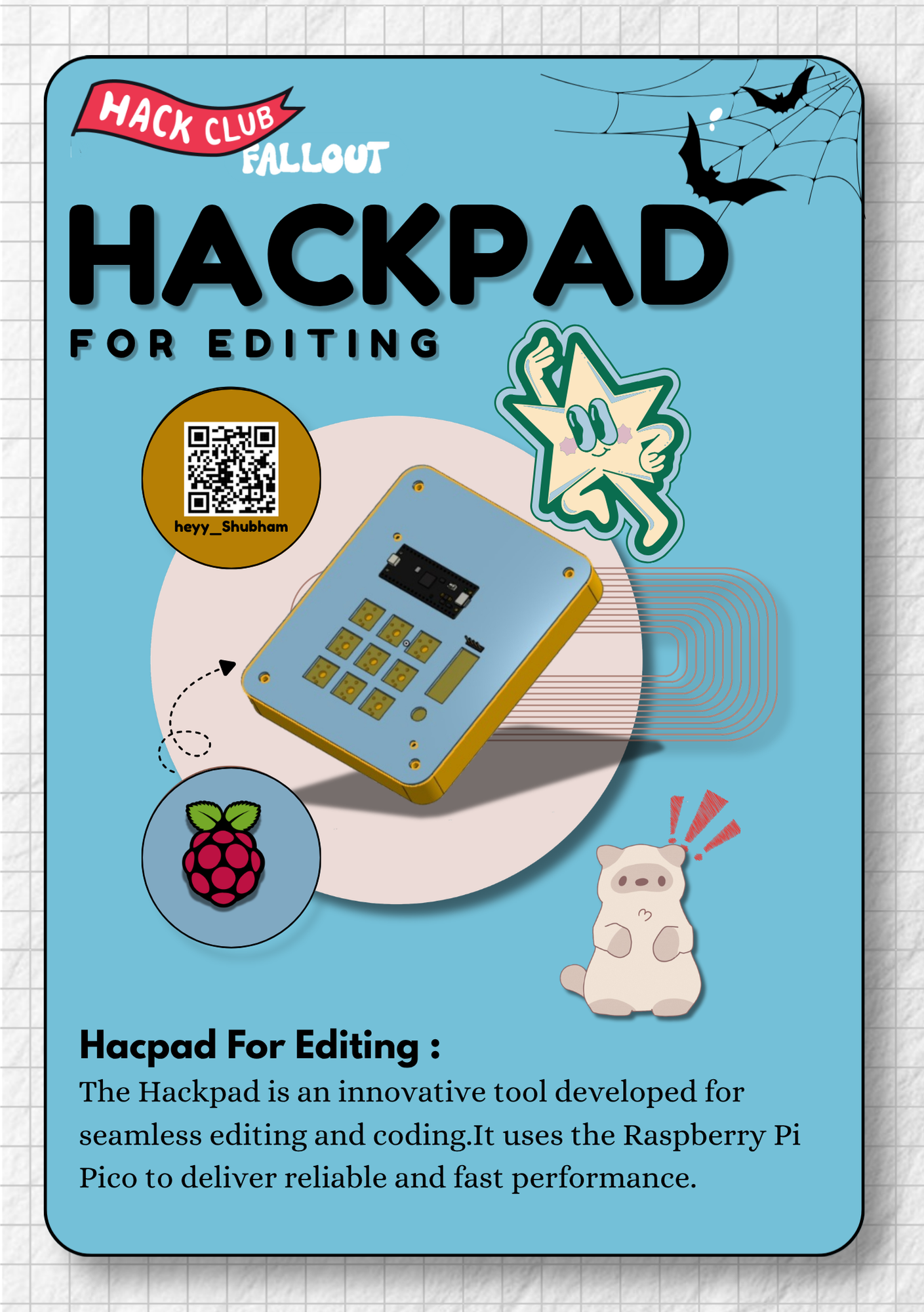
As a video editor, I was tired of reaching across the keyboard for shortcuts like Undo, Redo, and Zoom constantly. I wanted a dedicated device that keeps my hands in the editing zone — so I built the Hackpad For Editing.
I will make this device using 9 sw_cherry_mx (switch) and encoder and 0.91 oled display just plug and enhance editing leval build for editors
9 sw_cherry_mx mechanichl switch , Every switch maped editing shortcut rotary encoder for layer moveing left And right Using Like a Standerd Usb Keyboard Firamware using PlatformIO + keyboard.h in raspbarry pi pico micro controllar
| key | Shortcut | Funcation |
|---|---|---|
| SW1 | Tab | Switch between panel |
| SW2 | Win + Swift + S | Screemshot |
| SW3 | Ctrl z | undo |
| SW4 | Ctrl + Swift + z | Redo |
| SW5 | End | Jumpto the end time line |
| SW6 | Alt + 2 | Application specific Shortcut |
| SW7 | Ctrl + B | Split Clip |
| SW8 | Ctrl + = | Zoom in |
| SW9 | Ctrl + - | Zoom Out |
| Encoder Clockwise | Rise Arrow | Time line forward |
| Encoder Anti-Clockwise | Left Arrow | Backward |
| Component | Pin |
|---|---|
| SW1 | D2 |
| SW2 | D3 |
| SW3 | D4 |
| SW4 | D5 |
| SW5 | D6 |
| SW6 | D7 |
| SW7 | D8 |
| SW8 | D9 |
| SW9 | D10 |
| Encoder A | D20 |
| Encoder B | D21 |
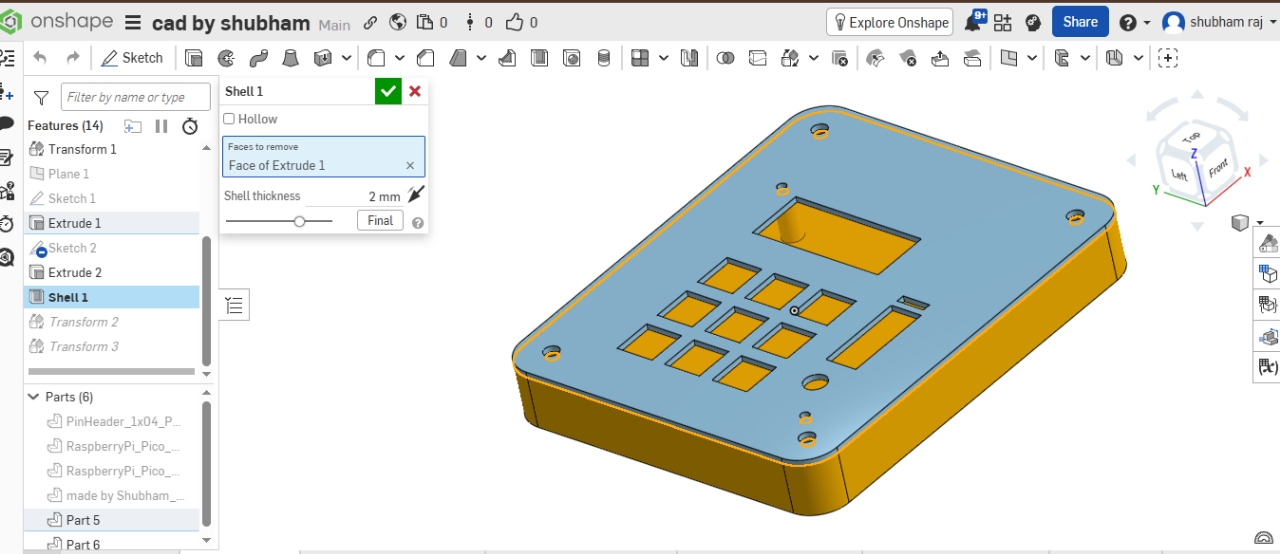
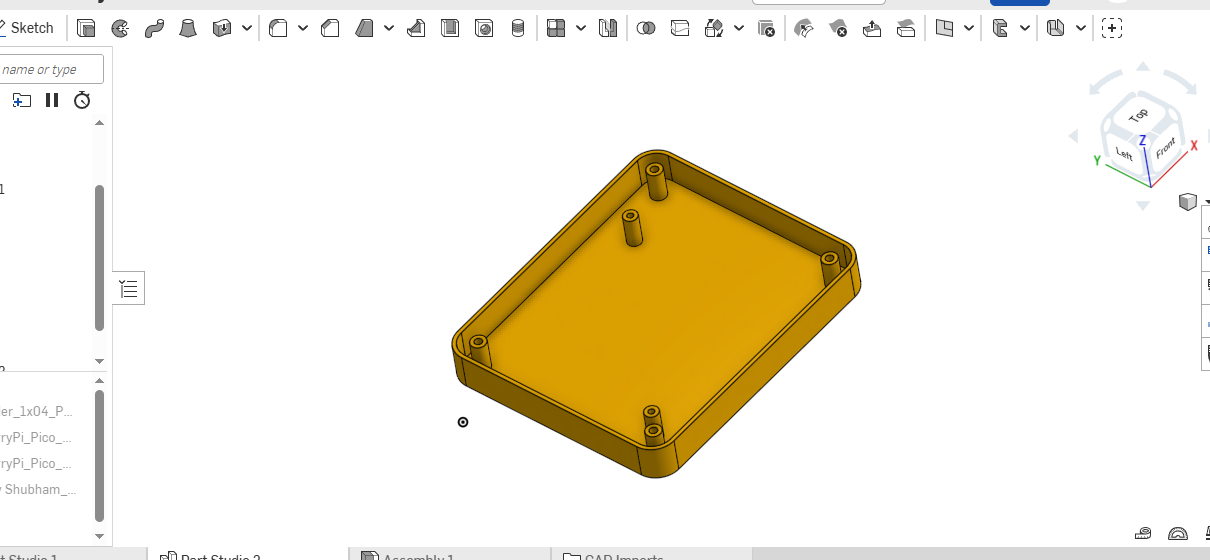
OneShap Project Link: https://cad.onshape.com/documents/5b5dae307a075cbb770b9d40/w/47bce3600617231dbb59e220/e/9a00e2926e7c151da0a35bf5
##Author Shubham Raj - @heyy-Shubham(https://github.com/heyy-shubham)
| Qty | Value | Footprint | References |
|---|---|---|---|
| 9 | SW_SPST | Button_Switch_Keyboard:SW_Cherry_MX_1.00u_PCB | SW1, SW2, SW3, SW04, SW5, SW6, SW07, SW8, SW9 |
| 1 | Conn_01x04_Pin | Connector_PinHeader_2.54mm:PinHeader_1x04_P2.54mm_Vertical | J1 |
| 1 | RaspberryPi_Pico | Module:RaspberryPi_Pico_Common_THT | A1 |
| 1 | RotaryEncoder | Rotary_Encoder:RotaryEncoder_Alps_EC11E-Switch_Vertical_H20mm | SW10 |
The 12 most common of 14 parts.
google/mozc-devices
Circuit diagrams and firmware source code for Gboard DIY keyboards


hackclub/OnBoard
💡 Join 1,000 teenagers and make your first PCB with a $100 grant!


Twotoz/C5VRX
Ultra-minimal, zero-CPU 5.8 GHz analog FPV video receiver using ESP32-C5 Wi-Fi 6 PHY MODEM_DIAG, BitScrambler WBFM demodulation & resistor DAC CVBS


It measures 103.2 × 98.6 mm and has 2 copper layers, 1.6 mm thick.
14 parts. The full list of its parts is on this page, with links to each part's symbol and footprint where PCBKit's library has them.
From the heyy-Shubham/hackpad-for-editing repository on GitHub, at the commit this page was made from: the board is PCB/Hacpad for editing PCB File.kicad_pcb and its schematic PCB/Hacpad for editing PCB File.kicad_sch. PCBKit opens the board in the browser, with nothing to install.
Its repository publishes it under the MIT licence: you may reuse it on that licence's terms (keep the author's notice, and for a copyleft licence share your changes alike).