2 layers57 × 55.2 mm
LogicAnalyzer
gusmanb/logicanalyzer
24 channel, 100Msps logic analyzer hardware and software
10 parts5.1kGPL-3.0

 hemzp/desk-sm
A custom PCB that sits on my desk and shows the album art of whatever I'm playing on Spotify, spinning like a vinyl while the song plays and freezing when it's paused.
Desk sm pcb is an open-source printed circuit board by hemzp, from the hemzp/desk-sm repository on GitHub. It is a 2-layer board of 40 × 50.5 mm with 10 parts on 12 nets, routed with 89 tracks and 12 vias.
Its parts include 2 switches, 1 capacitor, 1 IC and 1 connector. It belongs with the ESP32 boards of this library.
A custom PCB that sits on my desk and shows the album art of whatever I'm playing on Spotify, spinning like a vinyl while the song plays and freezing when it's paused. It also doubles as a weather display and a daily calendar view, controlled with two push buttons and a rotary encoder.
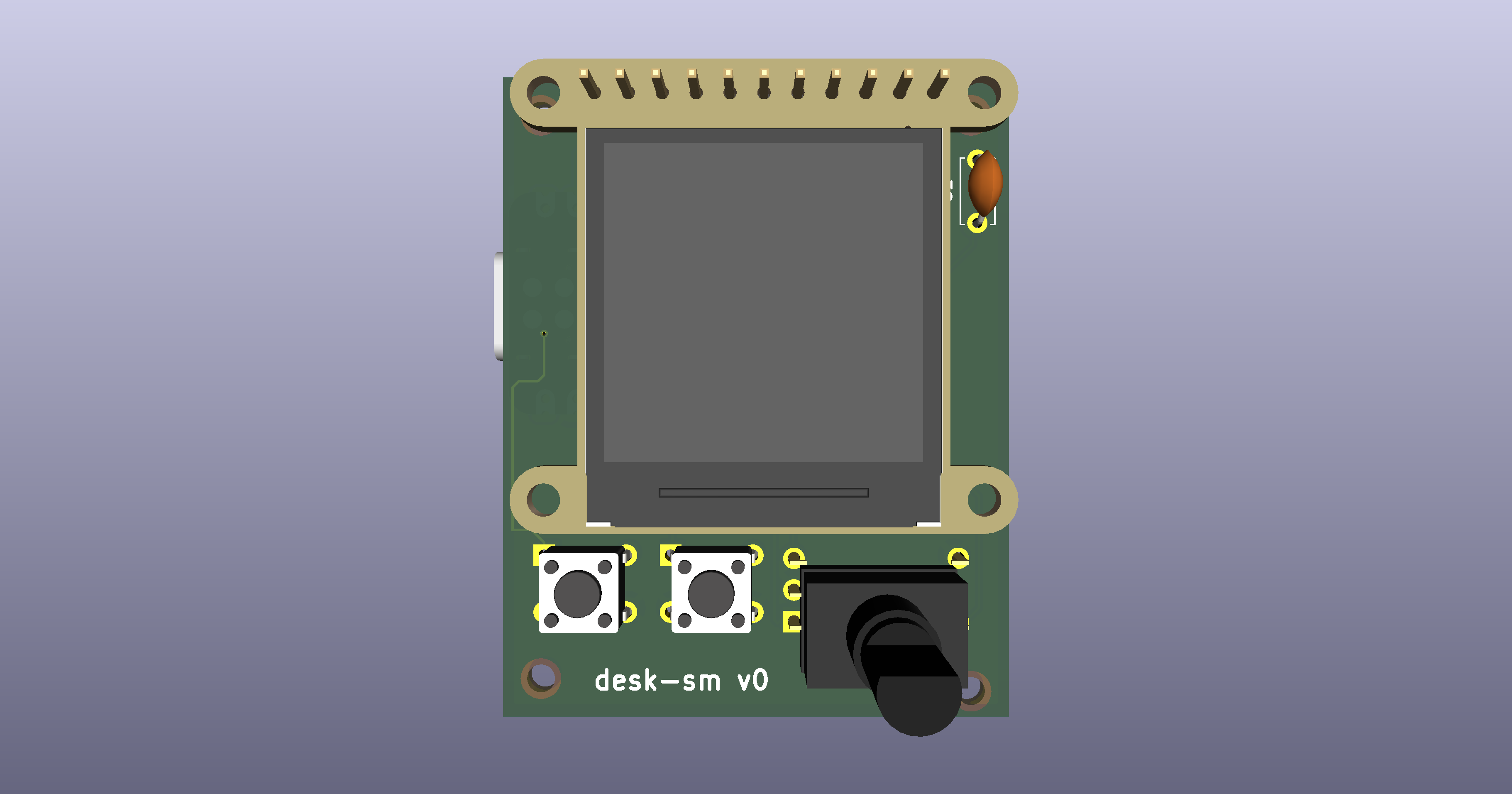 Front: display, two push buttons, and the rotary encoder.
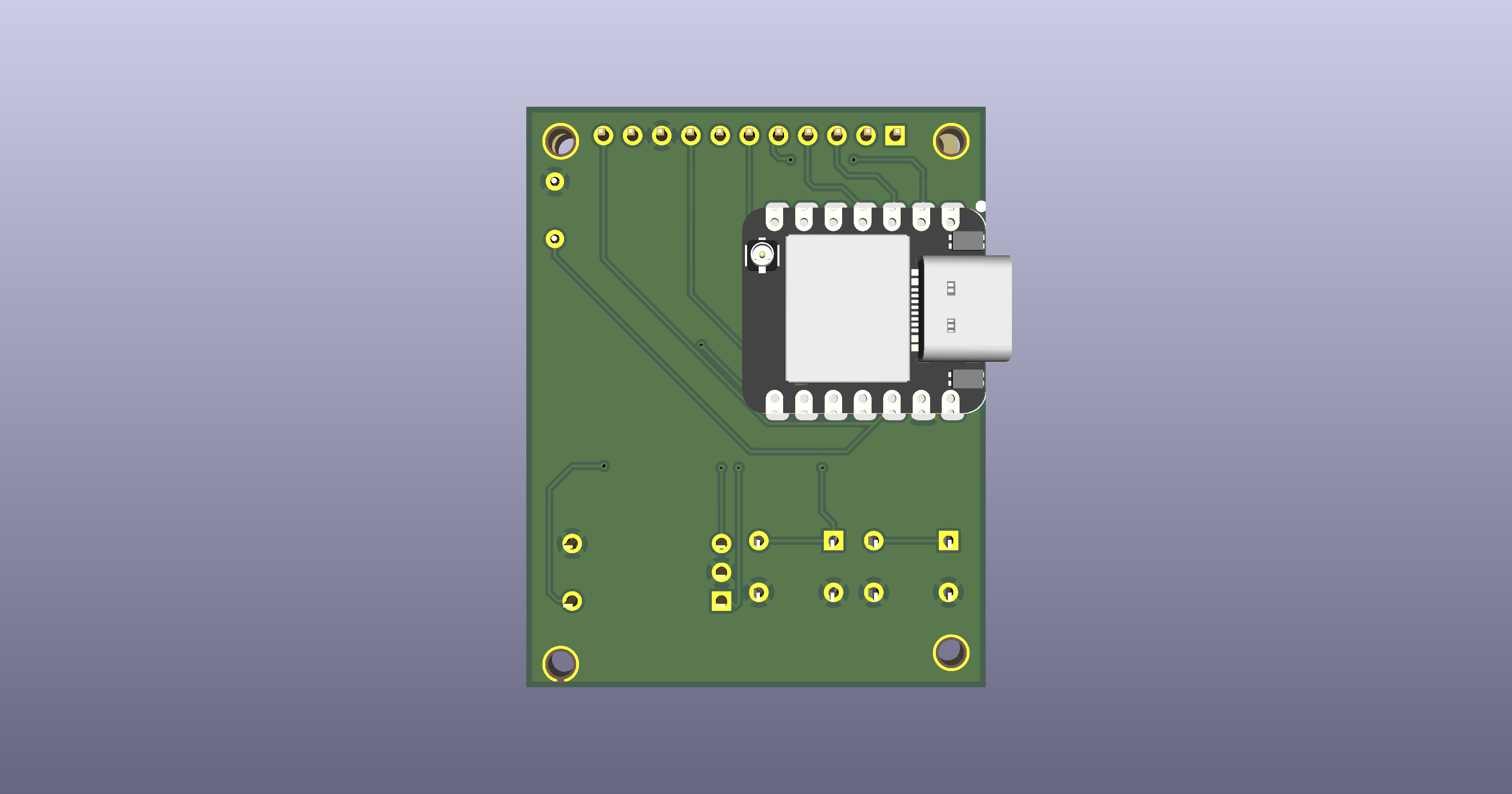 Back: mounting holes and through-hole pads for the controls.
I listen to a lot of music and love album art, so a little screen dedicated to it felt like an easy yes. Weather and calendar earned their spot because they're the two things I actually check every morning in college, class times, meetings, and whether Seattle is doing its usual thing.
Mostly, though, I wanted to build something I hadn't done before, hardware end to end, and use the last 10 days of summer break to do it. I also had a free trial of GitHub Copilot's agent and wanted to see what it could actually do: it handled the schematic well when I gave it clear specs, but the KiCad MCP fell apart at placement and routing. I ended up doing that part by hand, which the small scale of this board made manageable, and honestly more satisfying.
Once the display and MCU land, I'll write and test the firmware, display driving, Spotify polling, weather and calendar pulls, before any of it touches the actual board. When the PCB arrives, I'll solder everything on, take careful measurements, and design an enclosure in FreeCAD to print at one of UW's shops.
There's also a v2 in the back of my mind, more sophisticated, but v1 has to actually work first.
If you see this running and like it, let me know. I can put together a few more, up to 4, you'd just need to source a display and MCU (easy, both off-the-shelf), and I'll get the switches and encoder, solder the board, and flash the firmware. Plug and play from there.
| Qty | Value | Footprint | References |
|---|---|---|---|
| 4 | MountingHole_2.2mm | MountingHole:MountingHole_2.2mm | MH1, MH2, MH3, MH4 |
| 1 | 100nF | Capacitor_THT:C_Disc_D5.0mm_W2.5mm_P5.00mm | C1 |
| 1 | Adafruit 4313 Display Header | Adafruit4313_Header:Adafruit_4313_Header_1x11_P2.54mm | J1 |
| 1 | EC11 Encoder | Controls:EC11_Custom_5Pin | ENC1 |
| 1 | KEY1 | Controls:SW_Push_6mm_Custom | SW1 |
| 1 | KEY2 | Controls:SW_Push_6mm_Custom | SW2 |
| 1 | XIAO ESP32-S3 | XIAO_ESP32S3:XIAO-ESP32-S3-SMD | U1 |
gusmanb/logicanalyzer
24 channel, 100Msps logic analyzer hardware and software

byrantech/laptop
anyon_e, a highly integrated, high end, open source laptop. Attempt the impossible.

joeycastillo/Sensor-Watch
A board replacement for the classic Casio F-91W wristwatch


OLIMEX/OLINUXINO
OLINUXINO is Open Source / Open Hardware, low cost from EUR 24 Linux Industrial grade Single Board Computer capable to operate -25+85C

rusefi/rusefi
rusefi - GPL internal combustion engine control unit

VoronDesign/Voron-Hardware
Cool Hardware designed by the Voron Design group

hoglet67/RGBtoHDMI
Bare-metal Raspberry Pi project that provides pixel-perfect sampling of Retro Computer RGB/YUV video and conversion to HDMI
It measures 40 × 50.5 mm and has 2 copper layers, 1.6 mm thick.
10 parts. The full list of its parts is on this page, with links to each part's symbol and footprint where PCBKit's library has them.
From the hemzp/desk-sm repository on GitHub, at the commit this page was made from: the board is desk-sm-pcb/desk-sm-pcb.kicad_pcb and its schematic OPL_Kicad_Library/Grove Vision AI V2 Library/Grove - Vision AI Module V2.kicad_sch. PCBKit opens the board in the browser, with nothing to install.
Its repository states no licence, so its author keeps all rights: ask hemzp before reusing the design.