2 layers225 × 356.9 mm
Ferris
pierrechevalier83/ferris
A low profile split keyboard designed to satisfy one single use case elegantly
103 parts1.3k
 HellSingCoder/LimeKeyboard25
a 6×4+6 keys column-staggered split keyboard with encoder and joystick support
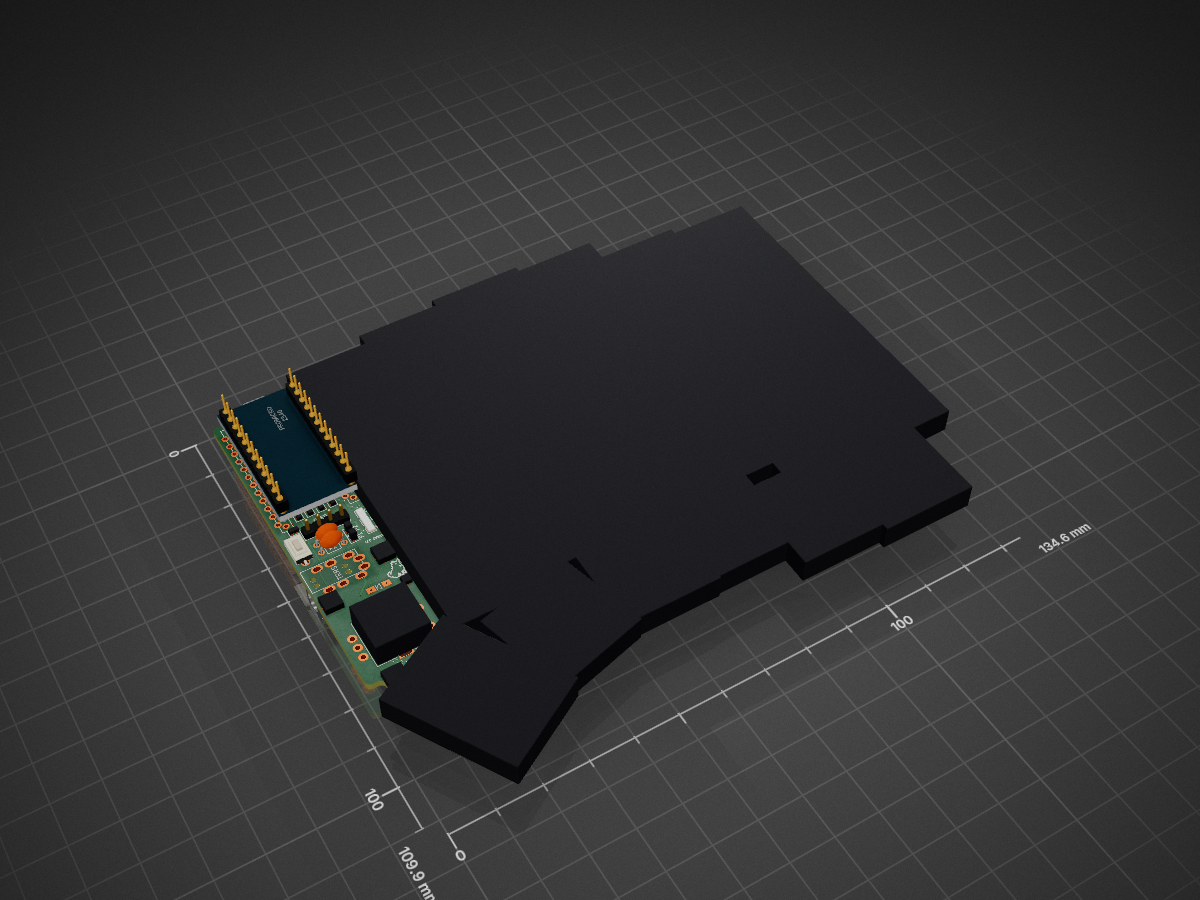
LimeKeyboard is an open-source printed circuit board by HellSingCoder, from the HellSingCoder/LimeKeyboard repository on GitHub. It is a 2-layer board of 134.6 × 109.8 mm with 103 parts on 59 nets, routed with 1,888 tracks and 171 vias.
Its parts include 36 diodes, 31 switches, 4 connectors, 2 resistors and 1 IC. It belongs with the keyboards and input boards and the AVR (ATmega, ATtiny) boards of this library.
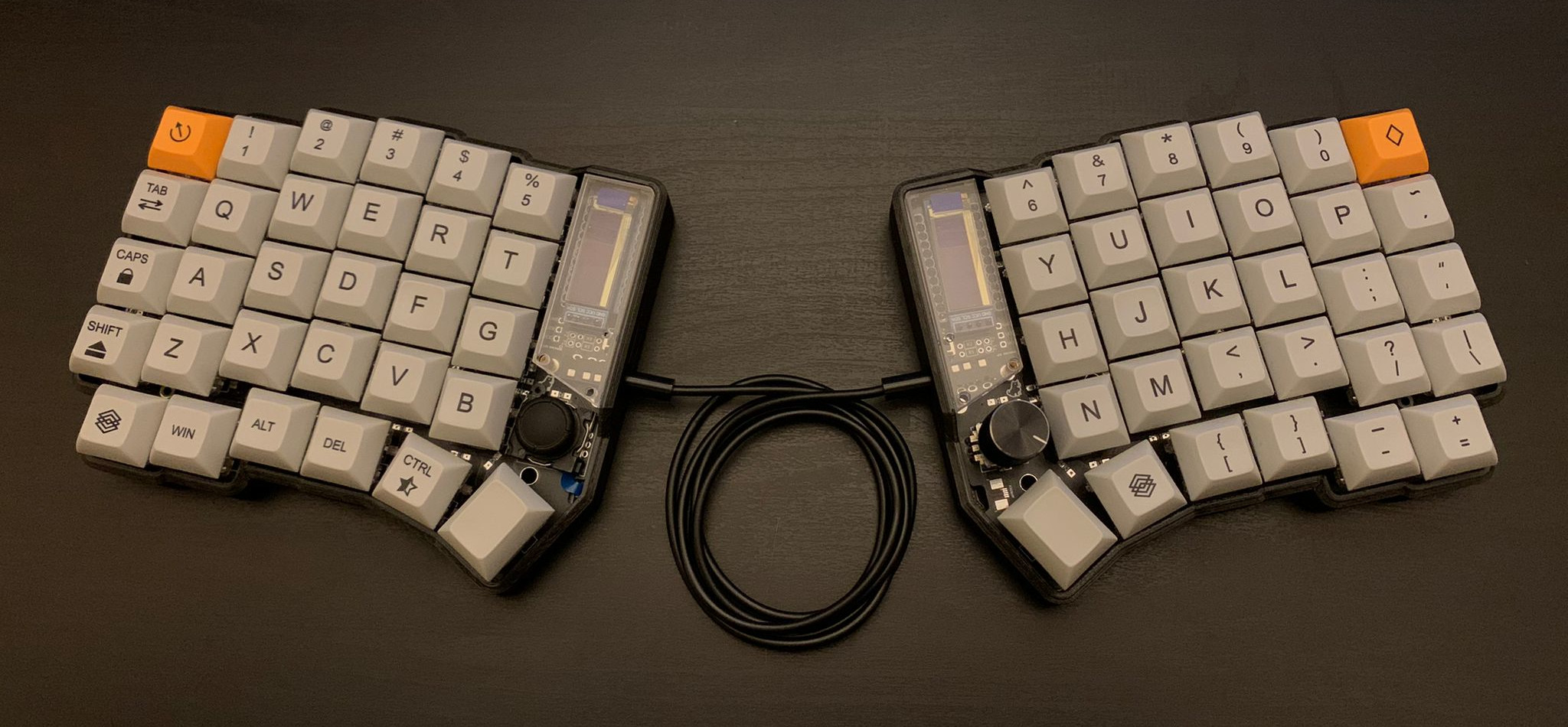
Lime is a 6×4+6 keys column-staggered split keyboard with encoder and joystick support. Based on Lily58, Corne, Helix and Sofle keyboards. This board features a reversible PCB, OLEDs, Underglow and Bluetooth support. The PCB has holes for floating or screwed mounts but can be also mounted with a gasket.
The Lime keyboard was created by HellTM with the help of the QMK and custom keyboard community.
If you would like one of these contact me, I will probably run a couple batches in the future.
This keyboard runs QMK (no VIA support).
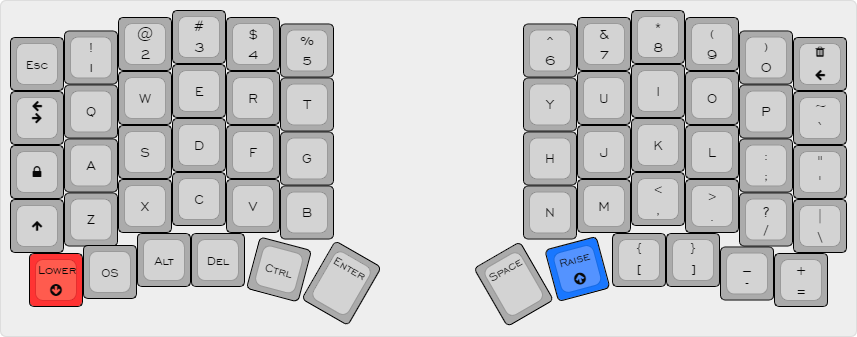 The layout can be switched for COLEMAK in the settings layer
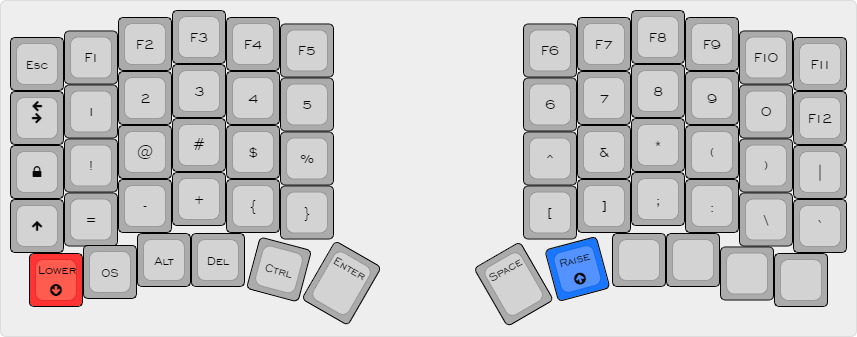
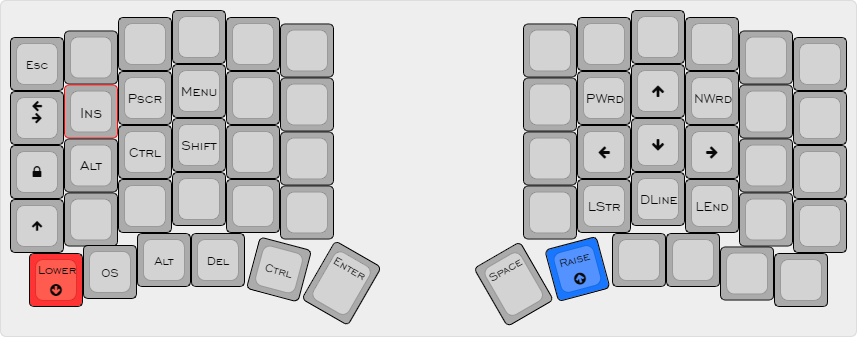
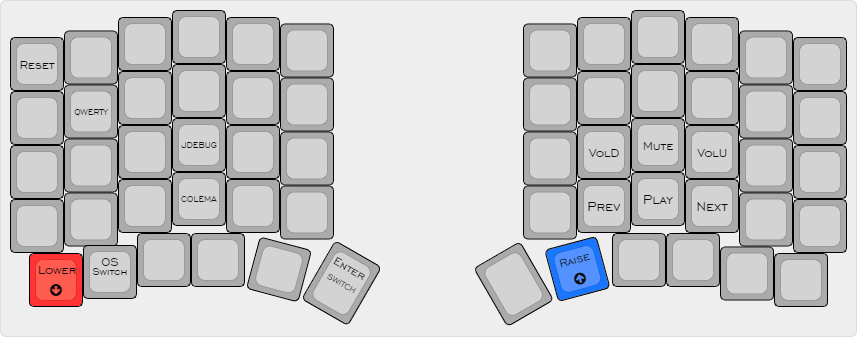
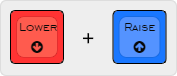
This layer can be accessed with the following combination:

Luna jumps every time you hit Space and will bark at people on the internet if you activate Caps Lock!
This keyboard pet reacts to your WPM counter:
This one is pretty self explanatory.
The Enter and Space functions can be swapped pressing the left thumb button from the Setting layer. The current mode will be displayed on the left display. This one may be useful to all the gamers out there!
Pressing the OS button while on the settings layer will toggle the MAC / WIN mode. This corrects the behaviour of the Alt and Control modifiers. The current selection will be displayed with an icon at the top of the left display.
The right encoder controls the volume and can be pressed to mute. Extra media buttons are hidden away on the settings layer.
The board features a 5 LEDs extensible or overridable underglow. Unfortunately, the default keymap does not take advantage of that because of the very limited space but, the option is out there if you want to play around with it.
Current WPM will be displayed at the bottom of the right screen.
The JDebug button on the settings layer toggles the ADC readings of the joystick pins for X and Y axis. These will be displayed on the left OLED.
Envious - Kicad sage
Dasky - Joystick Troubleshooting guru
| Qty | Value | Footprint | References |
|---|---|---|---|
| 31 | D | SofleKeyboard-footprint:Diode_SOD123 | D1, D2, D10, D11, D12, D13, D14, D15, D16, D17, D18, D19, D20, D21, D22, D23 +15 |
| 29 | SW_PUSH | SofleKeyboard-footprint:CherryMX_KailhLowProfile_Hotswap | SW1, SW2, SW10, SW11, SW12, SW13, SW14, SW15, SW16, SW17, SW18, SW19, SW20, SW21, SW22, SW23 +13 |
| 9 | Jumper_NO_Small | SofleKeyboard-footprint:Jumper | JP1, JP2, JP3, JP4, JP5, JP6, JP6, JP7, JP8 |
| 7 | HOLE | SofleKeyboard-footprint:M2_HOLE_PCB | TH1, TH2, TH3, TH4, TH5, TH6, TH7 |
| 5 | HOLE | SofleKeyboard-footprint:HOLE_M2_TH | TH3, TH4, TH5, TH6, TH7 |
| 5 | LED_sk2812_SM | LED_SMD:SK6812MINI_underglow_dev | D32, D33, D34, D35, D36 |
| 2 | Luna_Logo:Luna | LOGO, LOGO | |
| 2 | LED | SofleKeyboard-footprint:LED | LED, LED |
| 2 | R | SofleKeyboard-footprint:RESISTOR_mini | R1, R2 |
| 2 | i2c_pin | SofleKeyboard-footprint:1pin_conn | P1, P2 |
| 1 | |||
| 1 | 4PIN | SofleKeyboard-footprint:MJ-4PP-9 | J2 |
| 1 | OLED | SofleKeyboard-footprint:OLED_4Pin | J3 |
| 1 | PCB Edge | Connector_FFC-FPC:TE_0-1734839-5_1x05-1MP_P0.5mm_Horizontal | JOYSTICK |
| 1 | ProMicro | SofleKeyboard-footprint:ProMicro | U1 |
| 1 | Rotary_Encoder_Switch | SofleKeyboard-footprint:RotaryEncoder_Alps_EC11E-Switch_Vertical_H20mm-keebio_modified | SW31 |
| 1 | SW_PUSH | SofleKeyboard-footprint:CherryMX_KailhLowProfile_Hotswap_1.5 | SW25 |
| 1 | SW_RST | SofleKeyboard-footprint:TACT_SWITCH_TVBP06 | RSW1 |
| 1 | jumper | SofleKeyboard-footprint:jumper_data | W1 |
It measures 134.6 × 109.8 mm and has 2 copper layers, 1.6 mm thick.
103 parts. The full list of its parts is on this page, with links to each part's symbol and footprint where PCBKit's library has them.
From the HellSingCoder/LimeKeyboard repository on GitHub, at the commit this page was made from: the board is kicad/LimeKeyboard.kicad_pcb and its schematic kicad/LimeKeyboard.kicad_sch. PCBKit opens the board in the browser, with nothing to install.
Its repository states no licence, so its author keeps all rights: ask HellSingCoder before reusing the design.
pierrechevalier83/ferris
A low profile split keyboard designed to satisfy one single use case elegantly

shorepine/tulipcc
The Tulip Creative Computer and AMYboard - portable Python synthesizers


LouWii/ErgoMax
Custom ergo split keyboard project, based on ErgoDox, with hot swap sockets

Orange-Murker/parametric_speaker
A directional speaker with a driver based on STM32

afternoonlabs/BreezeKeyboard
Breeze is a split mechanical keyboard with a column-staggered layout. With a focus on productivity, Breeze features a full 6x4 alphanumeric layout, arrow keys, and an extra 6 key cluster for typing and coding.

tebl/BulkyMIDI-32
A HW build of the MT32-PI project, allowing you to emulate a Roland MT-32 using a Raspberry Pi. Includes enough additional modules to build a MIDI-mountain as well as adapters for connecting to most things retro.
