2 layers304.8 × 95.2 mm
LMN
FundamentalFrequency/LMN-3-ECAD
Electrical CAD Files for the LMN-3 Project
106 parts106CC-BY-SA-4.0
 gsg211/Mouse-controller
An Arduino and Python project for controlling the mouse cursor
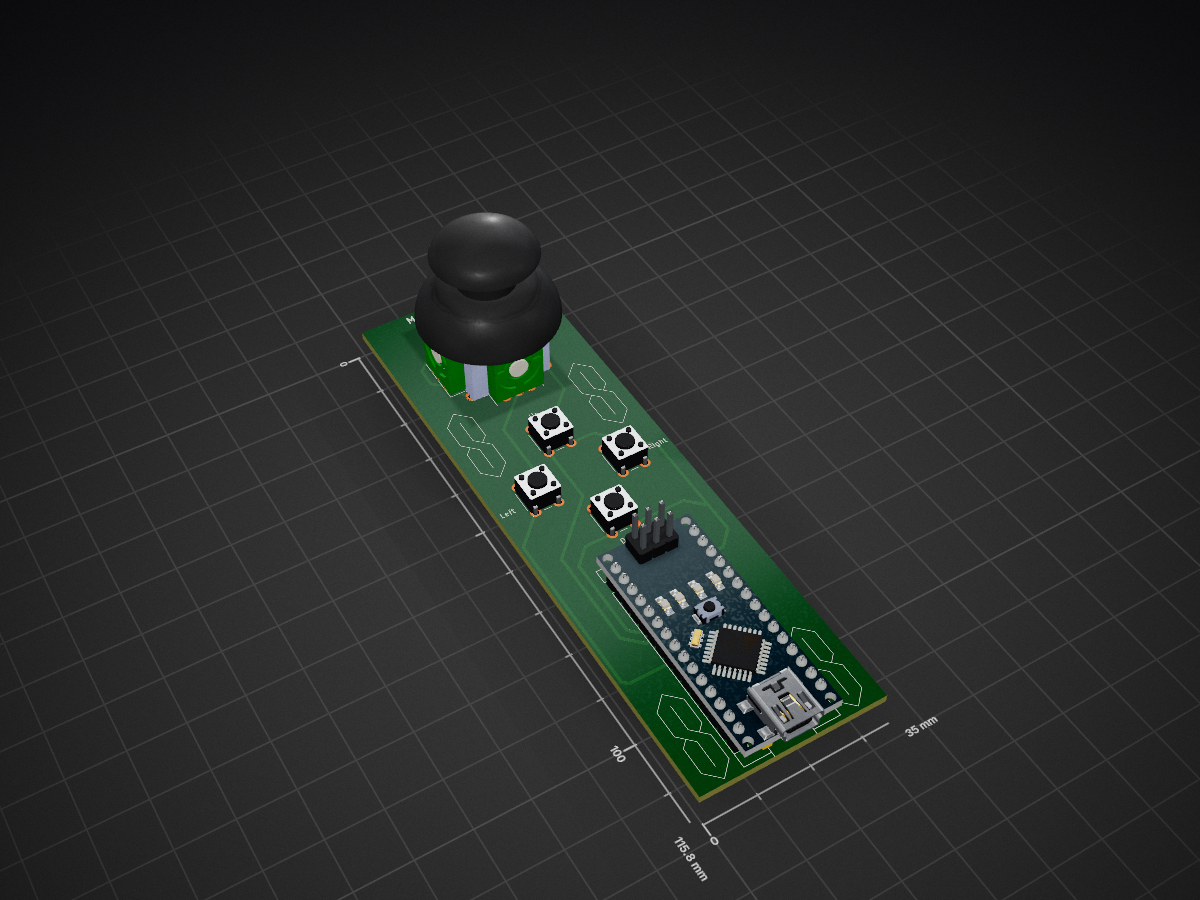
Arduino is an open-source printed circuit board by gsg211, from the gsg211/Mouse-controller repository on GitHub. It is a 2-layer board of 35 × 115.8 mm with 6 parts on 30 nets, routed with 84 tracks and 0 vias.
It is built around the COM-09032. It belongs with the AVR (ATmega, ATtiny) boards of this library.
This project is a simple mouse controller built using an Arduino and Python. The Arduino reads input from sensors or buttons, and the Python script translates those inputs into mouse movements and actions on your computer.
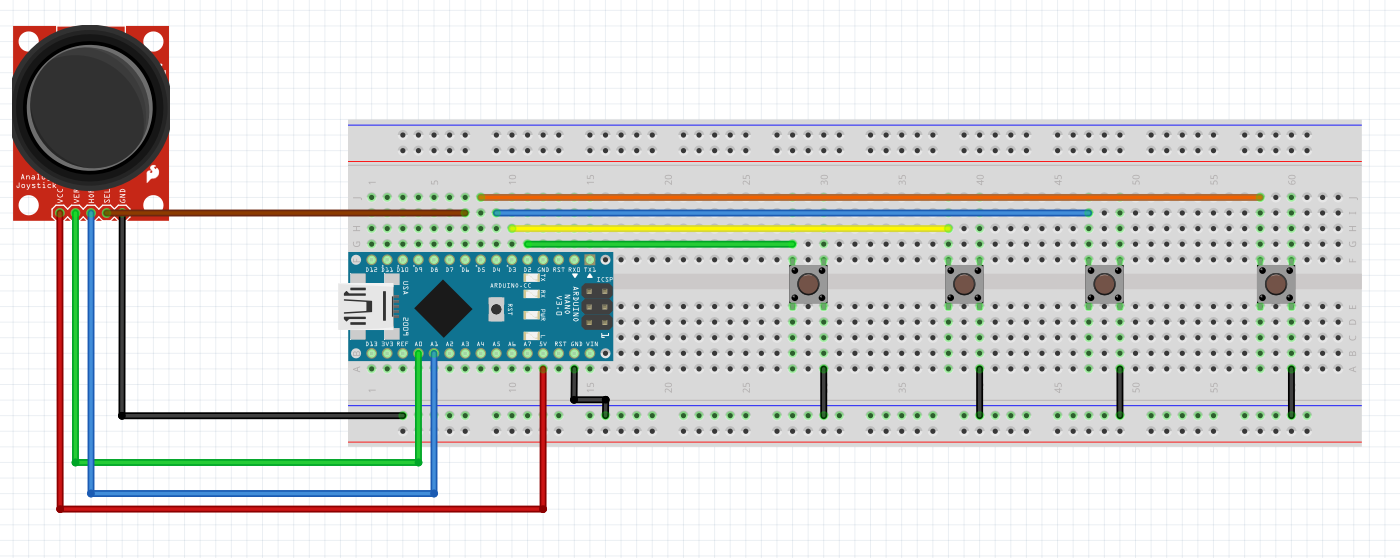
pyautogui library.Refer to the following image for the breadboard wiring:
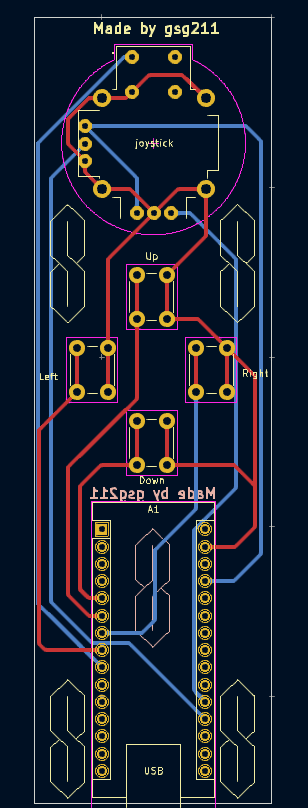
For a more permanent build, you can use the provided PCB design:
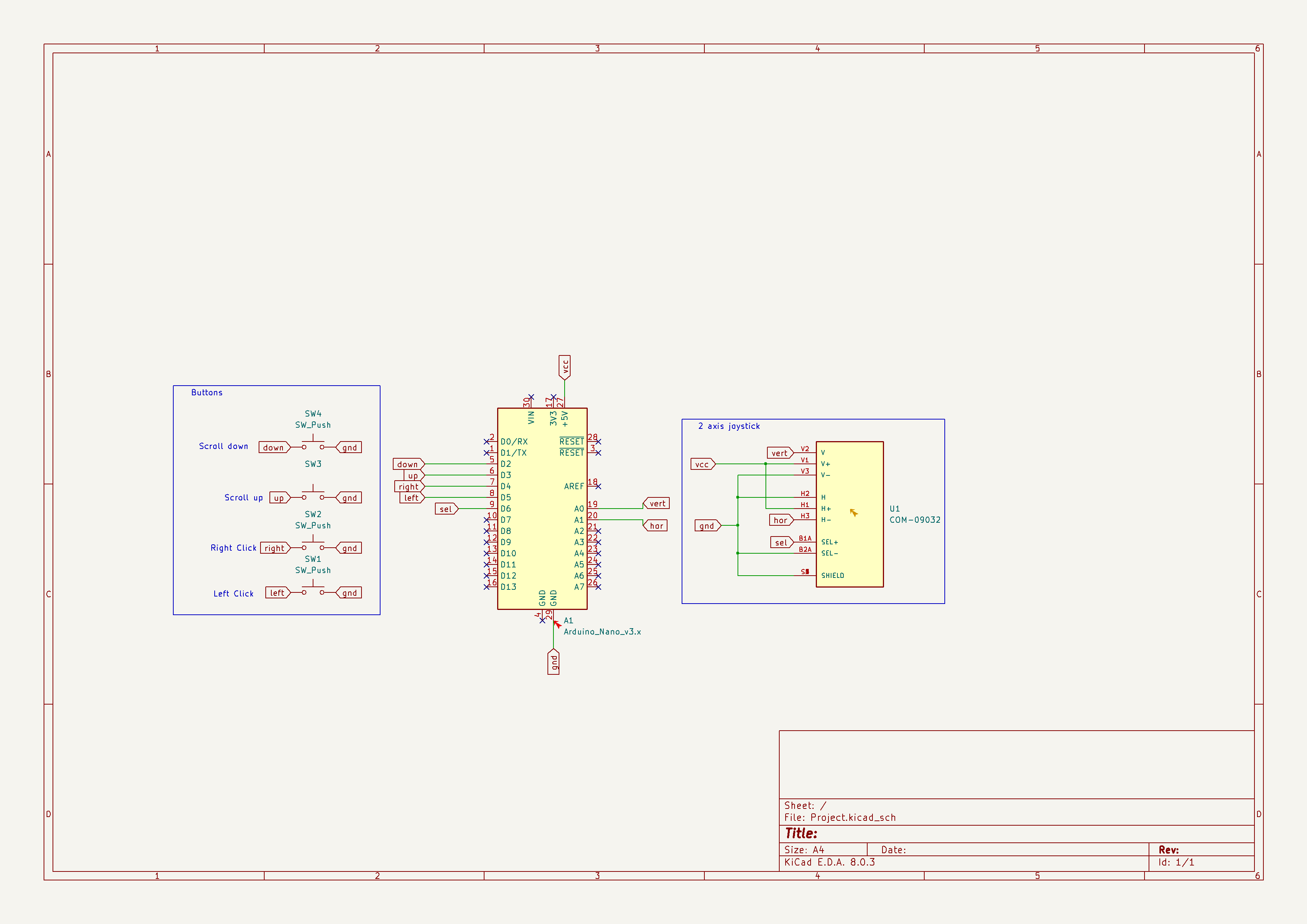
Schematic:
PCB Layout:
Make sure you have the following Python libraries installed:
# Libraries:
├── pyserial
└── pyautoguipython mouse_controller.pypyautogui.| Qty | Value | Footprint | References |
|---|---|---|---|
| 4 | SW_Push | Button_Switch_THT:SW_PUSH_6mm | Down, Left, Right, Up |
| 1 | Arduino_Nano_v3.x | Module:Arduino_Nano | A1 |
| 1 | COM-09032 | XDCR_COM-09032:XDCR_COM-09032 | joystick |
It measures 35 × 115.8 mm and has 2 copper layers, 1.6 mm thick.
6 parts, built around the COM-09032. The full list of its parts is on this page, with links to each part's symbol and footprint where PCBKit's library has them.
From the gsg211/Mouse-controller repository on GitHub, at the commit this page was made from: the board is Arduino/Project.kicad_pcb and its schematic Arduino/Project.kicad_sch. PCBKit opens the board in the browser, with nothing to install.
Its repository states no licence, so its author keeps all rights: ask gsg211 before reusing the design.
FundamentalFrequency/LMN-3-ECAD
Electrical CAD Files for the LMN-3 Project


Hex-4/glyph
[ a custom split keyboard for portably and comfortably interfacing with computing systems ]

Josh4minee/HEX-B12.V1
HEX-B12.V120 is a custom designed hexapod using mg996r servos and has it's theme based on the beloved bot B-12 from the popular video game STRAY.

shiva233/Project-Hermes
Project Hermes is a handheld "console" designed for people who already own gaming PCs so they can stream their games via SteamLink so they can take it anywhere for cheap!

kayaked/esp32-ble-mouse-remote
Bluetooth LE hybrid of a computer mouse and a TV remote. (software/electronics)

Reiko0908/NeuralNetwork_Based_AutonomousCar
This project focuses on developing an autonomous car system powered by neural networks (NN). It utilizes deep learning techniques to enable key functionalities such as perception, path planning, and control.