2 layers142.5 × 106.4 mm

 goberfelfe/Gobers-Tinkerpad2
Multipurpose macropad for drawing, games, and more, with Gober doodles!
Tinkerpad is an open-source printed circuit board by goberfelfe, from the goberfelfe/Gobers-Tinkerpad repository on GitHub. It is a 2-layer board of 78.2 × 98.7 mm with 34 parts on 30 nets, routed with 209 tracks and 16 vias.
Its parts include 16 diodes, 16 switches, 1 IC and 1 connector. It belongs with the keyboards and input boards and the RP2040 boards of this library.
My Hackpad submission!
This is my first hardware project, and it took me WEEKS to finish because I had absolutely no idea what I was doing. I had to restart so many times I almost gave up, but here we are!
I got a bit of help from my friend setting up the schematic. I wanted a LOT of buttons, and I had no idea how to make a matrix. it all worked out (hopefully!)
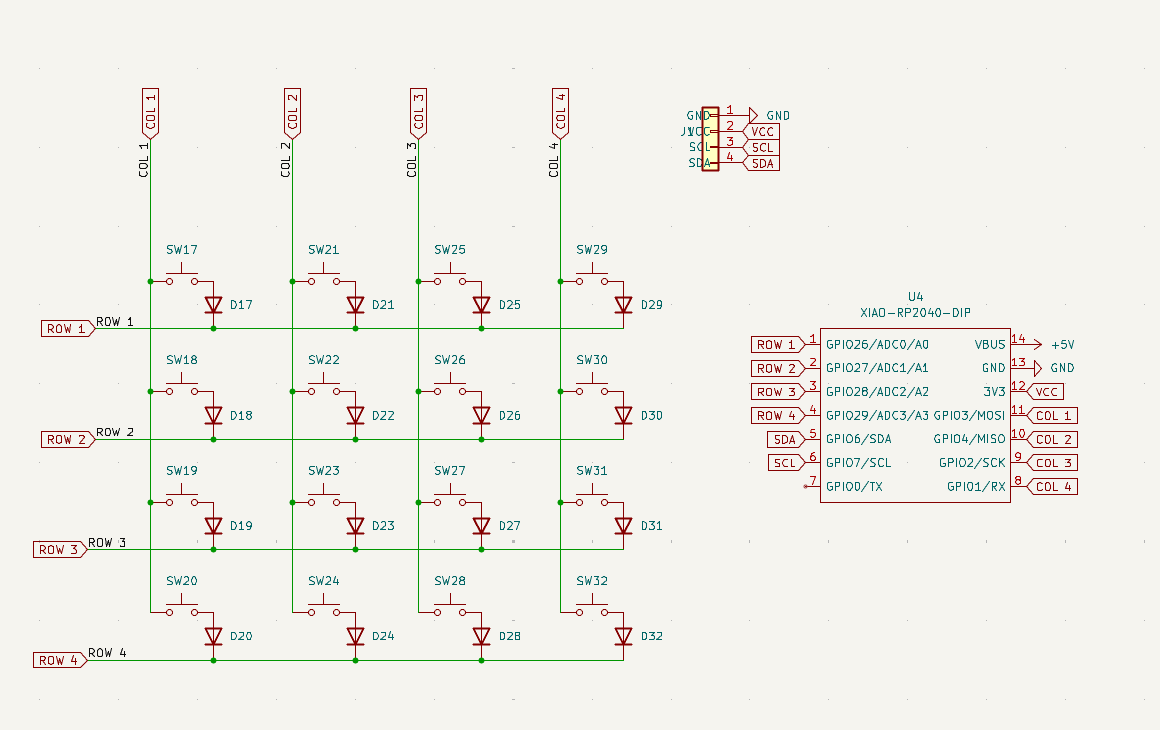
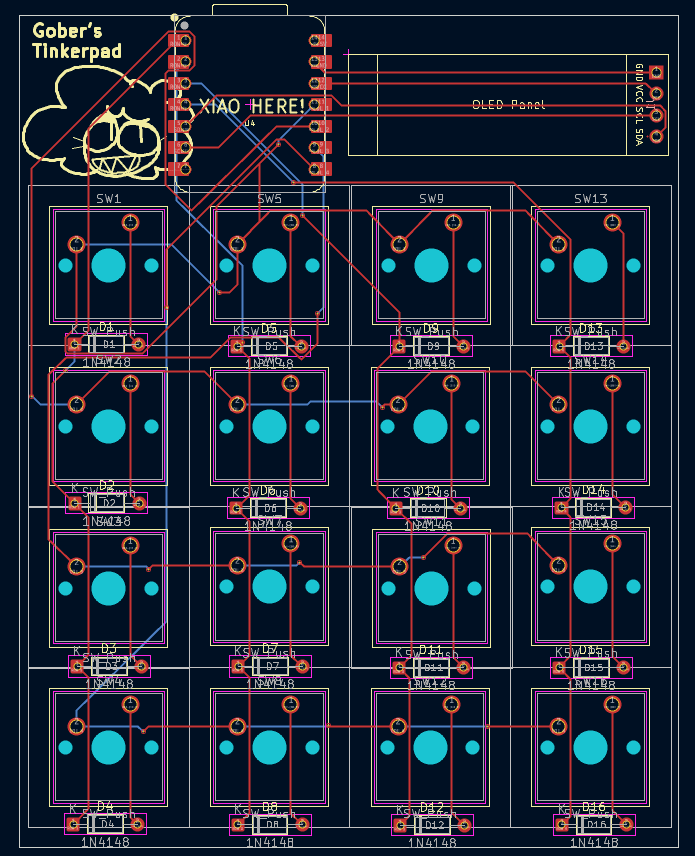
The PCB is sort of crowded since I designed a case for my first attempt and had to restart multiple times. I didn't want to redo the case.
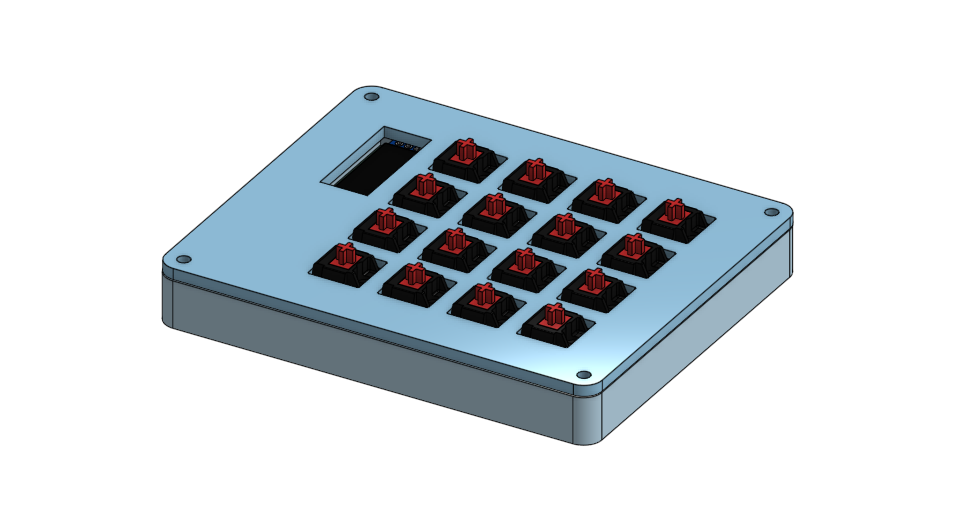
Here is the case for the macropad with all the other parts. I used Onshape to make the case. You can open the Onshape document here!
I used kmk for the firmware. The oled displays what mode you're using when you change it, and any other buttons show a silly Gober face. There is also an idle animation.
Materials I used:
Thanks to Thegreatmewer, this video by Digikey, and the Hack Club Slack for helping me out!
| Qty | Value | Footprint | References |
|---|---|---|---|
| 16 | 1N4148 | Diode_THT:D_DO-35_SOD27_P7.62mm_Horizontal | D1, D2, D3, D4, D5, D6, D7, D8, D9, D10, D11, D12, D13, D14, D15, D16 |
| 16 | SW_Push | Button_Switch_Keyboard:SW_Cherry_MX_1.00u_PCB | SW1, SW2, SW3, SW4, SW5, SW6, SW7, SW8, SW9, SW10, SW11, SW12, SW13, SW14, SW15, SW16 |
| 1 | XIAO-RP2040-DIP | xiao_stuff:XIAO-RP2040-DIP | U4 |
| 1 | custom oled pins | custom:awesome_oled | J1 |
FrameworkComputer/ExpansionCards
Reference designs and documentation to create Expansion Cards for the Framework Laptop

mntmn/amiga2000-gfxcard
MNT VA2000, an Open Source Amiga 2/3/4000 Graphics Card (Zorro II/III), written in Verilog

hackclub/OnBoard
💡 Join 1,000 teenagers and make your first PCB with a $100 grant!


strangeparts/niubi-headphones
Flexible circuit board design for adding a headphone jack to an iPhone 7


baldengineer/bit-preserve
Project for capturing vintage, classic, aka old computer schematics in KiCad.
It measures 78.2 × 98.7 mm and has 2 copper layers, 1.6 mm thick.
34 parts. The full list of its parts is on this page, with links to each part's symbol and footprint where PCBKit's library has them.
From the goberfelfe/Gobers-Tinkerpad repository on GitHub, at the commit this page was made from: the board is Project/PCB/tinkerpad.kicad_pcb and its schematic Project/PCB/tinkerpad.kicad_sch. PCBKit opens the board in the browser, with nothing to install.
Its repository states no licence, so its author keeps all rights: ask goberfelfe before reusing the design.