2 layers44.5 × 72.7 mm
OSO SWAT C1-jig
joeycastillo/Sensor-Watch
A board replacement for the classic Casio F-91W wristwatch
28 parts2.1k

 gismondisimone/MacroCAD
It's a custom macropad built with the Seeed Studio XIAO RP2040, QMK firmware. It's designed by a CAD user for CAD users. The design is as cool as fragile.
MacroCAD is an open-source printed circuit board by gismondisimone, from the gismondisimone/MacroCAD repository on GitHub, published under the MIT licence. It is a 2-layer board of 72 × 95.5 mm with 28 parts on 26 nets, routed with 154 tracks and 4 vias.
Its parts include 12 diodes, 12 switches, 1 IC and 1 connector. It belongs with the keyboards and input boards of this library.
(or just a cool number-pad).
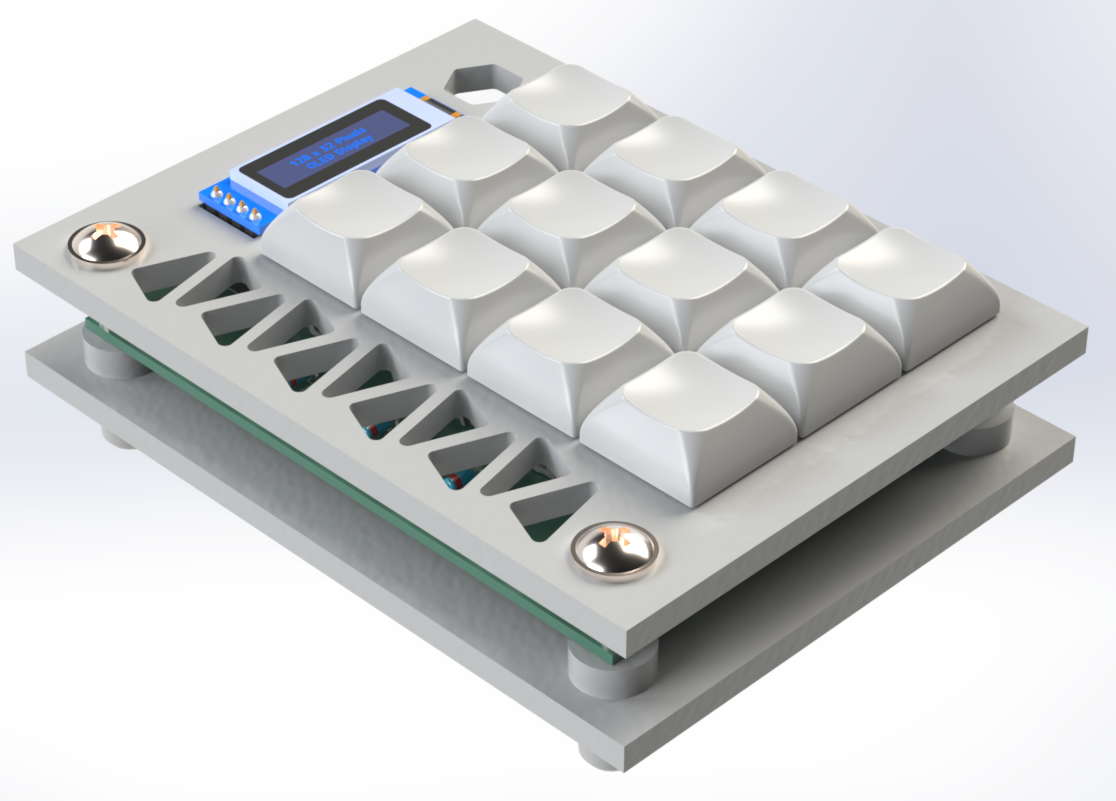
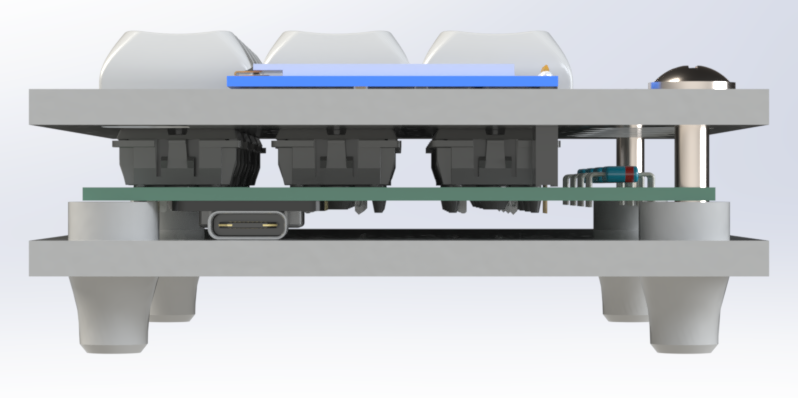
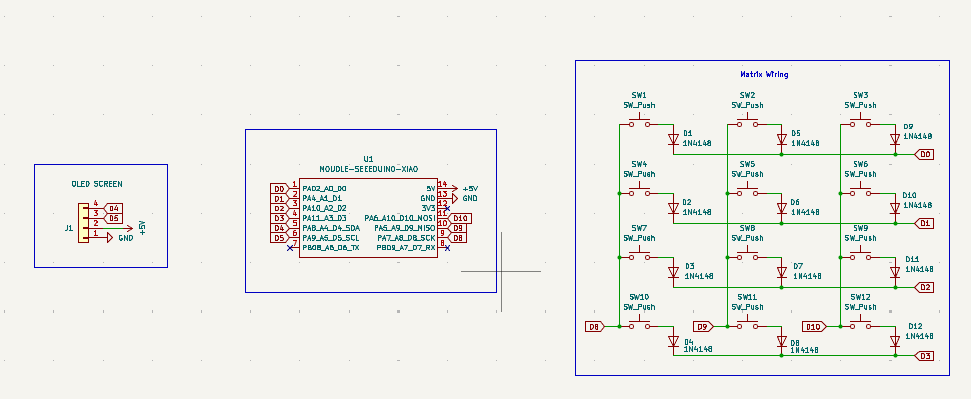
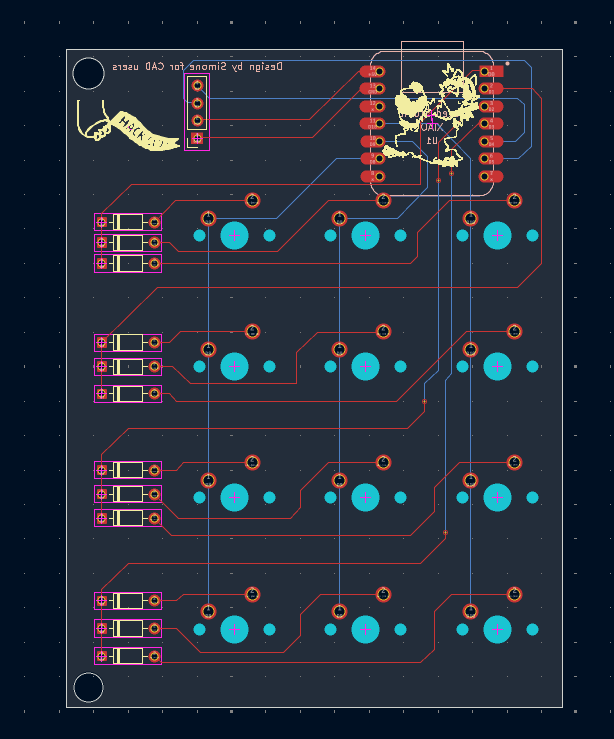
All the bits and pieces needed can be found here.
It's a custom macropad built with the Seeed Studio XIAO RP2040, QMK firmware. It's designed by a CAD user for CAD users. The design is as cool as fragile.
This macropad runs QMK, which means you get:
(Change it if you want, you could delete the enter key and put a shortcut for your CAD software).
| Row | Key 1 | key 2 | Key 3 |
|---|---|---|---|
| 1 | 7 | 8 | 9 |
| 2 | 4 | 5 | 6 |
| 3 | 1 | 2 | 3 |
| 4 | 0 | . | ent |
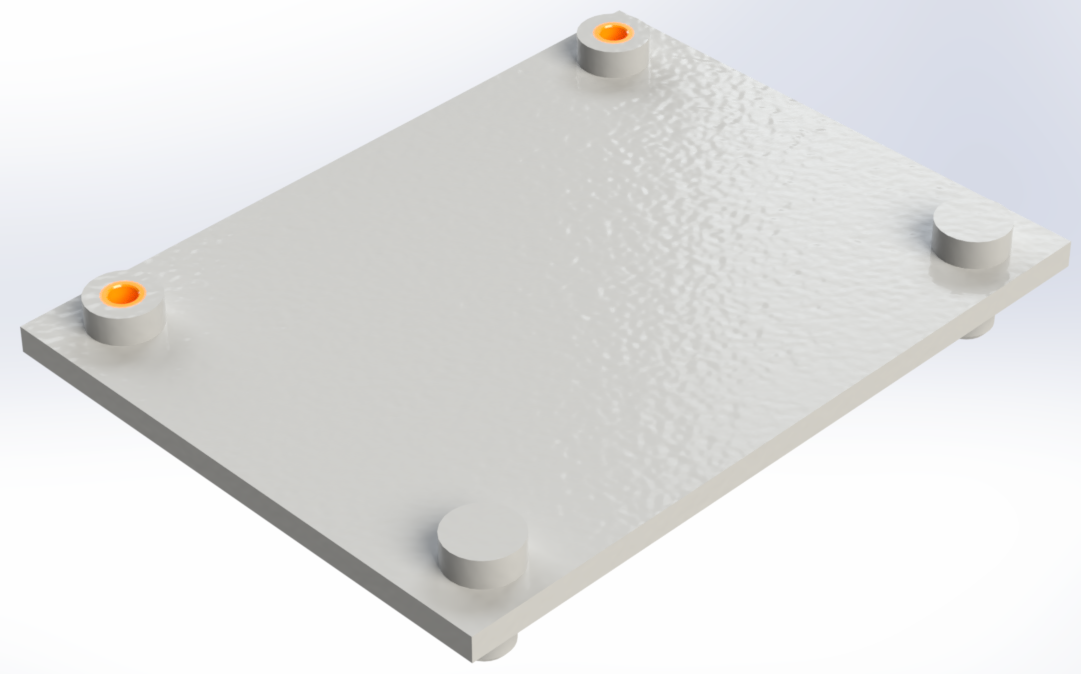 Step 1 - Put the inserts in the holes on the bottom part.
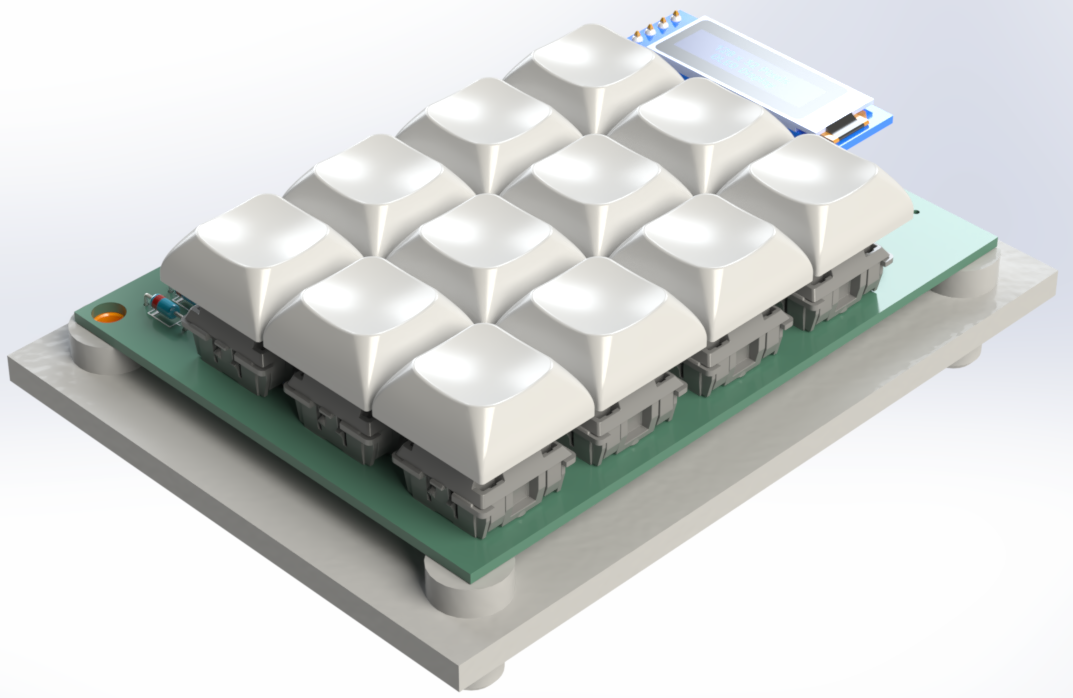 Step 2 - Align holes on the PCB to the holes on the bottom part.
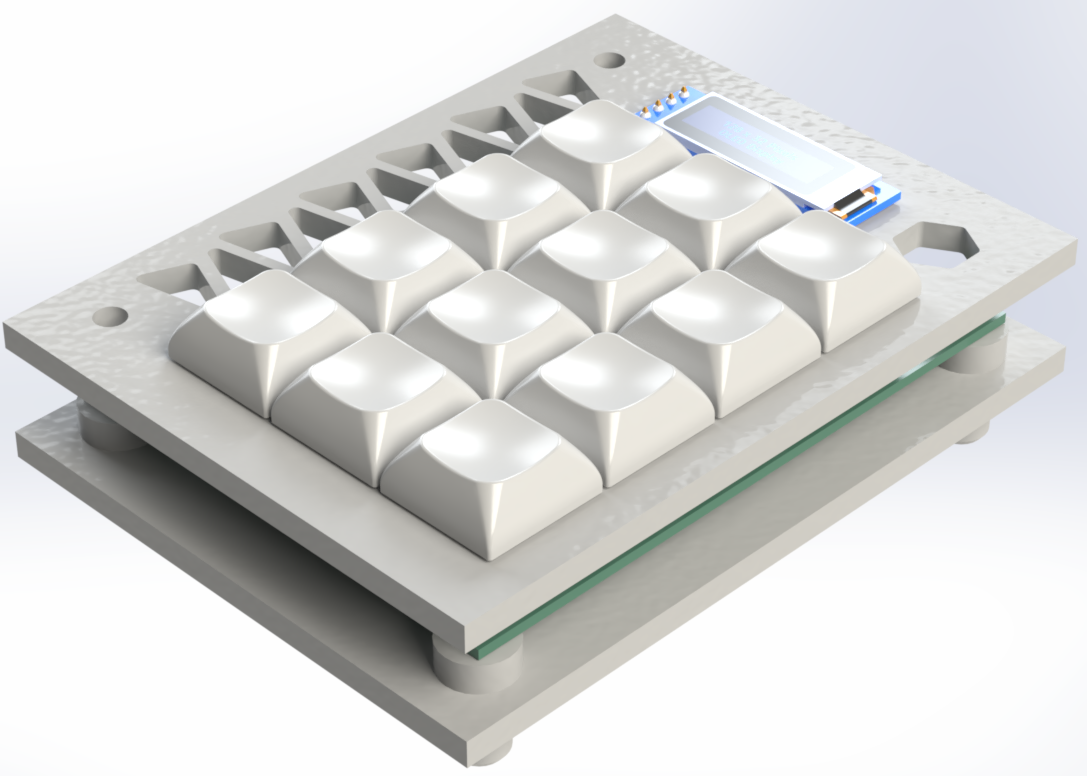 Step 3 - Align holes on the top part to the holes on the PCB.
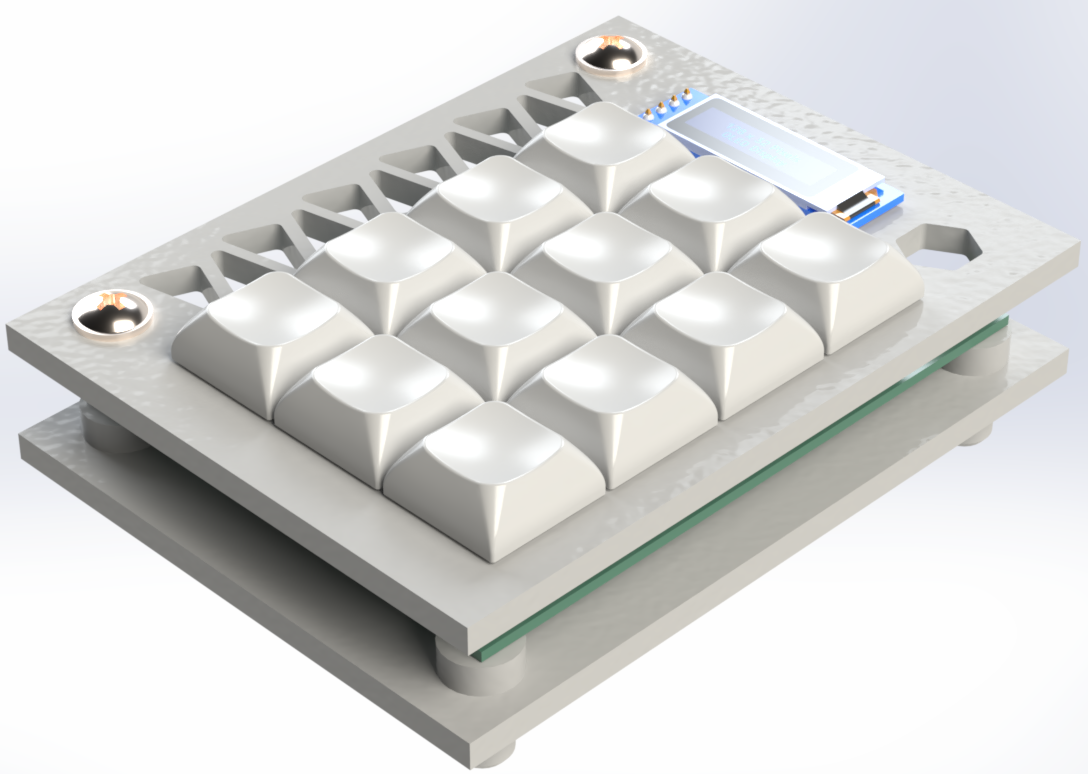 Step 4 - Put two M4x25 screws in the holes.
I built this macropad for Hackpad-an awesome Hack Club YSWS project. With the (hopeful) funding provided by the project, I wanted to create something that's as practical as it is professional. Whether you're designing your favorite projects, this macropad is my way of saying:
It's my second time designing a PCB, I'm slowly improving.
Want to make it better? Open a PR, suggest a feature, or just yell at me on GitHub.
This project is 100% free, open-source, and powered by vibes. If it breaks, explodes, or opens a black hole, that's on you.
| Qty | Value | Footprint | References |
|---|---|---|---|
| 12 | 1N4148 | Diode_THT:D_DO-35_SOD27_P7.62mm_Horizontal | D1, D2, D3, D4, D5, D6, D7, D8, D9, D10, D11, D12 |
| 12 | SW_Push | footprints:MX-Solderable-1.25U | SW1, SW2, SW3, SW4, SW5, SW6, SW7, SW8, SW9, SW10, SW11, SW12 |
| 2 | LOGO | LOGO | G, G*** |
| 1 | MOUDLE-SEEEDUINO-XIAO | footprints:XIAO-Generic-Hybrid-14P-2.54-21X17.8MM | U1 |
| 1 | OLED SCREEN | Connector_PinSocket_2.54mm:PinSocket_1x04_P2.54mm_Vertical | J1 |
It measures 72 × 95.5 mm and has 2 copper layers, 1.6 mm thick.
28 parts. The full list of its parts is on this page, with links to each part's symbol and footprint where PCBKit's library has them.
From the gismondisimone/MacroCAD repository on GitHub, at the commit this page was made from: the board is PCB/MacroCAD.kicad_pcb and its schematic PCB/MacroCAD.kicad_sch. PCBKit opens the board in the browser, with nothing to install.
Its repository publishes it under the MIT licence: you may reuse it on that licence's terms (keep the author's notice, and for a copyleft licence share your changes alike).
joeycastillo/Sensor-Watch
A board replacement for the classic Casio F-91W wristwatch

TalismanDesign/PocketMage_PDA
An E-Ink PDA device using the ESP32 S3.

rusefi/rusefi
rusefi - GPL internal combustion engine control unit

hackclub/OnBoard
💡 Join 1,000 teenagers and make your first PCB with a $100 grant!

asterics/esp32_mouse_keyboard
ESP32 implementation for HID over GATT Keyboard and Mouse (Bluetooth Low Energy). Including serial API for external modules (similar to Adafruit EZKey HID)


Luos-io/luos_engine
Open-source and real-time orchestrator for cyber-physical-systems, to easily design, test and deploy embedded applications and digital twins.

Chrismettal/EleLab_v2
Cheap DIY lab system for hobbyists and the tinkering folk