2 layers110 × 117 mm
Add sub
tmarhguy/alu
8-bit combinational ALU built from scratch with 3,488 CMOS transistors (KiCad + SPICE + Logisim + 1.24M tests
200 parts48MIT

 georgsnarbuts/riga651
a 65 % keyboard
Keyboard is an open-source printed circuit board by georgsnarbuts, from the georgsnarbuts/riga65 repository on GitHub. It is a 2-layer board of 313 × 129 mm with 200 parts on 135 nets, routed with 2,990 tracks and 47 vias.
Its parts include 83 diodes, 7 resistors, 5 capacitors, 3 switches and 1 IC. It belongs with the keyboards and input boards and the AVR (ATmega, ATtiny) boards of this library.
A fully custom 65% mechanical keyboard, assembled entirely from through-hole components and left visible under a clear acrylic top plate. Named for the skyline embossed into its back plate.
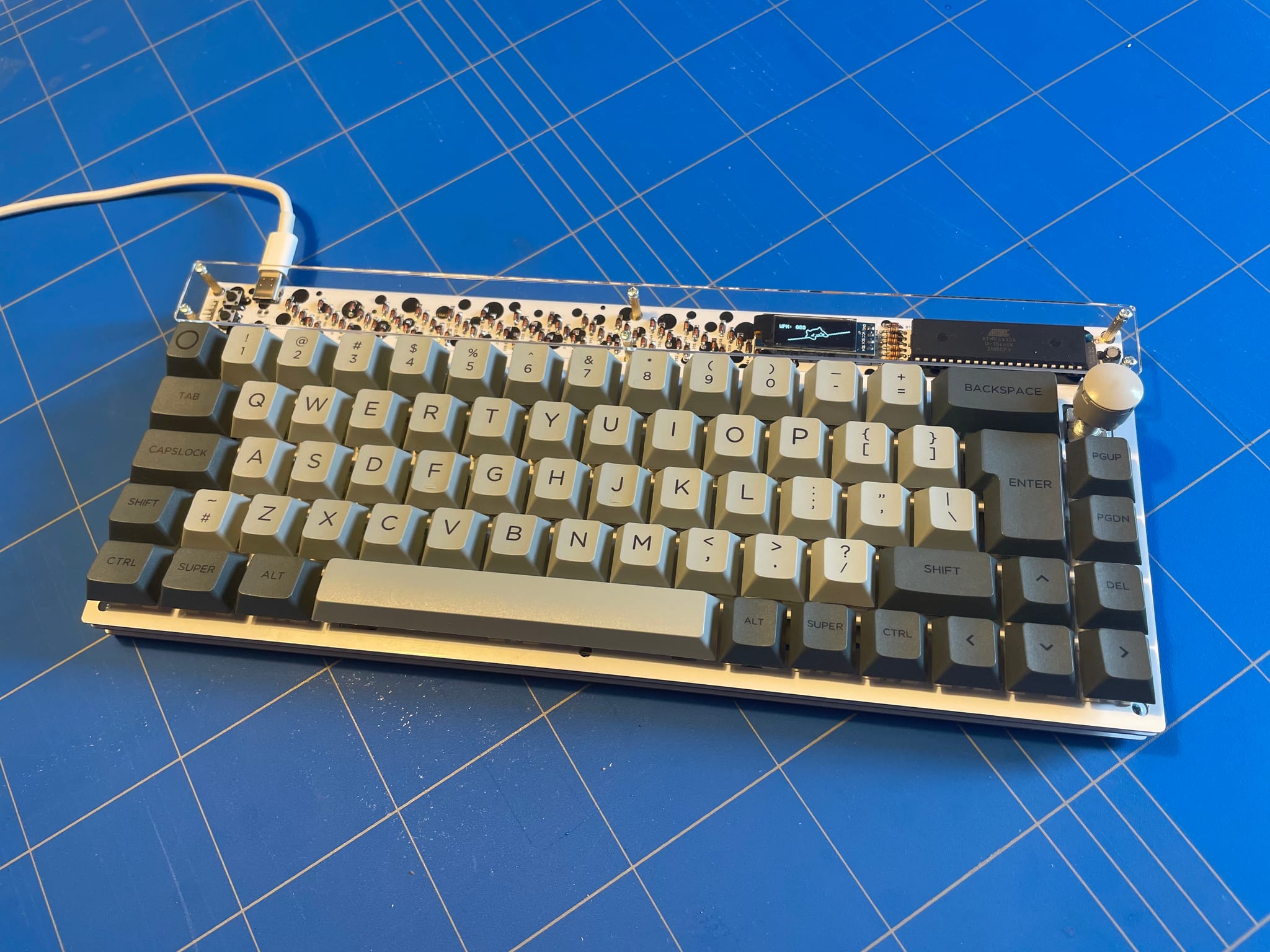
| Layout | 65%, ISO and ANSI, multiple spacebar widths |
| Assembly | Sandwich-style stack |
| MCU | ATmega32A @ 16 MHz |
| USB | V-USB — the ATmega32A has no USB peripheral, so the stack runs in software |
| Bootloader | USBaspLoader |
| Firmware | QMK |
| Display | SSD1306 128×32 OLED (shows live WPM) |
| Input | Rotary encoder (optional) |
| PCB | rev 1.0, 2021 |
The sample board pictured was built with Gateron Yellow switches (filmed, lubed with Krytox 205g0) and Durock stabilisers.
firmware/              QMK keyboard definition — ANSI and ISO keymaps
hardware/
  pcb/                 Main PCB: KiCad project, footprint/symbol libraries, 3D models
  switch-plate/        Switch plate, with gerbers
  bottom-plate/        Bottom plate (carries the Riga skyline), with gerbers
  acrylic-guard/       Acrylic top guard, as DXF
docs/photos/ Build photos and board rendersfirmware/ is a QMK keyboard definition, not a standalone project. Drop it
into a QMK checkout before building:
git clone https://github.com/qmk/qmk_firmware.git
cp -r firmware qmk_firmware/keyboards/riga65
cd qmk_firmware
Then build one of the two keymaps, ansi or iso:
make riga65:ansi          # or: make riga65:iso
make riga65:ansi:flash    # build and flash
See the QMK build environment setup and make guide if this is your first QMK build.
QK_BOOT in your layoutThe KiCad projects open as-is: every footprint and symbol library path is relative to the project directory, so there is nothing to configure first.
| Board | Source | Gerbers |
|---|---|---|
| Main PCB | hardware/pcb/keyboard.kicad_pcb | — |
| Switch plate | hardware/switch-plate/switchplate.kicad_pcb | hardware/switch-plate/gerber/ |
| Bottom plate | hardware/bottom-plate/bottomplate.kicad_pcb | hardware/bottom-plate/gerber/ |
| Acrylic guard | hardware/acrylic-guard/acrylic-guard.dxf | — |
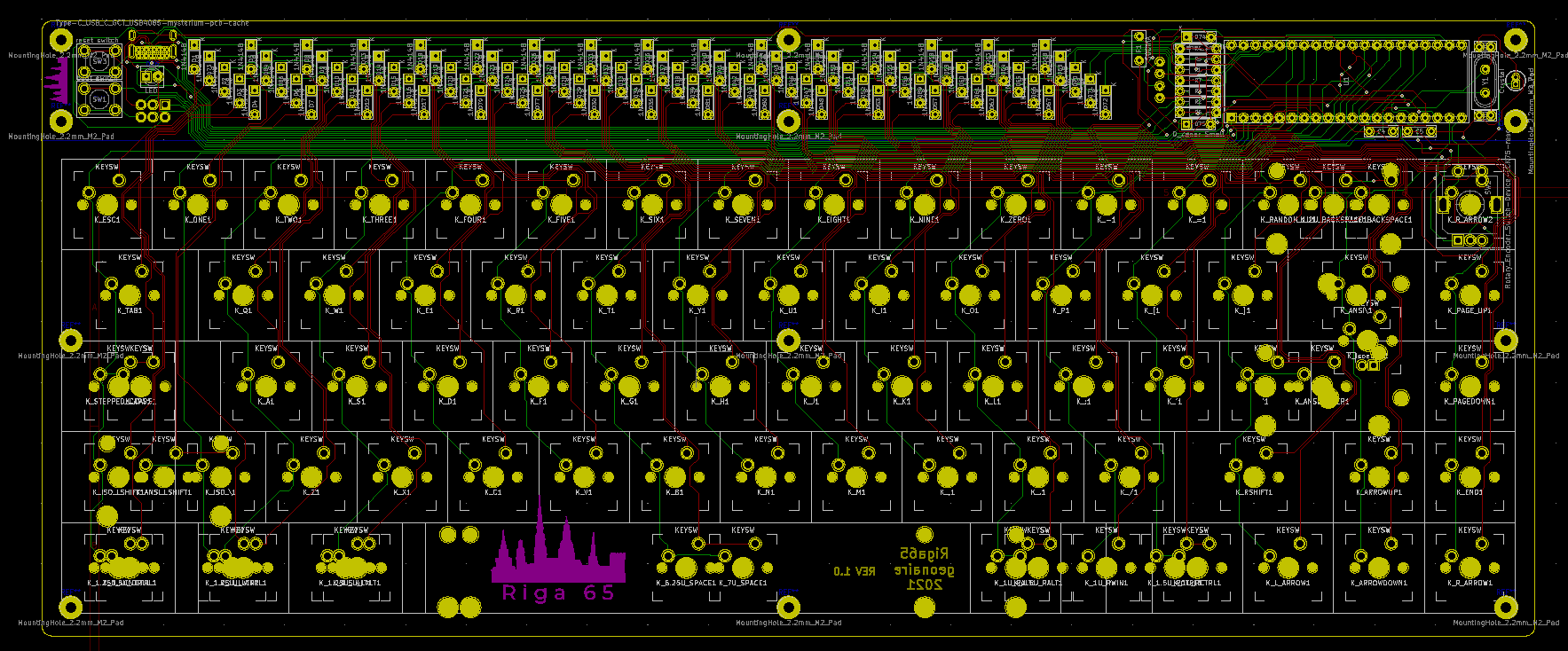
Main PCB layout:
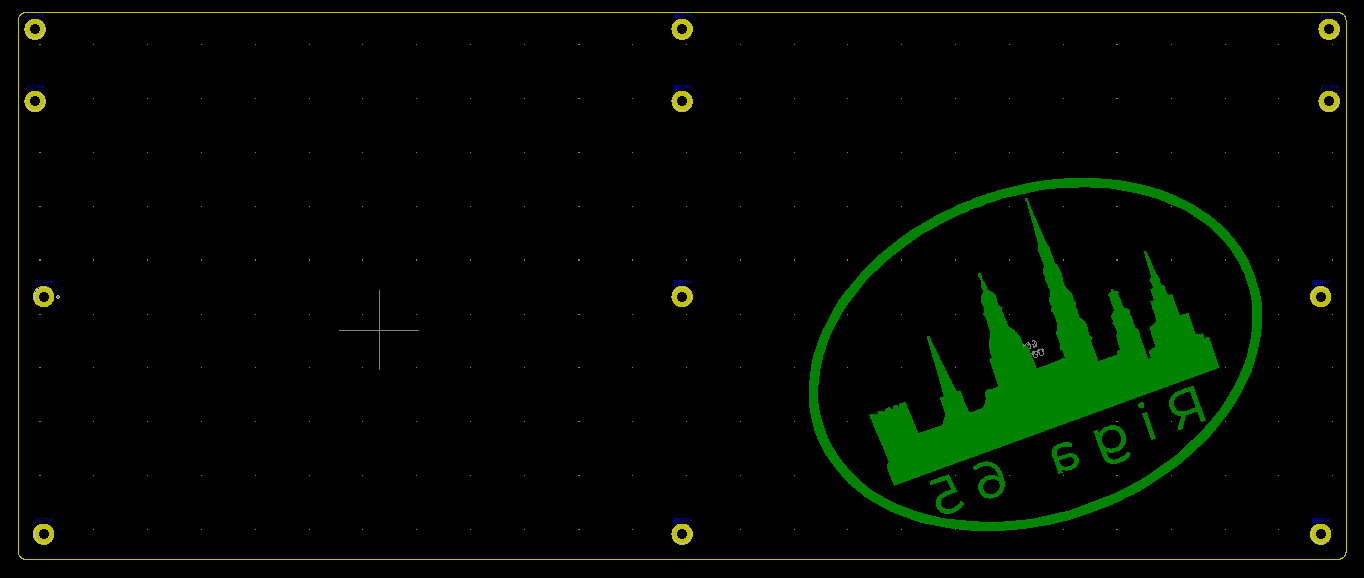
Bottom plate, carrying the Riga skyline:
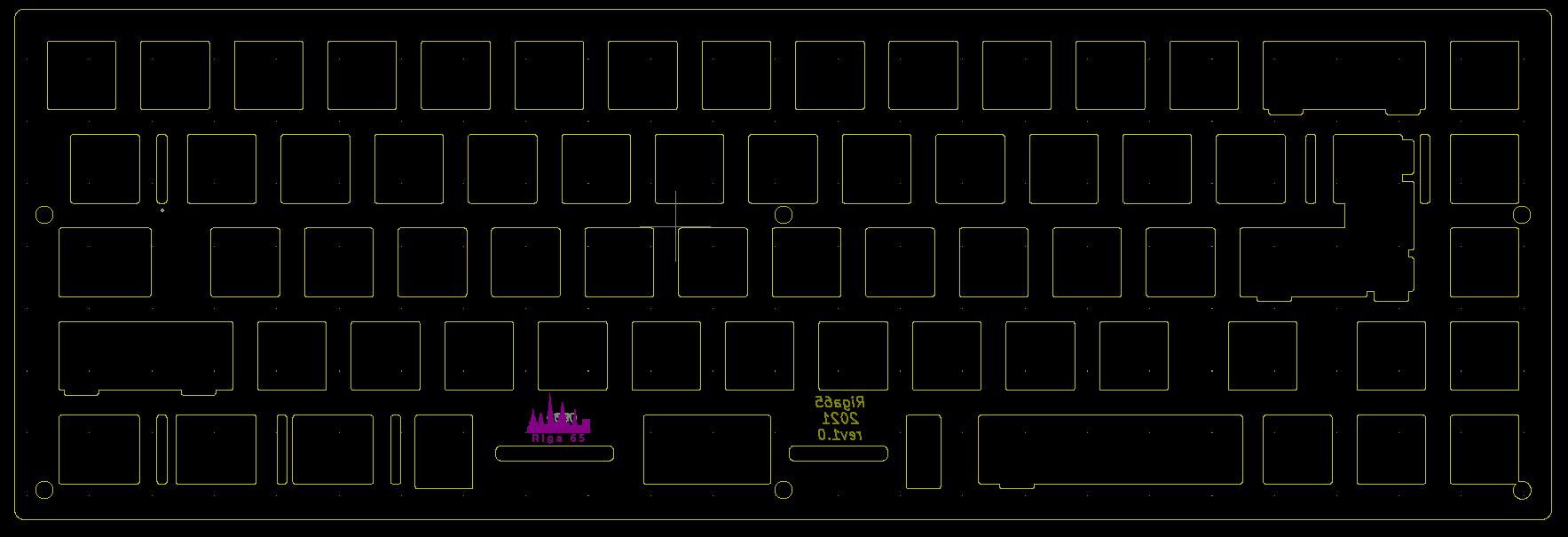
Switch plate:
More build photos are in docs/photos/.
Hardware, CAD and documentation are under CC BY-NC 4.0. Firmware is under GPL-2.0-or-later, as QMK requires. Vendored third-party libraries keep their own licences. See LICENSE for details.
| Qty | Value | Footprint | References |
|---|---|---|---|
| 80 | 1N4148 | cftkb:D_DO-35_SOD27_P5.08mm_Horizontal | D1, D2, D10, D11, D12, D13, D14, D15, D16, D17, D18, D19, D20, D21, D22, D23 +64 |
| 62 | KEYSW | MX_Only:MXOnly-1U-NoLED | K_-1, K_,1, K_;1, K_.1, K_'1, K_/1, K_=1, K_1U_BACKSPACE1, K_1U_LCTRL1, K_1U_RALT1, K_1U_RCTRL1, K_1U_RWIN1, K_A1, K_ARROWDOWN1, K_ARROWUP1, K_B1 +46 |
| 6 | KEYSW | MX_Only:MXOnly-1.5U-NoLED | K_1.5U_LALT1, K_1.5U_LCTRL1, K_1.5U_RALT1, K_1.5U_RCTRL1, K_ANSI\1, K_TAB1 |
| 5 | KEYSW | MX_Only:MXOnly-1.25U-NoLED | K_1.25U_LALT1, K_1.25U_LCNTRL1, K_1.25U_LWIN1, K_ISO_LSHIFT1, K_STEPPED_CAPS1 |
| 2 | 0.1u | cftkb:C_Disc_D4.3mm_W1.9mm_P5.00mm | C4, C5 |
| 2 | 1.5k | cftkb:R_Axial_DIN0204_L3.6mm_D1.6mm_P7.62mm_Horizontal | R1, R7 |
| 2 | 22p | cftkb:C_Disc_D3.0mm_W1.6mm_P2.50mm | C1, C2 |
| 2 | 5.1k | cftkb:R_Axial_DIN0204_L3.6mm_D1.6mm_P7.62mm_Horizontal | R2, R3 |
| 2 | 75r | cftkb:R_Axial_DIN0204_L3.6mm_D1.6mm_P7.62mm_Horizontal | R4, R5 |
| 2 | D_Zener_Small | cftkb:D_DO-35_SOD27_P5.08mm_Horizontal | D74, D75 |
| 2 | KEYSW | MX_Only:MXOnly-1.75U-NoLED | K_CAPS1, K_RSHIFT1 |
| 2 | KEYSW | MX_Only:MXOnly-2.25U-NoLED | K_ANSI_ENTER1, K_ANSI_LSHIFT1 |
| 1 | 10k | cftkb:R_Axial_DIN0204_L3.6mm_D1.6mm_P7.62mm_Horizontal | R6 |
| 1 | 4.7u | cftkb:CP_Radial_D4.0mm_P1.50mm | C3 |
| 1 | 500mA | cftkb:polyfuse_5.1mm | F1 |
| 1 | AVR-ISP-6 | cftkb:AVR_ICSP_3x2 | J1 |
| 1 | Crystal | cftkb:Crystal_HC49-4H_Vertical | Y1 |
| 1 | KEYSW | MX_Only:MXOnly-6.25U-NoLED | K_6.25U_SPACE1 |
| 1 | KEYSW | MX_Only:MXOnly-ISO-ReversedStabilizers | K_isoenter1 |
| 1 | KEYSW | MX_Only:MXOnly-2U-NoLED | K_2U_BACKSPACE1 |
| 1 | KEYSW | MX_Only:MXOnly-7U-NoLED | K_7U_SPACE1 |
| 1 | LED | cftkb:LED_D3.0mm | D76 |
| 1 | LOGO | graphics:logoSMALLMEDIUMsoldermask | G*** |
| 1 | LOGO | graphics:lotgoSMALLedited | G*** |
| 1 | LOGO | graphics:bubbleVER4 | G*** |
| 1 | OLED-kbd | cftkb:ssd1306 128x32 oled | OL1 |
| 1 | Rotary_Encoder_Switch-Device-LCK75-rescue | Keebio-Parts:RotaryEncoder_Alps_EC11E-Switch_Vertical_H20mm | SW2 |
| 1 | Type-C_USB_C_GCT_USB4085-mysterium-pcb-cache | cftkb:USB_C_GCT_USB4085 | USB1 |
| 1 | atmega | cftkb:DIP-40_W15.24mm | U1 |
| 1 | boot switch | cftkb:SW_PUSH_6mm | SW1 |
| 1 | reset switch | cftkb:SW_PUSH_6mm | SW3 |
The 188 most common of 200 parts.
tmarhguy/alu
8-bit combinational ALU built from scratch with 3,488 CMOS transistors (KiCad + SPICE + Logisim + 1.24M tests

ginjake/ec_helix_build
商用利用したい場合は twitter @sirojake にご相談ください please contact me for commercial use. ## developer ginjake


kwartzlab/Environmental-Sensor
The source for the environmental sensors used at Kwartzlab


D3lta-M3/D3lta_M3-Southpaw-65
65% keyboard, with either a macropad or a numpad on the left hand side. Uses through-hole for soldering
It measures 313 × 129 mm and has 2 copper layers, 1.6 mm thick.
200 parts. The full list of its parts is on this page, with links to each part's symbol and footprint where PCBKit's library has them.
From the georgsnarbuts/riga65 repository on GitHub, at the commit this page was made from: the board is hardware/pcb/keyboard.kicad_pcb. PCBKit opens the board in the browser, with nothing to install.
Its repository states no licence, so its author keeps all rights: ask georgsnarbuts before reusing the design.