
2 layers92 × 64 mm

 FreakStudioCN/blockless-csp-assembler1
AI生成PCB底板
Long range env node unrouted is an open-source printed circuit board by FreakStudioCN, from the FreakStudioCN/blockless-csp-assembler repository on GitHub, published under the Apache-2.0 licence. It is a 2-layer board of 100 × 68 mm with 6 parts on 8 nets.
It belongs with the ESP32 boards of this library.
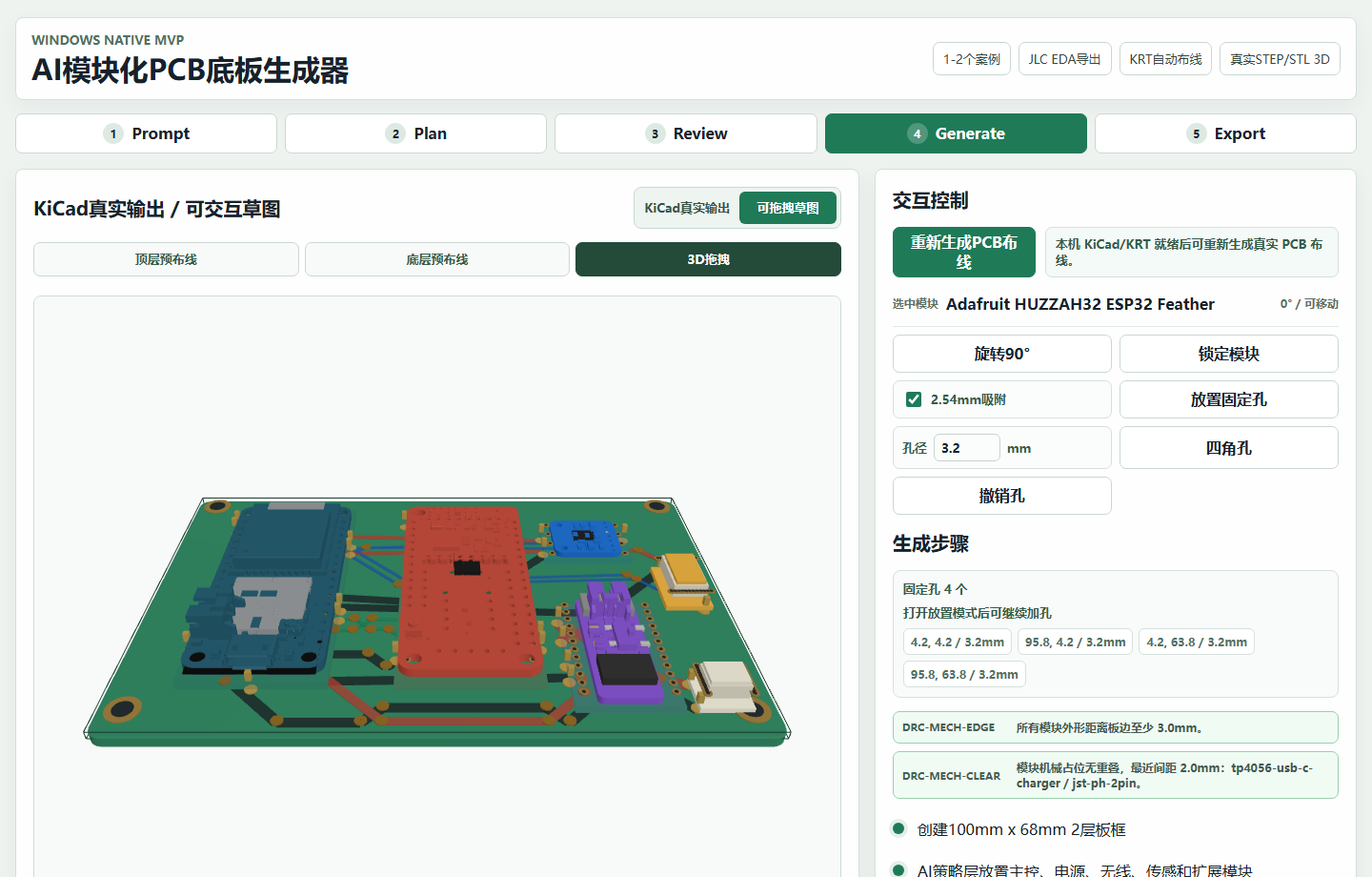
Turn a product brief into a modular PCB backplane concept, then inspect the module plan, placement, routing, enclosure, BOM, checks, and manufacturing-oriented outputs in one workspace.

Apache-2.0 licensed · English UI by default · Chinese UI included
The roadshow/investor presentation is available as a static HTML deck:
presentation.htmlGitHub Pages setup for this repository:
main and the folder to /(root), then click Save.Blockless PCB Studio is a browser-based prototype for building products from reviewed commercial modules instead of redesigning every circuit from scratch.
The browser workspace can:
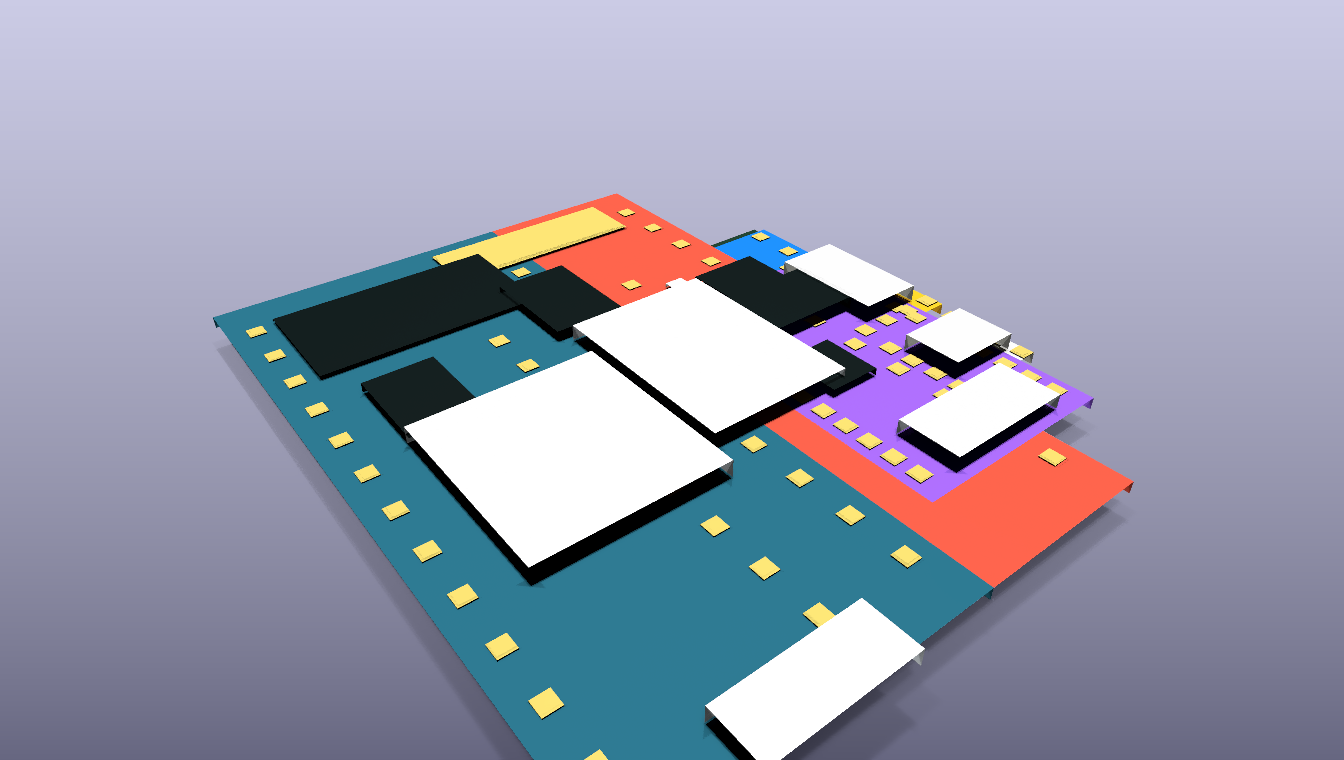
The optional KiCad host flow goes further: it creates real .kicad_pcb files, routes copper with KiCadRoutingTools, runs KiCad DRC, exports layer SVGs, renders the board, and can generate pcb2gcode CNC toolpaths.
This repository is an MVP, not a general-purpose or fabrication-ready AI PCB designer.
*-krt-drc.rpt reports show 0 DRC violations and 0 unconnected pads for the two routed demos. The pre-routing reports intentionally show unresolved connectivity, and several checks in the routed reports are excluded. Always review the board, footprints, rules, and manufacturing outputs before fabrication.Requirements:
git clone https://github.com/FreakStudioCN/blockless-csp-assembler.git
cd blockless-csp-assembler
npm ci
npm run dev -- --port 5173
Open http://127.0.0.1:5173.
For a browser-only demo on Windows or macOS:
docker compose up --buildOpen http://127.0.0.1:5173. Native KiCad and CAM actions are disabled in the container.
The real CAD assets and generated demo outputs needed by the UI are already cached in the repository. To refresh public module assets from their upstream sources:
npm run harvest:assetsProduct brief
-> curated case matching
-> commercial module selection
-> interface and net matching
-> constraint-based placement
-> interactive A* routing sketch
-> BOM / checks / enclosure / export
Optional native host flow
-> plan JSON
-> KiCad board synthesis
-> KiCadRoutingTools autorouting
-> KiCad DRC / SVG / 3D render
-> pcb2gcode CAM outputThe AI boundary is deliberately narrow: language models can propose module choices and constraints, while deterministic tools own geometry, routing, and verification.
The browser contains 13 curated briefs. Two have complete checked-in KiCad host outputs:
The host scripts support KiCad 10 on Windows and macOS. macOS support covers board generation, KiCadRoutingTools, DRC, rendering, and SVG export; CNC export remains Windows-only. See kicad-host-mvp/README.md for setup details.
Check that KiCad was detected, then download the pinned optional autorouter and its dependencies into ignored local directories:
npm run kicad:check
npm run kicad:setup-routernpm run kicad:plans
npm run kicad:validate
npm run kicad:build
npm run kicad:ai-routeCheck the local installation first:
powershell -ExecutionPolicy Bypass -File .\kicad-host-mvp\scripts\check_kicad.ps1The default checks do not require KiCad:
npm run build
npm run kicad:validate
npm run test:ui
To include the real KiCad + pcb2gcode action in the desktop end-to-end test:
$env:RUN_KICAD_INTEGRATION = "1"
npm run test:uisrc/ React workspace and deterministic planning engine
public/assets/ Cached CAD, screenshots, KiCad SVGs, and CAM previews
kicad-host-mvp/ KiCad plugin, plans, scripts, routed boards, and reports
tools/ Optional local KiCadRoutingTools checkout and dependencies (ignored)
tests/ Desktop and mobile Playwright flow
docs/media/ README and release mediaBlockless PCB Studio is licensed under the Apache License 2.0. Bundled Adafruit CAD assets and the optional KiCadRoutingTools dependency remain under their MIT licenses; see THIRD_PARTY_NOTICES.md.
Do not send generated boards or CNC toolpaths directly to fabrication or a machine. Review electrical rules, footprints, clearances, stack-up, tool diameters, feeds, speeds, workholding, and machine limits first.
| Qty | Value | Footprint | References |
|---|---|---|---|
| 1 | Adafruit BME280 I2C | bme280 | |
| 1 | Adafruit HUZZAH32 ESP32 Feather | esp32-feather | |
| 1 | Adafruit MicroLipo Charger | microlipo | |
| 1 | Adafruit Radio FeatherWing RFM95 | radio-featherwing | |
| 1 | JST-PH 2Pin Battery Connector | jst-ph-2pin | |
| 1 | Qwiic/Grove I2C Expansion | i2c-expansion |

byrantech/laptop
anyon_e, a highly integrated, high end, open source laptop. Attempt the impossible.


Jcparkyn/dpoint
Open-source digital stylus using camera tracking and inertial measurements

VoronDesign/Voron-Hardware
Cool Hardware designed by the Voron Design group

hoglet67/RGBtoHDMI
Bare-metal Raspberry Pi project that provides pixel-perfect sampling of Retro Computer RGB/YUV video and conversion to HDMI

hackclub/OnBoard
💡 Join 1,000 teenagers and make your first PCB with a $100 grant!

Luos-io/luos_engine
Open-source and real-time orchestrator for cyber-physical-systems, to easily design, test and deploy embedded applications and digital twins.

It measures 100 × 68 mm and has 2 copper layers, 1.6 mm thick.
6 parts. The full list of its parts is on this page, with links to each part's symbol and footprint where PCBKit's library has them.
From the FreakStudioCN/blockless-csp-assembler repository on GitHub, at the commit this page was made from: the board is kicad-host-mvp/generated/external-router-input/long-range-env-node-unrouted.kicad_pcb. PCBKit opens the board in the browser, with nothing to install.
Its repository publishes it under the Apache-2.0 licence: you may reuse it on that licence's terms (keep the author's notice, and for a copyleft licence share your changes alike).