2 layers40 × 30 mm

 fauxpark/picsp2
Raspberry Pi ICSP adapter for avrdude's linuxgpio programmer
Picsp is an open-source printed circuit board by fauxpark, from the fauxpark/picsp repository on GitHub. It is a 2-layer board of 56.9 × 24.6 mm with 3 parts on 33 nets, routed with 35 tracks and 0 vias.
It belongs with the interfaces and adapters boards of this library.
The PiCSP is a very simple adapter for the Raspberry Pi that allows you to use a standard 6- or 10-pin IDC cable to program your AVR project.
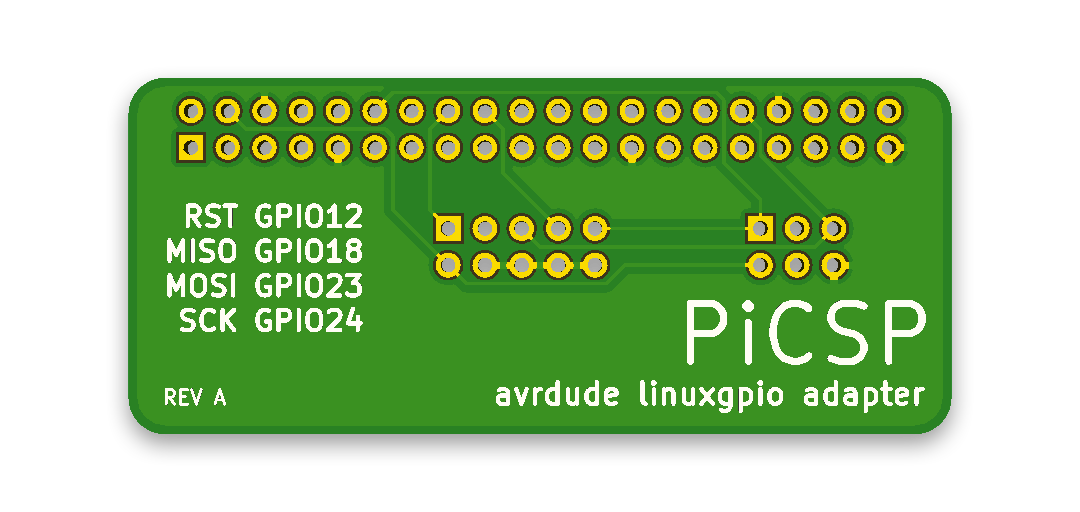
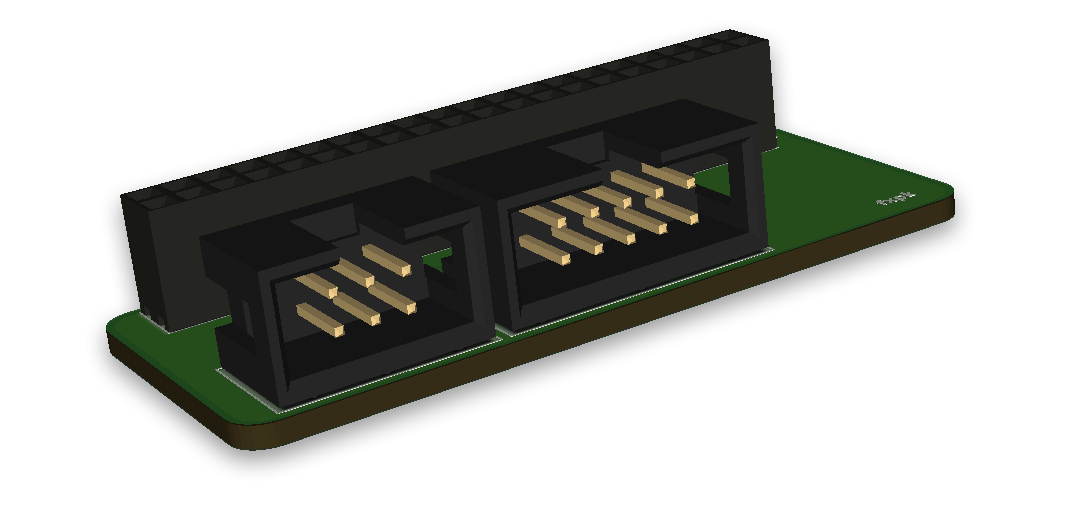
It should "just work" with the avrdude package offered by the stock Raspbian repositories -- it comes with the linuxgpio programmer enabled. The Adafruit package will probably work also, but the pinout may not be the same.
The PiCSP has two ISP headers that are electrically connected to each other, so you cannot use both at once to program two AVRs. If you do so, you may get unexpected behaviour from avrdude, your microcontroller or your Pi!
The PiCSP follows the default pinout in /usr/local/etc/avrdude.conf. Make sure the pinout looks like this in your config file under the linuxgpio programmer (you may need to uncomment it before use):
| Header Pin | GPIO |
|---|---|
| RST | 12 |
| MISO | 18 |
| MOSI | 23 |
| SCK | 24 |
This information is also printed on the PCB silkscreen, just in case.
Aside from the PCB itself, you will only need a 2.54mm pitch 2x20 pin socket strip, 2x3 and 2x5 pin angled IDC headers, and matching IDC ribbon cables.
| Qty | Value | Footprint | References |
|---|---|---|---|
| 1 | AVR-ISP-10 | Connector_IDC:IDC-Header_2x05_P2.54mm_Horizontal | J2 |
| 1 | AVR-ISP-6 | Connector_IDC:IDC-Header_2x03_P2.54mm_Horizontal | J3 |
| 1 | Raspberry_Pi_2_3 | Connector_PinSocket_2.54mm:PinSocket_2x20_P2.54mm_Vertical | J1 |

hzeller/rpi-rgb-led-matrix
Controlling up to three chains of 64x64, 32x32, 16x32 or similar RGB LED displays using Raspberry Pi GPIO


atopile/atopile
Design circuit boards with code! ✨ Get software-like design reuse 🚀, validation, version control and collaboration in hardware; starting with electronics ⚡️


hackclub/sprig
🍃 Learn to code by making games in a JavaScript web-based game editor.
It measures 56.9 × 24.6 mm and has 2 copper layers, 1.6 mm thick.
3 parts. The full list of its parts is on this page, with links to each part's symbol and footprint where PCBKit's library has them.
From the fauxpark/picsp repository on GitHub, at the commit this page was made from: the board is picsp.kicad_pcb. PCBKit opens the board in the browser, with nothing to install.
Its repository states no licence, so its author keeps all rights: ask fauxpark before reusing the design.