2 layers33.9 × 42.5 mm
Kicad sensor on side
evaEko/knife_whetting_level
Firmware for a knife-sharpening angle guide — nRF52840, BNO085 IMU, SSD1306 OLED
8 parts30

 evaEko/knife_whetting_level30
Firmware for a knife-sharpening angle guide — nRF52840, BNO085 IMU, SSD1306 OLED
Kicad sensor on side big display is an open-source printed circuit board by evaEko, from the evaEko/knife_whetting_level repository on GitHub. It is a 2-layer board of 26.5 × 42.5 mm with 12 parts on 32 nets, routed with 64 tracks and 0 vias.
Its parts include 3 ICs and 2 switches. It belongs with the lEDs and displays and sensors and measurement boards and the nRF52 and nRF5x boards of this library.
A small digital level for knife sharpening. Measures blade surface inclination in real time, displays the angle, and alerts you when you drift from your target sharpening angle.
Built on MicroPython running on an nRF52840 microcontroller.
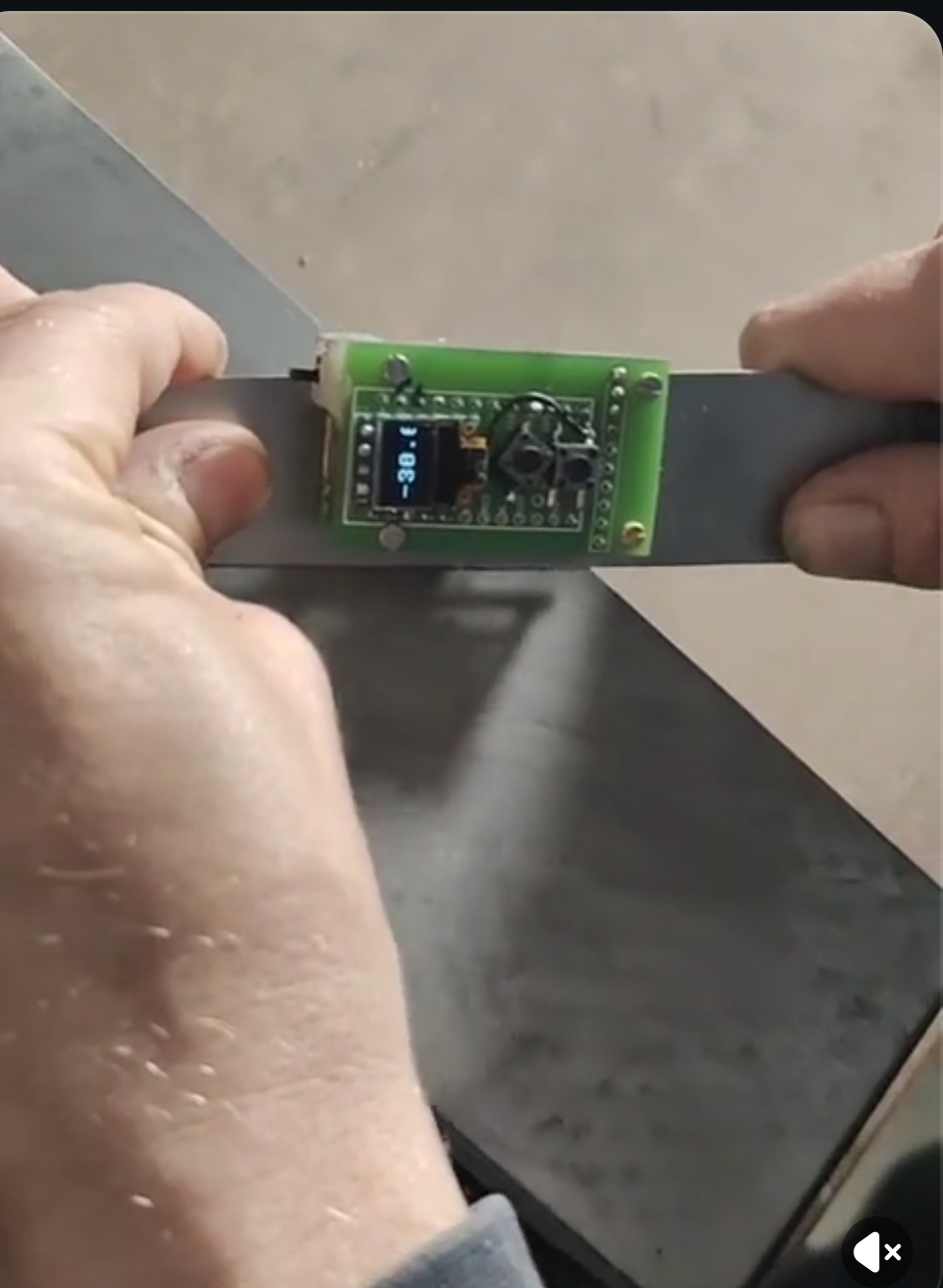
Here are some vids:
Commercial use and resale are not permitted.
kicad/nice-nano-kicad/)kicad/nice-nano-kicad/ is a third-party nice!nano symbol/footprint library bundled with this project.GNU GPLv3 in kicad/nice-nano-kicad/README.md; keep that notice and attribution when redistributing those files.Disclaimer: This project is provided as-is, without warranty of any kind. The author is not liable for any damage, injury, or loss arising from the use, misuse, or inability to use this project or any hardware built from it.
knife_level_android_apk workflow artifactIf impatient, go over to Quick Start.
Thanks to jkorte-dev for publishing the nRF52840 SuperMini/Nice!Nano MicroPython board definitions and UF2 builds used as a flashing base.
Development was assisted by Claude (Anthropic).
angles.csv; select them on-device with the top button, with optional restore of the last selected preset after reboot| Qty | Value | Footprint | References |
|---|---|---|---|
| 2 | Conn_01x01 | Connector_Wire:SolderWire-0.1sqmm_1x01_D0.4mm_OD1mm | BAT-1, BAT+1 |
| 2 | SW_Push | Button_Switch_SMD:SW_Push_1P1T_NO_CK_KSC6xxG | SW1, SW2 |
| 1 | GY-BNO08X | Connector_PinHeader_2.54mm:PinHeader_1x10_P2.54mm_Vertical | U2 |
| 1 | SSD1306_OLED_042 | Connector_PinHeader_2.54mm:PinHeader_1x04_P2.54mm_Vertical | U3 |
| 1 | SW_SPDT | Button_Switch_SMD:SW_SPDT_Shouhan_MSK12C02 | SW_POWER1 |
| 1 | nice_nano | nice_nano:nice_nano_with_bat_pins | U1 |
The 8 most common of 12 parts.
evaEko/knife_whetting_level
Firmware for a knife-sharpening angle guide — nRF52840, BNO085 IMU, SSD1306 OLED

github-linguist/linguist
Language Savant. If your repository's language is being reported incorrectly, send us a pull request!


google/mozc-devices
Circuit diagrams and firmware source code for Gboard DIY keyboards


hackclub/OnBoard
💡 Join 1,000 teenagers and make your first PCB with a $100 grant!

VoronDesign/Voron-Tap
Tap is a nozzle-based z-probe for the V2 and Trident printer designs. The entire toolhead moves to trigger an optical switch. Tap offers many advantages:

stacksmashing/pico-tpmsniffer
A simple, very experimental TPM sniffer for LPC bus
It measures 26.5 × 42.5 mm and has 2 copper layers, 1.6 mm thick.
12 parts. The full list of its parts is on this page, with links to each part's symbol and footprint where PCBKit's library has them.
From the evaEko/knife_whetting_level repository on GitHub, at the commit this page was made from: the board is kicad/kicad_sensor_on_side_big_display.kicad_pcb and its schematic kicad/kicad.kicad_sch. PCBKit opens the board in the browser, with nothing to install.
Its repository states no licence, so its author keeps all rights: ask evaEko before reusing the design.