2 layers
Replicate layout test project
ETM-Code/ReplicateLayout-kicad10
Replicate Layout KiCad plugin - KiCad 10 port (fork of MitjaNemec/ReplicateLayout)
105 parts1GPL-2.0
 ETM-Code/ReplicateLayout-kicad101
Replicate Layout KiCad plugin - KiCad 10 port (fork of MitjaNemec/ReplicateLayout)
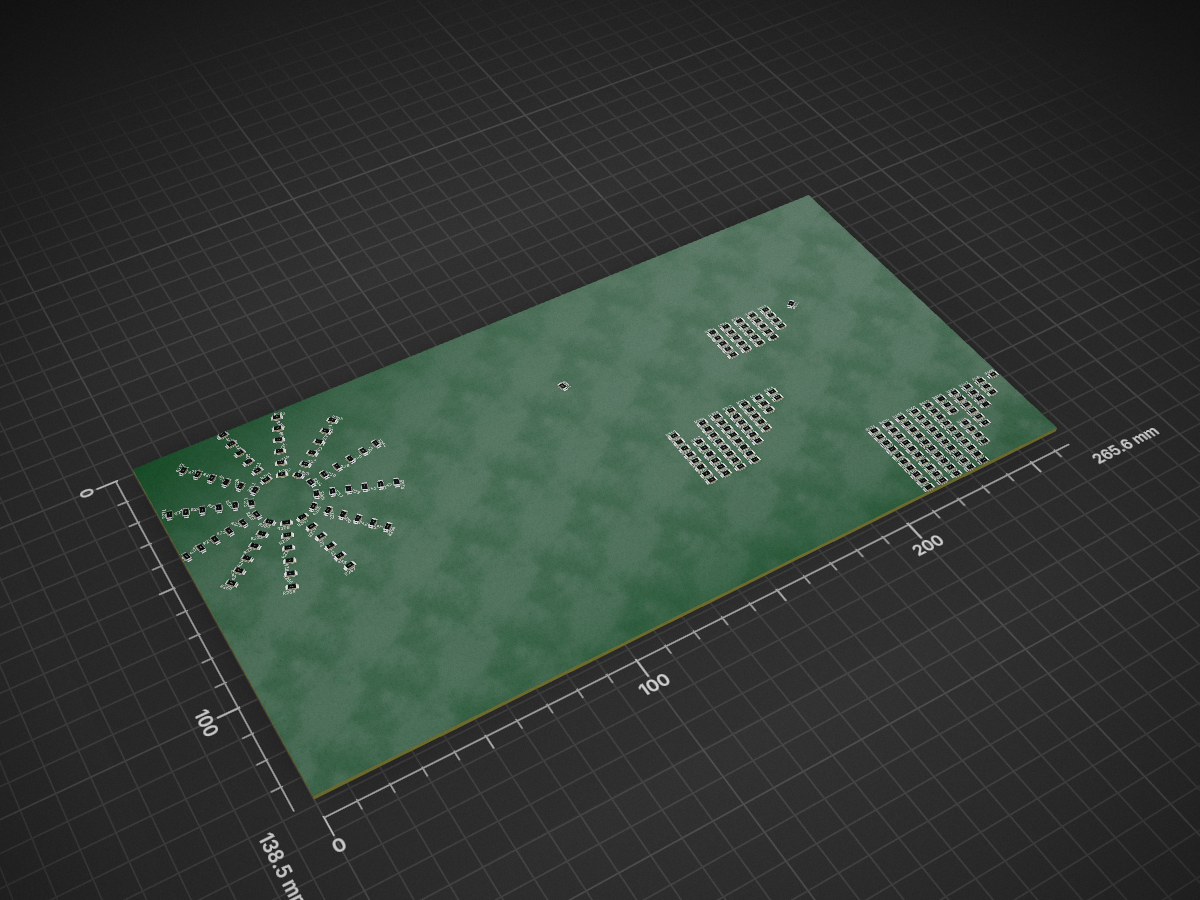
Replicate layout fp text is an open-source printed circuit board by ETM-Code, from the ETM-Code/ReplicateLayout-kicad10 repository on GitHub, published under the GPL-2.0 licence. It is a 2-layer board with 216 parts on 432 nets.
[!NOTE] This is a community-maintained fork of MitjaNemec/ReplicateLayout, updated to work with KiCad 10. The original author retired the plugin at KiCad 10 (KiCad now ships native multichannel layout), so this fork keeps it running for hierarchical-sheet driven replication. All credit for the plugin goes to doc.dr. Mitja Nemec; it remains GPL-2.0.
Changes in this fork:
- KiCad 10 support (issue #87): KiCad 10 removed
pcbnew.ID_V_TOOLBAR, which the dialog used for positioning, so the plugin raised on every run. Fixed with a fallback that still works on KiCad 9.- Grouped-destination crash (issue #86): the destination-group precheck compared a
PCB_GROUPobject to a string and aborted whenever a destination footprint was already grouped. Fixed.- A working, headless test-suite (the upstream one referenced absent folders) that verifies geometric correctness and byte-for-byte parity with KiCad 9.
The replication core is unchanged — verified to reproduce the KiCad 9 behaviour exactly (see Testing).
The repository includes code for KiCad Action plugin which replicates part of the PCB layout.
Replicate the PCB layout of one hierarchical sheet to other hierarchical sheets. This replication is based upon hierarchical sheets in Eeschema. The basic requirement for replication is that the section to be replicated (source) is completely contained within a single hierarchical sheet, and replicated sections (destination) are just copies of the same sheet. Complex hierarchies are supported and the replicated sheet can contain subsheets. The plugin replicates footprints, zones, tracks, text and drawings.
After the section for replication (source section) has been laid out (footprints, tracks, text objects and zones placed) you need to:
By default, only objects which are fully contained in the bounding box constituted by all the footprints in the section will be replicated. You can select to also replicate zones and tracks which intersect this bounding box. Additionally, tracks, text and zones which are already laid out in the replicated bounding boxes can be removed (useful when updating). Note that bounding boxes are squares aligned with the x and y axis, regardless of section orientation.
The preferred way to install the plugin is via KiCad's Plugin and Content Manager (PCM). Installation on non-networked devices can be done by downloading the latest release and installing in the PCM using the Install from file option.
The plugin ships with a headless, GUI-free test-suite driven entirely through the
pcbnew scripting API (test_replicate_layout.py). It runs a number of replication
scenarios (inner/outer hierarchy levels, flipped anchors, "contained" vs.
"intersecting" selection, removal of existing copper, grouping and footprint-text
replication) and checks each result two ways:
test_refs/), so a
passing run proves the KiCad 10 output matches KiCad 9 exactly.Run it with the Python interpreter bundled with KiCad, for example on macOS:
/Applications/KiCad/KiCad.app/Contents/Frameworks/Python.framework/Versions/3.9/bin/python3.9 test_replicate_layout.pyTo recapture the reference signatures from a particular KiCad version, run the same
command with --gen-refs.
Author : doc.dr. Mitja Nemec KiCad 10 port : 2026 Date : 2025
| Qty | Value | Footprint | References |
|---|---|---|---|
| 216 | 1k | Passives:R1206M | R201, R202, R203, R204, R205, R206, R207, R208, R209, R210, R211, R212, R213, R214, R215, R216 +200 |
216 parts. The full list of its parts is on this page, with links to each part's symbol and footprint where PCBKit's library has them.
From the ETM-Code/ReplicateLayout-kicad10 repository on GitHub, at the commit this page was made from: the board is replicate_layout_fp_text/replicate_layout_fp_text.kicad_pcb and its schematic replicate_layout_fp_text/Sheet.kicad_sch. PCBKit opens the board in the browser, with nothing to install.
Its repository publishes it under the GPL-2.0 licence: you may reuse it on that licence's terms (keep the author's notice, and for a copyleft licence share your changes alike).
ETM-Code/ReplicateLayout-kicad10
Replicate Layout KiCad plugin - KiCad 10 port (fork of MitjaNemec/ReplicateLayout)

PantsForBirds/adsbee
Open Source Embedded ADS-B Receiver


calvin-mcd/universal-vault
pcb for the vault35 covering all sorts of layout options

floookay/barnacle
The barnacle is unibody ortho keyboard with an Alice-like split on the pinky columns, a fixed layout that's compatible with keycap base kits and a modular middle piece.

ViviLazuli/mtf-capacitive
PCBs for converting IBM Model M keyboards to use Model F-style capacitive sensing and switch mechanisms


adam-dej/scale-interface
A simple USART / Bluetooth interface for a kitchen scale

ddo02/ArduBooster
Throttle pedal booster based on Arduino. To improve throttle response.