2 layers61.8 × 73.2 mm

 emuree/ergogen-keeb2
Wireless ergonomic split mechanical keyboard generated with Ergogen.
Keeb right is an open-source printed circuit board by emuree, from the emuree/ergogen-keeb repository on GitHub. It is a 2-layer board of 135.4 × 118 mm with 70 parts on 56 nets, routed with 358 tracks and 139 vias.
Its parts include 33 diodes and 33 switches. It belongs with the keyboards and input and radio and wireless boards of this library.
A 66-key wireless (BLE) ergonomic split mechanical keyboard generated with Ergogen. Heavily inspired by keyzog's Kapl and omkbd's Ergodash keyboards.
This is a learning project. It's very WIP and my first foray into PCB design and 3D modeling. Be warned, stuff in this repo will likely be broken and messy.
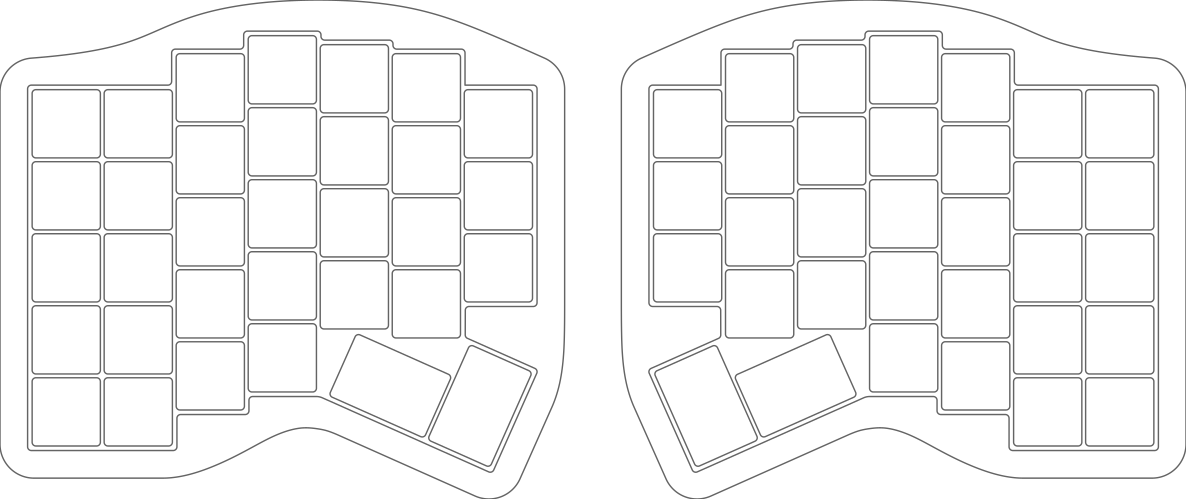
TODO
| Qty | Value | Footprint | References |
|---|---|---|---|
| 33 | ceoloide:diode_tht_sod123 | D1, D2, D10, D11, D12, D13, D14, D15, D16, D17, D18, D19, D20, D21, D22, D23 +17 | |
| 33 | ceoloide:switch_mx | S1, S2, S10, S11, S12, S13, S14, S15, S16, S17, S18, S19, S20, S21, S22, S23 +17 | |
| 1 | CONN-SMD_1.25T-2P-WT | JST1 | |
| 1 | SW-TH_K3-1235D-L1 | PWR1 | |
| 1 | KEY-SMD_L6.0-W3.3-LS6.7 | RST1 | |
| 1 | ceoloide:mcu_supermini_nrf52840 | MCU1 |
It measures 135.4 × 118 mm and has 2 copper layers, 1.6 mm thick.
70 parts. The full list of its parts is on this page, with links to each part's symbol and footprint where PCBKit's library has them.
From the emuree/ergogen-keeb repository on GitHub, at the commit this page was made from: the board is kicad/keeb/keeb-right.kicad_pcb. PCBKit opens the board in the browser, with nothing to install.
Its repository states no licence, so its author keeps all rights: ask emuree before reusing the design.


siderakb/ergo-snm-keyboard
ErgoSNM is a split ergonomic keyboard integrated with trackball, wireless is in beta


mattybrad/drumkid
Version 4 was the first successful working design, with full code, schematics, Gerbers, etc available on GitHub.

cnlohr/cnhardware
My dumping grounds for all my kicad projects and random hardware bringup.