
2 layers304.8 × 170.8 mm

 dreed47/stair-lights
DIY staircase lighting with capacitive touch detection and Home Assistant integration. Touch the handrail → lights fade in. Walk away → lights fade out. All settings tunable live via HA sliders.
Stair lights is an open-source printed circuit board by dreed47, from the dreed47/stair-lights repository on GitHub. It is a 2-layer board of 35.5 × 41.9 mm with 9 parts on 7 nets, routed with 34 tracks and 1 via.
It is built around the IRLZ44N. Its parts include 3 connectors, 1 resistor and 1 transistor.
DIY staircase lighting with capacitive touch detection and Home Assistant integration. Touch the handrail → lights fade in. Walk away → lights fade out. All settings tunable live via HA sliders.
handle_stair_timer — a configurable filter-on delay confirms it's a real touch (not noise).mode: restart).The COB strip gives a seamless "dot-less" glow. All wiring is routed internally through the wall with low-profile silicone grommets — hardware stays invisible.
| Component | Details |
|---|---|
| MCU | Wemos S2 Mini (ESP32-S2) |
| MOSFET | IRLZ44N (logic-level, TO-220) |
| LED Strip | COB (chip-on-board), single color |
| Touch Sensor | Copper tape on handrail → GPIO1 |
| PWM Output | GPIO18 → MOSFET gate |
| PCB | Custom KiCad design (see hardware/kicad/) |
Built with ESPHome. No custom C++ — pure YAML.
# Install ESPHome if needed
pip install esphome

# Add WiFi credentials
cp firmware/secrets.yaml.example firmware/secrets.yaml
# edit firmware/secrets.yaml with your SSID and password

# Flash
esphome run firmware/stairlights.yaml
secrets.yaml format:
wifi_ssid: "YourNetwork"
wifi_password: "YourPassword"
After first flash, OTA updates work over WiFi — no USB needed.
Once the ESPHome integration is added in HA, five sliders appear:
| Slider | Range | Default | Purpose |
|---|---|---|---|
| Light Duration | 5–120 s | 30 s | How long lights stay on after touch |
| LED Brightness | 10–100 % | 100 % | Peak brightness at fade-in |
| Touch Threshold | 1,000–300,000 | 50,000 | Capacitive trigger level — tune for your handrail |
| Touch Filter On | 0–100 ms | 8 ms | Debounce delay before turning on (rejects noise) |
| Touch Filter Off | 0–100 ms | 50 ms | Extra hang time before starting fade-out |
Calibrating touch sensitivity: Start with Touch Threshold at 50,000. Watch the Staircase Touch Pad binary sensor in HA. Raise the threshold if lights trigger from ambient noise/humidity; lower it if touches aren't registering.
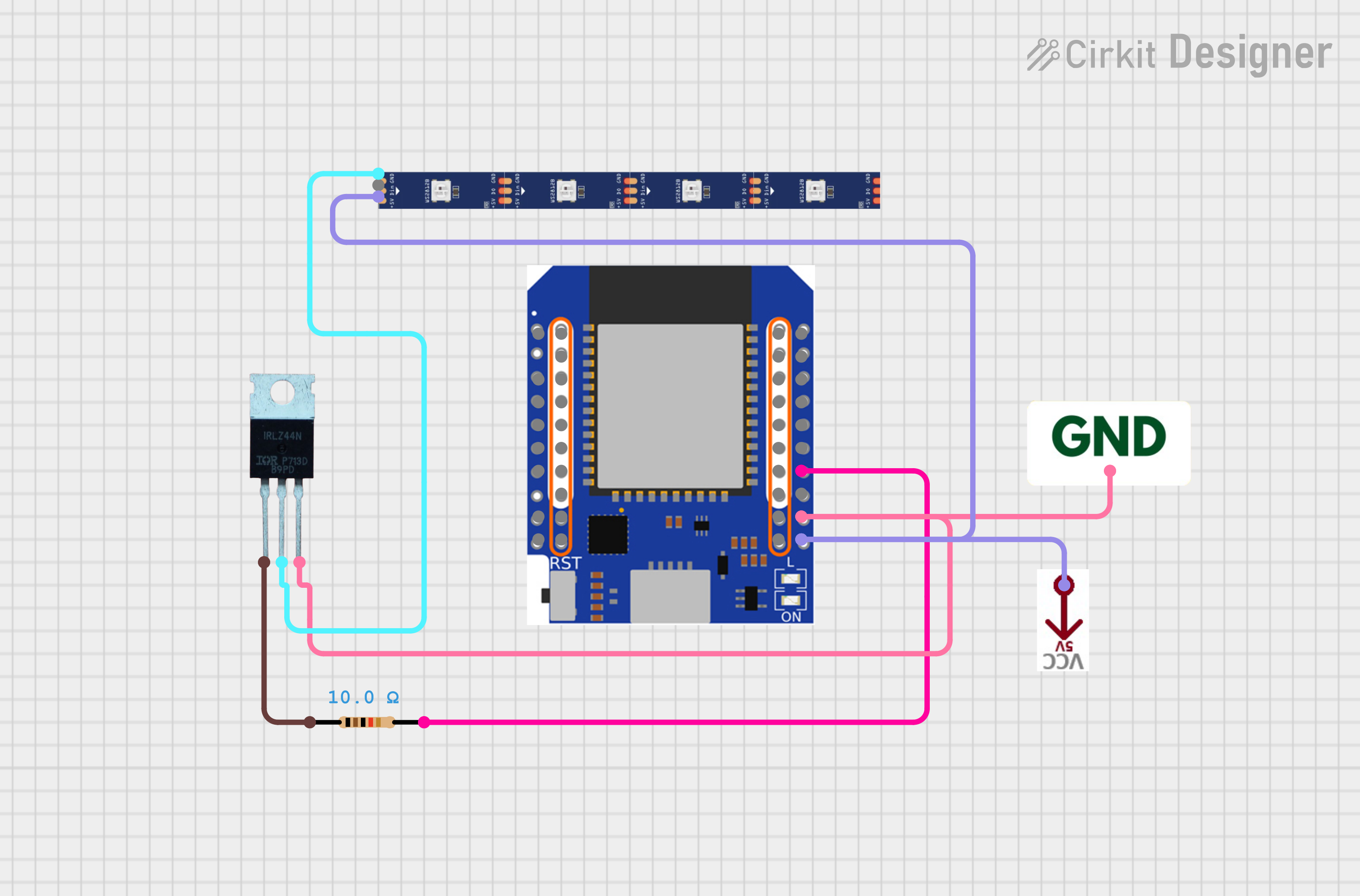
See docs/schematic.png for the full Cirkit Designer diagram. Key connections:
ESP32-S2 GPIO18  →  IRLZ44N Gate (via 10Ω resistor)
IRLZ44N Drain   →  LED Strip negative
LED Strip +     →  12V supply
IRLZ44N Source  →  GND
ESP32-S2 GPIO1  →  Copper tape (touch sensor)
ESP32-S2 GND   →  GND
ESP32-S2 3.3V → (internal, no external connection needed)stair-lights/
├── firmware/
│ └── stairlights.yaml # ESPHome configuration
├── hardware/
│ ├── kicad/ # KiCad schematic and PCB layout
│ │ ├── StairLights.kicad_pcb
│ │ ├── StairLights.kicad_pro
│ │ ├── StairLights.kicad_prl
│ │ └── StairLights.kicad_sch
│ ├── gerbers/
│ │ └── StairLights.kicad_pcb.zip # Fabrication-ready Gerbers
│ └── stairs-pcb.step # 3D model
└── docs/
├── schematic.png # Wiring diagram
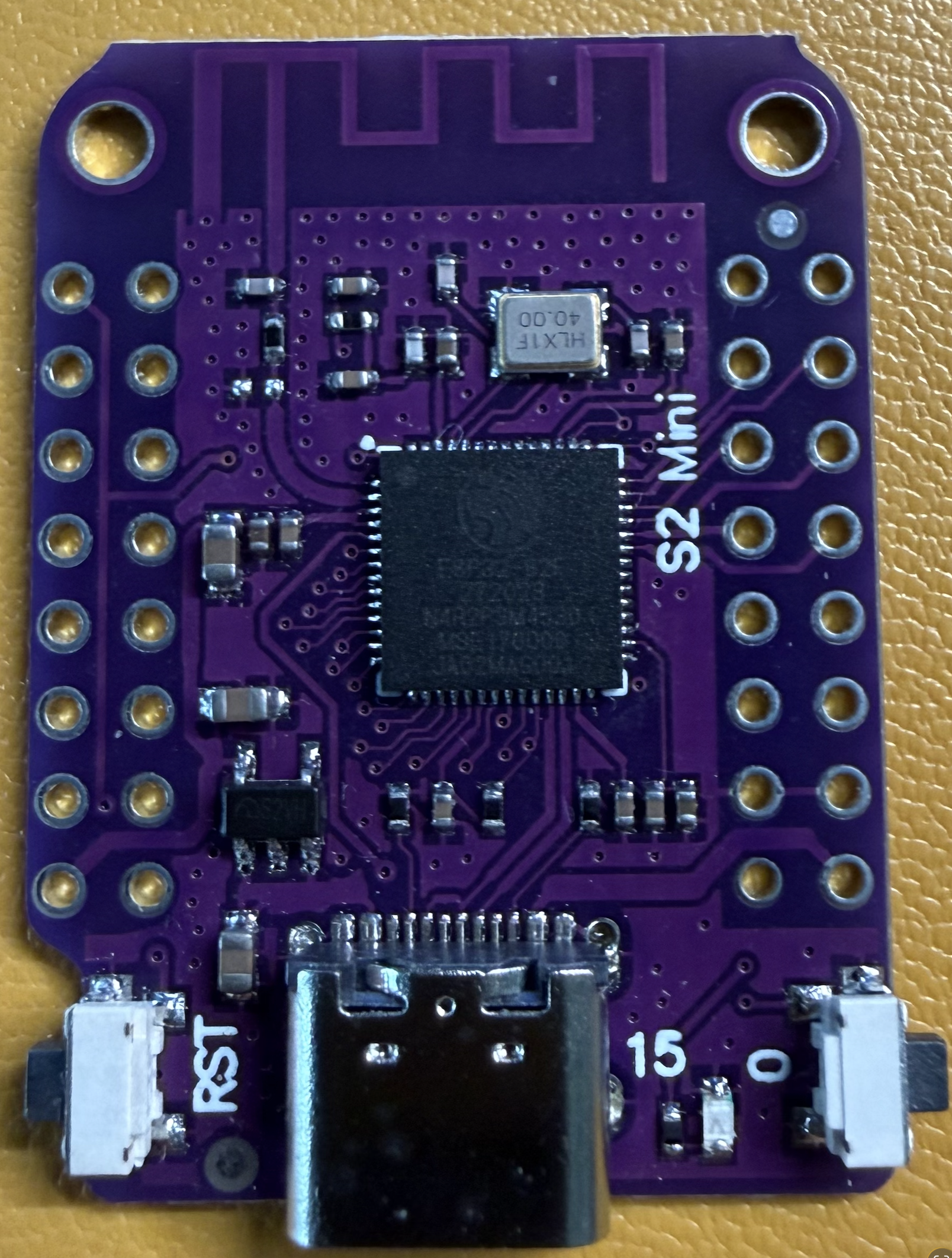
├── esp32-s2-mini-front.png # MCU reference photo
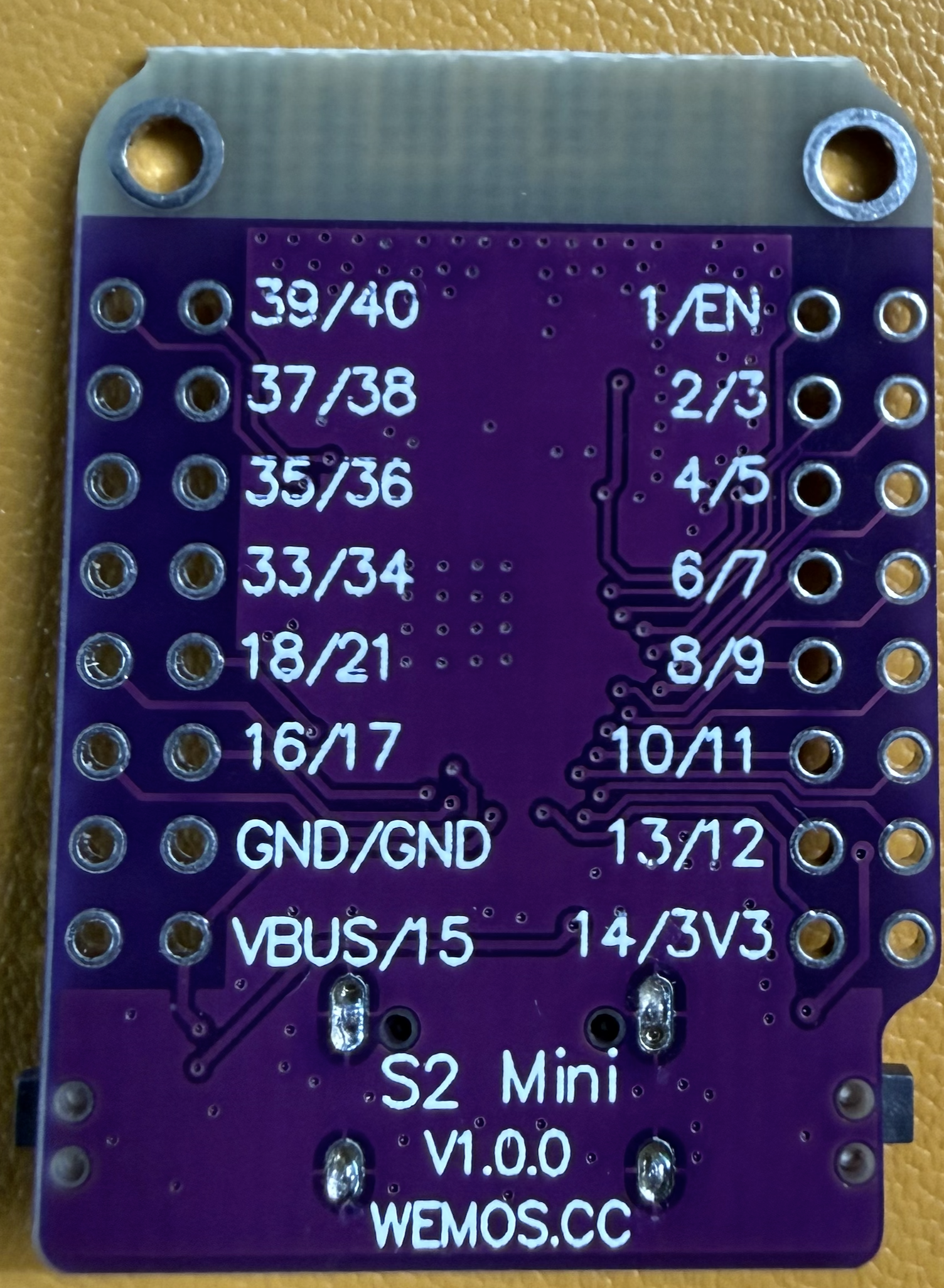
└── esp32-s2-mini-back.png # MCU pinoutLights trigger randomly — Capacitive drift from humidity or power fluctuations. Raise Touch Threshold or increase Touch Filter On delay.
Touch not registering — Lower Touch Threshold. Ensure copper tape has good contact with the GPIO1 wire.
Fallback AP — If WiFi is unreachable, the ESP32 broadcasts Stairlights Fallback Hotspot. Connect to it and navigate to 192.168.4.1 to reconfigure.
OTA fails — Make sure secrets.yaml OTA password matches what was flashed. Default is in the YAML.
| Qty | Value | Footprint | References |
|---|---|---|---|
| 4 | MountingHole | MountingHole:MountingHole_3.2mm_M3 | H1, H2, H3, H4 |
| 2 | Screw_Terminal_01x03 | TerminalBlock_Phoenix:TerminalBlock_Phoenix_MPT-0,5-3-2.54_1x03_P2.54mm_Horizontal | J1, J2 |
| 1 | 10K | Resistor_THT:R_Axial_DIN0207_L6.3mm_D2.5mm_P7.62mm_Horizontal | R1 |
| 1 | Conn_01x05 | kicad:wemoss2 | J3 |
| 1 | IRLZ44N | Package_TO_SOT_THT:TO-220-3_Vertical | Q1 |


pscrespo/Morpheus-STM32
A small 3D printer controller board for use with a "blue pill" STM32F1 generic board. Inspired on http://reprap.org/wiki/SinapTec


MitchBradley/Esp32PrinterController
PCB design for 3D printer controller using ESP32 processor


robinolejnik/dmx-ledstrip-dimmer-32ch
Arduino Mini and TLC5940 based 32 channel 12V PWM dimmer with DMX512 and RDM support.

Moragor/BatteryAnalyzer_MkII
Updated Version of the battery analyzer, now with constant current
It measures 35.5 × 41.9 mm and has 2 copper layers, 1.6 mm thick.
9 parts, built around the IRLZ44N. The full list of its parts is on this page, with links to each part's symbol and footprint where PCBKit's library has them.
From the dreed47/stair-lights repository on GitHub, at the commit this page was made from: the board is hardware/kicad/StairLights.kicad_pcb and its schematic hardware/kicad/StairLights.kicad_sch. PCBKit opens the board in the browser, with nothing to install.
Its repository states no licence, so its author keeps all rights: ask dreed47 before reusing the design.