2 layers124.5 × 64.8 mm
Pa3gyf gpsdocxo-2016-pll r2
jandejongh/pa3gyf-gpsdocxo
GPS-Disciplined OCXO (In Progress)
298 parts2Apache-2.0

 Domesday86/DomesdayDuplicator325
High-speed LaserDisc RF sampler
DomesdayDuplicator is an open-source printed circuit board by Domesday86, from the Domesday86/DomesdayDuplicator repository on GitHub, published under the GPL-3.0 licence. It is a 2-layer board of 95.2 × 57.2 mm with 66 parts on 91 nets, routed with 766 tracks and 49 vias.
It is built around the ADS825E, OPA690ID and LM1117-3.3. Its parts include 32 capacitors, 13 resistors, 5 ICs, 5 connectors and 3 inductors. It belongs with the radio and wireless and fPGA and programmable logic boards and the FPGA and CPLD boards of this library.


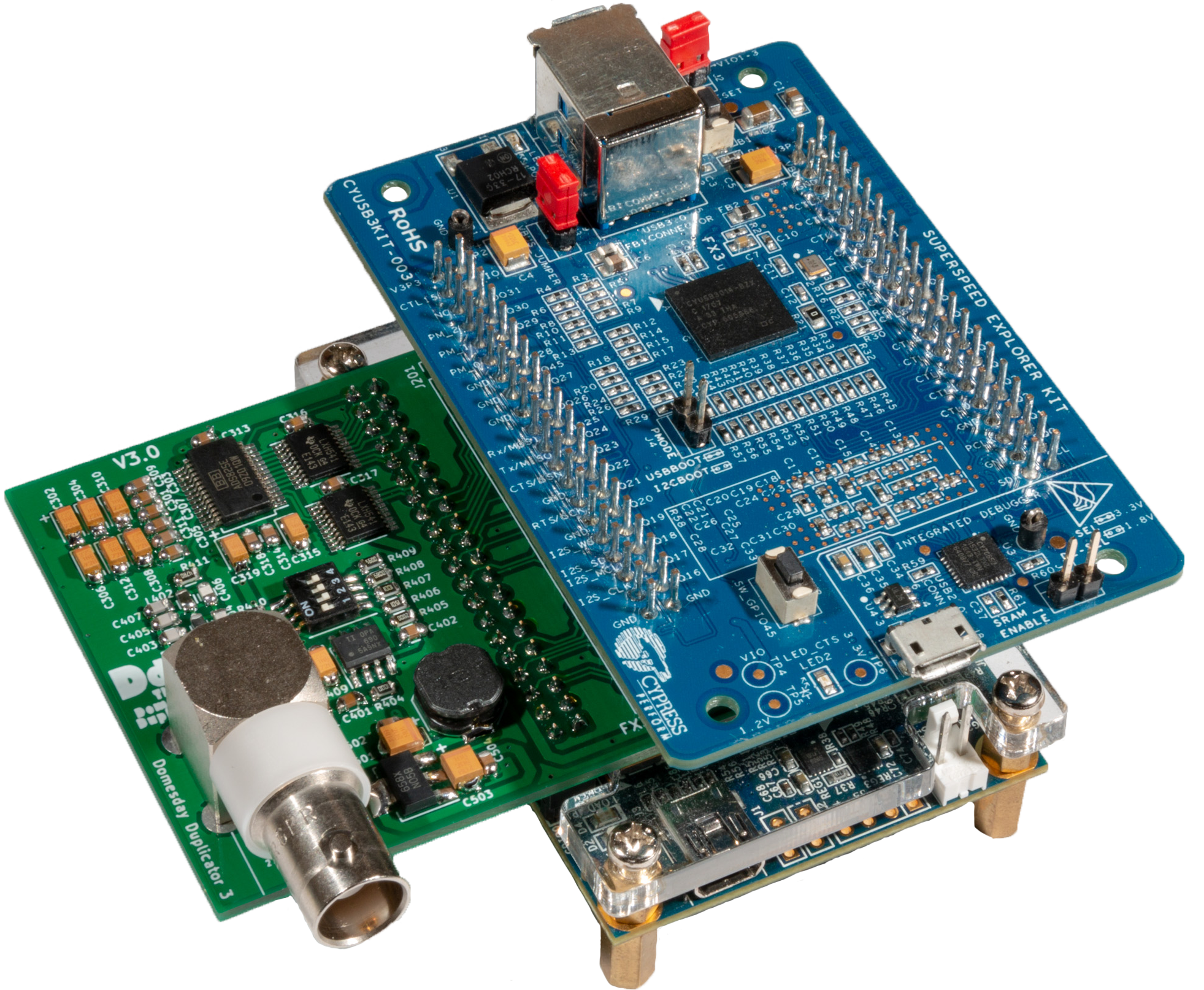
The Domesday Duplicator is a LaserDisc capture focused, USB 3.0 based DAQ capable of 40 million samples per second acquisition of analogue RF data at 10-bits resolution.
Please see the Project Documentation for details of the project and for access to the project documentation. For contributing guidelines, see CONTRIBUTING.md.
Capture is via an easy to use GUI capture application, with real-time signal analysis — waveform, spectrum analyser and spectrogram, amplitude history and live capture statistics — so you can see the RF while it is being sampled rather than after the fact.
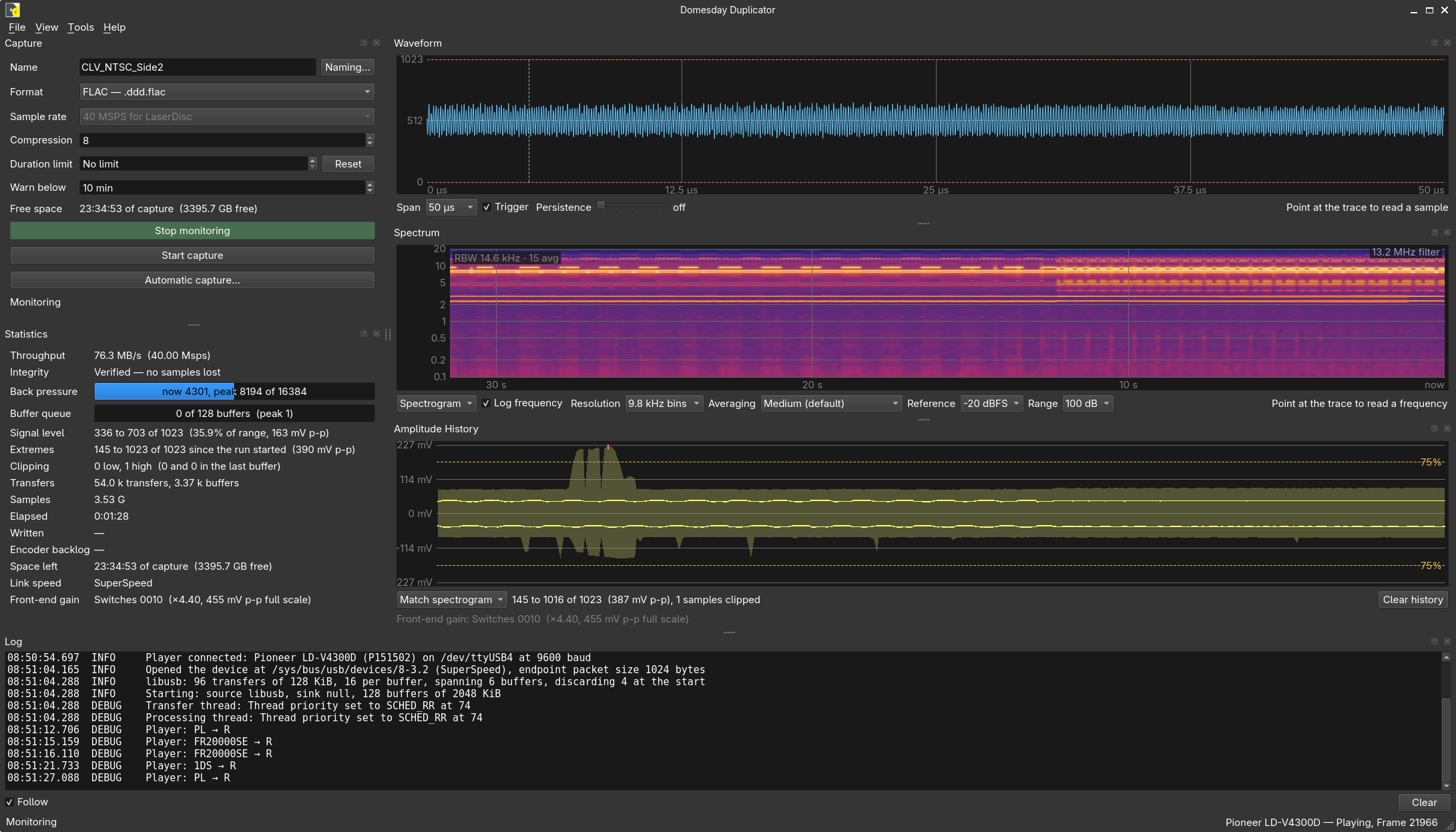
The application also drives a Pioneer LaserDisc player over serial, runs whole-disc automatic captures, and updates the Duplicator's own firmware and gateware over USB. The Capture Application documentation covers every panel.
There is absolutely no need to compile anything. All end-user installs must be performed using the provided binary packages and firmware images. Building from source is a development activity only, and nothing you need as a user requires it.
Download from the releases page and follow the installation page for your platform:
| Platform | Package | Installation |
|---|---|---|
| Linux | DomesdayDuplicator-<version>.flatpak | Linux (Flatpak) |
| macOS (Apple Silicon) | DomesdayDuplicator-<version>-macos-arm64.dmg | macOS (DMG) |
| Windows 11 | DomesdayDuplicator-<version>-windows-x64.msi | Windows (MSI) |
Every release also carries SHA256SUMS and a PROVENANCE.txt recording the commit each
asset was built from. Verify your download against SHA256SUMS.
You do not build these either. Firmware releases publish a single signed update bundle,
domesday-duplicator-update-<version>.dddfw, and the capture application installs it for you:
Tools → Firmware → Update firmware…. The application verifies the bundle's signature and
every payload digest before it writes anything, and reports the version it reads back off the
live device afterwards. See
Updating your Domesday Duplicator.
A board that has never been programmed is handled the same way, with no jumper and no shell —
see Bringing up a new or legacy board.
Firmware releases also publish the raw images (firmware.img, the provisioning .jic and the
factory .svf) for bench recovery, but the bundle is the supported route.
Every released artefact is built by CI from the tagged commit; nothing is built on a maintainer's machine or attached by hand (release pipeline).
Everything is in this one repository. There are no git submodules, so a plain clone gives you the complete project:
git clone https://github.com/Domesday86/DomesdayDuplicator.git| Directory | Contents |
|---|---|
| hardware/ | KiCad design for the custom DdD board, plus hardware documentation |
| fpga/ | Verilog gateware for the Terasic DE0-NANO (Cyclone IV) |
| fx3/firmware/ | Cypress FX3 USB 3.0 controller firmware |
| fx3/programmer/ | Host-side tool for programming the FX3 |
| fx3/mkimage/ | fx3-mkimage, the project's own ELF-to-boot-image tool |
| fx3/sdk/ | Vendored Cypress FX3 SDK the firmware builds against |
| ddd-gui/ | Qt 6 capture application, and the Flatpak/DMG/MSI packaging under ddd-gui/packaging/ |
| docs/ | Source of the project documentation website |
| docs-vendor/ | Transcribed vendor service documentation for supported players |
| nix/ | The single flake's shared helpers, default dev shell, NixOS module and whole-tree checks |
| tools/ | Repository-wide scripts, run both by hand and by the checks |
Do NOT install from source unless you intend to develop the software — see Installing above for user installations.
The only supported development and build environment is Nix on Linux. There is exactly one
flake.nix, at the repository root, and exactly one flake.lock; every toolchain the project
needs is pinned by it, and CI builds through the same flake, so a build that fails under Nix
is a real failure rather than an environment quirk.
Pull requests that introduce another development or build environment will not be accepted. That includes alternative build systems, per-distribution dependency lists, and packaging intended to make a component build without Nix. If you develop on macOS or Windows, use a Linux virtual machine — that is the supported route, and it is the only one.
Run any of these from anywhere in the working tree; Nix walks up to find the flake at the
root, so .#ddd-gui resolves identically from ddd-gui/ and from the repository root.
| Component | Build | Development shell |
|---|---|---|
| Capture application | nix build .#ddd-gui | nix develop .#ddd-gui |
| FX3 firmware | nix build .#fx3-firmware | nix develop .#fx3 |
| FX3 programmer | nix build .#fx3-programmer | nix develop .#fx3 |
| FX3 boot-image tool | nix build .#fx3-mkimage | nix develop .#fx3 |
| FPGA gateware | nix build .#bitstream | nix develop .#fpga · nix develop .#fpga-quartus |
| Documentation site | nix build .#docs-site | nix develop .#docs |
| PCB | — | nix develop .#hardware |
nix develop                          # every component's tools in one shell
nix flake check                      # build everything and run the whole T1–T4 test suite
The capture application installs three binaries: ddd-gui, plus ddd-update and ddd-jtag,
which drive the same engine from a shell.
Components deliberately carry no flake of their own: an earlier layout gave each one a thin
flake for the cd ddd-gui && nix develop shorthand, and every one of those resolved
nixos-unstable into a lock file of its own — so entering the tree through a component quietly
got a different nixpkgs from the root pin. The reasoning is in the header comment of
flake.nix.
Two caveats on the FPGA row. Quartus Prime Lite is unfree, x86_64-linux only and cannot be
served from a binary cache, so nix build .#bitstream means a multi-gigabyte first download
and is excluded from nix flake check — the per-commit tier must never require an unfree
download of anyone. It is built by CI, in a workflow of its own that runs on gateware
changes and from release tags, so every released bitstream is CI-built from the tagged commit.
nix develop .#fpga — without -quartus — gives the free tools instead: Verilog lint,
simulation and a language server, with no Quartus at all, and that covers most gateware work.
Build directories are build/ under each component and are gitignored. Never build in-tree:
in the gateware's project directories in particular, Quartus rewrites the tracked .qsf on
every compile.
On NixOS, device permissions come from the flake's module — set
hardware.domesdayDuplicator.enable = true;, which covers the Duplicator, the FX3 and the
on-board USB-Blaster together. Elsewhere, see
Linux device access.
AGENTS.md records the project conventions and TESTING.md the test tiers, including the hardware-in-the-loop capture-integrity procedure that is the most important test in the project.
The samples the DdD captures can be used with the whole family of decoders that make the FM RF archival workflow ready to use today.
The original design was for the wide bandwidth of LaserDisc RF — making it suitable for all of the more bandwidth restricted mediums too (that have a single stream of RF).
Please see the documentation for more details
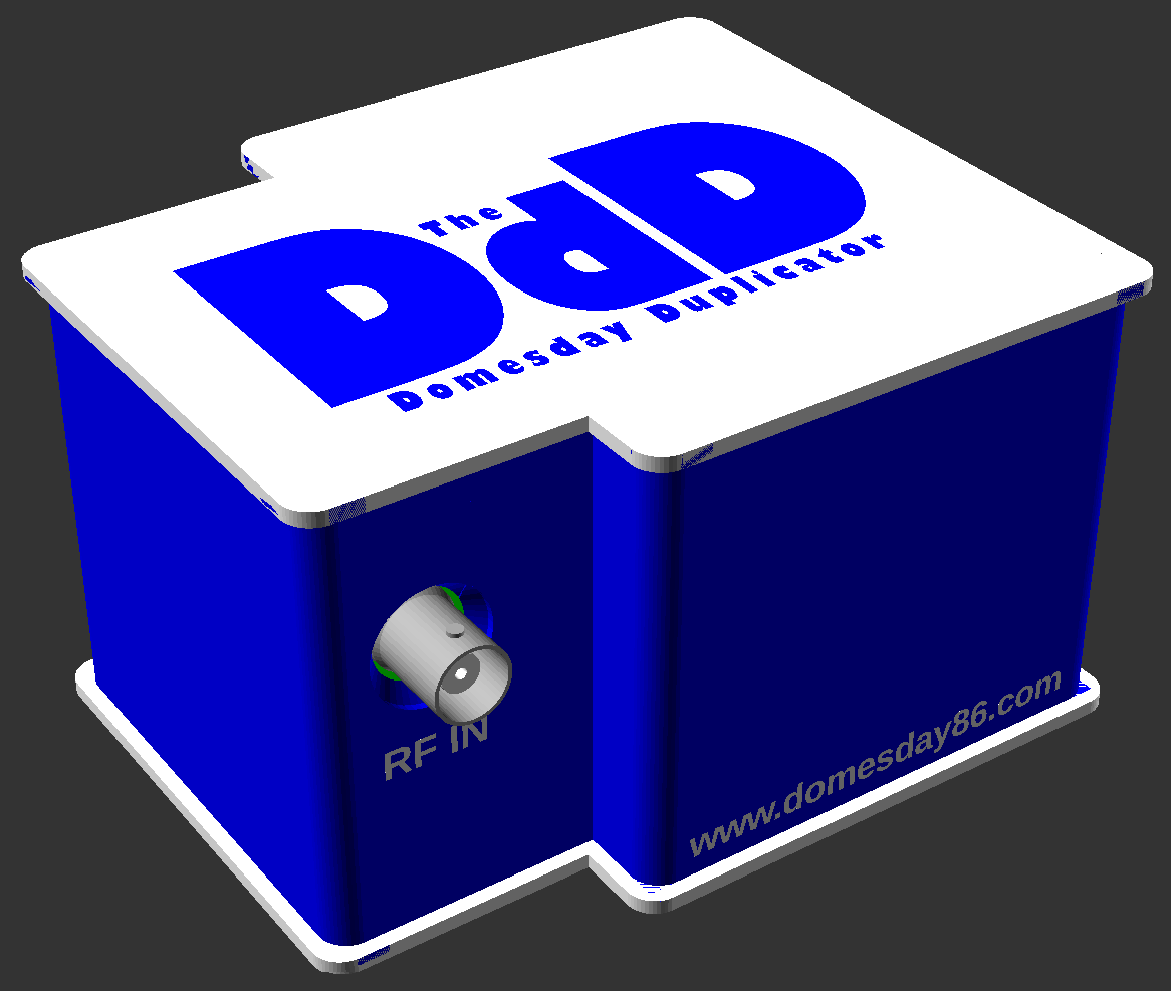
The Domesday Duplicator also has 3D models and ready to use STL files for producing 3D printed cases, to protect from dust or line with copper tape for affordable EMI shielding for example.
Domesday Duplicator is designed and maintained by Simon Inns.
| Qty | Value | Footprint | References |
|---|---|---|---|
| 16 | 100nF | Capacitors_SMD:C_0805 | C301, C303, C305, C307, C309, C311, C313, C314, C316, C317, C318, C401, C402, C408, C502, C504 |
| 9 | 2.2uF Tant | Capacitors_Tantalum_SMD:CP_Tantalum_Case-A_EIA-3216-18_Reflow | C302, C304, C306, C308, C310, C312, C315, C319, C409 |
| 4 | 1K | Resistors_SMD:R_0805 | R301, R402, R403, R407 |
| 2 | 10uF TANT | Capacitors_Tantalum_SMD:CP_Tantalum_Case-B_EIA-3528-21_Reflow | C501, C503 |
| 2 | 47R | Resistors_SMD:R_0805 | R410, R411 |
| 2 | 74LVTH541_PWR | Housings_SSOP:TSSOP-20_4.4x6.5mm_Pitch0.65mm | U302, U303 |
| 2 | LOGO | Logo:CC Licence | G***, G*** |
| 2 | LOGO | Logo:DdD_logo_square | G***, G*** |
| 1 | 100R | Resistors_SMD:R_0805 | R404 |
| 1 | 100pF | Capacitors_SMD:C_0805 | C406 |
| 1 | 100uH | Inductors:Inductor_Bourns-SRU8043 | L501 |
| 1 | 1K2 | Resistors_SMD:R_0805 | R302 |
| 1 | 1K5 | Resistors_SMD:R_0805 | R406 |
| 1 | 200R | Resistors_SMD:R_0805 | R405 |
| 1 | 270pF | Capacitors_SMD:C_0805 | C407 |
| 1 | 330pF | Capacitors_SMD:C_0805 | C403 |
| 1 | 33pF | Capacitors_SMD:C_0805 | C404 |
| 1 | 470pF | Capacitors_SMD:C_0805 | C405 |
| 1 | 560R | Resistors_SMD:R_0805 | R409 |
| 1 | 560nH | Inductors_SMD:L_0805 | L402 |
| 1 | 56R | Resistors_SMD:R_0805 | R401 |
| 1 | 680R | Resistors_SMD:R_0805 | R408 |
| 1 | 680nH | Inductors_SMD:L_0805 | L401 |
| 1 | ADS825 | Housings_SSOP:SSOP-28_5.3x10.2mm_Pitch0.65mm | U301 |
| 1 | BNC_Rosenberger | BNC_Rosenberger:BNC Socket | J401 |
| 1 | DE0-Nano_GPIO0 | Socket_Strips:Socket_Strip_Straight_2x20_Pitch2.54mm | J102 |
| 1 | DE0-Nano_GPIO1 | Socket_Strips:Socket_Strip_Straight_2x20_Pitch2.54mm | J101 |
| 1 | GPIFII_J6 | Pin_Headers:Pin_Header_Straight_2x20_Pitch2.54mm | J202 |
| 1 | GPIFII_J7 | Pin_Headers:Pin_Header_Straight_2x20_Pitch2.54mm | J201 |
| 1 | Gain Select | Buttons_Switches_SMD:SW_DIP_x4_W7.62mm_Slide_Copal_CHS-B | SW401 |
| 1 | LM1117-3.3 | TO_SOT_Packages_SMD:SOT-223-3_TabPin2 | U501 |
| 1 | LOGO | Logo:DdD_logo | G*** |
| 1 | LOGO | Logo:dd86 logo | G*** |
| 1 | LOGO | Logo:oshw logo | G*** |
| 1 | OPA690 | Housings_SOIC:SOIC-8_3.9x4.9mm_Pitch1.27mm | U401 |
It measures 95.2 × 57.2 mm and has 2 copper layers, 1.6 mm thick.
66 parts, built around the ADS825E, OPA690ID and LM1117-3.3. The full list of its parts is on this page, with links to each part's symbol and footprint where PCBKit's library has them.
From the Domesday86/DomesdayDuplicator repository on GitHub, at the commit this page was made from: the board is hardware/pcb/Domesday Duplicator.kicad_pcb and its schematic hardware/pcb/ADC.kicad_sch. PCBKit opens the board in the browser, with nothing to install.
Its repository publishes it under the GPL-3.0 licence: you may reuse it on that licence's terms (keep the author's notice, and for a copyleft licence share your changes alike).
jandejongh/pa3gyf-gpsdocxo
GPS-Disciplined OCXO (In Progress)

UtilitechAS/amsreader-firmware
ESP8266 and ESP32 compatible firmware to read, interpret and publish data to MQTT from smart electrical meters, both DLMS and DSMR is supported

karawin/Ka-Radio
A wifi webradio with only low cost boards ESP8266 and VS1053 by Jp Cocatrix

doudar/SmartSpin2k
Transform your spin bike into a Smart Trainer!

plinkysynth/plinky_public
a public release of the plinky sw and hw

eddyem/stm32samples
Code samples and ready projects based on bare-metal STM32

