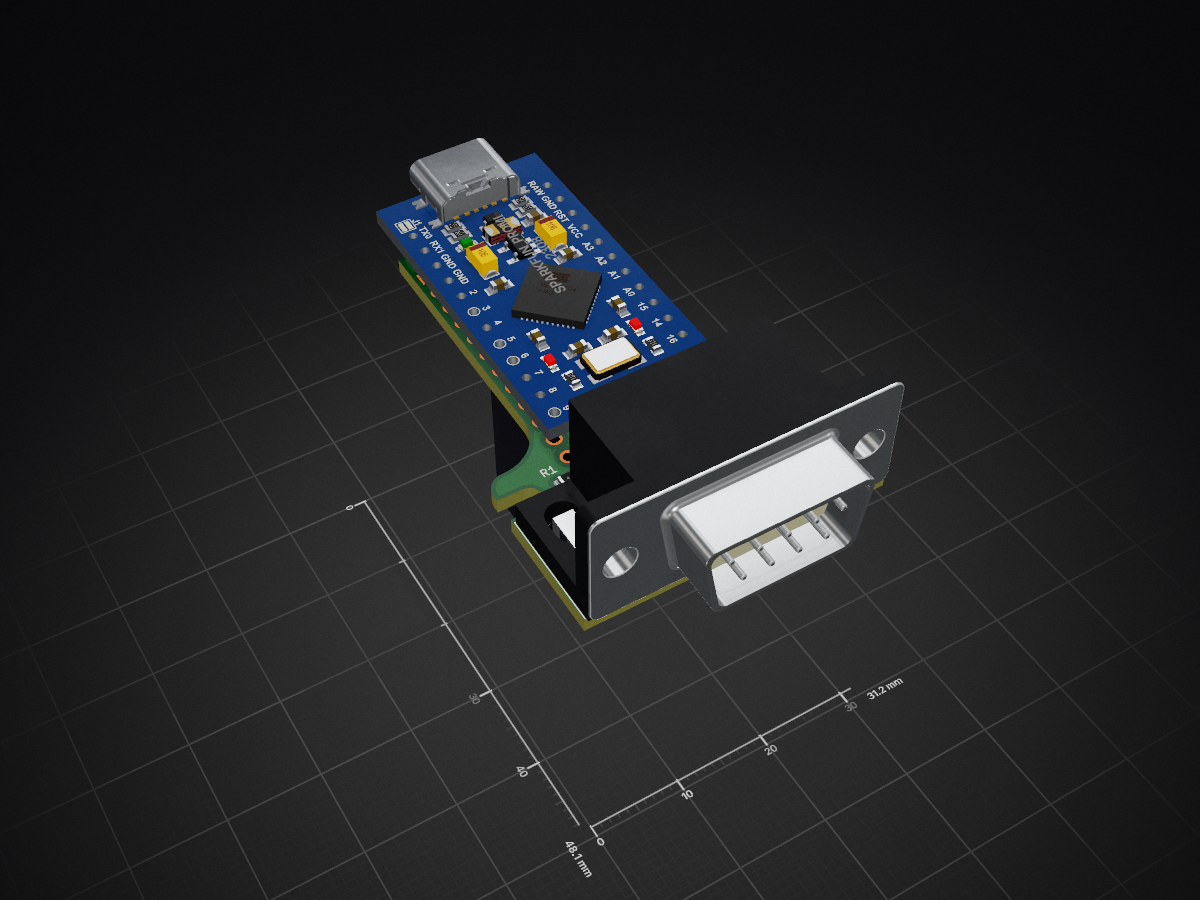
2 layers31.2 × 48.1 mm
Logitech Pedal Shield Pro Micro
dmadison/Sim-Racing-Shields
Add-on circuit boards ("shields") for connecting Arduino development boards to sim racing equipment.
17 parts44GPL-3.0
 dmadison/Sim-Racing-Shields44
Add-on circuit boards ("shields") for connecting Arduino development boards to sim racing equipment.
Logitech Shifter Shield Pro Micro is an open-source printed circuit board by dmadison, from the dmadison/Sim-Racing-Shields repository on GitHub, published under the GPL-3.0 licence. It is a 2-layer board of 31.2 × 48.1 mm with 22 parts on 34 nets, routed with 151 tracks and 10 vias.
Its parts include 6 resistors, 2 connectors and 1 IC. It belongs with the microcontroller boards boards and the AVR (ATmega, ATtiny) boards of this library.
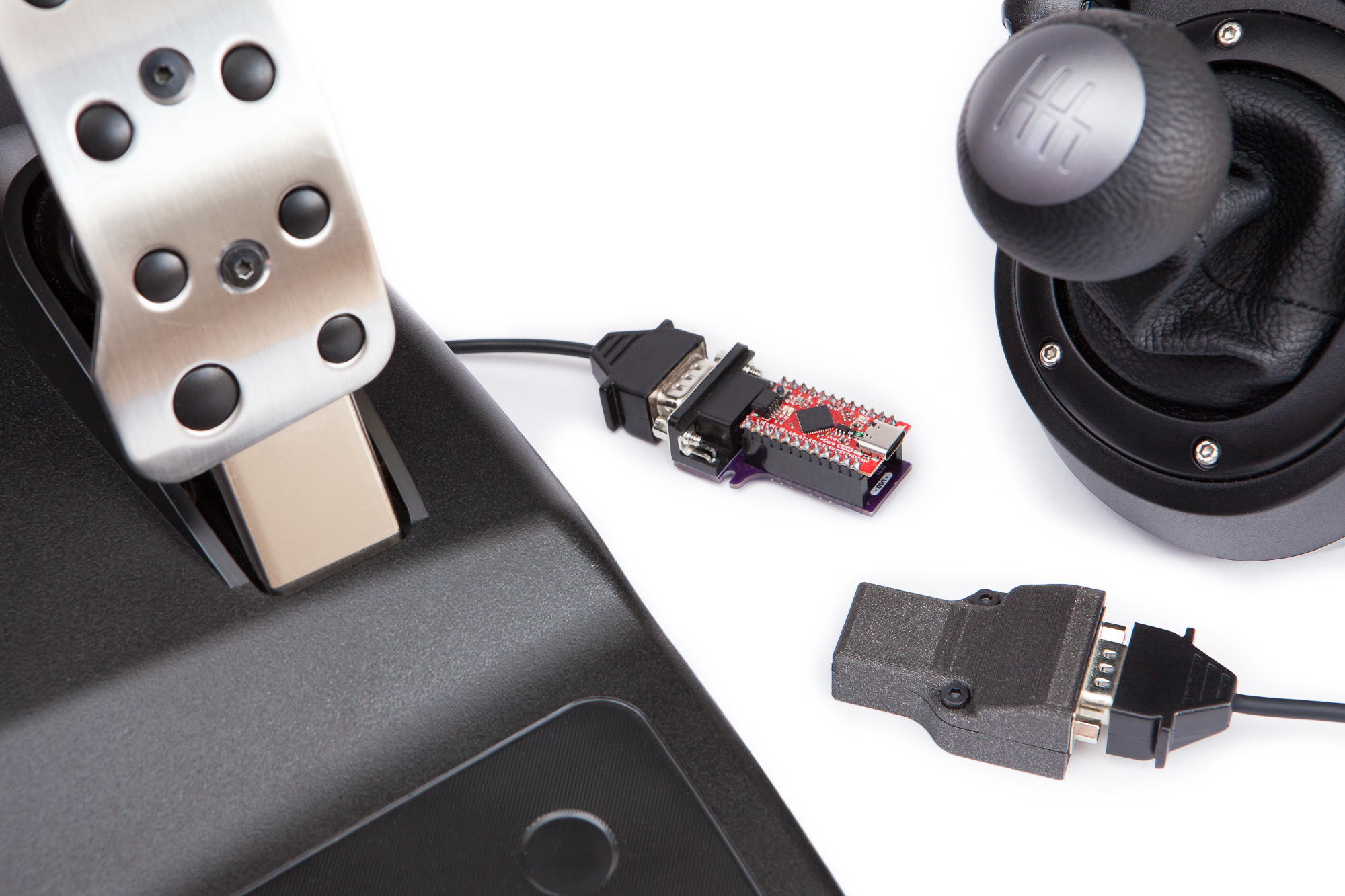
This repo contains add-on circuit boards ("shields") for connecting Arduino development boards to sim racing equipment. These shields are meant to be used in conjunction with the Sim Racing Library for Arduino. These shields can be used to create inexpensive, standalone USB HID adapters for use with racing games and simulators.
Both of these shields are designed to be used with a SparkFun Pro Micro, 5V (32U4). You can use either genuine SparkFun boards or 3rd party clones. The SparkFun Qwiic Pro Micro with a USB-C port (DEV-15795) is recommended. The SparkFun Pro Micro RP2040 is theoretically compatible but has not been tested. Note that the Tag-Connect programming header is not compatible with the RP2040.
The shields can be assembled with either 0.1″ female headers for prototyping or 0.1″ male headers for a permanent connection. Only assembled boards with male headers will be able to fit inside the 3D printed case.
For more information, see the article on PartsNotIncluded.com.
The Logitech Shifter Shield is designed to interface with all available Logitech shifters using a single DB-9 male connector:
This repo includes firmware (LogitechShifterShield) which works out of the box as a USB HID adapter for all three shifter types.
You can also write your own firmware using the Sim Racing Library for Arduino. Use the SimRacing::CreateShieldObject() template function for easy setup with the shifter shield:
LogitechShifterG29 shifter = SimRacing::CreateShieldObject<SimRacing::LogitechShifterG29, 2>();
LogitechShifterG27 shifter = SimRacing::CreateShieldObject<SimRacing::LogitechShifterG27, 2>();
LogitechShifterG25 shifter = SimRacing::CreateShieldObject<SimRacing::LogitechShifterG25, 2>();The Logitech Pedal Shield is designed to interface with the Logitech three pedal attachment, included with the Logitech G923 “TRUEFORCE”, G29/G920 “Driving Force”, and G27/G25 wheels, via a single DB-9 female connector.
This repo includes firmware (LogitechPedalShield) which works out of the box as a USB HID adapter for the pedals.
You can also write your own firmware using the Sim Racing Library for Arduino. Use the SimRacing::CreateShieldObject() template function for easy setup with the pedals shield:
LogitechPedals pedals = SimRacing::CreateShieldObject<SimRacing::LogitechPedals, 2>();The shields are designed to be used with the Sim Racing Library for Arduino. You can use any included example for your specific hardware, or write your own using the data the library provides.
Both shields use the SparkFun Pro Micro (32U4), and firmware should be compiled using the "SparkFun Pro Micro" board in the Arduino IDE. You can find the compilation files and installation instructions for the Pro Micro here. You do not need to install the SparkFun boards package if you are using the custom boards package below.
To install the custom boards package, start up the Arduino IDE and open the preferences window (File > Preferences). Copy and paste this URL for the package index into the "Additional Boards Manager URLs" field:
https://github.com/dmadison/Sim-Racing-Shields/raw/master/arduino-boards/boards-manager/package_simracing_index.jsonIn the menu, navigate to Tools > Board > Boards Manager and open up the boards manager. Search for "Sim Racing" and then install the "Sim Racing AVR Boards" package. After the package is installed you should be able to select the "SparkFun Pro Micro (for Sim Racing)" board.
The custom boards package adds two new options to the boards menu:
The first option, 'USB Identity', changes the USB PID and USB description for the board. Firmware compiled with the 'Shifter' option will present as "Sim Racing Shifter" with a PID of 0x9101, while firmware compiled with the 'Pedals' option will present as "Sim Racing Pedals" with a PID of 0x9102.
The second option, 'Serial Port', allows you to disable the USB CDC serial port. This improves compatibility with some systems and prevents accidentally reprogramming the board. Note that if you remove the USB CDC serial port the board will no longer automatically reset to the bootloader during programming. You will have to reset the board yourself or use an external programmer.
A 3D printed case design is available to protect the assembled shield and microcontroller. Both shields share the same general footprint and the same case design. When assembled, the case should hold the microcontroller and shield securely without any play.
The case is printed in two parts, and assembled using two M3-10 bolts and two M3 nuts. The recommended print orientation is as-is. Note that the top half of the case is a little tricky to print, and must be printed using bed supports.
If you'd like to make these yourself, you can find the Gerber files and Bill of Materials (BOM) in the latest release.
The files in this repository are licensed under the terms of the GNU General Public License (GPL), either version 3 of the License, or (at your option) any later version. See the LICENSE file for more information.
Included images are licensed under the CC BY-NC-ND 4.0 license. Attribution should be to Dave Madison (@dmadison).
| Qty | Value | Footprint | References |
|---|---|---|---|
| 3 | 10k | Resistor_SMD:R_0805_2012Metric | R2, R4, R6 |
| 2 | 470 | Resistor_SMD:R_0805_2012Metric | R1, R3 |
| 1 | 120 | Resistor_SMD:R_0805_2012Metric | R5 |
| 1 | AVR-ISP-6 | Connector:Tag-Connect_TC2030-IDC-NL_2x03_P1.27mm_Vertical | J2 |
| 1 | CS_Jumper | Sim_Racing_Shields:SolderJumper-2_P1.3mm_Bridged_RoundedPad1.0x1.5mm_Unmasked | JP7 |
| 1 | DE9_Plug_MountingHoles | Sim_Racing_Shields:DSUB-9_Male_Horizontal_P2.77x2.84mm_EdgePinOffset7.70mm_Housed_MountingHolesOffset9.12mm_ModP1Silk | J1 |
| 1 | DET_SCK_Jumper | Sim_Racing_Shields:SolderJumper-2_P1.3mm_Bridged_RoundedPad1.0x1.5mm_Unmasked | JP4 |
| 1 | DIN_LED_Jumper | Sim_Racing_Shields:SolderJumper-2_P1.3mm_Bridged_RoundedPad1.0x1.5mm_Unmasked | JP6 |
| 1 | DOUT_Jumper | Sim_Racing_Shields:SolderJumper-2_P1.3mm_Bridged_RoundedPad1.0x1.5mm_Unmasked | JP5 |
| 1 | G*** | kibuzzard-61EDBB73 | kibuzzard-61EDBB73 |
| 1 | LOGO | Sim_Racing_Shields:PNI_Logo_Text | G*** |
| 1 | LOGO | Sim_Racing_Shields:Logitech_Shifter_Shield_Graphic | G*** |
| 1 | LOGO | Sim_Racing_Shields:DB9_Male_Text | G*** |
| 1 | LOGO | Sim_Racing_Shields:Version_2.0.0 | G*** |
| 1 | LOGO | Sim_Racing_Shields:Logitech_Shifter_Jumper_Labels | G*** |
| 1 | SCK_DET_Jumper | Sim_Racing_Shields:SolderJumper-2_P1.3mm_Bridged_RoundedPad1.0x1.5mm_Unmasked | JP1 |
| 1 | SparkFun_ProMicro | Sim_Racing_Shields:Sparkfun_ProMicro | U1 |
| 1 | X_Jumper | Sim_Racing_Shields:SolderJumper-2_P1.3mm_Bridged_RoundedPad1.0x1.5mm_Unmasked | JP2 |
| 1 | Y_Jumper | Sim_Racing_Shields:SolderJumper-2_P1.3mm_Bridged_RoundedPad1.0x1.5mm_Unmasked | JP3 |
dmadison/Sim-Racing-Shields
Add-on circuit boards ("shields") for connecting Arduino development boards to sim racing equipment.

VoronDesign/Voron-Hardware
Cool Hardware designed by the Voron Design group

hoglet67/RGBtoHDMI
Bare-metal Raspberry Pi project that provides pixel-perfect sampling of Retro Computer RGB/YUV video and conversion to HDMI

hackclub/OnBoard
💡 Join 1,000 teenagers and make your first PCB with a $100 grant!

abhishek-kakkar/BeagleLogic
A Software Suite that implements a logic analyzer with the PRU on the BeagleBone / BeagleBone Black.

Chrismettal/flipper-zero-backpacks
Backpack-style addon boards for the Flipper Zero!


CRImier/MyKiCad
My KiCad boards. Can't be bothered uploading individually anymore, so here you go.
It measures 31.2 × 48.1 mm and has 2 copper layers, 1.6 mm thick.
22 parts. The full list of its parts is on this page, with links to each part's symbol and footprint where PCBKit's library has them.
From the dmadison/Sim-Racing-Shields repository on GitHub, at the commit this page was made from: the board is pcbs/Logitech_Shifter_Shield_Pro_Micro/Logitech_Shifter_Shield_Pro_Micro.kicad_pcb and its schematic pcbs/Logitech_Pedal_Shield_Pro_Micro/Logitech_Pedal_Shield_Pro_Micro.kicad_sch. PCBKit opens the board in the browser, with nothing to install.
Its repository publishes it under the GPL-3.0 licence: you may reuse it on that licence's terms (keep the author's notice, and for a copyleft licence share your changes alike).